
Description
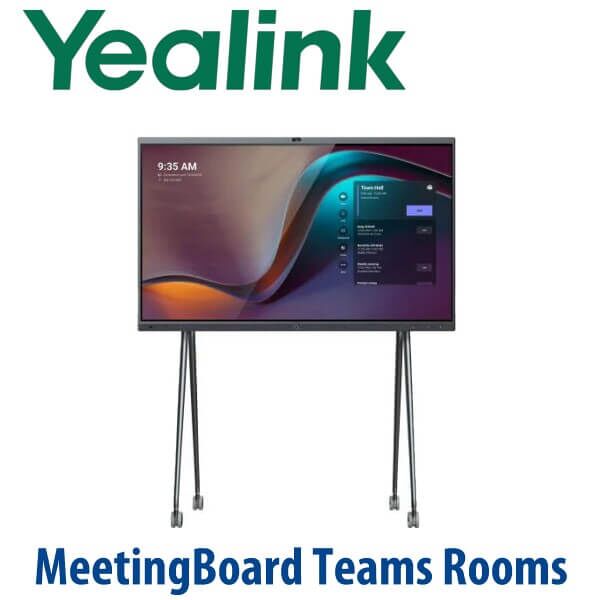
Yealink MeetingBoard Pro Teams Rooms 65 / 75 / 86-Inch Interactive Whiteboard Dubai
Yealink MeetingBoard Pro for Microsoft Teams Rooms in Dubai
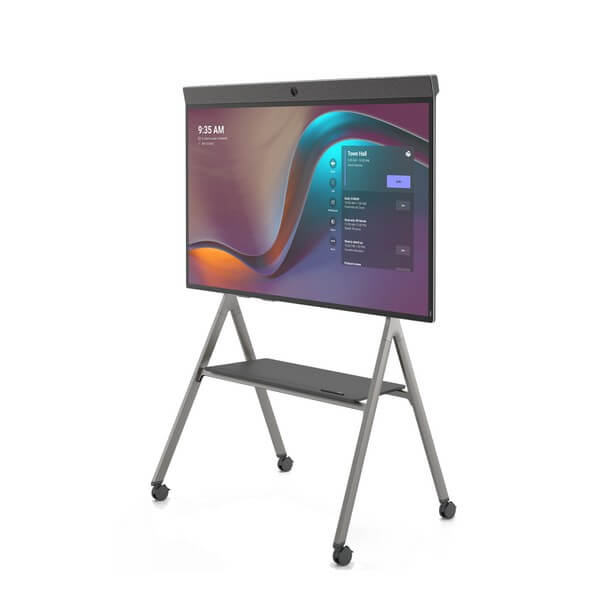
The Yealink MeetingBoard Pro is for Dubai offices that want the meeting room to start in one touch — not with a laptop, loose USB camera, separate speakerphone, HDMI cable and someone asking where the remote is. It combines a 4K interactive display, built-in Teams Rooms system, triple 50MP camera, 16-microphone array, speakers and digital whiteboard into one board for huddle rooms, executive rooms, training rooms and boardrooms.
Vector Digital Systems supplies, stages and prepares Yealink MeetingBoard Pro systems in Dubai for Microsoft Teams Rooms deployments. Tell David your room size, wall or floor-stand preference, Microsoft 365 tenant status and whether you want Android or Windows Teams Rooms mode. We quote in AED with VAT breakdown, delivery and staging included.
Platform Check — Teams Rooms, Zoom Rooms or SIP Phone?
MeetingBoard Pro is not a SIP conference phone and it is not a Yealink T7 desk phone. It is a room collaboration board for video meetings and whiteboarding. For Microsoft Teams Rooms buyers, Vector Digital Systems verifies the exact MeetingBoard Pro size and OS SKU against Microsoft’s certified device list before quoting. Certification status checked on 16 July 2026.
| Your Platform | Right Yealink Range | What You Need |
|---|---|---|
| Microsoft Teams Rooms | Yealink MeetingBoard Pro Teams Rooms — this page | Microsoft 365 tenant, Teams Rooms licence and network access |
| Zoom Rooms | MeetingBoard Pro Zoom/general-mode SKU — verify exact certification before quote | Zoom Rooms licence and room calendar setup |
| SIP PBX — 3CX, Yeastar, UCM, hosted PBX | Yealink CP-series conference phone or SIP desk phone range | SIP credentials from your phone system |
This platform check prevents the most expensive meeting-room mistake: buying a room board when you needed a SIP conference phone, or buying a SIP phone when the room is standardized on Microsoft Teams Rooms.
Power Truth — This Is Not PoE Like a Desk Phone
The MeetingBoard Pro uses AC mains power, not PoE. Yealink desk phones usually run from PoE and often ship without a power adapter, but an interactive 65 / 75 / 86-inch collaboration board is a powered room appliance. We confirm socket location, cable path, wall structure and network point before delivery. For floor-stand deployments, we confirm cable management and room layout so the installation looks clean in a DIFC boardroom, Business Bay meeting suite or DMCC training room.
Teams Rooms Licence and Tenant Readiness
The board is only one part of the room. A Microsoft Teams Rooms deployment also needs the correct Teams Rooms licence, room mailbox, calendar booking policy, network access, update policy and device-management plan. Vector Digital Systems checks these before delivery so the board is not simply mounted on the wall — it is ready for one-touch Teams meetings.
Which MeetingBoard Pro Size Should You Choose?
The MeetingBoard Pro range gives Dubai buyers three practical sizes: 65-inch for small rooms, 75-inch for medium rooms and executive offices, and 86-inch for large boardrooms or training spaces. Choose by room depth, number of seats and whether the whiteboard is used from the table or while standing at the display.
| Feature | MeetingBoard 65 Pro | MeetingBoard 75 Pro ★ | MeetingBoard 86 Pro |
|---|---|---|---|
| Display | 65″ 4K touch | 75″ 4K touch | 86″ 4K touch |
| Room fit | Small room / huddle room | Medium meeting room / executive room | Large boardroom / training room |
| Recommended people | 1–6 people | 6–12 people | 12–20 people |
| Camera | Triple 50MP camera system | Triple 50MP camera system | Triple 50MP camera system |
| Audio | 16-MEMS array, 36W speakers | 16-MEMS array, 36W speakers | 16-MEMS array, 36W speakers |
| Mounting | Wall or floor stand | Wall or floor stand | Wall or heavy-duty floor stand |
| Best Dubai use case | Manager room, small clinic room, huddle space | Most SME meeting rooms and executive offices | Boardroom, training room, government meeting room |
| Price tier | Entry MeetingBoard Pro | Balanced mid-size choice | Premium large-room choice |
| Choose if… | Your room is compact and users sit close to the board | You want the safest size for most Dubai Teams Rooms | You need visibility across a long boardroom or training table |
Where MeetingBoard Pro Works in Dubai
DIFC and DMCC executive rooms. Teams Rooms buyers in free-zone offices usually want a clean, client-facing room with no visible mini-PC, no webcam on a bracket and no cable mess. MeetingBoard Pro gives the room a single large interactive surface for video calls, presentations and whiteboarding.
Business Bay and JLT SME meeting rooms. A 65-inch or 75-inch MeetingBoard Pro replaces the TV, USB camera, speakerphone and whiteboard. The result is easier for non-technical staff: book the room, walk in, tap Join, share content and annotate on the board.
Training rooms and boardrooms. The 86-inch model is the right choice when people sit deeper in the room or when the display doubles as a training whiteboard. The 16-MEMS microphone array and 36W speakers give strong room coverage, while optional expansion audio can be added for demanding spaces.
Education, healthcare and government spaces. Interactive boards fit hybrid classrooms, telemedicine consultation rooms, internal training spaces and department meeting rooms. Vector Digital Systems confirms the room layout, installation surface, network port and Teams policy before dispatch.
Full Technical Specifications
| Specification | Yealink MeetingBoard Pro Teams Rooms |
|---|---|
| Product type | All-in-one Microsoft Teams Rooms interactive whiteboard |
| Screen sizes | 65″, 75″ and 86″ MeetingBoard Pro models |
| Display | 4K multi-touch LCD display with anti-glare coating |
| Camera system | Built-in triple 50MP camera system with wide-angle and telephoto coverage |
| AI video | Auto framing, speaker tracking, IntelliFocus, Video Fence and Picture-in-Picture features depending on mode and firmware |
| Microphones | 16-MEMS microphone array with AI-enhanced audio and full-duplex pickup up to 12 metres |
| Speakers | Integrated 36W stereo speaker system |
| Whiteboard | Native Microsoft/Zoom whiteboard support, multi-writing, palm rejection, pen-tip writing and pen-tail erasing |
| Teams Rooms mode | Android or Windows Teams Rooms options depending on SKU; exact certified SKU verified before quote |
| Content sharing | Wireless sharing via supported Yealink/Microsoft methods plus HDMI input and BYOD options depending on mode |
| Dual-screen support | HDMI output supports second-screen deployments on MeetingBoard Pro |
| Mounting | Wall mount or optional mobile/floor stand depending on room layout and board size |
| Power | AC mains power — not PoE |
| Best room sizes | 65 Pro: 1–6 people · 75 Pro: 6–12 people · 86 Pro: 12–20 people |
Compatible Accessories and Room Options
| Accessory | Model / Option | Purpose |
|---|---|---|
| Floor stand | MB-FS-P650T / MB-FS-P750T / MB-FS-P860T | Mobile or floor-mounted installation for 65 / 75 / 86-inch MeetingBoard Pro models |
| Wall mount | MB-WallMount-650 / MB-WallMount-860 | Clean fixed installation where wall structure and cable path are suitable |
| Touch controller | CTP25 | Tabletop control for executive rooms and boardrooms |
| Extended camera | MB-12X Pro | Additional optical zoom coverage for longer rooms where the built-in camera needs help |
| Expansion audio | CM20, CS10, VCM36-W and compatible Yealink audio options | Improves pickup and playback in larger rooms or difficult acoustic spaces |
| BYOD / sharing | VCH51, PA20, WPP30 and HDMI input options | Laptop sharing and BYOD workflows depending on SKU, region and meeting mode |
Room Staging Before Dispatch
Vector Digital Systems stages Yealink MeetingBoard Pro systems before delivery: Teams Rooms mode confirmed, firmware checked, network settings prepared, room account and calendar requirements reviewed, display and audio/video settings checked, content-sharing mode discussed and accessory bundle confirmed. For Dubai installations, we also confirm wall or floor-stand plan, lift access, room power point, network point and cable path before dispatch.
Related Yealink Meeting Room Options
Compare MeetingBoard Pro with Yealink A20 for small rooms, A30 for medium rooms, A40 for larger video rooms, MVC400 for compact Microsoft Teams Rooms, MVC640 for medium Teams Rooms, MVC840 for larger rooms, and CP965 for Teams conference audio. Internal links are added only after the relevant product pages are confirmed live in the Vector Digital Systems registry.
Export from Dubai
Vector Digital Systems exports Yealink meeting room systems from Dubai to system integrators, enterprise IT teams, hotel groups, banks, telecom installers and government procurement departments. Common export routes include Oman, Saudi Arabia, Kuwait, Bahrain, Qatar, Jordan, Egypt, Kenya, Tanzania and Pakistan. Shipments are quoted FOB Dubai with commercial invoice, packing list and certificate of origin on request. For MeetingBoard Pro exports, David confirms carton dimensions, mounting accessories and destination documentation before issuing the final quote.
Get a same-day quote in AED for Yealink MeetingBoard Pro
Tell David your room size, number of seats, Teams Rooms licence status, preferred board size, wall or floor-stand requirement, and whether you need delivery only or full room installation. VAT breakdown and delivery charges are included in the quote.
Frequently Asked Questions — Yealink MeetingBoard Pro Teams Rooms
Is the Yealink MeetingBoard Pro certified for Microsoft Teams Rooms?
Yes — Yealink MeetingBoard Pro Teams Rooms SKUs are listed in Microsoft’s Teams enabled device catalogue. Vector Digital Systems verifies the exact size and OS SKU against Microsoft’s certified device list before quoting. Certification status for current MeetingBoard Pro listings was checked on 16 July 2026.
Which MeetingBoard Pro size should I choose: 65, 75 or 86 inch?
Choose the 65-inch model for small rooms of around 1–6 people, the 75-inch model for medium rooms and executive offices of around 6–12 people, and the 86-inch model for large boardrooms or training rooms of around 12–20 people. David can size the board from your room dimensions and seating layout.
Does the Yealink MeetingBoard Pro need a Teams Rooms licence?
Yes. The MeetingBoard Pro hardware needs the correct Microsoft Teams Rooms licence, a room account, calendar configuration and tenant policy. Vector Digital Systems checks the licence and room-account requirements before staging so the board is ready for one-touch Teams meetings after delivery.
Can MeetingBoard Pro also work with Zoom or BYOD meetings?
MeetingBoard Pro supports multiple meeting workflows depending on SKU, mode and firmware, including Teams Rooms, Zoom/general mode and BYOD sharing. For a Zoom-first room, ask David to verify the exact Zoom-certified SKU before order. For laptop-led meetings, we can add the correct Yealink sharing or BYOD accessories.
Does MeetingBoard Pro run on PoE?
No. Unlike Yealink desk phones, the MeetingBoard Pro is a large interactive display and uses AC mains power. Before delivery, Vector Digital Systems confirms the power socket, network point, cable path and mounting method so the installation is clean and safe.
What camera and audio does the MeetingBoard Pro include?
MeetingBoard Pro includes a built-in triple 50MP camera system with AI video features, a 16-MEMS microphone array with AI-enhanced full-duplex pickup up to 12 metres, and integrated 36W stereo speakers. Larger or acoustically difficult rooms can be expanded with compatible Yealink microphones, speakers or the MB-12X Pro camera.
Does Vector Digital Systems install and configure the MeetingBoard Pro before delivery?
Yes. Vector Digital Systems stages the room system before dispatch: Teams Rooms mode confirmed, firmware checked, network settings prepared, room-account requirements reviewed, display and audio/video settings checked, and accessories matched to the room. Installation planning covers wall or floor stand, lift access, power and network points.
Who is the Yealink authorised supplier for MeetingBoard Pro in Dubai?
Vector Digital Systems LLC has supplied Yealink solutions in Dubai since 2009. David is the Yealink product specialist for MeetingBoard Pro, Teams Rooms devices, room accessories, staging and project pricing. Warranty and support are handled locally through the Vector Digital Systems team.
What is the best Yealink Teams Rooms board for a Dubai boardroom?
For most Dubai boardrooms, the MeetingBoard 75 Pro is the safest balance of screen size, readability and room fit. Choose the 65 Pro for small rooms and the 86 Pro for long boardrooms, training rooms or large executive spaces. For rooms that need separate camera placement rather than an all-in-one board, compare Yealink MVC-series Teams Rooms kits.
Does Vector Digital Systems export Yealink MeetingBoard Pro from Dubai?
Yes. Vector Digital Systems exports Yealink MeetingBoard Pro systems from Dubai to integrators and enterprise buyers in Oman, Saudi Arabia, Kuwait, Bahrain, Qatar, Jordan, Egypt, Kenya, Tanzania and Pakistan. Shipments are quoted FOB Dubai with commercial invoice, packing list and certificate of origin on request.
