
Description
Yealink UVC85-BYOD 4K USB Video Conferencing Kit for Medium & Large Rooms Meeting Kit Dubai
UVC84-BYOD-210 Has Been Replaced — Order the UVC85-BYOD for New Dubai Rooms
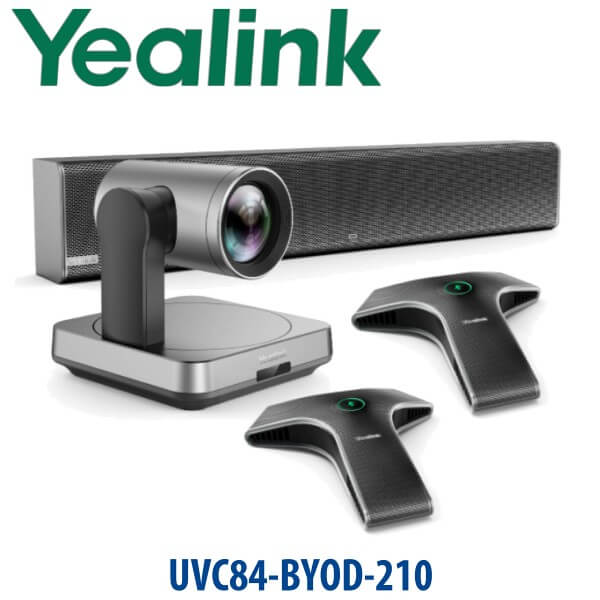
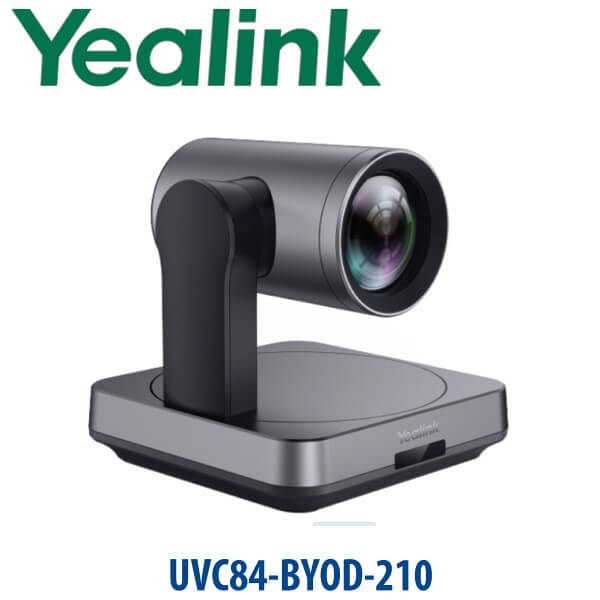
If you searched for the Yealink UVC84-BYOD-210 meeting kit, the correct new-room recommendation is the Yealink UVC85-BYOD. The UVC84-BYOD range is no longer the model to build fresh meeting rooms around; the UVC85-BYOD gives Dubai offices the same laptop-first meeting style with a newer 4K UVC85 camera, professional CP50 conference audio, Type-C BYOD connection, cleaner room cabling, and a better path for medium and large boardrooms. Vector Digital Systems supplies and stages Yealink meeting room solutions in Dubai, with same-day quote in AED, VAT breakdown, delivery options, and export documentation when required.
BYOD, Microsoft Teams Rooms, or Zoom Rooms? Choose the Right Yealink Platform
The Yealink UVC85-BYOD is a Bring Your Own Device room kit. That means the user brings a laptop, plugs in one Type-C cable, and the laptop uses the room’s Yealink camera and audio inside the meeting app. It is not a dedicated Android or Windows Teams Rooms appliance by itself, and it is not a locked Zoom Rooms controller kit. This is the key buying decision: BYOD gives flexibility; dedicated Teams Rooms or Zoom Rooms gives a fixed room appliance experience.
| Your Meeting Platform | Right Yealink Route | What You Need |
|---|---|---|
| BYOD laptop meetings — Teams, Zoom, Google Meet, Webex, browser UC | Yealink UVC85-BYOD (this page) | User laptop + meeting app + Type-C cable to the room kit |
| Microsoft Teams Rooms | Yealink MVC / MeetingBar Teams Rooms range — verify certification status before order | Teams Rooms licence, Microsoft 365 tenant, room account and certified room hardware |
| Zoom Rooms | Zoom Rooms-certified Yealink range — verify certification status before order | Zoom Rooms licence, room account and certified Zoom room hardware |
Tell David whether your meeting room should be laptop-first BYOD or a dedicated Teams / Zoom room. That one decision prevents the most common ordering mistake in UAE meeting room projects.
Power and Cabling Truth — BYOD Rooms Still Need Planned Cabling
The UVC85-BYOD is not a battery-powered portable speakerphone. It is a room solution built from a PTZ camera, CP50 conference audio and room cabling. The BYOD experience is simple for the user — one Type-C cable to the laptop — but the room still needs correct power points, cable routing, camera mounting, table audio placement and display connection. For larger rooms with CPE40 expansion units, power and daisy-chain planning matters. Vector Digital Systems checks the meeting table length, display wall position, laptop landing point and cable path before quoting, so the kit arrives with the correct layout plan instead of loose boxes.
Why the UVC85-BYOD Is the UVC84-BYOD Upgrade Path
The older UVC84-BYOD-210 package was popular because it gave Dubai meeting rooms a proper PTZ camera, room microphones and BYOD box without forcing one fixed meeting platform. The UVC85-BYOD keeps that buyer logic but modernises the room experience: a UVC85 4K camera for medium and large spaces, CP50 professional audio on the table, optional CPE40 expansion for longer tables, and centralized device management for IT teams. For offices in DIFC, DMCC, Business Bay and JLT where guests join meetings from different platforms, the UVC85-BYOD is often cleaner than a dedicated room OS.
Yealink BYOD Meeting Kit Comparison
| Feature | UVC84-BYOD-210 | UVC85-BYOD ★ | MeetingBar / MVC Room System |
|---|---|---|---|
| Room Type | Medium / large BYOD rooms | Medium / large BYOD rooms | Dedicated Teams or Zoom rooms |
| Camera | UVC84 4K PTZ | UVC85 4K intelligent PTZ | Model-dependent integrated or PTZ camera |
| Zoom | 12x optical + 3x digital | 12x optical + 3x digital | Model-dependent |
| Field of View | 80° | 90° diagonal lens | Model-dependent |
| Audio | VCM34 + MSpeaker II in large kit | CP50 speakerphone + optional CPE40 expansion | Built-in or expandable room audio |
| BYOD Connection | BYOD box | Single Type-C BYOD workflow | Usually fixed room account; BYOD optional by model |
| Platform Style | Laptop-first meetings | Laptop-first meetings | Dedicated Teams / Zoom room appliance |
| Replaces | End-of-sale model | UVC84-BYOD-210 new-room recommendation | Dedicated room upgrade path |
| Price Tier | Legacy / sell-through only | Professional BYOD room tier | Higher dedicated-room tier |
| Choose if… | You are supporting an existing UVC84 room only | You want a new flexible BYOD room where users bring their own laptop | You want a permanent Teams Rooms or Zoom Rooms appliance |
Where the UVC85-BYOD Works in Dubai
DIFC and DMCC boardrooms. Many Dubai free-zone offices host calls with banks, auditors, overseas vendors and internal teams on different platforms. One visitor may use Teams, the next Zoom, the next Google Meet. The UVC85-BYOD avoids platform lock-in: the guest or host connects a laptop by Type-C and uses the room camera and audio immediately.
Business Bay, JLT and Dubai Marina SMEs. Growing companies often need a proper meeting room before they are ready for a full Teams Rooms or Zoom Rooms licence model. UVC85-BYOD gives a professional 4K PTZ camera and conference audio without forcing the IT team to manage a room account from day one.
Training rooms and project rooms. Consulting firms, real estate developers, engineering teams and education centres need to capture people across a long table, not just the person nearest a laptop. The UVC85 camera’s optical zoom and auto-framing help remote participants see the full room, while CP50 / CPE40 audio keeps voices clear across the table.
Hybrid work refresh projects. Post-RTO offices in Dubai are replacing laptop-on-chair meeting setups with fixed room hardware. UVC85-BYOD is ideal where users still prefer launching meetings from their own laptop but want boardroom-grade camera, microphone and speaker quality.
Full Technical Specifications
| Specification | Yealink UVC85-BYOD |
|---|---|
| Product Type | BYOD audio and video conferencing kit for medium and large meeting rooms |
| Camera | Yealink UVC85 4K Ultra HD intelligent PTZ camera |
| Video Resolution | 4K Ultra HD camera output, meeting-app dependent |
| Lens / Coverage | 90° diagonal lens; 80° horizontal and 50° vertical viewing angles |
| Zoom | 12x optical zoom + 3x digital zoom |
| Camera Intelligence | Auto-framing and PTZ control for medium / large meeting spaces |
| Main Audio Device | Yealink CP50 professional-grade conference speakerphone |
| Microphone Pickup | 8-element omnidirectional microphone array, 360° pickup, up to 6 metres |
| Audio Processing | Noise reduction, echo cancellation, reverberation removal and full-duplex conversation support |
| Audio Expansion | CPE40 expansion units available for longer tables; up to 7 CPE40 units supported from one CP50, with power planning required for larger chains |
| Laptop Connection | Single Type-C BYOD connection for laptop access to room camera and audio |
| Meeting Apps | Laptop-based Microsoft Teams, Zoom, Google Meet, Cisco Webex, browser meeting platforms and UC apps |
| Dedicated Teams / Zoom Room | Not a dedicated room appliance by itself; use Yealink MVC, MeetingBar or certified Zoom Rooms range when a fixed room system is required |
| Management | Centralized device management supported for administrator configuration, diagnosis and upgrades |
| Replaces / Upgrade Path | Recommended new-room successor route for UVC84-BYOD and UVC84-BYOD-210 buyers |
Compatible Accessories and Room Add-Ons
| Accessory / Add-On | Purpose | When to Add It |
|---|---|---|
| CPE40 Expansion Speakerphone | Extends CP50 audio pickup across longer conference tables | Boardrooms, training rooms and long tables where participants sit beyond the main CP50 pickup zone |
| Camera Mount / Bracket | Positions the UVC85 above or near the display | Wall-mounted screens, credenza setups and boardrooms where camera height matters |
| Certified Type-C Cable Path | Keeps the BYOD laptop connection clean and reliable | Meeting tables with cable cubbies, floor boxes or concealed AV routing |
| Display / HDMI Integration | Connects the laptop meeting to the room screen | Any BYOD room where users need both camera/audio and screen sharing on the display |
Staging Before Dispatch — What Vector Digital Systems Checks
Every Yealink UVC85-BYOD meeting kit supplied by Vector Digital Systems is checked before dispatch: camera and audio device readiness, firmware status, BYOD cable path, room layout notes, display-side connection requirements, CP50 / CPE40 audio placement, and a practical handover note for the office admin. For Dubai installations, David can review room photos or a simple room sketch before quoting so the right cable length, mount type and audio expansion are planned at order stage. VAT breakdown and delivery charges are included in the quote.
Export from Dubai
Vector Digital Systems exports Yealink meeting room kits from Dubai to system integrators, AV installers, telecom operators and corporate procurement teams. Common export destinations include Oman, Saudi Arabia, Kuwait, Bahrain, Qatar, Jordan, Egypt, Kenya, Nigeria and Pakistan. Shipments are quoted FOB Dubai with commercial invoice, packing list and certificate of origin on request. For hotel groups, banking branch networks, government IT departments and regional system integrators, David can quote multiple UVC85-BYOD kits with staged packing and room-by-room labelling.
Get a same-day quote in AED for Yealink UVC85-BYOD
Tell David your room size, table length, meeting platform, display location and whether you need extra CPE40 audio units. We quote with VAT breakdown, delivery and room-cabling notes included.
Frequently Asked Questions — Yealink UVC85-BYOD
Is the Yealink UVC85-BYOD the replacement for the UVC84-BYOD-210?
Yes — for new meeting room projects, the UVC85-BYOD is the correct successor route for buyers who searched for UVC84-BYOD-210. The older UVC84-BYOD range is end-of-sale, while the UVC85-BYOD provides a newer 4K UVC85 camera, CP50 professional audio and a modern Type-C BYOD workflow for medium and large rooms.
Does the Yealink UVC85-BYOD work with Microsoft Teams or do I need a different model?
The UVC85-BYOD works with Microsoft Teams when Teams is running on the user’s laptop. It is a BYOD kit, not a dedicated Teams Rooms appliance by itself. If you need a permanent Microsoft Teams Rooms system with a room account and Teams Rooms licence, ask David for the current Yealink MVC or MeetingBar model and we will verify certification status before quoting.
Does the Yealink UVC85-BYOD work with Zoom?
Yes — it works with Zoom when Zoom runs on the connected laptop, because the laptop uses the Yealink room camera and audio through the BYOD connection. If you need a dedicated Zoom Rooms appliance instead of laptop-based Zoom meetings, ask David for the current Zoom-certified Yealink room system and we will verify certification status before order.
What room size is the Yealink UVC85-BYOD designed for?
The UVC85-BYOD is designed for medium and large meeting rooms. It suits Dubai boardrooms, training rooms and executive meeting spaces where a laptop webcam or small USB speakerphone cannot capture the full table. David can size the room from a photo, table length and seating count before quoting.
What is included in the Yealink UVC85-BYOD meeting kit?
The core solution is built around the Yealink UVC85 4K intelligent PTZ camera and CP50 professional conference speakerphone, with BYOD connectivity for laptop-based meetings. CPE40 expansion units, mounts and room cable planning can be added depending on room size and table length.
UVC85-BYOD vs a dedicated Teams Rooms system — which one should I buy?
Choose UVC85-BYOD if users bring laptops and use different meeting apps such as Teams, Zoom, Google Meet and Webex. Choose a dedicated Teams Rooms system if the room needs a fixed Teams account, always-on room calendar, touch controller and certified appliance experience. Vector Digital Systems can quote both routes after checking your workflow.
Can the UVC85-BYOD audio cover a long boardroom table?
Yes, but the audio design should be planned. The CP50 provides 360° pickup up to 6 metres, and CPE40 expansion units can extend coverage for longer tables. For boardrooms in DIFC, Business Bay or JLT, send David the table length and seating count so the correct number of audio units is quoted.
Does Vector Digital Systems configure the Yealink UVC85-BYOD before delivery?
Yes — Vector Digital Systems checks the camera, audio device, firmware readiness, cable plan and room layout notes before dispatch. For larger projects, we label kits room-by-room and include practical setup notes so the office admin or AV installer can deploy cleanly.
Who is the Yealink authorised supplier in Dubai?
Vector Digital Systems LLC has supplied Yealink voice and video solutions in Dubai since 2009. David handles Yealink pre-sales, room sizing, project pricing, staging and local warranty coordination, so buyers do not need to manage overseas claims or unsupported grey-market stock.
Does Vector Digital Systems export Yealink meeting kits from Dubai?
Yes — Vector Digital Systems exports Yealink meeting room kits from Dubai to integrators, AV installers and enterprise buyers in Oman, Saudi Arabia, Kuwait, Bahrain, Qatar, Jordan, Egypt, Kenya, Nigeria and Pakistan. Shipments are quoted FOB Dubai with commercial invoice, packing list and certificate of origin on request.