Description
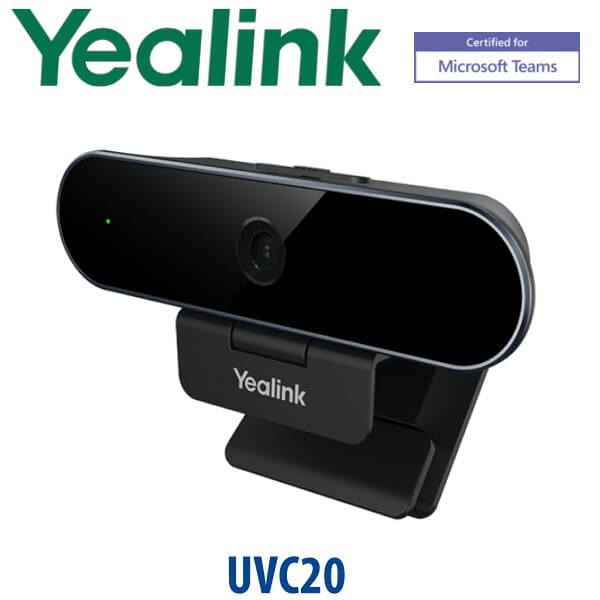
Yealink UVC20 USB Camera 1080p Teams-Certified Webcam with Microphone Dubai
A Better Camera for the Laptop Desk
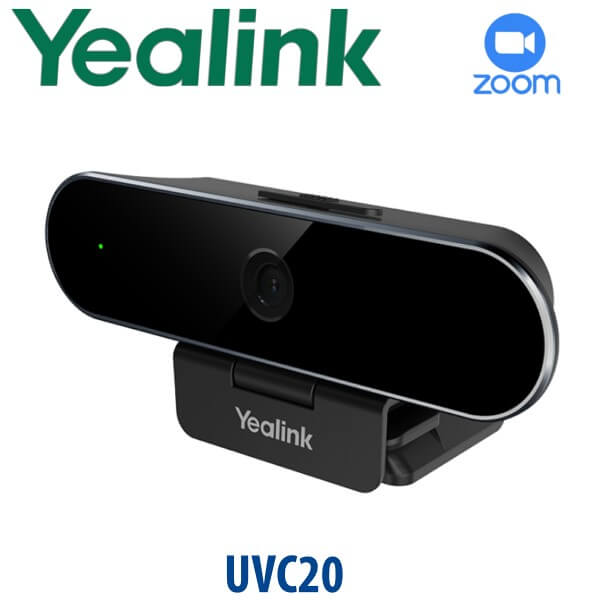
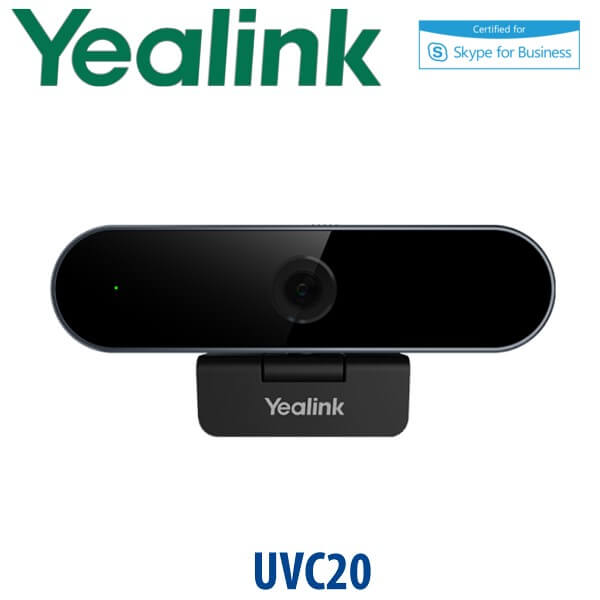
The Yealink UVC20 is the simple upgrade for Dubai users who spend the day on Microsoft Teams, Zoom, Google Meet, Webex, online training, telemedicine calls, or client video meetings from a laptop. It gives the user a proper 1080p image, a 5MP glass lens, autofocus, Smart Light exposure correction, a built-in omnidirectional microphone, and a physical privacy lens cap — without installing a room system or changing the meeting platform. Plug it into a Windows or Mac laptop, mount it on the screen, and the desk is ready for professional video calls.
Platform Check — Teams, Zoom or BYOD?
The UVC20 is a USB webcam, not a standalone Teams phone or Zoom Room appliance. That is the key buyer distinction: it works as a plug-and-play camera for the meeting app running on the user’s laptop or desktop. Microsoft Teams certification was verified on Microsoft’s certified personal peripherals list on 23 July 2026. Zoom use is suitable for BYOD meetings, but current Zoom certification status should be verified for projects where procurement requires a live Zoom hardware registry entry.
| Your Platform | Right Yealink Device | What You Need |
|---|---|---|
| Microsoft Teams on laptop | Yealink UVC20 USB Camera — this page | Windows or Mac computer with Teams client installed. Certification checked 23 July 2026. |
| Zoom, Google Meet, Webex or browser meetings | UVC20 as a BYOD USB webcam | Select “Yealink UVC20” as camera and microphone inside the meeting app. Verify Zoom certification status if required. |
| Small meeting room | Step up to Yealink UVC40 E2 or a room camera | A room-grade camera, speaker and microphone system instead of a personal desktop webcam. |
USB Power Truth — No PoE, No External Adapter
The Yealink UVC20 is powered directly by USB. It does not need PoE, a separate power adapter, a network port, or SIP registration. The included 1.8 m USB 2.0 Type-A cable carries both power and data from the laptop or desktop PC. For offices moving from built-in laptop webcams to external cameras, this is the simplest possible deployment: plug in, select the device in the meeting app, and start the call.
Where the UVC20 Sits in the Yealink Camera Range
The UVC20 is the personal desktop model: compact, affordable, full HD, and easy to deploy in quantity. Step up to the UVC30 Desktop when a user needs 4K video, adjustable field of view, 3× digital zoom or Windows Hello. For huddle rooms and small meeting rooms, move away from a webcam and choose the UVC40 E2 all-in-one video bar with camera, speaker and microphone array. David can quote all three options depending on whether you are equipping one user, a hybrid team, or a meeting room.
| Feature | Standard Laptop Camera | Yealink UVC20 ★ | Yealink UVC30 Desktop |
|---|---|---|---|
| Best for | Occasional calls | Daily Teams and BYOD video calls | Premium executive desktop video |
| Resolution | Varies by laptop | 1080p30 / 720p30 | 4K UHD |
| Lens / sensor | Built into screen bezel | 5MP full HD glass lens | 4K camera with premium image processing |
| Field of view | Usually narrow | 74° diagonal | Adjustable field of view |
| Microphone | Laptop mic | Built-in omnidirectional mic | Built-in mic, model dependent |
| Privacy cover | Usually absent | Built-in anti-lost lens cap | Model dependent |
| Conference | Software only | Uses Teams, Zoom, Meet, Webex on PC | Uses Teams, Zoom, Meet, Webex on PC |
| Expansion | None | Pair with Yealink headset or speakerphone | Pair with Yealink headset or speakerphone |
| Replaces | Built-in laptop webcam | Entry desktop USB webcam setup | Premium personal webcam setup |
| Choose if… | Video quality is not critical | You need a clean, reliable 1080p camera for staff laptops and hybrid desks | You want 4K image quality and executive-grade desktop video |
Where the UVC20 Works in Dubai
Hybrid staff desks in Business Bay and JLT. When employees split time between office and home, the built-in laptop camera becomes the weakest part of the meeting. The UVC20 gives every desk a consistent camera angle, better exposure and a physical privacy cover, without needing a docking station or meeting-room budget.
DIFC and DMCC client-facing teams. Sales, legal, consulting and financial teams often run Teams calls all day with regional customers. A 1080p camera with Smart Light makes a practical difference in glass offices, backlit windows and shared workstations where lighting is never perfect.
Education, training and telemedicine. The UVC20 suits trainers, teachers, clinic admins and support teams who need stable personal video without building a full room system. It is compact enough for a training laptop bag and simple enough for non-technical users to install.
Bulk webcam refresh projects. For 10, 25 or 100 users, the UVC20 is easy to standardise: one camera, one cable, one driver-free setup, one support process. Vector Digital Systems can bundle it with Yealink USB headsets or speakerphones for full personal collaboration kits.
Full Technical Specifications
| Specification | Yealink UVC20 |
|---|---|
| Product Type | Personal desktop USB webcam |
| Camera Type | 1/2.7 inch CMOS, 5MP |
| Maximum Resolution | 1080p Full HD |
| Video Output | 1080p30, 720p30 |
| Maximum FPS | 30 fps |
| Field of View | 74° diagonal |
| Effective Focus Length | 10 cm to 1.5 m |
| Aperture | F/2.0 |
| Autofocus | Yes |
| Exposure | Auto exposure with Smart Light face exposure correction |
| Wide Dynamic Range | Supported |
| ePTZ | Supported, with 1.4× digital control via Yealink USB Connect |
| Microphone | Built-in omnidirectional microphone |
| Pickup Range | 180° / 4.9 feet |
| Frequency Response | 100 Hz to 12 kHz |
| Connection | USB 2.0 Type-A cable, 1.8 m |
| UVC Protocol | UVC 1.0 |
| Privacy | Built-in anti-lost lens cap |
| LED Indicator | Supported |
| Dimensions | 100 mm × 43 mm × 41 mm |
| System Requirement | Windows 7, Windows 10, macOS 10.10 or higher |
| Software | Yealink USB Connect for device information, diagnostics, firmware updates and ePTZ control |
| Platform Notes | Certified for Microsoft Teams. Works as a BYOD USB camera with Zoom, Google Meet, Webex and other video apps; verify current Zoom certification status if procurement requires it. |
Compatible Accessories and Bundles
| Accessory / Bundle | Recommended Pairing | Purpose |
|---|---|---|
| USB Headset | Yealink UH series | Clear private audio for call-centre agents, sales users and shared offices. |
| Bluetooth / Hybrid Headset | Yealink BH series | Laptop and mobile pairing for hybrid workers moving between home and office. |
| USB Speakerphone | Yealink personal speakerphone range | Better audio for a manager desk or two-person huddle at one laptop. |
| Step-up Camera | Yealink UVC30 Desktop | For users who need 4K video, adjustable field of view and a more premium desktop camera. |
| Room System Step-up | Yealink UVC40 E2 | For huddle rooms that need camera, microphones and speaker in one video bar. |
Staging Before Dispatch — What We Check
For UVC20 deployments, Vector Digital Systems checks the camera, USB cable, lens cap movement, device recognition on a test computer, camera/microphone selection and video output before dispatch. For bulk orders, we can label boxes by department or user group, prepare headset-and-camera kits, and advise your IT team on Yealink USB Connect for diagnostics and firmware management. The goal is simple: the camera arrives ready for the user, not as another helpdesk ticket.
Export from Dubai
Vector Digital Systems exports Yealink UVC20 USB cameras from Dubai to system integrators, IT resellers, education suppliers and corporate procurement teams across the region. Common export routes include Oman, Saudi Arabia, Kuwait, Bahrain and Qatar in the GCC; Jordan and Egypt for regional projects; Kenya and Tanzania for East Africa; and Pakistan or Sri Lanka for South Asian deployments. Shipments can be quoted FOB Dubai with commercial invoice, packing list and certificate of origin on request. Multi-unit pricing is available for training centres, banks, clinics, call centres and hybrid-work laptop refresh projects.
Get a same-day quote in AED — Yealink UVC20 in Dubai
Tell David the quantity, user type, platform used (Teams, Zoom, Meet or Webex), and whether you want camera-only or camera + headset bundles. We quote with VAT breakdown and delivery charges included.
Frequently Asked Questions — Yealink UVC20
Is the Yealink UVC20 a good webcam for Microsoft Teams?
Yes. The Yealink UVC20 is a 1080p USB webcam with a 5MP glass lens, autofocus, Smart Light exposure correction and built-in microphone. Microsoft Teams certification was verified on 23 July 2026, making it a suitable choice for Teams users who need better desktop video than a laptop camera.
Does the Yealink UVC20 work with Zoom?
The UVC20 works as a BYOD USB webcam with Zoom and can be selected as the camera and microphone inside the Zoom desktop app. If your procurement process requires a current Zoom hardware certification entry, ask David to verify the latest Zoom registry status before quoting.
Does the Yealink UVC20 need a power adapter?
No. The Yealink UVC20 is powered directly from the computer through its included 1.8 m USB 2.0 Type-A cable. It does not require PoE, a network cable or an external power supply.
What is the camera quality of the Yealink UVC20?
The UVC20 uses a 5MP full HD glass lens and outputs 1080p30 or 720p30 video. It has a 74° diagonal field of view, autofocus, auto exposure, wide dynamic range and Smart Light face exposure correction for low-light or backlit office conditions.
Does the Yealink UVC20 have a built-in microphone?
Yes. The UVC20 includes a built-in omnidirectional microphone with 180° pickup and a 4.9 ft range. For noisy open-plan offices or all-day calling, Vector Digital Systems can bundle the camera with a Yealink USB or Bluetooth headset.
Yealink UVC20 vs UVC30 Desktop — which one should I buy?
Choose the UVC20 when you need a reliable 1080p camera for everyday Teams, Zoom, Meet or Webex calls. Choose the UVC30 Desktop when the user needs 4K video, a more premium image, adjustable field of view or executive desktop presentation quality.
Can the Yealink UVC20 be used in a meeting room?
The UVC20 is designed mainly for personal desktop use. It can work for a one-person or very small laptop huddle, but for a proper meeting room David will normally recommend a Yealink UVC40 E2 or another room-grade camera system with wider coverage, stronger microphones and integrated speaker audio.
Does Vector Digital Systems configure or test the Yealink UVC20 before delivery?
Yes. Vector Digital Systems checks the UVC20 camera, USB cable, privacy cap, device recognition and basic video/microphone operation before dispatch. For bulk orders, we can prepare camera-and-headset bundles and label units by department or user group.
Who is the Yealink authorised supplier in Dubai for the UVC20?
Vector Digital Systems LLC has supplied Yealink solutions in Dubai since 2009. David handles Yealink pre-sales, project pricing, staging and warranty coordination, with local support instead of international courier claims.
Does Vector Digital Systems export Yealink UVC20 cameras from Dubai?
Yes. Vector Digital Systems exports Yealink UVC20 USB cameras from Dubai to integrators, IT resellers and corporate buyers in Oman, Saudi Arabia, Kuwait, Bahrain, Qatar, Jordan, Egypt, Kenya, Tanzania, Pakistan and Sri Lanka. Export quotes can include FOB Dubai documentation, commercial invoice, packing list and certificate of origin on request.