Description
Yealink VCC22 Camera 1080p60 PTZ Camera for VC800 Multi-Camera Rooms Dubai
Yealink VCC22 Camera for Large VC800 Meeting Rooms in Dubai
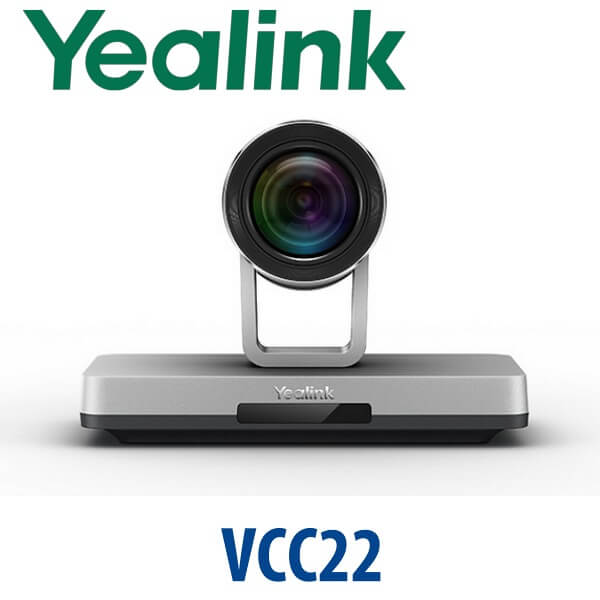
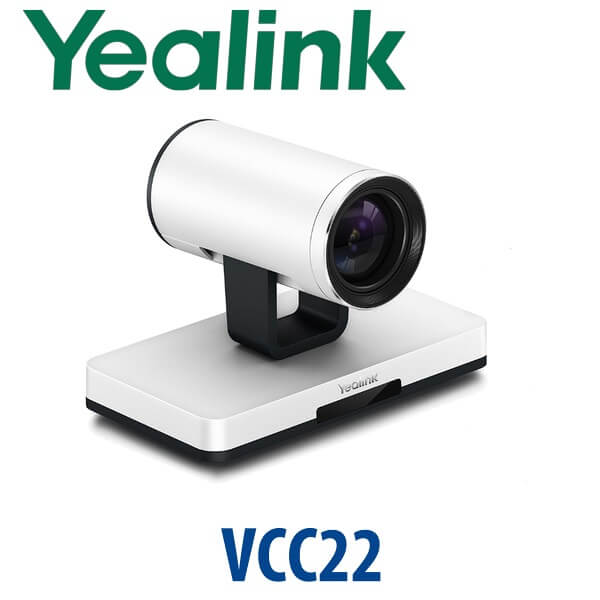
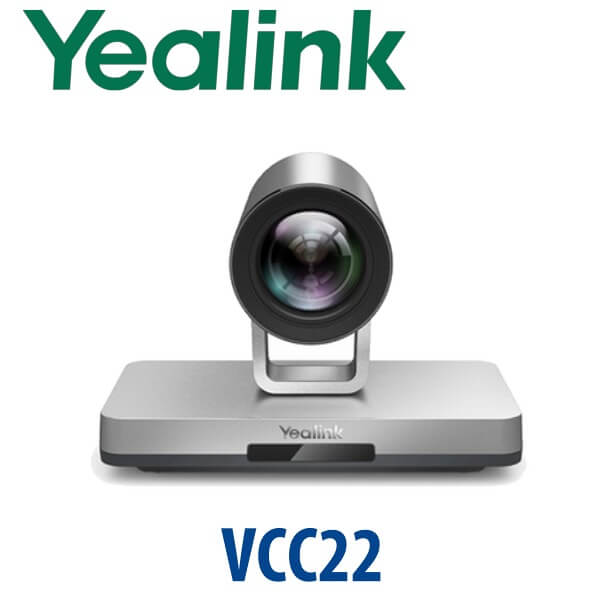
The Yealink VCC22 is a dedicated HD PTZ video conferencing camera for Yealink VC800 room systems. It is built for rooms where one front camera is not enough: large boardrooms, training rooms, council chambers, classrooms, auditoriums and multipurpose halls where speakers and participants sit across a wide space. With Full HD 1080p60 video, 12× optical zoom, PoE cabling and support for up to eight cameras on one VC800 system, the VCC22 turns a single-camera video room into a professional multi-camera conferencing environment.
Vector Digital Systems LLC supplies Yealink video conferencing hardware in Dubai, stages the room layout before dispatch, confirms the PoE switching requirement, and quotes the full bill of materials in AED with VAT and delivery clearly shown. For replacement units, room expansion or multi-camera VC800 projects, contact David, our Yealink specialist in Dubai.
Platform Trap: VCC22 Is Not a USB Webcam or Standalone Teams Camera
The most important buying rule is compatibility. The Yealink VCC22 is designed for the Yealink VC800 video conferencing system. It is not a plug-and-play USB webcam for a laptop, and it should not be purchased as a standalone Microsoft Teams or Zoom Rooms camera unless your room design has been verified separately. If your Dubai office is building a new Teams Room or Zoom Room, ask David to quote the current Yealink A-series or MVC room system instead of ordering a VC800 accessory by mistake.
| Your Room Platform | Right Yealink Direction | What You Need |
|---|---|---|
| Yealink VC800 room system | Yealink VCC22 camera — this page | VC800 codec, PoE switch, CAT5E cabling, room layout plan |
| Microsoft Teams Room | Yealink MVC-series or Teams-certified room system — verify certification status before quoting | Microsoft Teams Rooms licence, certified compute, camera, audio and controller package |
| Zoom Room | Zoom-certified Yealink room device — verify certification status before quoting | Zoom Rooms licence and supported room hardware |
| Laptop BYOD meeting room | Use a Yealink USB/BYOD camera solution instead | USB camera/audio device matched to room size |
PoE Truth: One Network Cable Carries Power, Video and Control
The VCC22 is powered by PoE and requires a PoE switch. Yealink’s multi-camera design uses standard RJ45 network cabling so power, video data and camera control run through one cable path. This simplifies ceiling, wall and side-angle installations, but the PoE switch and Ethernet cables must be planned in the project. For best performance, use good-quality CAT5E cabling and keep individual cable runs within the 100-metre Ethernet limit. Vector Digital Systems confirms the PoE ports, cable paths and camera locations before quoting so the installer is not left short on site.
Why Add VCC22 Cameras to a VC800 Room?
A single front camera works for a small meeting room, but large rooms need more angles. With the VC800, up to eight VCC22 cameras can be connected to create a 1+8 multi-camera solution. This lets the room capture the chairperson, presenter, side tables, audience rows or training floor without asking people to move toward one lens. The system can send a multi-image layout to the far side, with layouts such as onePlusN, N×N and full-screen views controlled from a CTP20 touch panel, CP960 conference phone, remote control or supported control device.
Where VCC22 Sits in the Yealink Room Range
The VCC22 is not a general-purpose new-room bundle. It is the camera expansion route for Yealink VC800 rooms that need more coverage. For a modern small or medium room being built from zero, the current Yealink A-series may be the cleaner recommendation. For a legacy VC800 boardroom that already works well but needs additional camera angles, the VCC22 is the correct accessory.
| Feature | Single VC800 Camera Setup | VCC22 Add-On Camera ★ | New A/MVC Room System |
|---|---|---|---|
| Best fit | Small fixed VC800 room | Large VC800 room needing more angles | New Teams, Zoom or Android room deployment |
| Resolution | Depends on existing camera | 1920×1080, up to 60 fps | Model-dependent |
| Zoom | Room-dependent | 12× optical PTZ | Model-dependent |
| Multi-camera support | Limited to existing room design | Up to 8× VCC22 on VC800 | Depends on platform and package |
| Power and control | Existing room cabling | PoE over RJ45 | Model-dependent |
| Teams / Zoom certification | Verify room system | Not a standalone Teams/Zoom certified camera claim | Verify certified model before quoting |
| Price tier | Lowest — no expansion | Accessory expansion cost | Full room refresh cost |
| Choose if… | Your room is small and the current camera covers everyone | You already run VC800 and need presenter, audience or side-table camera angles | You are building a new certified Teams or Zoom room from scratch |
Dubai Use Cases for Yealink VCC22
Executive boardrooms in DIFC and Business Bay. A long boardroom table often leaves the far end looking small on video. A VCC22 at the side or rear of the room gives the VC800 system a second PTZ angle for chairperson, presenter or guest-speaker framing, with 12× optical zoom to keep faces clear.
Training rooms and academies. In a Dubai training centre, one camera may need to show the instructor, another the audience, and another the whiteboard or demonstration table. The VC800 plus multiple VCC22 cameras creates a cleaner remote-learning view without installing a separate video matrix.
Auditoriums, council chambers and multipurpose halls. Government suppliers, education facilities and corporate event spaces often need repeatable camera positions. With up to 99 presets, the VCC22 can store views for podium, panel table, audience Q&A, front row and side seating, making the room easier for non-technical staff to operate.
Hospital, legal and corporate review rooms. When subject-matter experts need to see both the speaker and a physical object, document, patient review area or evidence table, multi-camera layout becomes more important than raw resolution alone. VCC22 gives the VC800 room controlled camera angles rather than a single wide shot.
Full Technical Specifications
| Specification | Yealink VCC22 |
|---|---|
| Product Type | HD PTZ video conferencing camera |
| Video System Compatibility | Yealink VC800 video conferencing system |
| Recommended Room Size | Large meeting rooms, auditoriums and multi-camera spaces |
| Camera Type | 1/3″ HD CMOS |
| Maximum Resolution | 1920×1080 |
| Video Output Pixels | 1080p |
| Maximum Frame Rate | 60 fps |
| Zoom | 12× optical zoom |
| Horizontal Field of View | 70° |
| Vertical Field of View | 42° |
| Minimum Illumination | 0.5 lux |
| Signal Noise Ratio | >55 dB |
| Focus | Auto / Manual |
| Exposure | Auto / Manual |
| White Balance | ATW / Auto / Manual |
| Video Output Interface | 1× HDMI |
| Network Interface | 1× RJ45 |
| Power Supply | PoE — PoE switch required |
| Pan Range | 0 to ±100° |
| Tilt Range | 0 to ±30° |
| Camera Presets | Up to 99 presets |
| Multi-Camera Support | VC800 supports up to 8× VCC22 cameras |
| Dimensions | 282mm × 152mm × 159mm |
| Operating Temperature | 0°C to 40°C |
| Operating Humidity | 10% to 95% |
Compatible Accessories and Project Items
| Item | Purpose | Ordering Note |
|---|---|---|
| Yealink VC800 | Host video conferencing system for VCC22 camera expansion | Confirm existing VC800 room before ordering VCC22 |
| IEEE 802.3af PoE switch | Powers VCC22 and carries camera data/control over RJ45 | PoE switch is purchased separately and sized by number of cameras |
| CAT5E Ethernet cabling | Camera cabling from PoE switch to each VCC22 | Use quality cable; maximum individual run is 100 metres |
| CTP20 touch panel | Camera control and layout adjustment in VC800 rooms | Confirm existing controller setup before quoting |
| CP960 conference phone | Room audio and camera/layout control in compatible VC800 rooms | Compatibility checked during project staging |
Staging Before Dispatch — What Vector Digital Systems Checks
For Yealink VCC22 projects, Vector Digital Systems checks the room design before dispatch: VC800 compatibility, number of cameras, camera positions, PoE switch capacity, Ethernet cable routing, controller method, preset plan and layout requirement. For multi-camera rooms, David can help map the boardroom table, podium, audience zone or training area into clear camera presets so the room is usable by reception, admin or facilities staff without a video technician standing beside them.
Quotes include the VCC22 camera quantity, required PoE switching, cabling notes, VAT breakdown and Dubai delivery. For replacement cameras, send David a photo of the existing VC800 installation and the current camera connections so we can confirm the correct accessory path before supplying.
Export from Dubai
Vector Digital Systems exports Yealink video conferencing accessories from Dubai to system integrators, AV installers, telecom resellers and enterprise procurement teams. Common export routes include Oman, Saudi Arabia, Kuwait, Bahrain and Qatar across the Gulf; Jordan and Egypt for regional AV projects; Kenya, Tanzania and Nigeria for education and enterprise rooms; and Pakistan and Sri Lanka for corporate and training-centre deployments. Export shipments are quoted FOB Dubai with commercial invoice, packing list and certificate of origin on request.
Get a same-day Yealink VCC22 quote in AED
Tell David whether you have an existing VC800, how many camera angles you need, your room size, and whether PoE switching is already available. We quote with VAT breakdown, delivery and project accessories clearly listed.
Frequently Asked Questions — Yealink VCC22
What is the Yealink VCC22 used for?
The Yealink VCC22 is an HD PTZ camera used with the Yealink VC800 video conferencing system. It is designed for large meeting rooms, auditoriums and training rooms where one front camera does not cover every speaker, table position or audience zone clearly.
Does the Yealink VCC22 work with Microsoft Teams?
The VCC22 should not be treated as a standalone Microsoft Teams camera. It is designed for Yealink VC800 video conferencing systems. If your room is a Microsoft Teams Room, ask David to verify the current Teams-certified Yealink room system before quoting.
Does the Yealink VCC22 work with Zoom Rooms?
Do not assume the VCC22 is a standalone Zoom Rooms camera. It is a VC800 camera accessory. For Zoom Rooms, Vector Digital Systems checks the current Zoom-certified Yealink room hardware and quotes the correct device for your room size.
How many VCC22 cameras can I connect to a Yealink VC800?
A Yealink VC800 system can connect up to eight VCC22 cameras. This creates a 1+8 multi-camera solution for large rooms, allowing presenter, audience, side-table and podium angles to be combined into controlled layouts.
Does the Yealink VCC22 need a power adapter?
The VCC22 is powered by PoE over RJ45. A PoE switch is required, and the PoE switch and Ethernet cables should be planned as part of the room project. Vector Digital Systems confirms PoE port count and cable lengths before dispatch.
What video quality does the VCC22 support?
The Yealink VCC22 supports Full HD 1920×1080 video at up to 60 fps. It uses a 1/3-inch HD CMOS sensor with 12× optical zoom, 70° horizontal field of view and PTZ control for professional room framing.
What is the best Yealink camera setup for a large boardroom in Dubai?
For an existing Yealink VC800 room, multiple VCC22 cameras are the right route when you need separate views for the chairperson, presenter, audience and side tables. For a new Teams or Zoom room, the better recommendation may be a current Yealink A-series or MVC room system after certification and room-size verification.
Who is the authorised Yealink supplier in Dubai?
Vector Digital Systems LLC has supplied and staged Yealink solutions in Dubai since 2009. David, our Yealink specialist, handles pre-sales checks, project pricing, compatibility verification, local warranty support and Dubai delivery for Yealink video conferencing projects.
Does Vector Digital Systems configure the VCC22 before delivery?
Yes. For VCC22 projects, Vector Digital Systems checks VC800 compatibility, camera count, room layout, PoE switch requirements, cable routing, controller method and preset plan before dispatch. For multi-camera rooms, we help define the camera views before installation.
Does Vector Digital Systems export Yealink VCC22 cameras from Dubai?
Yes. Vector Digital Systems exports Yealink video conferencing accessories from Dubai to AV installers, system integrators and enterprise buyers in Oman, Saudi Arabia, Kuwait, Bahrain, Qatar, Jordan, Egypt, Kenya, Tanzania, Nigeria, Pakistan and Sri Lanka. Shipments are quoted FOB Dubai with export documentation on request.