Description
Yealink MeetingEye 400 Video Conferencing Endpoint VC400 Successor Dubai
Yealink VC400 Replacement for Dubai Meeting Rooms
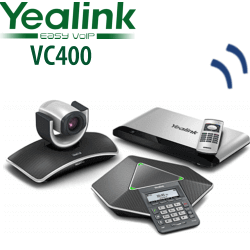
The Yealink VC400 was a well-known standards-based video conferencing system, but it is now an end-of-life product. For new Dubai meeting room projects, Vector Digital Systems recommends the Yealink MeetingEye 400 as the modern replacement path: an all-in-one 4K video conferencing endpoint with integrated codec, camera, microphone array, speaker, Wi-Fi and Bluetooth. It reduces the old VC400-style hardware stack into one cleaner room device while keeping standards-based SIP and H.323 video calling for organisations that still connect to traditional video platforms.
Platform Check — Do You Need SIP/H.323, Teams Rooms, Zoom Rooms or BYOD?
The biggest video-room buying mistake is choosing the right Yealink hardware but the wrong platform edition. The MeetingEye 400 is a standards-based video endpoint. It is not a Microsoft Teams Rooms appliance and it is not a Zoom Rooms kit. If your room is dedicated to Teams or Zoom, ask David to quote the matching Yealink Teams Rooms or Zoom Rooms range instead.
| Your Meeting Platform | Right Yealink Route | What You Need |
|---|---|---|
| SIP / H.323 video conferencing | Yealink MeetingEye 400 — this page | SIP or H.323 registration details from your video platform |
| Microsoft Teams Rooms | Yealink MeetingBar / MVC Teams Rooms range — verify certification before quote | Microsoft Teams Rooms licence and Microsoft 365 tenant setup |
| Zoom Rooms | Yealink Zoom Rooms kit — ask David for the current Zoom-certified bundle | Zoom Rooms licence and room account |
| BYOD laptop meetings | MeetingEye 400 in USB mode via VCH51, or Yealink UVC USB video bar | USB-C connection from the room device to the presenter laptop |
Power Truth — This Is Not a PoE Desk Phone
Unlike Yealink desk phones, the MeetingEye 400 uses an external Yealink power adapter. It is not powered by PoE. For a clean installation, Vector Digital Systems checks the room display position, power socket location, HDMI run, Ethernet availability and mounting requirement before dispatch. For replacement VC400 rooms, we also confirm whether the old codec cabinet, camera cable route and display inputs can be reused or should be simplified.
Why MeetingEye 400 Replaces the VC400 Conversation
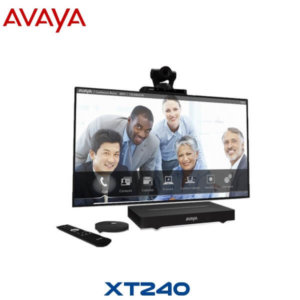
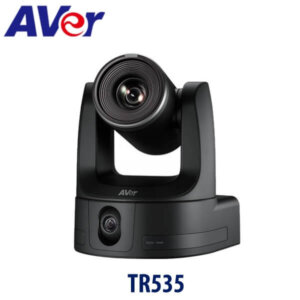
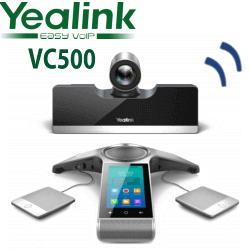
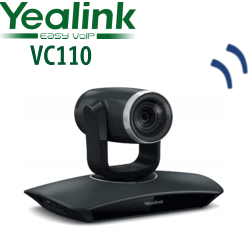
The old VC400 design used a separate codec, PTZ camera, conference phone and remote. The MeetingEye 400 moves to the modern all-in-one room endpoint approach: codec, 20MP camera, microphones, speaker, Wi-Fi and Bluetooth inside one bar. It is easier to mount, easier to support and better suited to Dubai offices that want a clean wall display setup without a visible hardware stack on the table.
MeetingEye 400 in the Yealink Room Range
| Feature | UVC40 / UVC40 E2 | MeetingEye 400 ★ | MeetingBar A20 / A30 |
|---|---|---|---|
| Room type | BYOD USB meeting rooms | Small SIP/H.323 video rooms | Dedicated Teams / Zoom rooms |
| Camera | All-in-one USB video bar camera | 20MP Sony 1-inch CMOS, 133° FOV | Platform-specific all-in-one video bar |
| Calling platform | Laptop app dependent | SIP / H.323 endpoint | Teams Rooms or Zoom Rooms edition |
| Microphones | Built-in array | Built-in 8 MEMS microphone array | Built-in array, accessory options by model |
| Content sharing | Laptop app / USB workflow | HDMI/USB-C via VCH51, WPP20, AirPlay, Miracast | Teams / Zoom native sharing workflow |
| Replaces | USB webcam + speakerphone setups | VC400-style standards-based rooms | Laptop-based Teams / Zoom rooms |
| Choose if… | Users bring laptops and run any app | You need a modern SIP/H.323 endpoint to replace VC400-style rooms | Your room is dedicated to Teams Rooms or Zoom Rooms |
Where MeetingEye 400 Works in Dubai
VC400 refresh projects. Many Dubai boardrooms still have older codec-based video systems with separate cameras, table microphones and remote controls. The MeetingEye 400 simplifies the room into one all-in-one endpoint, making it easier for IT teams to maintain and easier for users to start a call.
Small executive meeting rooms in DIFC, Business Bay and DMCC. The 133° field of view captures small rooms without manual PTZ control, while AI Auto Framing and Speaker Tracking keep participants visible during fast-moving discussions.
Regional calling rooms for SIP/H.323 networks. For organisations still connecting to standards-based video infrastructure, the MeetingEye 400 supports SIP and H.323 protocols, making it suitable for mixed estates, regional offices and inter-branch video rooms.
Hybrid-use rooms. With USB mode via VCH51, the MeetingEye 400 can also act as a room camera, microphone and speaker for a laptop meeting workflow. That gives Dubai offices a practical bridge between traditional video calling and app-based meetings.
Full Technical Specifications
| Specification | Yealink MeetingEye 400 |
|---|---|
| Product Type | Smart UHD 4K video conferencing endpoint |
| Room Size | Small meeting rooms and VC400 replacement rooms |
| Camera | 20MP camera with Sony 1-inch CMOS sensor |
| Field of View | 133° super-wide-angle lens |
| Zoom / Framing | 4× e-PTZ, AI Auto Framing, Speaker Tracking |
| Video Quality | Up to 4Kp30 people video + 4Kp15 content sharing |
| Video Codecs | H.265, H.264 High Profile, H.264, H.263, H.263+ |
| Protocols | H.323 and SIP, dual stream via H.239 / BFCP |
| Microphones | Built-in 8 MEMS microphone array; optional wireless microphones |
| Speaker | Built-in 5W speaker |
| Audio Features | Yealink Noise Proof Technology, beamforming, echo cancellation, dereverberation, automatic gain control |
| Wireless | Built-in dual-band Wi-Fi 2.4GHz/5GHz and Bluetooth 4.2 |
| Content Sharing | HDMI/USB-C via VCH51, WPP20 wireless presentation pod, Apple AirPlay, Miracast, virtual whiteboard |
| Connections | 1× HDMI output, 2× USB 2.0, 1× Gigabit Ethernet, 1× Yealink extension RJ-45, power port, security lock slot |
| Storage | Built-in 16GB storage |
| Power | External Yealink power adapter, AC 100–240V input, DC 48V/0.7A output |
| Dimensions | 600 mm × 68 mm × 82 mm |
| Package Includes | MeetingEye 400 codec bar, VCR20 remote control, wall bracket |
Compatible Accessories
| Accessory | Model | Purpose |
|---|---|---|
| Remote Control | VCR20 | Included remote for room control |
| Sharing Box | VCH51 | USB mode and wired content sharing from a laptop |
| Wireless Presentation | WPP20 | Wireless screen sharing for meeting participants |
| Room Control | Collaboration Touch Panel | Optional touch control for meeting operation |
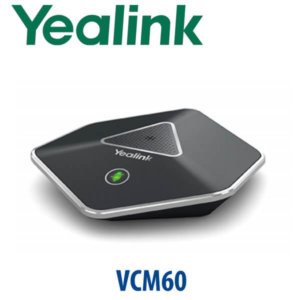
| Audio Expansion | Yealink Wireless Microphones | Optional microphone expansion for wider table coverage |
| Mounting | Wall bracket included; TV mount kit optional | Clean installation above or below meeting room display |
Staging Before Dispatch
Vector Digital Systems stages Yealink MeetingEye 400 units before dispatch from Dubai. For SIP/H.323 rooms, we configure registration details, network settings, codec preferences, content-sharing mode, display output and test call behaviour. For USB-mode rooms, we verify the VCH51 workflow and laptop handover. For replacement VC400 projects, we map the old room setup first so the new unit arrives with the correct power, HDMI, network and mounting accessories.
Export from Dubai
Vector Digital Systems supplies Yealink video conferencing systems from Dubai to system integrators, telecom operators, hotel groups, corporate IT teams and government procurement departments. Common export routes include Oman, Saudi Arabia, Qatar, Kuwait, Bahrain, Jordan, Egypt, Kenya, Pakistan and Sri Lanka. Shipments are quoted FOB Dubai with commercial invoice, packing list and certificate of origin on request. VAT breakdown, delivery charges and project quantities are handled in the same quote.
Get a same-day quote in AED for Yealink MeetingEye 400
Tell David whether you are replacing a VC400, building a new SIP/H.323 video room, or need a Teams / Zoom alternative. We quote with VAT breakdown, delivery and accessories included.
Frequently Asked Questions — Yealink MeetingEye 400
Is the Yealink VC400 still available?
The Yealink VC400 is an end-of-life video conferencing system. For new supply, Vector Digital Systems recommends quoting the Yealink MeetingEye 400 as the modern VC400 replacement path for small standards-based video rooms.
Is the MeetingEye 400 the direct replacement for VC400?
It is the recommended replacement direction for many VC400-style rooms because it supports SIP and H.323 video calling while moving to a cleaner all-in-one 4K endpoint design with built-in camera, microphones, speaker, Wi-Fi and Bluetooth.
Does the Yealink MeetingEye 400 work with Microsoft Teams?
MeetingEye 400 is not a Microsoft Teams Rooms appliance. It is a SIP/H.323 video conferencing endpoint. If your Dubai meeting room is dedicated to Microsoft Teams Rooms, ask David for the current Yealink Teams Rooms model and certification check before ordering.
Does the MeetingEye 400 work with Zoom Rooms?
MeetingEye 400 is not a Zoom Rooms kit. For Zoom Rooms, Vector Digital Systems will quote the correct Yealink Zoom-certified room bundle. For occasional Zoom calls from a laptop, MeetingEye 400 can be used in USB mode with the correct accessories.
What room size is the MeetingEye 400 designed for?
MeetingEye 400 is best suited to small meeting rooms where a 133° wide-angle camera can capture the table without manual PTZ control. For larger rooms, ask David to size the room and recommend a larger Yealink MeetingBar or MVC configuration.
Can the MeetingEye 400 be used as a USB camera, microphone and speaker for a laptop?
Yes, MeetingEye 400 supports USB mode via the VCH51 sharing box, allowing it to act as the PC audio and video peripherals for different cloud meeting platforms. Vector Digital Systems verifies this workflow during staging.
Does the MeetingEye 400 use PoE?
No. MeetingEye 400 uses an external Yealink power adapter. It is not powered like a Yealink PoE desk phone. We confirm power socket location, display position and cable routing before dispatch for Dubai installations.
Who is the authorised Yealink supplier in Dubai?
Vector Digital Systems LLC has supplied and integrated Yealink products in Dubai since 2009. David handles Yealink pre-sales specification, project pricing, staging, warranty support and export quotations.
Does Vector Digital Systems configure the MeetingEye 400 before delivery?
Yes. We stage the MeetingEye 400 before dispatch, including SIP/H.323 registration details where required, network settings, display output, sharing mode, accessory check and a test workflow so the room is ready for installation.
Does Vector Digital Systems export Yealink video conferencing systems from Dubai?
Yes. Vector Digital Systems exports Yealink video conferencing systems from Dubai to Oman, Saudi Arabia, Qatar, Kuwait, Bahrain, Jordan, Egypt, Kenya, Pakistan and Sri Lanka with FOB Dubai documentation, commercial invoice, packing list and certificate of origin on request.