Description
Yealink VC210 Teams Edition 4K Microsoft Teams Video Collaboration Bar for Huddle Rooms Dubai
Yealink VC210 Teams Edition for Small Meeting Rooms in Dubai
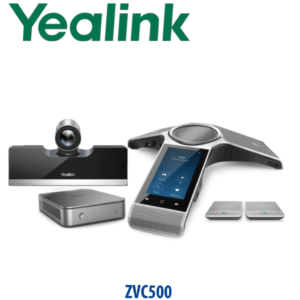
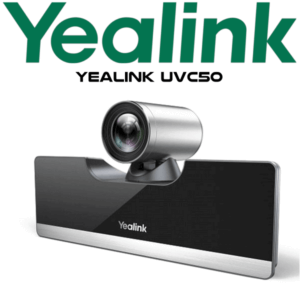
The Yealink VC210 Teams Edition is a compact Microsoft Teams video collaboration bar built for huddle rooms, executive cabins, small boardrooms and focus spaces. It combines a 4K camera, Android-based Teams room experience, built-in Wi-Fi and Bluetooth, and CP900 tabletop speakerphone audio into a simple room package that avoids the usual laptop-on-HDMI meeting mess. For Dubai offices standardising small meeting rooms around Microsoft Teams, the VC210 gives users a familiar Teams interface, one-click join and a permanent room device instead of asking every visitor to bring the right cable.
Certification note: VC210 is a legacy Teams Rooms on Android model. Before quoting for a new project, Vector Digital Systems verifies current Microsoft Teams support status, firmware status and stock condition. This page is written for VC210 Teams Edition requests, existing VC210 room refreshes and availability checks — not as a blind current-generation recommendation.
Platform Check — Teams Room Device, Not a SIP Conference Phone
The VC210 Teams Edition is not a SIP desk phone and not a standard SIP conference phone. It is a Microsoft Teams room device designed for Teams meetings. This matters because a Teams room needs Microsoft 365 licensing, Teams Rooms configuration and tenant access. A SIP PBX, 3CX server or traditional PABX extension will not use the VC210 like a normal desk phone.
| Your Platform | Right Device | What You Need |
|---|---|---|
| Microsoft Teams meetings | Yealink VC210 Teams Edition — this page, subject to support verification | Microsoft 365 tenant, Teams Rooms setup, network access and room account |
| SIP PBX — 3CX, Yeastar, Grandstream UCM, hosted PBX | Use a Yealink SIP conference phone or SIP desk phone instead | SIP credentials from the PBX or hosted provider |
| Zoom Rooms | Use a Zoom-certified Yealink room device — ask David to verify the current model | Zoom Rooms licence and compatible room hardware |
Power and Installation Truth — This Is a Room Device, Not a PoE Desk Phone
The VC210 package includes a power adapter. Unlike many Yealink desk phones that rely on PoE and ship without a PSU, the VC210 Teams Edition is a meeting-room video device supplied with its own adapter in the standard package. Room installation still needs a stable network connection, HDMI to the display, correct Microsoft Teams room account setup, and tidy cable routing. Vector Digital Systems confirms all of this before dispatch so the room does not become a half-installed video bar above a blank screen.
VC210 Positioning — Same VC210 Model, No Replacement Language
This page is for the Yealink VC210 Teams Edition itself: the compact 4K collaboration bar paired with the Yealink CP900 speakerphone for huddle and small rooms. It suits buyer searches where the requirement is specifically VC210 — replacement room, existing device standard, spare unit, installed-base support or a project where the IT team has already approved this exact model. No replacement model is named in the customer-facing content; David verifies stock and Teams support status during quotation.
VC210 Room Fit — Choose the Right Yealink Room Format
| Feature | USB Camera + Speakerphone | VC210 Teams Edition ★ | Larger Yealink Teams Room System |
|---|---|---|---|
| Room type | Ad-hoc desk or temporary room | Huddle room or small meeting room | Medium or large boardroom |
| Platform | Laptop app — Teams, Zoom, Meet | Microsoft Teams room device | Microsoft Teams Rooms, model verified per project |
| Camera | Depends on USB device | Ultra HD 4K, 120° FoV, 3× e-PTZ | Project-specific camera system |
| Audio | USB speakerphone or display audio | CP900 speakerphone, 2m pickup radius | Table, bar or ceiling audio depending on room |
| Control | Laptop keyboard and mouse | VCR20 remote or touch display | Touch console / room controller |
| Network | Laptop network | Ethernet, dual-band Wi-Fi, Bluetooth | Enterprise network design |
| Best for | Occasional video calls | Permanent Teams huddle room | Boardroom, training room, townhall room |
| Price tier | Entry | Compact Teams room tier | Project / boardroom tier |
| Choose if… | You only need a bring-your-own-laptop setup | You need the same VC210 Teams Edition model for a small room or existing standard | You need a larger Teams room design with current certification verified |
Where the VC210 Works in Dubai
Huddle rooms in Business Bay and JLT. Small UAE offices often convert one glass cabin into a Teams room but do not want a full rack, PC and multi-component AV system. The VC210 keeps the room simple: one compact bar, one CP900 speakerphone, one room display and a Teams interface users already know.
Executive cabins in DIFC and DMCC. For a director’s office that hosts daily Teams calls with London, Riyadh, Mumbai or Singapore, the VC210 gives a cleaner experience than a laptop webcam on the edge of the desk. The 120° field of view covers a small table, while auto-framing keeps the meeting natural when two or three people join from the same room.
Existing VC210 room refreshes. Many buyers search for VC210 because they already have the same model in other rooms and want a like-for-like unit, spare part path or support continuity. Vector Digital Systems checks stock status, firmware condition, Teams support status and package contents before quoting, so procurement receives the exact same model request without surprise substitutions.
Training, recruitment and interview rooms. The VC210 works well in a small HR interview room where candidates join over Teams, managers sit around a small table and the room needs to start meetings without asking each user to connect a laptop, camera and speakerphone separately.
Full Technical Specifications
| Specification | Yealink VC210 Teams Edition |
|---|---|
| Device Type | Microsoft Teams video collaboration bar for huddle and small rooms |
| Operating System | Android 9.0 based Teams Rooms on Android platform |
| Camera | Ultra HD 4K camera, 30 fps |
| Field of View | 120° wide-angle lens |
| Camera Control | 3× e-PTZ, auto-framing, camera on/off control |
| Audio Device | Yealink CP900 tabletop speakerphone |
| Audio Pickup | 2m voice pickup radius, six-beamforming microphone array, call-control synchronisation |
| Audio Processing | Acoustic echo cancellation, automatic gain control, Yealink Noise Proof Technology |
| Meeting Features | Calendar, one-click join, proximity join, PSTN dial-in, content sharing, whiteboard, mute/unmute, hold/resume, volume and hang-up control |
| Video Codecs | H.264 High Profile, H.264, SVC-T |
| Network | 1× 10/100M Ethernet port, built-in dual-band Wi-Fi 2.4GHz / 5GHz, IPv4/IPv6, DHCP/static IP |
| Bluetooth | Built-in Bluetooth |
| Security | SRTP/TLS, AES 256-bit encryption, HTTPS web server, VLAN, LLDP, QoS, IEEE 802.1X, built-in certificate |
| Connections | 1× HDMI output with CEC support, 2× USB 2.0, 1× line-out 3.5mm, 1× security lock slot, 1× reset slot |
| Control | VCR20 remote controller or compatible touch display |
| Storage | 16GB capacity, 8GB available |
| Power Consumption | Idle < 6.5W, normal 7W, maximum 8W |
| Dimensions | VC210: 300 × 70 × 86.6mm; VCR20-MS: 147.6 × 42.3 × 15.8mm |
| Operating Conditions | 0–40°C operating temperature, 10–95% operating humidity |
| Package Contents | VC210 collaboration bar, VCR20 remote controller, privacy shutter, 1.8m HDMI cable, 2m network cable, 3m network cable, quick start guide, power adapter; CP900 room package includes CP900 speakerphone and 5m USB EXT cable |
Compatible Accessories and Room Requirements
| Item | Model / Requirement | Purpose |
|---|---|---|
| Speakerphone | Yealink CP900 | Required audio device for VC210 room audio; six-mic beamforming and 360° pickup |
| Remote Control | VCR20-MS | Meeting control when the room display is not touch-enabled |
| Room Display | HDMI display or compatible touch display | Touch display allows touch control; non-touch display uses the remote control |
| Network | Ethernet or dual-band Wi-Fi | Stable Teams meetings; Ethernet preferred for fixed meeting rooms |
| Microsoft Account | Teams room account / tenant access | Calendar, one-click join and Teams meeting control |
Staging Before Dispatch
Vector Digital Systems stages the VC210 before dispatch wherever customer access permits: firmware and hardware condition checked, Teams sign-in path reviewed, network mode confirmed, room naming prepared, display connection checked, CP900 speakerphone pairing verified, microphone and speaker test completed, camera framing tested, and the package contents inspected. For Dubai deliveries, we include VAT breakdown and delivery charges in the AED quote. For project orders, David can coordinate room-by-room deployment notes so every VC210 is labelled for the correct cabin or meeting room before it leaves our office.
Export from Dubai
Vector Digital Systems supplies Yealink meeting-room devices to system integrators, telecom partners and enterprise IT teams across the region. Export requests for VC210 Teams Edition can be quoted FOB Dubai with commercial invoice, packing list and certificate of origin on request. Common export destinations include Oman, Saudi Arabia, Qatar, Bahrain and Kuwait in the GCC; Jordan and Egypt in the wider Arab market; Kenya and Tanzania in East Africa; and Pakistan and Sri Lanka for South Asian projects. Share the quantity, required package condition and destination with David for availability and documentation.
Get a same-day VC210 quote in AED
Tell David: quantity, room size, Teams tenant status, whether you need CP900 included, and whether this is a like-for-like VC210 replacement room or a new Teams room deployment. We quote with VAT breakdown, delivery and export documentation where required.
Frequently Asked Questions — Yealink VC210 Teams Edition
Is the Yealink VC210 Teams Edition a Microsoft Teams room device?
Yes — the VC210 Teams Edition is a Microsoft Teams video collaboration bar for huddle and small rooms. It runs an Android-based Teams room experience and supports Teams meeting features such as calendar, one-click join, proximity join, content sharing and whiteboard. Because VC210 is a legacy Teams Rooms on Android model, Vector Digital Systems verifies current Microsoft support and firmware status before quoting.
Does the Yealink VC210 work with SIP platforms like 3CX or Yeastar?
No — the VC210 Teams Edition is not a SIP conference phone. It is built for Microsoft Teams rooms. If your office needs a device for 3CX, Yeastar, Grandstream UCM or another SIP PBX, ask David for a Yealink SIP conference phone or SIP room solution instead.
What room size is the VC210 designed for?
The VC210 is designed for huddle rooms and small meeting rooms. Its 120° wide-angle 4K camera covers participants seated close to the display, while the CP900 speakerphone provides a 2m pickup radius for small-table meetings. For medium or large boardrooms, ask David to verify a larger Yealink Teams room system instead.
Does the VC210 include the CP900 speakerphone?
The VC210 room package is commonly supplied with the Yealink CP900 tabletop speakerphone. CP900 provides 360° pickup, six-microphone beamforming, full-duplex audio and call-control synchronisation. Confirm package contents with David before ordering, especially for existing-stock or project availability requests.
Does the VC210 come with a power adapter?
Yes — the VC210 package includes a power adapter. It is different from many Yealink desk phones, which normally ship without a PSU and rely on PoE. For the VC210, the more important installation checks are HDMI display connection, Teams account setup, network access and CP900 audio connection.
Can the VC210 use Wi-Fi?
Yes — the VC210 has built-in dual-band Wi-Fi for 2.4GHz and 5GHz networks, plus built-in Bluetooth. For fixed meeting rooms in Dubai offices, Ethernet is still preferred where possible because Teams video calls need stable bandwidth and low packet loss.
Can we control the VC210 from a touch display?
Yes — if you connect a compatible touch display, the VC210 can be operated by touch. If the room uses a normal non-touch display, users control the meeting with the VCR20-MS remote controller supplied with the device.
Who is the Yealink supplier for VC210 in Dubai?
Vector Digital Systems LLC has supplied and staged Yealink solutions in Dubai since 2009. David handles Yealink product selection, availability checks, Teams room clarification, staging, warranty routing and project pricing for Dubai and export customers.
Does Vector Digital Systems configure the VC210 before delivery?
Yes — where customer access permits, Vector Digital Systems checks the device, confirms firmware condition, tests display output, verifies CP900 audio, reviews Teams sign-in requirements and labels the unit for the correct room before dispatch. The goal is to reduce installation time when the VC210 reaches site.
Does Vector Digital Systems export Yealink VC210 Teams Edition from Dubai?
Yes — subject to availability, Vector Digital Systems exports Yealink room devices from Dubai to integrators and enterprise buyers in Oman, Saudi Arabia, Qatar, Bahrain, Kuwait, Jordan, Egypt, Kenya, Tanzania, Pakistan and Sri Lanka. Export quotes can include FOB Dubai terms, commercial invoice, packing list and certificate of origin on request.