Description
Yealink MeetingBar A30 Microsoft Teams Collaboration Medium Room Teams Video Bar Dubai
Yealink A30: The Teams Room Upgrade for Dubai’s Medium Meeting Rooms
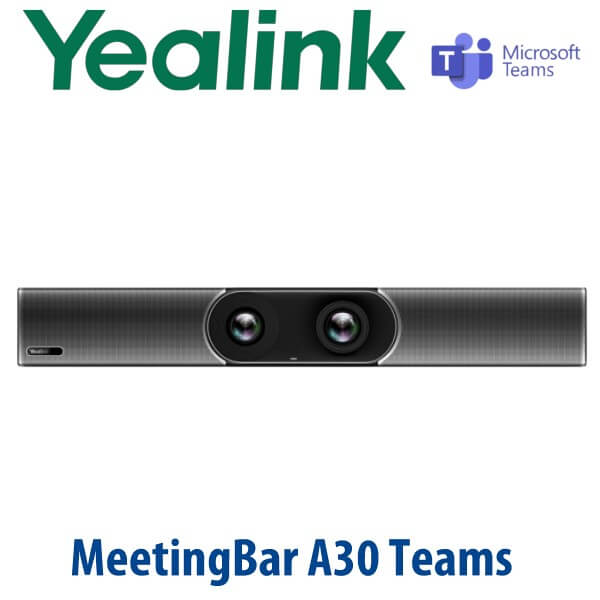
The Yealink MeetingBar A30 is the all-in-one Microsoft Teams collaboration bar for offices that have outgrown laptop-on-table meetings. It combines the compute unit, dual camera system, microphones, speakers, Wi-Fi and Bluetooth inside one clean bar, so your medium meeting room does not need a separate PC, camera, speakerphone and cable nest. For Dubai offices in Business Bay, DIFC, DMCC and Jebel Ali running hybrid meetings every day, the A30 gives users the one-touch Teams Rooms experience they expect: walk in, tap join, share content, speak naturally, and let the camera frame the room.
Platform Check: Teams Rooms, Zoom Rooms or SIP Conference?
The A30 on this page is for Microsoft Teams Rooms on Android. That matters. Yealink video room devices are sold in platform-specific room packages, and ordering the wrong platform is the video-room version of the classic Yealink buyer mistake. A Teams office needs a Teams Rooms device and licence. A Zoom Room needs the correct Zoom configuration. A SIP audio conference room is a different requirement altogether.
| Your Meeting Platform | Right Yealink Device | What You Need |
|---|---|---|
| Microsoft Teams Rooms | Yealink MeetingBar A30 Teams Edition (this page) | Microsoft Teams Rooms licence, room resource account, network access and display |
| Zoom Rooms | A30 Zoom configuration — verify certification status before quoting | Zoom Rooms licence, room account, display and matching room configuration |
| SIP / PBX audio conference only | Yealink CP-series conference phone — ask David for the right model | SIP credentials from 3CX, Yeastar, Grandstream UCM or hosted PBX |
Certification note: Microsoft Teams certification for the Yealink MeetingBar A30 was checked against Microsoft’s Teams devices listing on 22 Jul 2026. For Zoom projects, Vector Digital Systems verifies the current Zoom hardware listing before quoting the Zoom room SKU.
Power Truth: The A30 Bar Uses Its Own Power Adapter
The MeetingBar A30 endpoint is not powered from a PoE switch port. The A30 package includes the external Yealink power adapter for the bar. Your network connection should still be planned properly: use Gigabit Ethernet for the most stable Teams Rooms deployment, especially when wireless presentation, firmware management and dual display output are part of the room. If you add the CTP18 touch panel, David confirms the correct wiring and PoE/power arrangement before dispatch so the installer does not discover missing power at the meeting-room wall.
Built for Medium Rooms, Not Laptop Huddle Corners
The A30 sits between Yealink’s smaller A20 and larger A40 room solutions. It is the right fit for a medium Teams room where people sit around a table and need proper framing, proper audio pickup and a professional front-of-room device. Yealink positions the A30 as a medium-room MeetingBar, with the A20 below it for smaller spaces and the A40 above it for larger rooms. In real Dubai deployments, we size the room by table length, display position, glass walls, ceiling height, microphone coverage and how far the farthest participant sits from the bar.
Why the Dual Camera Matters
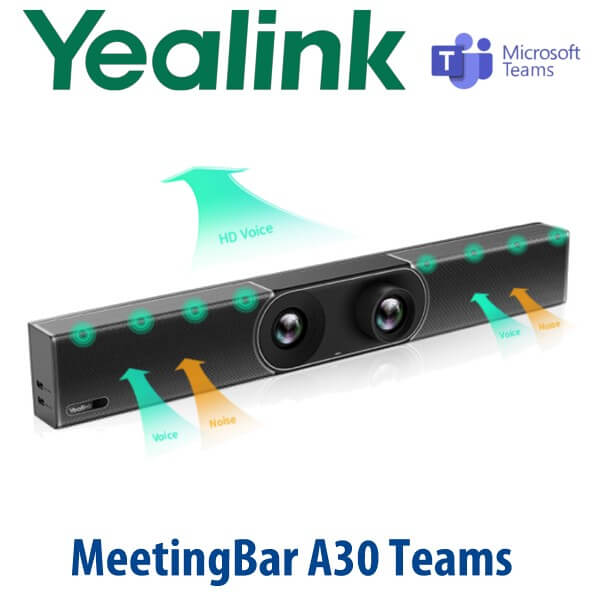
The A30 uses a dual-camera system: a wide camera for room coverage and a telephoto camera for closer framing. That gives Teams meetings a more natural experience than a basic webcam. Auto Framing brings the whole group into view, Speaker Tracking follows the active speaker, and Picture-in-Picture can keep context while showing who is speaking. This is especially useful in Dubai boardrooms where people join from the room, from home, from regional branches and from overseas clients in the same meeting.
Yealink A20 vs A30 vs A40 — Which MeetingBar Should You Buy?
| Feature | A20 | A30 ★ | A40 |
|---|---|---|---|
| Room fit | Small rooms and huddle spaces | Medium meeting rooms | Large rooms and larger boardrooms |
| Best Dubai use case | Manager office, 4–6 seat room | 8–12 seat Teams meeting room | Boardroom, training room, wider seating |
| Camera approach | All-in-one room camera | Dual-camera system with 120° wide view and hybrid zoom | Larger-room intelligent camera system |
| Audio coverage | Small table coverage | Built-in 8 MEMS mic array, extension mic support | Large-room coverage with expansion planning |
| Display support | Meeting-room display | Dual HDMI output for dual-screen Teams rooms | Large-room display layouts |
| Controller | CTP touch panel option | CTP18 touch panel option | Touch panel room control option |
| Platform | Teams / room platform configuration | Teams Rooms on Android — Microsoft listing verified | Teams / room platform configuration |
| Replaces | Laptop webcam huddle setup | PC + webcam + speakerphone medium room | Under-sized medium room bar in a large boardroom |
| Price tier | Lower | Mid room investment | Higher |
| Choose if… | You need a compact Teams room for a small office or huddle space | You want the right-size Teams bar for a medium Dubai meeting room | Your room is larger, wider, or has more distant seats to capture |
Where the Yealink A30 Works in Dubai
Business Bay and DIFC hybrid meeting rooms. Teams calls are now the default meeting format for finance, legal, consulting and technology teams. The A30 turns a standard 8–12 seat meeting room into a proper Teams Rooms space, with a front-of-room camera, room audio, calendar join and content sharing instead of one employee’s laptop carrying the whole meeting.
DMCC and JLT regional offices. Regional managers often host calls with Saudi Arabia, Oman, Qatar, Bahrain, India, Europe and Africa from the same room. The A30’s dual-camera framing and 8-microphone array make remote attendees feel included, while the CTP18 touch panel option keeps room control simple for non-technical users.
Training rooms, clinics and project offices. Clinics in Al Barsha, engineering firms in DIP, logistics offices near Jebel Ali and education teams across Dubai need repeatable video meetings without IT support standing outside the room. Vector Digital Systems stages the A30 before delivery so the room account, network settings and Teams sign-in flow are ready for your IT admin.
Full Technical Specifications
| Specification | Yealink MeetingBar A30 Teams Edition |
|---|---|
| Product type | All-in-one Android video collaboration bar for medium rooms |
| Platform | Microsoft Teams Rooms on Android — Microsoft device listing verified 22 Jul 2026 |
| Operating system | Android 9.0 platform |
| Chipset | Qualcomm Snapdragon 845 |
| Camera system | Dual-camera design: wide camera + telephoto camera |
| Wide camera | 8MP camera, 120° field of view, 4× e-PTZ |
| Telephoto camera | 8MP camera, 90° field of view, 10× hybrid zoom with 3.5× optical and 3× digital zoom |
| Camera movement | Telephoto camera rotation: horizontal +25°/-25°, vertical +16°/-16° |
| Privacy | Electric privacy shutter |
| AI camera features | Auto Framing, Speaker Tracking and Picture-in-Picture support |
| Microphones | Built-in 8 MEMS microphone array with extension microphone support |
| Audio processing | Yealink Noise Proof Technology, beamforming voice pickup, full-duplex, echo cancellation |
| Speakers | Two built-in 5W high-fidelity speakers |
| Meeting features | Calendar, one-click join, meeting collaboration, content sharing, whiteboard and room meeting controls |
| Teams features | Microsoft device management support and proximity join |
| Video codecs | H.264 High Profile, H.264 SVC, H.264 |
| Network | 1× 10/100/1000M Ethernet port, IPv4/IPv6, DHCP/static IP, VLAN, LLDP, QoS |
| Wireless | Built-in dual-band Wi-Fi 2.4GHz/5GHz and built-in Bluetooth |
| Security | SRTP/TLS, AES 256-bit encryption, HTTPS web server, IEEE 802.1X, built-in certificate |
| Display outputs | 2× HDMI output with CEC support |
| Inputs / ports | HDMI input via VCH51 sharing kit, 1× line-in, 1× line-out, 2× USB 2.0, Yealink extension port, power port, security lock, reset slot |
| Power | External Yealink power adapter, AC 100–240V input, DC 48V/0.7A output; adapter included in A30 package |
| Power consumption | Idle <13W, normal operating 15W, max 16W |
| Dimensions | 700 mm × 98 mm × 121 mm |
| Operating conditions | 0–40°C, 10–95% operating humidity |
| Package contents | A30 endpoint, 3m Ethernet cable, 2× 1.8m HDMI cable, mounting bracket and accessories, power adapter, quick start guide |
Compatible Accessories and Room Options
| Accessory | Model | Purpose |
|---|---|---|
| Touch panel | CTP18 | Tabletop room control for Teams join, mute, camera, participants and meeting control |
| Wired sharing kit | VCH51 | HDMI/USB-C sharing and wired BYOD connection planning |
| Wireless presentation | WPP30 / WPP series | Wireless content sharing for presenters; availability and compatibility confirmed before quote |
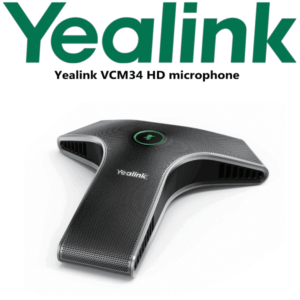
| Extension microphone | Yealink room microphone options | For longer tables or difficult acoustics; David confirms supported model and quantity |
| Room scheduling | Yealink RoomPanel | Outside-room scheduling panel for booked/free room visibility |
Staging Before Dispatch — What Vector Digital Systems Configures
Every Yealink A30 supplied by Vector Digital Systems is prepared for your room before dispatch. We check the Teams Rooms platform requirement, confirm the Microsoft room resource account plan with your IT admin, update and verify firmware where required, test the endpoint, pair the CTP18 when supplied, confirm display output, review wired or wireless content sharing, and label the package for the correct room. For Dubai projects with multiple rooms, we stage each room kit separately so the installer receives “Boardroom”, “Meeting Room 1” and “Training Room” packs instead of loose devices.
Vector Digital Systems LLC has supplied and staged Yealink systems in Dubai since 2009. David, our Yealink specialist, handles room sizing, platform matching, accessory selection, project pricing and warranty handling. Quotes are issued in AED with VAT breakdown and delivery charges included. Project pricing is available for multi-room and 5+ unit deployments.
Export Yealink A30 from Dubai
Vector Digital Systems exports Yealink Teams room systems from Dubai to system integrators, telecom operators, corporate IT teams and project contractors across the region. Common routes include Oman, Saudi Arabia, Kuwait, Bahrain and Qatar in the Gulf; Jordan and Egypt for regional corporate offices; Kenya and Tanzania for East Africa projects; and Pakistan and Sri Lanka for South Asian deployments. Shipments move FOB Dubai with commercial invoice, packing list and certificate of origin on request. For export orders, send David the platform, quantity, country, room sizes and accessory requirement so we can quote the correct A30 package and documentation.
Get a same-day quote in AED for Yealink A30 Teams Rooms
Tell David your room size, display count, Microsoft Teams Rooms licence status, whether you need CTP18, and whether the room needs wired or wireless content sharing. We quote with VAT breakdown, delivery and staging included.
Frequently Asked Questions — Yealink MeetingBar A30
Is the Yealink A30 Microsoft Teams certified?
Yes — the Yealink MeetingBar A30 is listed by Microsoft as a Teams-enabled device. Vector Digital Systems checked the Microsoft Teams devices listing on 22 Jul 2026 before writing this page. For projects, David still confirms the exact SKU, firmware and room package before quoting.
What room size is the Yealink A30 designed for?
The A30 is designed for medium meeting rooms. In Dubai projects, we normally position it for 8–12 seat rooms, then confirm by table length, camera distance, display position, glass walls and acoustics. Choose A20 for smaller rooms and A40 for larger or wider rooms.
Does the Yealink A30 need a Microsoft Teams Rooms licence?
Yes — the A30 is a room system, not a personal Teams phone. Your Microsoft 365 admin should prepare a Teams Rooms licence and room resource account. Vector Digital Systems can guide your IT team on what to prepare before the device is staged and delivered.
Does the Yealink A30 work with Zoom as well as Teams?
The A30 is available in room platform configurations, and Yealink documentation references Teams and Zoom use cases. This page is for the Microsoft Teams Rooms version. If you want Zoom Rooms, ask David to verify the current Zoom certification status and quote the correct Zoom-ready configuration instead of assuming the Teams SKU is right.
Does the A30 use PoE, or does it come with a power adapter?
The A30 MeetingBar endpoint uses an external Yealink power adapter, and the adapter is included in the A30 package. The CTP18 touch panel and room wiring may involve PoE planning, so David confirms the full power and network layout before dispatch.
Yealink A20 vs A30 — which one should I buy?
Choose the A20 for smaller huddle rooms and compact meeting spaces. Choose the A30 for a medium Teams room where the farthest seats need better camera framing and audio pickup. The A30’s dual-camera system, 8 MEMS microphone array and dual HDMI output make it the stronger choice for Dubai boardrooms and regular hybrid meetings.
Can I share content wirelessly with the Yealink A30?
Yes, the A30 supports content sharing, and Yealink offers wireless presentation options such as WPP series pods depending on region and compatibility. Wired sharing can also be planned with the VCH51 sharing kit. Vector Digital Systems confirms the right sharing method before quoting the room package.
Does Vector Digital Systems configure the Yealink A30 before delivery?
Yes — we stage the A30 before dispatch, check firmware, verify the room platform, pair the CTP18 touch panel when supplied, confirm display output, review content sharing, and label the kit for the correct room. For multi-room projects, every room kit is packed separately for easier installation.
Who is the authorised Yealink supplier in Dubai?
Vector Digital Systems LLC has been a Yealink reseller, VoIP supplier and system integrator in Dubai since 2009. David handles Yealink product selection, room sizing, project pricing, staging and local warranty support, so UAE buyers do not need to deal with overseas courier claims.
What is the best Yealink Teams device for a medium meeting room in Dubai?
For a medium Microsoft Teams room, the Yealink MeetingBar A30 with CTP18 touch panel is the standard recommendation. It gives the room a dedicated Teams join experience, dual-camera framing, 8-microphone pickup and built-in speakers. For smaller rooms, step down to A20. For larger boardrooms, ask David to size the A40 or an MVC room system.
Does Vector Digital Systems export Yealink A30 systems from Dubai?
Yes — Vector Digital Systems exports Yealink A30 Teams room systems from Dubai to integrators and enterprise buyers in Oman, Saudi Arabia, Kuwait, Bahrain, Qatar, Jordan, Egypt, Kenya, Tanzania, Pakistan and Sri Lanka. Shipments move FOB Dubai with commercial invoice, packing list and certificate of origin on request.