Description
Yealink MVC320 Microsoft Teams Focus & Small Room 4K Video Kit Dubai
Yealink MVC320 Microsoft Teams Rooms Kit for Small Rooms in Dubai
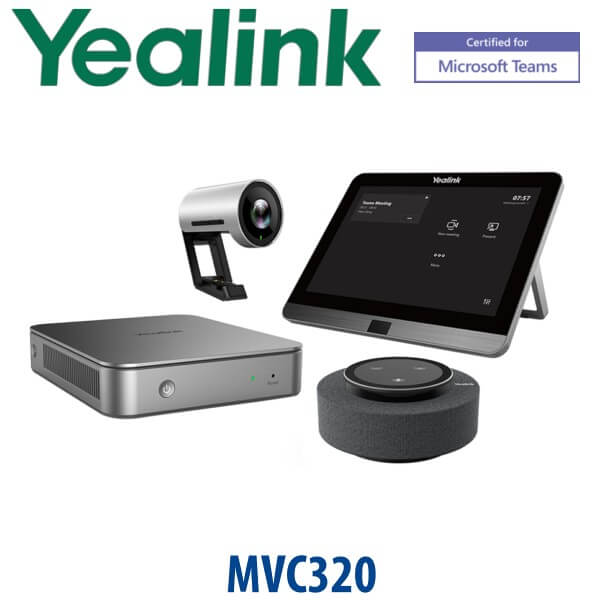
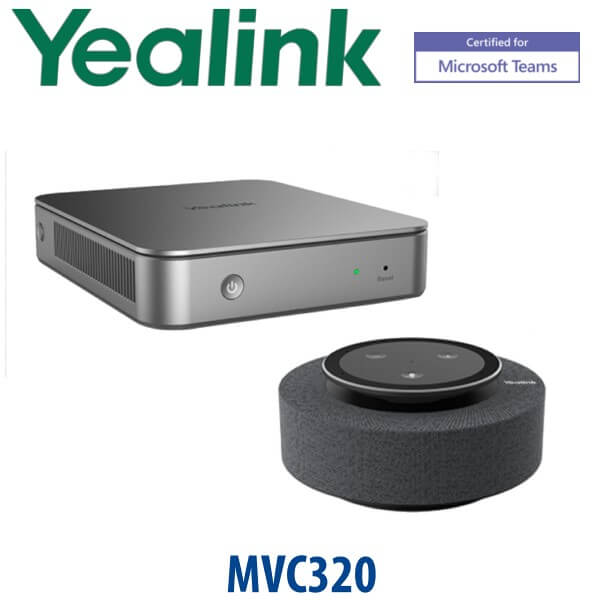
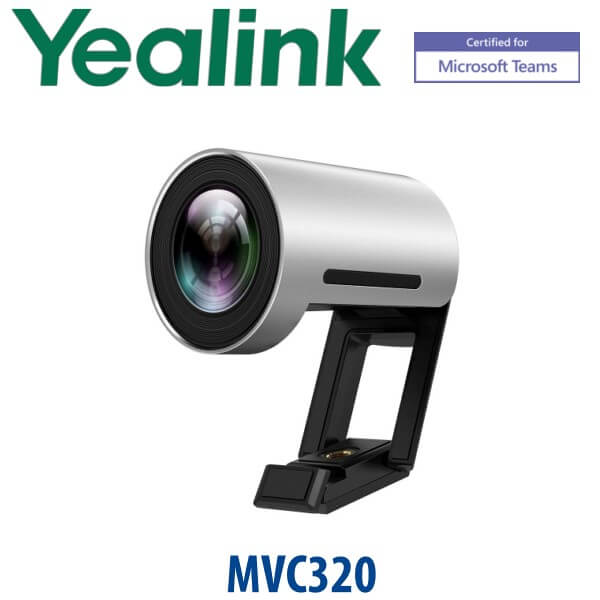
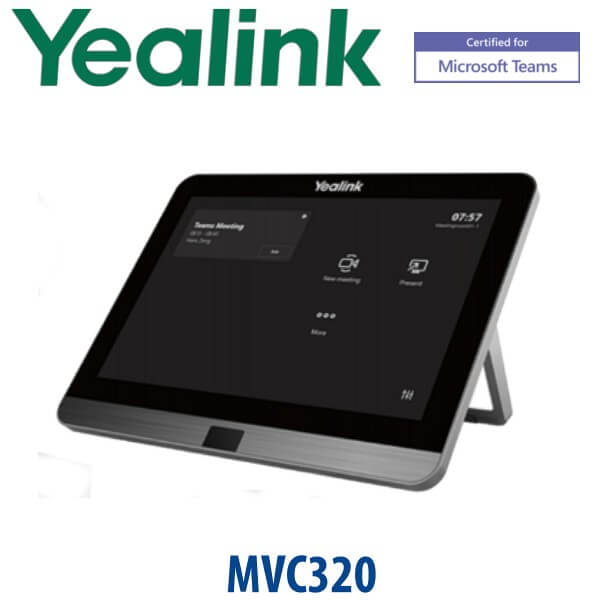
The Yealink MVC320 is a complete Microsoft Teams Rooms on Windows system for focus rooms and small meeting rooms. Instead of joining Teams meetings from a laptop, the room gets a dedicated MCore mini-PC, MTouch II control panel, UVC30-Room 4K camera and MSpeech smart USB speakerphone. Walk in, tap the meeting on the touch panel and start the call with the room display, camera and audio already connected.
This is the correct Yealink range when your office runs Microsoft Teams Rooms, not SIP telephony. Vector Digital Systems LLC supplies, stages and supports Yealink room systems from Dubai, with same-day quote in AED, VAT breakdown, delivery options and export documentation where required.
Platform Check — Teams Rooms, SIP Phone or Zoom Room?
The MVC320 is a Microsoft Teams Rooms system. It is not a SIP desk phone, not a standalone Zoom Room kit and not a regular USB webcam bundle. The room needs the correct Microsoft Teams Rooms account and licence. This platform check avoids the most common Yealink buying mistake: ordering a phone or SIP device for a Teams meeting room.
| Your Platform | Right Yealink Device | What You Need |
|---|---|---|
| Microsoft Teams Rooms | Yealink MVC320 — this page | Microsoft Teams Rooms account, room licence, display, network and room cabling |
| SIP PBX / desk phone system | Yealink T-series SIP desk phones or CP-series SIP conference phones | SIP credentials from 3CX, Yeastar, Grandstream UCM, Asterisk or hosted PBX |
| Zoom Rooms | Zoom-certified Yealink room system — ask David to verify the current model | Zoom Rooms licence and Zoom-certified hardware selection |
Microsoft Teams Certification Verified
The Yealink MVC320 is listed by Microsoft under certified Teams Rooms for Windows systems. Certification status was checked on 22 July 2026 before writing this page. For project supply, Vector Digital Systems also checks the final quoted bundle and current firmware requirements before dispatch, because Microsoft Teams Rooms certification and firmware support matter more than box-only hardware matching.
Room Power and Cabling Truth
The MVC320 is not a PoE desk phone. It is a room system with an MCore mini-PC, touch panel, camera, speakerphone, network connection and room display cabling. The key installation question is not “does the phone include a power adapter?” but “where will the display, table panel, camera and MCore be mounted, and how will the single-cable connection be routed?” Vector Digital Systems confirms this before quoting so the room is not delayed by missing cable paths, HDMI routing or display placement.
Where the MVC320 Sits in the Yealink Teams Room Range
The MVC320 is the compact Microsoft Teams Rooms system for focus rooms and small rooms. It is a step above a laptop-based meeting setup and a better fit when the room needs a permanent Teams identity, one-touch join and proper in-room audio. For larger rooms, move up to Yealink MVC400 / MVC640 class systems depending on room size, camera coverage and microphone requirements.
| Feature | MVC300 II / Legacy Small Room | MVC320 ★ | MVC400 / Step-Up Small Room |
|---|---|---|---|
| Room fit | Older small-room Teams deployments | Focus and small meeting rooms | Small rooms needing a newer step-up kit |
| Platform | Microsoft Teams Rooms | Microsoft Teams Rooms on Windows | Microsoft Teams Rooms |
| Camera | Legacy small-room camera bundle | UVC30-Room 4K, 120° FoV, auto-framing | Step-up room camera / video-bar class, verify current bundle |
| Audio | Legacy room audio | MSpeech smart speakerphone, 360° pickup up to 6m | Step-up integrated room audio, verify current bundle |
| Touch control | Touch panel, varies by bundle | MTouch II 8″ touch panel | Touch panel, verify current bundle |
| Best for | Existing older MVC refresh discussions | 2–6 person Teams room, huddle room, manager office | More demanding small rooms or refresh projects |
| Choose if… | You are maintaining a legacy MVC estate and need a refresh path | You want a dedicated certified Teams Rooms kit for a compact Dubai meeting room | You want the next tier for a larger or more camera-demanding room |
Dubai Use Cases for the Yealink MVC320
DIFC and Business Bay focus rooms. A 2–6 person meeting room should not depend on whoever brought the right laptop adapter. The MVC320 gives the room its own Teams identity, one-touch join and dedicated audio/video hardware for daily client calls, internal reviews and hybrid work check-ins.
DMCC and JLT manager offices. For managing directors, HR rooms and finance review rooms, the MVC320 is more professional than a webcam clipped to a monitor. The UVC30-Room captures the table with a 120° field of view, and MSpeech gives proper 360° audio pickup around the room.
SME meeting-room refresh after return-to-office. Many Dubai offices now use Teams as the default meeting platform but still run meetings from personal laptops. The MVC320 turns a small room into a permanent Teams room with scheduled meetings, touch control and consistent user experience.
Full Technical Specifications
| Specification | Yealink MVC320 |
|---|---|
| Product type | Microsoft Teams Rooms on Windows system for focus and small rooms |
| Microsoft certification | Listed by Microsoft as a certified Teams Rooms for Windows system — verified 22 July 2026 |
| Package content | MCore Mini-PC, MTouch II touch panel, UVC30-Room 4K USB camera, MSpeech smart USB speakerphone |
| MCore Mini-PC | 8th-gen Intel Core i5, 8GB RAM, 128GB SSD, Windows 10 IoT Enterprise, Teams Rooms App, Yealink RoomConnect |
| MCore ports | 2× HDMI output, 4× USB 3.0 Type-A, 1× Gigabit Ethernet, Yealink VCH port, power port, security lock slot |
| Touch panel | MTouch II, 8″ IPS display, 1280×800, 10-point capacitive touch, human motion sensor |
| Content sharing | Wired content sharing via HDMI / USB-C input; wireless sharing supported with Yealink presentation device where available |
| Camera | UVC30-Room 4K USB camera, maximum 4K/30FPS, 3× digital zoom, 120° diagonal field of view, auto-framing, camera presets |
| Audio | MSpeech smart USB speakerphone, 3 MEMS microphone array for HD voice pickup, 4W HD speaker, full-duplex technology, acoustic echo cancellation |
| Voice pickup | 360° pickup up to 20ft / 6m |
| Display support | Up to two external displays via MCore HDMI outputs |
| Room size | Focus room / small meeting room, typically 2–6 participants depending on layout |
| Management | Supports Yealink Device Management Platform / Cloud Service for monitoring, updates and diagnostics |
| Carton weight | Net 4.4kg / gross 5.1kg |
Accessories and Room Planning
| Item | Use | Planning Note |
|---|---|---|
| Room display | Main Teams meeting screen | Single or dual display layout can be planned before installation |
| Wireless presentation device | Cable-free content sharing from laptop | Availability varies by region and bundle; David verifies before quoting |
| HDMI / USB-C content cable | Wired sharing from visitor laptops | Recommended for boardrooms where guests present frequently |
| Network point | Teams Rooms connectivity and device management | Stable wired LAN is recommended for professional meeting rooms |
Staging Before Dispatch
Vector Digital Systems checks the MVC320 bundle before dispatch from Dubai: component match, Teams Rooms hardware verification, firmware guidance, display and cabling plan, room account checklist, network checklist and user handover notes. For Dubai installations, we can coordinate the room layout before delivery so the MCore, touch panel, camera and speakerphone are positioned correctly the first time.
Export from Dubai
Vector Digital Systems exports Yealink Microsoft Teams Rooms systems from Dubai to system integrators, corporate IT teams and AV installers across Oman, Saudi Arabia, Kuwait, Qatar, Bahrain, Jordan, Egypt, Kenya, Nigeria and Pakistan. Shipments are quoted FOB Dubai with commercial invoice, packing list and certificate of origin on request. For multi-room deployments, send David the room count, room sizes, Teams licensing status and required timeline for project pricing.
Get a same-day quote in AED — Yealink MVC320 Dubai
Tell David your room size, display count, Microsoft Teams Rooms licence status, preferred installation date and whether you need Dubai delivery or FOB Dubai export. VAT breakdown and delivery charges are included in the quote.
Frequently Asked Questions — Yealink MVC320
Is the Yealink MVC320 certified for Microsoft Teams Rooms?
Yes. Microsoft lists the Yealink MVC320 under certified Teams Rooms for Windows systems. Certification was verified on 22 July 2026 before this page was written. Vector Digital Systems also checks the current bundle and firmware position before quoting for Dubai projects.
What room size is the Yealink MVC320 designed for?
The MVC320 is designed for focus rooms and small meeting rooms, typically 2–6 participants depending on table shape, camera position and display placement. For larger rooms, ask David to compare it with Yealink MVC400, MVC640 or the current step-up Teams Rooms range.
What is included in the Yealink MVC320 bundle?
The MVC320 bundle includes the MCore Mini-PC, MTouch II touch panel, UVC30-Room 4K USB camera and MSpeech smart USB speakerphone. The room display, room licence, mounting requirements and installation cabling are planned separately based on your Dubai meeting room.
Does the Yealink MVC320 work as a SIP conference phone?
No. The MVC320 is a Microsoft Teams Rooms system, not a SIP conference phone. If you need SIP calling for 3CX, Yeastar, Grandstream UCM or a hosted PBX, ask David for the correct Yealink CP-series conference phone or T-series SIP desk phone instead.
MVC320 vs MVC400 — which one should I buy?
Choose MVC320 for a compact focus room or small room where a 4K UVC30 camera and MSpeech speakerphone are the right fit. Choose the MVC400 or a newer step-up bundle when the room is larger, the camera position is more demanding or the project needs a different current Microsoft Teams Rooms package. David can size the room before quoting.
Does the MVC320 need a Microsoft Teams Rooms licence?
Yes. A Teams Rooms device needs the correct Microsoft Teams Rooms account and licence. Vector Digital Systems can supply the hardware and staging checklist, while your Microsoft 365 administrator confirms tenant, room mailbox, licence assignment and meeting policy settings.
Can guests share content in a room with the Yealink MVC320?
Yes. The MVC320 supports wired content sharing through HDMI / USB-C input, and wireless sharing is supported with the relevant Yealink presentation device where available. For visitor-heavy rooms, we recommend planning both wired and wireless sharing options.
Who is the Yealink authorised supplier in Dubai?
Vector Digital Systems LLC has supplied and supported Yealink solutions in Dubai since 2009. David handles Yealink pre-sales specification, Microsoft Teams Rooms hardware checks, project pricing, staging coordination and local warranty support.
What is the best Yealink Teams Rooms system for a small meeting room in Dubai?
For a compact 2–6 person room, the Yealink MVC320 is a strong fit because it combines a dedicated Teams Rooms PC, touch panel, 4K camera and smart speakerphone in one bundle. For larger rooms, step up to MVC400, MVC640 or the current Yealink Teams Rooms range after room sizing.
Does Vector Digital Systems export Yealink MVC320 from Dubai?
Yes. Vector Digital Systems exports Yealink Teams Rooms systems from Dubai to integrators and enterprise buyers in Oman, Saudi Arabia, Kuwait, Qatar, Bahrain, Jordan, Egypt, Kenya, Nigeria and Pakistan. Shipments are quoted FOB Dubai with commercial invoice, packing list and certificate of origin on request.
Does Vector Digital Systems configure the MVC320 before delivery?
Yes. Vector Digital Systems checks the MVC320 components, confirms the Microsoft Teams Rooms hardware position, prepares the room account and cabling checklist, and coordinates the display, camera, touch panel and MCore placement before Dubai delivery or export dispatch.