
Description
Yealink AVHub Meeting Audio & Video Processor for Large Rooms Dubai
Yealink AVHub for Large Conference Rooms in Dubai
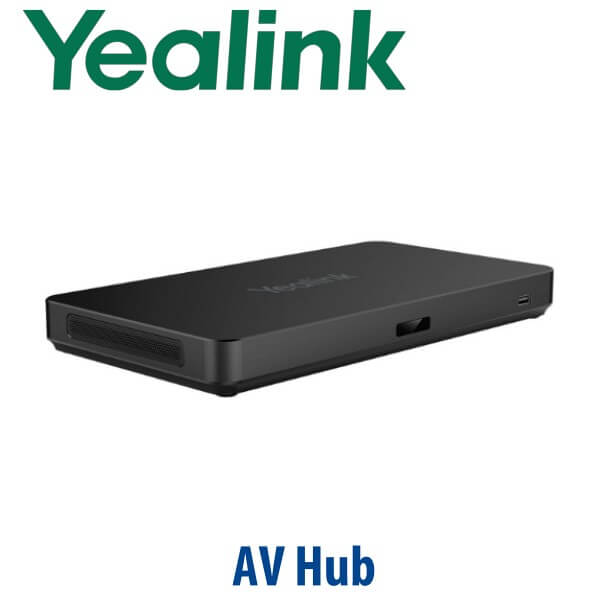
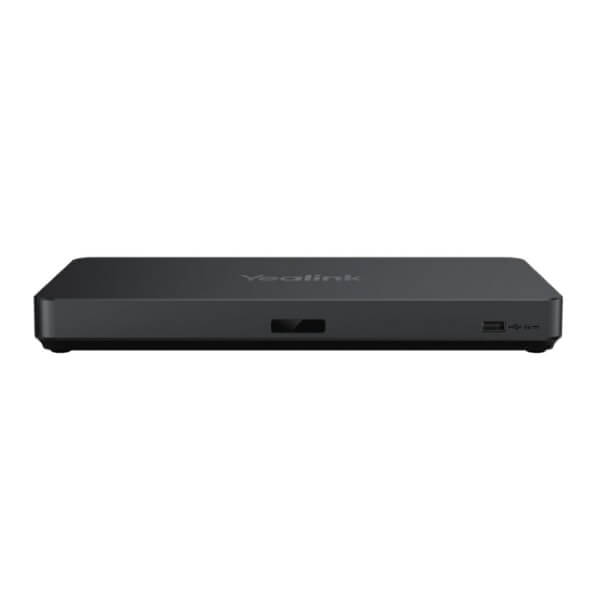
The Yealink AVHub is the control point for serious meeting-room AV: multiple cameras, multiple microphones, multiple speakers, and one cleaner path back to the room PC. Instead of forcing a large Dubai boardroom, training room or divisible meeting space to run as a single-camera USB setup, AVHub gives the room designer a central Yealink audio-video processor for camera layouts, speaker tracking, microphone coverage, distributed audio and BYOD flexibility. Vector Digital Systems supplies and stages Yealink AVHub systems in Dubai for enterprise meeting rooms, free-zone offices, training centres, boardrooms and export projects.
Platform Fit: Teams Rooms, BYOD, Zoom and DSP Rooms
AVHub is not a SIP desk phone and it is not a standalone Teams phone. It is a meeting-room audio-video processor used inside a Yealink room design. The platform decision is still important: the same room may be built around a Microsoft Teams Rooms bundle, a Zoom/UC BYOD workflow, or a third-party DSP audio design. We verify the exact room platform before quoting, because the AVHub is only one component in the complete room system.
| Your Meeting Platform | Right Yealink Design | What You Need |
|---|---|---|
| Microsoft Teams Rooms | Yealink MVC room system with AVHub where specified | Teams Rooms licence, certified room bundle verification, room PC, touch panel and camera/audio design |
| Zoom, Google Meet, Webex or mixed-platform BYOD | AVHub with USB connection to the room PC or BYOD workflow | Room PC or laptop handoff, compatible cameras, microphones and speakers |
| Large room with external DSP | AVHub integrated with Yealink devices and third-party DSP audio | DSP design review, line/RCA/AES67 planning and commissioning before handover |
For Teams Rooms projects, David verifies the current Microsoft certification status of the full Yealink room bundle before quoting. For AVHub-only supply, we specify it as a room processor/component, not as a standalone certified Teams endpoint.
Power and Cabling Truth: AVHub Is Different from a Desk Phone
Unlike Yealink desk phones, AVHub includes its own power adapter in the box. The desk-phone PoE rule does not apply here. AVHub uses its supplied 48V power adapter and then simplifies the room by connecting compatible Yealink cameras, microphones and speakers through VCH RJ45 cabling. That reduces the usual mess of long USB runs, separate power bricks and unmanaged AV cables across a large table or ceiling.
For Dubai installations, we confirm cable routes, ceiling access, table box position, PoE/VCH device placement and room PC location before dispatch. This is especially important in glass-walled boardrooms, divisible training rooms and DIFC/DMCC offices where cable visibility matters as much as call quality.
Where AVHub Sits in the Yealink Room Range
Yealink small-room systems can often run with a single video bar or one camera plus a few microphones. Large rooms are different: the camera cannot see every face clearly, the far end cannot hear every participant evenly, and the room PC may struggle when multiple video and audio devices are connected directly. AVHub is the step-up processor for large and extra-large Yealink rooms where multi-camera coverage, distributed microphones, speaker output and professional cabling are required.
| Feature | A30 / MVC Small-Medium Room | AVHub ★ | MVC940 / Extra-Large Room Bundle |
|---|---|---|---|
| Best Room Fit | Small to medium meeting rooms | Large and extra-large rooms needing central AV processing | Complete extra-large Teams Rooms system |
| Camera Design | Single integrated or single PTZ camera | Up to 9× UVC84/UVC86 cameras | Bundle-specific multi-camera design |
| Microphone Coverage | Room-dependent, usually lower device count | Up to 8× VCM34/VCM35/VCM38 array microphones | Designed as a complete room kit |
| Speaker Design | Integrated or small-room speakers | Up to 4× MSpeaker II | Bundle-specific speaker design |
| BYOD Flexibility | Depends on kit | Supported for flexible meeting-room workflows | Depends on bundle configuration |
| Platform | Teams/Zoom/SIP room kit depends on model | Room processor for Yealink AV design | Microsoft Teams Rooms bundle |
| Expansion | Limited by room kit | Centralises multi-device room expansion | Pre-bundled for extra-large rooms |
| Replaces | Basic USB camera/speakerphone rooms | Messy multi-USB room wiring and single-camera large-room setups | Older large-room Teams AV kits |
| Price Tier | Lower complete-room entry | Project-priced room processor | Full extra-large room solution |
| Choose if… | Your room is small enough for one camera or video bar | You need multi-camera, multi-mic and distributed speaker control in a large room | You want a complete extra-large Microsoft Teams Rooms bundle specified as one system |
Dubai Use Cases for Yealink AVHub
DIFC and DMCC boardrooms. Senior meeting rooms need more than a webcam at the end of the table. AVHub lets the room designer position multiple Yealink cameras for front, side and audience coverage while keeping microphones and speakers centrally managed. For legal, finance and corporate headquarters, that means remote participants see the speaker instead of a wide shot of a long table.
Training rooms and divisible spaces. Dubai training centres, government departments and enterprise academies often need one room to behave as two zones or one large room depending on the event. AVHub supports divisible-room planning and multi-camera layouts, making it a strong fit for training, town halls and hybrid learning rooms.
Large conference rooms in Business Bay, JLT and Dubai Internet City. Hybrid meetings fail when the far end hears only the nearest person or sees only one half of the table. AVHub supports distributed microphone and speaker placement so the room behaves like a designed AV system, not a laptop meeting stretched across a boardroom.
Integrator-led ProAV projects. AVHub is useful when a system integrator needs Yealink cameras and room devices to work alongside a third-party DSP or a custom AV rack. Vector Digital Systems can supply the Yealink hardware, confirm compatibility, stage the base configuration and coordinate with the AV contractor before final commissioning.
Full Technical Specifications
| Specification | Yealink AVHub |
|---|---|
| Product Type | Meeting audio and video processor for large and extra-large rooms |
| Primary Use | Multi-camera, multi-microphone and multi-speaker room processing |
| Camera Support | Up to 9× Yealink UVC84/UVC86 cameras, depending on room design and bundle configuration |
| Microphone Support | Up to 8× VCM34, VCM35 or VCM38 array microphones |
| Speaker Support | Up to 4× MSpeaker II speakers |
| Ceiling Audio Device Support | Up to 4× CM20/CS10 devices in compatible Yealink ceiling audio designs |
| Video Features | Multi-camera layout, Multi-Camera IntelliFocus, Multi-Stream IntelliFrame and dynamic speaker tracking workflows |
| Room Features | Divisible-room support, BYOD support and centralised management of room AV devices |
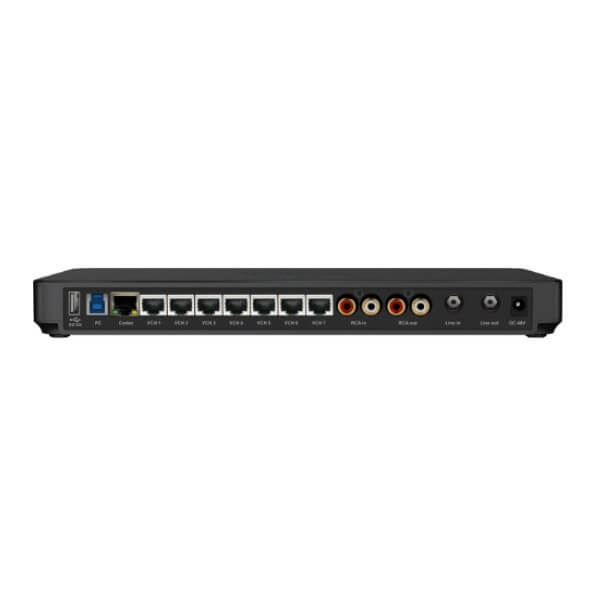
| VCH Ports | 7× VCH RJ45 ports for compatible Yealink cameras, microphones and speakers |
| USB Ports | 2× USB-A 2.0 ports and 1× USB-B 3.0 port |
| Codec Port | 1× codec port |
| Analogue Audio I/O | 1× RCA in/out, 1× 6.3 mm line in, 1× 6.3 mm line out |
| DSP Compatibility | Broadly compatible with third-party DSP systems; project design should be verified before order |
| Audio Processing | Supports AES67 audio workflows, gain adjustment, AI noise reduction and AEC echo cancellation through Yealink room configuration tools where supported |
| Power Supply | External power adapter included: input 100–240V AC, output 48V 2A / 96W |
| Package Contents | AVHub, power adapter, 2.5m USB cable, 7.5m Ethernet cable and quick start guide |
| Carton Weight | Approx. 2.31 kg net / 2.62 kg gross |
| Giftbox Size | 382 mm × 215 mm × 120 mm |
Compatible Yealink Room Accessories
| Accessory / Device | Model | Purpose |
|---|---|---|
| PTZ Cameras | UVC84 / UVC86 | Multi-camera coverage for long tables, presenter zones and extra-large rooms |
| Array Microphones | VCM34 / VCM35 / VCM38 | Distributed voice pickup across boardrooms and training rooms |
| Room Speakers | MSpeaker II | Room audio playback distributed around large meeting spaces |
| Ceiling Audio | CM20 / CS10 | Ceiling microphone and speaker layouts where table devices are not preferred |
| Room PC / Touch Panel | MCore / MTouch range, depending on bundle | Complete Microsoft Teams Rooms or meeting-room control workflow |
| BYOD Accessories | BYOD extender / wireless presentation accessories where specified | Laptop handoff and flexible meeting-platform access |
Staging Before Dispatch — What Vector Digital Systems Configures
AVHub projects are staged as a room system, not just a box shipment. Vector Digital Systems checks the device list, room platform, camera count, microphone count, speaker layout, USB path, VCH cable plan and DSP requirement before dispatch. For Dubai projects, we can pre-label devices by room, prepare the basic Yealink configuration, verify firmware level, confirm Teams Rooms or BYOD workflow requirements, and coordinate the commissioning plan with your IT or AV contractor. VAT breakdown, delivery charges and project pricing are included in the quote.
Export Yealink AVHub from Dubai
Vector Digital Systems exports Yealink AVHub and complete Yealink room systems from Dubai to system integrators, telecom operators, AV contractors, hotel groups, banks, universities and corporate procurement teams. Common routes include Oman, Saudi Arabia, Qatar, Kuwait and Bahrain in the GCC; Jordan and Egypt in the wider region; Kenya and Tanzania in East Africa; and Pakistan and Sri Lanka for South Asian projects. Shipments are quoted FOB Dubai with commercial invoice, packing list and certificate of origin on request. For multi-room projects, send the room count, room sizes and platform requirement to David for a same-day AED quotation.
Get a Yealink AVHub quote in AED — Dubai supply, staging and export support
Tell David your room size, platform, camera count, microphone preference, ceiling/table audio requirement and whether the project is for Dubai delivery or FOB export. We quote with VAT breakdown, delivery and staging notes included.
Frequently Asked Questions — Yealink AVHub
What is the Yealink AVHub used for?
The Yealink AVHub is a meeting audio and video processor for large and extra-large conference rooms. It centralises Yealink cameras, microphones and speakers so a large boardroom, training room or divisible meeting space can run multi-camera layouts, better voice pickup, distributed speakers and cleaner cabling than a basic USB meeting setup.
Is Yealink AVHub a Microsoft Teams certified device?
AVHub should be specified as a room processor/component, not as a standalone Teams phone or standalone certified endpoint. It is used inside Yealink room designs, including Yealink MVC extra-large room systems. For Microsoft Teams Rooms projects, Vector Digital Systems verifies the current Microsoft certification status of the complete Yealink room bundle before quoting.
Can Yealink AVHub be used for Zoom or BYOD meetings?
Yes — AVHub supports BYOD-style room workflows when designed with the right Yealink cameras, microphones, speakers and USB path. For Zoom, Google Meet, Webex or mixed-platform rooms, David will confirm the room PC or laptop handoff design before quoting so the AVHub is specified correctly.
How many cameras can I connect to Yealink AVHub?
Yealink AVHub supports up to 9 Yealink UVC84 or UVC86 cameras, depending on the room design and bundle configuration. This is useful for long boardroom tables, training rooms, presenter-and-audience layouts, and extra-large spaces where one camera cannot capture every participant clearly.
How many microphones and speakers does AVHub support?
AVHub supports up to 8 Yealink VCM34, VCM35 or VCM38 array microphones and up to 4 MSpeaker II speakers. It can also support compatible ceiling audio designs using CM20/CS10 devices. Vector Digital Systems confirms the correct microphone and speaker layout after reviewing the room size, table shape and ceiling access.
Does Yealink AVHub come with a power adapter?
Yes — AVHub includes its own external power adapter in the package. This is different from Yealink desk phones, which usually ship without a PSU and rely on PoE. For AVHub, the processor is powered by its supplied adapter, while compatible Yealink room devices connect through VCH cabling according to the room design.
Can AVHub work with third-party DSP systems?
Yes — AVHub is broadly compatible with third-party DSP audio systems and provides analogue audio I/O plus AES67-capable workflows where supported. For Dubai boardrooms using Shure, Biamp or other AV infrastructure, Vector Digital Systems reviews the DSP design before supply so the Yealink side is specified correctly.
What is the best Yealink solution for a large boardroom in Dubai?
For a large boardroom that needs multiple cameras, microphones and speakers, Yealink AVHub is the right processor to build around. If the room is a full Microsoft Teams Rooms space, the step-up recommendation is a complete Yealink MVC extra-large room bundle with AVHub, room PC, touch panel, cameras and audio devices specified together.
Who is the authorised Yealink supplier for AVHub in Dubai?
Vector Digital Systems LLC has supplied Yealink phones and collaboration systems in Dubai since 2009. David is the Yealink specialist for product selection, room-system specification, staging, project pricing, warranty handling and export support. We supply AVHub as a project item with configuration guidance, not just a box sale.
Does Vector Digital Systems configure Yealink AVHub before delivery?
Yes — Vector Digital Systems stages Yealink AVHub projects before dispatch by checking the room design, device list, cable plan, camera and microphone layout, platform requirement, firmware level and handover notes. For larger rooms, we coordinate with your IT or AV contractor so installation starts with the correct hardware map.
Does Vector Digital Systems export Yealink AVHub from Dubai?
Yes — Vector Digital Systems exports Yealink AVHub and complete Yealink room systems from Dubai to integrators and enterprise buyers in Oman, Saudi Arabia, Qatar, Kuwait, Bahrain, Jordan, Egypt, Kenya, Tanzania, Pakistan and Sri Lanka. Exports are quoted FOB Dubai with commercial invoice, packing list and certificate of origin on request.

