Description
Yealink BT41 Bluetooth USB Dongle Bluetooth Headset Adapter for Compatible Yealink IP Phones Dubai
Add Bluetooth Headset Pairing to a Compatible Yealink IP Phone
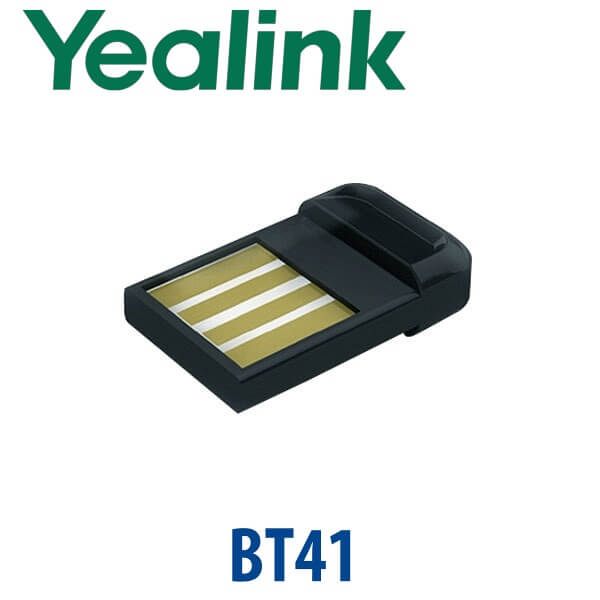
The Yealink BT41 is a compact Bluetooth USB dongle for compatible Yealink IP desk phones. It plugs into the phone’s USB port and allows the user to pair a Bluetooth headset for wireless call handling. For Dubai offices with receptionists, sales users, support agents, and managers who move around the desk during calls, the BT41 is a simple way to add headset freedom without replacing the entire phone.
Compatibility is the key buying point. The BT41 is not a universal Bluetooth adapter for every Yealink product, and it is not a general-purpose PC Bluetooth dongle. Before quoting, Vector Digital Systems checks your exact Yealink phone model, firmware level, USB support, and headset requirement so the accessory supplied actually pairs and works as expected.
BT41 Compatibility Trap — Check the Phone Before You Buy
The most common BT41 mistake is ordering the dongle because the phone is Yealink, without checking whether that specific phone model supports Bluetooth through BT41. Some Yealink phones have Bluetooth built in, some use BT41 through USB, some use other dongles, and some do not support Bluetooth headset pairing at all.
| Your Setup | Right Accessory Decision | What Vector Digital Checks |
|---|---|---|
| Compatible Yealink IP phone with USB port | BT41 may be suitable | Exact model, firmware, headset profile, and user requirement |
| Newer Yealink phone with built-in Bluetooth | BT41 usually not required | Whether Bluetooth 5.x is already built into the phone body |
| PC, laptop, Teams headset, or speakerphone use | Ask David for the correct Yealink PC/headset dongle instead | Whether BT50 / headset-specific dongle is the better match |
Not a Teams Phone Upgrade
The BT41 only adds Bluetooth headset connectivity to a compatible Yealink IP phone. It does not convert a SIP phone into a Microsoft Teams phone, and it does not change the phone’s platform. If your office runs Teams Phone, you need the correct Yealink MP-series Teams phone or Teams-certified headset setup. If your office runs SIP through 3CX, Yeastar, Grandstream UCM, Asterisk, or a hosted PBX, the BT41 may be relevant only when your phone model supports it.
PoE Truth — The Dongle Does Not Power the Phone
BT41 is a USB Bluetooth accessory only. It does not supply power to the phone and it does not replace a PoE switch or phone PSU. Yealink desk phones normally run from PoE, and many ship without a power adapter. If your phone is not powered by a PoE switch, ask David to include the correct Yealink PSU in the quote. For multi-device desk setups, we confirm both power and USB accessory requirements before dispatch.
Where BT41 Sits in the Yealink Accessory Range
The BT41 belongs to the Yealink accessory category for Bluetooth headset pairing on compatible IP phones. It is especially useful for legacy desk phones that do not have Bluetooth built in but do have USB accessory support. For newer Yealink T7 “W” models such as T73W and T74W, Bluetooth is already built into the phone, so the BT41 is normally unnecessary. For T77U wireless accessories or PC/headset pairings, David will confirm the correct dongle before quoting.
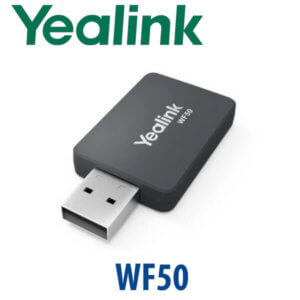
| Feature | WF50 | BT41 ★ | BT50 |
|---|---|---|---|
| Main purpose | Wi-Fi connectivity for supported Yealink phones | Bluetooth headset pairing for compatible Yealink IP phones | Bluetooth connection for supported Yealink speakerphones/headsets and PC use |
| Connection type | USB Wi-Fi dongle | USB Bluetooth dongle | USB Bluetooth dongle |
| Best use case | Phone desk has no Ethernet cable | User wants a Bluetooth headset on a compatible desk phone | PC / speakerphone / Yealink headset dongle requirement |
| Phone platform | Accessory only — does not change SIP/Teams platform | Accessory only — does not convert SIP to Teams | Accessory only — check endpoint compatibility |
| Compatibility check | Phone model + firmware | Phone model + USB support + headset profile | PC / speakerphone / headset model |
| Choose if… | You need Wi-Fi on a supported phone | You need Bluetooth headset pairing on a compatible Yealink IP phone | You need a PC/headset/speakerphone Bluetooth dongle |
Dubai Use Cases for the Yealink BT41
Reception desks and front-office users. A receptionist in Business Bay, Deira, or Al Quoz may need to step away from the desk while still answering calls. When the phone and headset are compatible, the BT41 lets that desk move from handset-only calling to Bluetooth headset calling without a full phone replacement.
Sales and support teams. For SMEs in DMCC, DIFC, JLT, and Dubai Silicon Oasis, a Bluetooth headset on a Yealink phone keeps the user’s hands free for CRM notes, order entry, and customer follow-up. Vector Digital Systems can supply the dongle with the phone, pair the headset, and test call control before delivery.
Legacy Yealink phone estates. Many UAE offices still run older Yealink desk phones. Before replacing a whole fleet, David can check whether BT41 is supported on the existing phone model. If yes, Bluetooth headset pairing may be a low-cost desk upgrade. If no, we recommend the correct current Yealink phone or headset path instead of selling the wrong dongle.
Full Technical Specifications
| Specification | Yealink BT41 |
|---|---|
| Product Type | Bluetooth USB dongle for compatible Yealink IP phones |
| Main Function | Adds Bluetooth headset connectivity to supported Yealink phones |
| Bluetooth Version | Bluetooth V4.1 according to current Yealink datasheet listing |
| Backward Compatibility | Backward compatible with Bluetooth 1.1, 1.2, 2.0, and 3.0 as listed by Yealink |
| Wireless Range | Up to around 10 metres in normal office conditions, depending on headset and environment |
| Call Control | Answer / terminate calls through a paired wireless headset where supported |
| Connector | USB dongle — plugs into the compatible phone’s USB port |
| Phone Compatibility | Model-specific. Confirm with David before ordering; not every Yealink phone supports BT41. |
| PC Compatibility | Not positioned as a general PC/laptop Bluetooth dongle. Ask for the correct Yealink PC/headset dongle where required. |
| Power | Powered from the phone’s USB port. Does not power the phone. |
| In Box | BT41 USB dongle. Packaging / guide contents may vary by stock batch. |
| Status | Legacy / sell-through accessory — availability and compatibility confirmed at quote stage |
Compatible Accessories and Related Yealink Options
| Item | When to Use It | Compatibility Note |
|---|---|---|
| Yealink BT41 | Bluetooth headset pairing on compatible Yealink IP phones | Check phone model and firmware before ordering |
| Yealink WF50 | Wi-Fi connectivity for supported Yealink phones | Not a Bluetooth headset adapter |
| Yealink BT50 | PC / Yealink speakerphone / headset dongle use where supported | Not a direct replacement for every BT41 phone use case |
| Yealink BH / WH Headsets | Bluetooth or DECT headset options for desk phone and laptop users | David confirms headset-to-phone pairing path before quoting |
| Yealink PSU | Required when the phone itself is not powered by PoE | BT41 does not power the phone |
Staging Before Dispatch
Vector Digital Systems does not simply ship a dongle and leave the buyer to troubleshoot pairing. For BT41 orders, David’s team confirms the Yealink phone model, checks the headset requirement, pairs and tests the accessory where the phone is supplied with us, and confirms call control before dispatch. For full phone deployments, staging can include SIP registration, provisioning template loading, BLF / speed-dial setup, dial-plan test, and desk-ready packing before delivery.
Export from Dubai
Vector Digital Systems supplies Yealink accessories from Dubai to telecom operators, system integrators, PABX installers, hotel groups, and corporate procurement teams. BT41 and related Yealink accessories can be consolidated with phone and headset shipments for Oman, Saudi Arabia, Kuwait, Bahrain, Qatar, Jordan, Egypt, Kenya, Nigeria, Pakistan, and Sri Lanka. Export shipments move FOB Dubai with commercial invoice, packing list, and certificate of origin on request. Availability is confirmed before quoting because BT41 is a legacy accessory and stock can vary by batch.
Get a same-day quote in AED — compatibility checked before supply
Tell David your Yealink phone model, headset model, quantity, and whether you need pairing before dispatch. We quote with VAT breakdown and delivery included.
Frequently Asked Questions — Yealink BT41
What does the Yealink BT41 do?
The Yealink BT41 is a Bluetooth USB dongle for compatible Yealink IP phones. It plugs into the phone’s USB port and allows the user to pair a Bluetooth headset for wireless call handling, including answer and terminate functions where supported by the phone and headset.
Does BT41 work with every Yealink phone?
No — BT41 compatibility is model-specific. Some Yealink phones support BT41, some have Bluetooth built in, some use a different accessory, and some do not support Bluetooth headset pairing. Vector Digital Systems checks your exact phone model and firmware before quoting.
Can I use BT41 on a PC or laptop?
The BT41 is positioned for compatible Yealink IP phones, not as a general PC or laptop Bluetooth dongle. If you need Bluetooth for a Yealink headset, speakerphone, or computer, ask David to confirm whether BT50 or another Yealink dongle is the correct accessory.
Does BT41 make a SIP phone work with Microsoft Teams?
No. BT41 only adds Bluetooth headset connectivity to a compatible Yealink phone. It does not change the phone’s firmware or platform. A SIP phone remains a SIP phone for systems such as 3CX, Yeastar, Grandstream UCM, Asterisk, or hosted PBX. Microsoft Teams Phone requires the correct Yealink MP-series Teams device or Teams-certified headset setup.
What Bluetooth version does the Yealink BT41 support?
Yealink lists the BT41 as supporting Bluetooth V4.1, with backward compatibility to Bluetooth 1.1, 1.2, 2.0, and 3.0. Practical performance depends on the paired headset, phone firmware, and office environment.
What is the wireless range of BT41?
Yealink describes BT41 headset use around normal office range, with up to about 10 metres depending on the headset and environment. Glass partitions, dense walls, server rooms, and crowded wireless areas can reduce practical range.
BT41 vs BT50 — which one should I buy?
Choose BT41 when you need Bluetooth headset pairing on a compatible Yealink IP desk phone. Choose BT50 only when your Yealink headset, speakerphone, or PC use case specifically requires it. The two dongles are not interchangeable for every setup, so Vector Digital Systems confirms the endpoint before quoting.
Who is the Yealink authorised supplier in Dubai for BT41?
Vector Digital Systems LLC has supplied, staged, and supported Yealink solutions in Dubai since 2009. David handles Yealink accessory checks, compatibility advice, project pricing, local warranty handling, and pairing support before dispatch where applicable.
Does Vector Digital Systems configure BT41 before delivery?
Yes, where the compatible phone and headset are supplied or available for staging, Vector Digital Systems can pair and test the BT41 before dispatch. For complete phone deployments, we can also configure SIP registration, provisioning, BLF keys, speed dials, and dial-plan tests before delivery.
Does Vector Digital Systems export Yealink BT41 from Dubai?
Yes — subject to stock availability, Vector Digital Systems can export Yealink BT41 and related accessories from Dubai with phone and headset orders. Common export destinations include Oman, Saudi Arabia, Kuwait, Bahrain, Qatar, Jordan, Egypt, Kenya, Nigeria, Pakistan, and Sri Lanka. Shipments are quoted FOB Dubai with export documentation on request.