Description
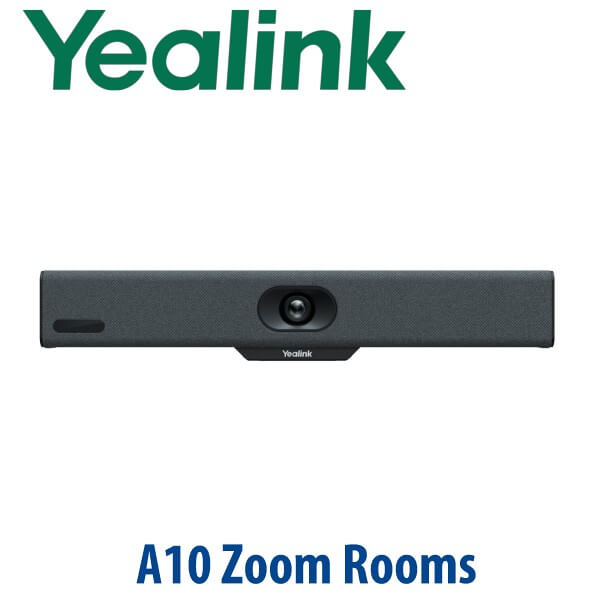
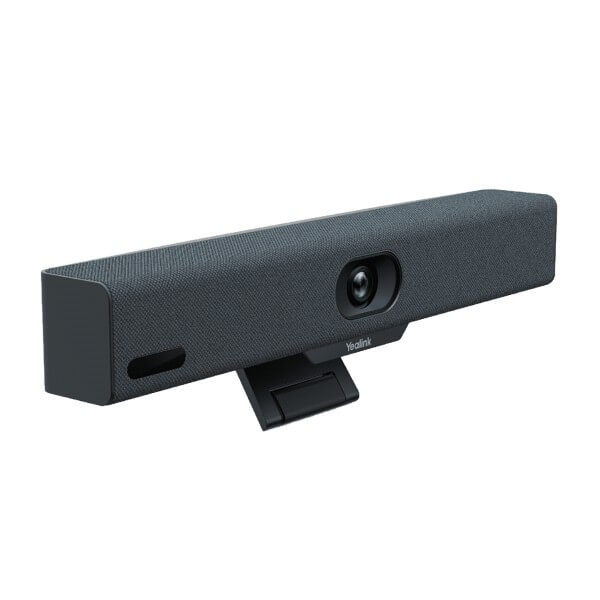
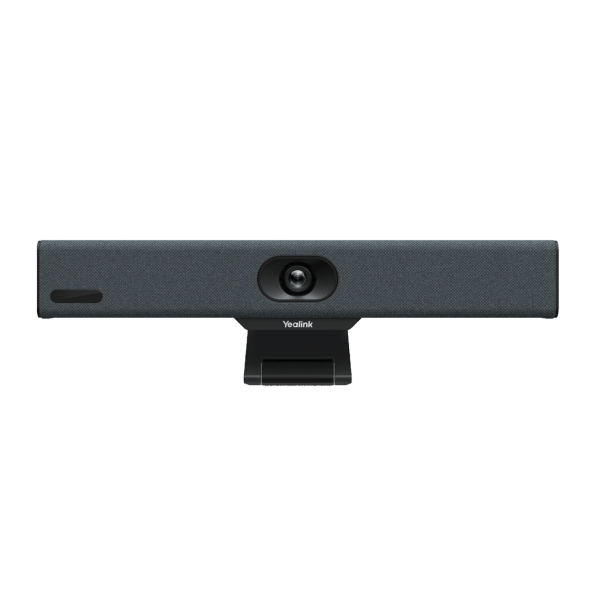
Yealink MeetingBar A10 Zoom Rooms 4K All-in-One Huddle Room Video Bar Dubai
Yealink MeetingBar A10 — Zoom Rooms for Dubai Huddle Rooms
The Yealink MeetingBar A10 is the compact Zoom Rooms appliance for the spaces that are too important for a laptop webcam and too small for a full boardroom system. It is built for phone rooms, focus rooms, executive cabins, branch-office meeting rooms and 1–7 person huddle spaces where the call must start quickly, look professional and stay easy for every user. Vector Digital Systems supplies the A10 in Dubai with Zoom Rooms staging, display connection guidance, controller setup and same-day quote in AED.
Platform Check — Zoom Rooms, Teams Rooms or BYOD?
The MeetingBar A10 is sold in platform-specific room configurations. This page is for the Zoom Rooms appliance version. Do not order a Zoom Rooms appliance for a Microsoft Teams Rooms-only office without checking the platform first. Teams Rooms and Zoom Rooms use different room licences, admin portals and device enrolment flows. Vector Digital Systems verifies the required platform before quoting so the room is staged correctly before dispatch.
| Your Meeting Platform | Right Yealink Device | What You Need |
|---|---|---|
| Zoom Rooms | Yealink MeetingBar A10 Zoom Rooms appliance with CTP18 controller | Zoom Rooms licence, display, network, room calendar access and Zoom admin credentials |
| Microsoft Teams Rooms | Yealink MeetingBar A10 Teams Rooms version or current Teams Rooms kit — verify before ordering | Microsoft Teams Rooms licence, Microsoft 365 tenant and Teams admin enrolment |
| Bring Your Own Device / USB meetings | A10 Device Mode via USB-C, or a Yealink USB/BYOD kit if no room appliance is required | User laptop, USB-C connection and meeting app on the laptop |
Certification status: Yealink MeetingBar A10 + CTP18 was verified on Zoom’s certified hardware list on 16 July 2026 as a certified Zoom Rooms Appliance for huddle spaces, with Zoom certification end date listed as October 2027.
Power and Cabling Truth — This Is Not a Desk Phone
Unlike Yealink SIP desk phones, the MeetingBar A10 is a video room appliance and is normally planned with its room display, controller, network point and power location together. Do not treat it like a USB webcam that can be moved around the office every day. For a clean Dubai installation, confirm where the display sits, where the A10 will mount, how the CTP18 controller will be placed on the table, and whether your room has a wired network point. Vector Digital Systems checks these details before dispatch so the room does not fail because of a missing cable, wrong display input or unavailable network port.
Why A10 Instead of a Laptop Webcam?
A laptop camera works for one person. A room needs everyone framed, heard and controlled from the table. The A10 combines the compute, camera, speaker and microphone system in one compact bar, with a CTP18 controller for the Zoom Rooms interface. Users walk in, tap the meeting on the controller and start the call. IT teams get fewer support tickets, and remote participants get a stable room view instead of a tilted laptop on a conference table.
A10 in the Yealink MeetingBar Range
The A10 is the entry Zoom Rooms appliance for the smallest meeting spaces. Step up to A20 when the room regularly holds 6–13 people or needs stronger room coverage. Step up again to A30 for larger conference rooms and management rooms where the camera and audio need to carry a wider table. For Dubai SMEs, the A10 is the cleanest upgrade from laptop-based Zoom calls in phone rooms, interview rooms and small huddle spaces.
| Feature | BYOD Webcam Setup | MeetingBar A10 Zoom ★ | MeetingBar A20 Zoom |
|---|---|---|---|
| Best room size | 1 person / ad hoc calls | 1–7 person huddle rooms | 6–13 person small rooms |
| Camera | Laptop or USB webcam | 4K camera, 120° field of view | Larger-room MeetingBar camera system |
| Audio | Laptop mic or speakerphone | 8 MEMS microphones + built-in speaker | Designed for wider table coverage |
| Room control | Laptop user controls the call | CTP18 table controller | CTP18 table controller |
| Native Zoom Rooms | No — laptop app only | Yes — Zoom-certified appliance | Yes — Zoom-certified appliance |
| BYOD / Device Mode | Native laptop use | USB-C Device Mode available | Device Mode available |
| Remote management | Manual support | YMCS remote monitoring and upgrade | YMCS remote monitoring and upgrade |
| Price tier | Lowest upfront cost | Entry dedicated Zoom Rooms appliance | Higher tier for larger rooms |
| Choose if… | You only need occasional single-user video calls | You want a proper Zoom Rooms setup for a 1–7 person Dubai huddle room | Your room is larger, wider or regularly used by 6–13 people |
Where the A10 Works in Dubai
DIFC and DMCC huddle rooms. Small meeting rooms in free-zone offices are often booked all day for partner calls, investor updates and internal stand-ups. The A10 turns these spaces into consistent Zoom Rooms instead of relying on whoever brought the newest laptop.
Business Bay and JLT SME offices. Many Dubai SMEs have one or two compact rooms that do not justify a full boardroom kit. The A10 gives them native Zoom Rooms control, a 4K wide-angle camera and proper table audio without overbuying for the space.
Recruitment, training and interview rooms. For HR teams, clinics, education providers and consultants, the A10 keeps remote participants framed and heard clearly. Auto Framing and Speaker Tracking help the far side follow the conversation even when two or three people are seated around a small table.
Executive home offices. The compact bar also works well for senior managers who run recurring Zoom Rooms meetings from a dedicated home-office display, with the same controller experience as the office meeting room.
Full Technical Specifications
| Specification | Yealink MeetingBar A10 Zoom Rooms |
|---|---|
| Product Type | All-in-one Zoom Rooms video bar / appliance for huddle spaces |
| Recommended Room Size | 1–7 people — phone room, huddle room, focus room, home office |
| Zoom Certification | Yealink MeetingBar A10 + CTP18 verified as Zoom-certified on 16 July 2026; Zoom certification end date listed as October 2027 |
| Camera | 4K camera with 120° field of view |
| AI Video | Auto Framing, Speaker Tracking and Smart Gallery |
| Microphones | Built-in 8 MEMS beamforming microphone array |
| Speaker | Built-in speaker for small-room full-duplex voice |
| Audio Processing | AI noise cancellation and reverberation suppression for clearer room audio |
| Controller | CTP18 touch controller in Zoom Rooms bundle |
| Content Sharing | USB-C wired sharing / Device Mode; WPP30 wireless presentation pod support |
| Operating Mode | Native Zoom Rooms appliance mode plus USB-C Device Mode for BYOD use |
| Remote Management | Yealink Management Cloud Service for monitoring, control and upgrades |
| Best Fit | Zoom-first huddle rooms, phone booths, focus rooms and executive home offices |
Compatible Accessories and Room Items
| Accessory / Item | Purpose | Quote Note |
|---|---|---|
| CTP18 Touch Controller | Tabletop Zoom Rooms control for starting meetings, muting, sharing and room control | Included in the Zoom-certified A10 + CTP18 room configuration |
| WPP30 Presentation Pod | Plug-and-share wireless presentation from a laptop | Add when users need frequent wireless content sharing |
| Wall / Display Mount Planning | Positions the A10 at the correct height near the room display | Confirm display size, wall type and cable route before dispatch |
| Room Display | Required for a Zoom Rooms appliance setup | Vector Digital Systems can advise display size for huddle rooms |
| Network and Calendar Access | Needed for stable Zoom Rooms sign-in, room booking and remote management | Confirm with your Zoom or Microsoft 365 admin before installation |
Staging Before Dispatch — What Vector Digital Systems Configures
Vector Digital Systems stages the Yealink MeetingBar A10 before delivery wherever project access is available: firmware check, Zoom Rooms mode confirmation, controller pairing, network readiness checklist, room naming guidance, Zoom admin handover notes, display connection checklist and a functional test plan before dispatch. For multi-room deployments, David’s Yealink team can standardise room names, controller settings and deployment notes so every huddle room launches with the same user experience.
Export from Dubai
Vector Digital Systems exports Yealink Zoom Rooms appliances from Dubai to system integrators, AV contractors, telecom operators and corporate IT teams. Common export routes include Oman, Saudi Arabia, Kuwait, Qatar and Bahrain across the Gulf; Jordan and Egypt for regional AV projects; Kenya and Tanzania for enterprise rollouts; and Pakistan and Sri Lanka for South Asian branch deployments. Shipments move FOB Dubai with commercial invoice, packing list and certificate of origin on request. Contact David with quantity, destination, required bundle and room count for a same-day quote in AED with VAT and delivery clearly shown.
Get a same-day quote in AED — Yealink A10 Zoom Rooms Dubai
Tell David your room size, number of rooms, display size, Zoom Rooms licence status, whether you need WPP30 wireless sharing, and delivery location. Quotes include VAT breakdown, delivery charges and staging notes.
Frequently Asked Questions — Yealink MeetingBar A10 Zoom Rooms
Is the Yealink MeetingBar A10 certified for Zoom Rooms?
Yes. The Yealink MeetingBar A10 + CTP18 was verified on Zoom’s certified hardware list on 16 July 2026 as a certified Zoom Rooms Appliance for huddle spaces, with Zoom certification end date listed as October 2027. Vector Digital Systems quotes the correct Zoom Rooms bundle and confirms certification status before dispatch.
What room size is the Yealink A10 designed for?
The A10 is designed for 1–7 person spaces: phone rooms, huddle rooms, focus rooms, compact executive cabins and home offices. For a room that regularly holds 6–13 people, ask David about stepping up to the Yealink MeetingBar A20. For larger management rooms, the A30 or A40 may be the better fit.
Can the Yealink A10 be used with Microsoft Teams Rooms?
This page is for the Zoom Rooms version of the Yealink MeetingBar A10. Teams Rooms uses a separate platform setup, licence and admin enrolment. If your office runs Microsoft Teams Rooms, ask David to verify the correct Yealink Teams Rooms configuration before quoting — do not buy a Zoom Rooms appliance for a Teams-only room.
Can we use the A10 as a USB device for laptop meetings?
Yes. The A10 supports USB-C Device Mode, so it can be used as a room camera, microphone and speaker for laptop-based meetings when required. For daily room use, the main value is still native Zoom Rooms mode with the CTP18 controller and room display.
A10 vs A20 — which Yealink MeetingBar should I buy?
Choose the A10 for a compact 1–7 person huddle room, phone room or executive home office. Choose the A20 when the room is larger, wider, or regularly used by 6–13 people. The safest rule is simple: if people sit close to one display, A10 is usually enough; if the table stretches wider, step up to A20.
Does the Yealink A10 include the controller?
The Zoom-certified configuration is listed as Yealink MeetingBar A10 + CTP18, so Vector Digital Systems quotes the A10 with the CTP18 touch controller for Zoom Rooms deployments. The controller gives users a proper room interface for joining, muting, sharing and ending meetings without touching a laptop.
Does the A10 support wireless content sharing?
Yes. The Yealink WPP30 presentation pod can be added for plug-and-share wireless presentation from a laptop. The A10 also supports USB-C wired sharing and Device Mode. Ask David which sharing method fits your room policy, laptop mix and security rules.
Does Vector Digital Systems configure the A10 before delivery?
Yes. Vector Digital Systems stages Yealink A10 Zoom Rooms systems before dispatch wherever project access is available: firmware check, Zoom Rooms mode confirmation, controller pairing, room naming guidance, network checklist, display connection checklist and handover notes for your IT or facilities team.
Who is the Yealink authorised supplier in Dubai?
Vector Digital Systems LLC has supplied Yealink solutions in Dubai since 2009. David is the Yealink specialist for room systems, desk phones and project quotes. Warranty is handled locally, and staging is completed before dispatch so Dubai customers do not depend on international courier claims for routine support.
Does Vector Digital Systems export Yealink A10 Zoom Rooms systems from Dubai?
Yes. Vector Digital Systems exports Yealink A10 Zoom Rooms systems FOB Dubai to AV integrators, telecom operators and corporate IT buyers in Oman, Saudi Arabia, Kuwait, Qatar, Bahrain, Jordan, Egypt, Kenya, Tanzania, Pakistan and Sri Lanka. Export quotes include documentation, packing details and delivery options.