
Description
Yealink MVC400 Microsoft Teams Rooms Small Meeting Room Video Conference System Dubai
Turn a Small Dubai Meeting Room Into a Proper Microsoft Teams Room
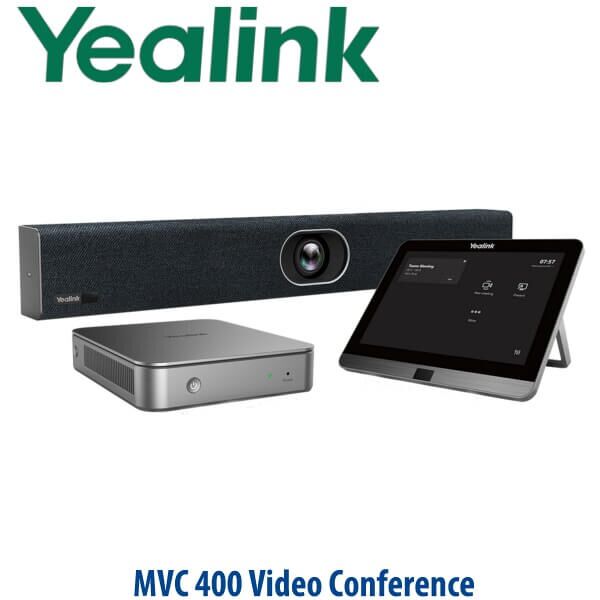
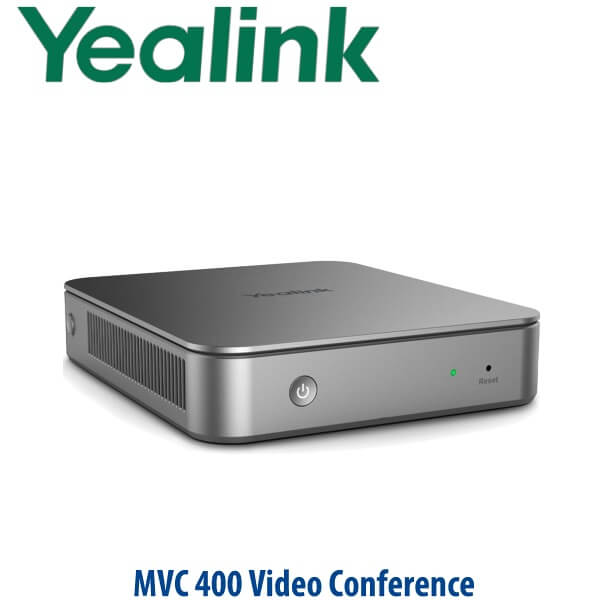
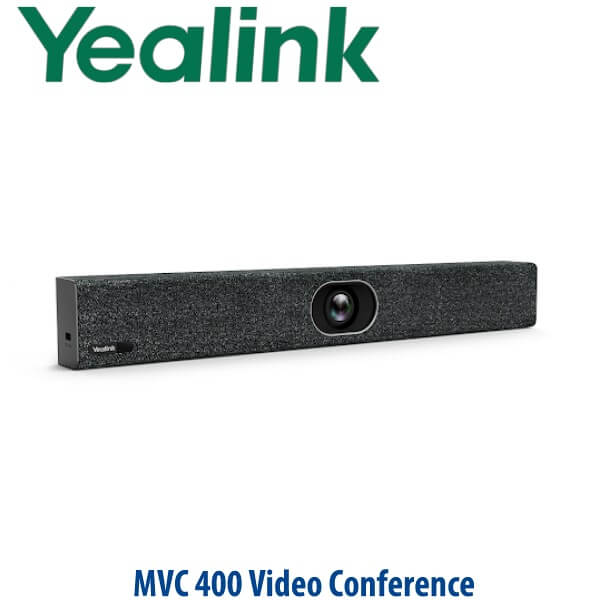
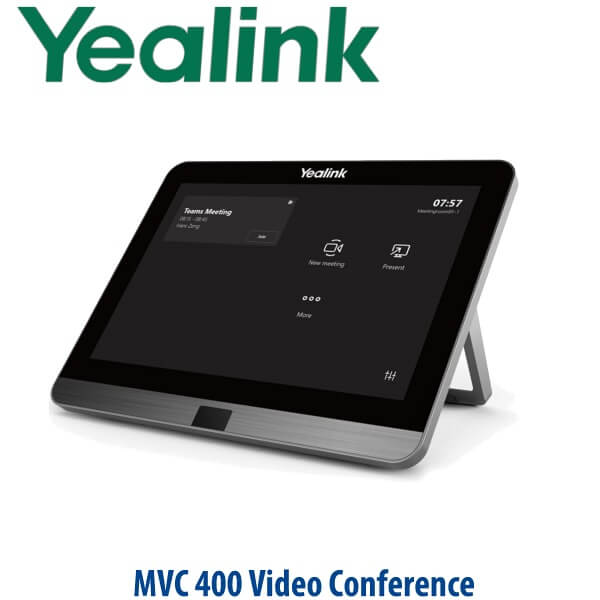
The Yealink MVC400 is the right answer when a Dubai office has outgrown laptop-on-table meetings. Instead of relying on one person’s webcam, USB speakerphone, charger, HDMI cable, and calendar login, the MVC400 gives the room its own Microsoft Teams Rooms system: a dedicated MCore Pro mini-PC, an 8-inch MTouch E2 controller on the table, and the UVC40 all-in-one video bar at the screen. Walk in, tap join, and the room starts the meeting without borrowing anyone’s laptop.
Vector Digital Systems LLC supplies the Yealink MVC400 in Dubai for Microsoft Teams meeting rooms, hybrid-work upgrades, and export projects. David, our Yealink specialist, can quote the MVC400 with VAT breakdown, delivery, room-readiness checks, and staging support before dispatch.
Platform Check — MVC400 Is for Microsoft Teams Rooms, Not SIP or Zoom by Default
This is the most important buying decision before ordering. The MVC400 is a Microsoft Teams Rooms system on Windows. It is not a SIP conference phone, and it is not the same as a Zoom Rooms kit unless your IT team is deliberately building a different platform around the hardware. For normal procurement, match the room system to the collaboration platform your company actually uses.
| Your Meeting Platform | Right Yealink Choice | What You Need |
|---|---|---|
| Microsoft Teams Rooms | Yealink MVC400 — this page | Microsoft Teams Rooms licence, room resource account, display, network, and Teams admin access |
| Zoom Rooms | Ask David for the correct Zoom-certified Yealink room system | Zoom Rooms licence and Zoom admin configuration |
| SIP audio conference calls | Yealink CP-series SIP conference phone, not MVC400 | SIP extension from 3CX, Yeastar, Grandstream UCM, hosted PBX, or similar |
| Bring-your-own-laptop meetings | Yealink BYOD video bar or USB camera setup | Laptop connection workflow, USB/HDMI cable plan, and platform app on user laptop |
Tell David whether the room will run Microsoft Teams Rooms, Zoom Rooms, SIP calling, or BYOD. The MVC400 is the Microsoft Teams Rooms path: dedicated room hardware, one-touch join, and central management by your IT team.
Microsoft Teams Certification Verified
The Yealink MVC400 is listed by Microsoft as a certified Teams Rooms for Windows system. Certification matters because Microsoft Teams Rooms is not just a camera and speaker; it is a complete room endpoint with compute, console, audio, video, and Teams user experience requirements. Vector Digital Systems verifies certification status before quoting Teams room systems so Dubai IT teams do not receive unsupported room hardware.
Power and Cabling Truth — Plan the Room Before Delivery
The MVC400 is not a single PoE desk phone. It is a room system made of the MCore Pro mini-PC, MTouch E2 touch panel, UVC40 video bar, display connections, power, and network cabling. The meeting room must have a screen, wired network access, power at the display wall or credenza, and a clean cable path between the table controller and the compute unit. The MCore Pro cable-management design helps simplify deployment, but the room still needs a proper power and cable plan before installation day.
For Dubai offices in Business Bay, DIFC, DMCC, JLT, and Al Quoz where meeting rooms are often glass-walled or already furnished, this pre-check prevents the common problem: the equipment arrives but the table has no cable path, the display is mounted without HDMI access, or the network point is on the wrong wall.
Where MVC400 Sits in the Yealink Room Range
The MVC400 is built for small Microsoft Teams Rooms. It sits above basic all-in-one meeting-bar or BYOD-style rooms because it includes a dedicated Microsoft Teams Rooms Windows compute unit and touch controller. It sits below MVC640 and larger MVC systems, which are designed for bigger rooms needing stronger camera reach, wider audio coverage, or more complex room layouts.
| Feature | A20 / BYOD Small Room | MVC400 ★ | MVC640 |
|---|---|---|---|
| Best room fit | Small huddle room or simple video bar setup | Small Microsoft Teams meeting room | Medium Teams room with more camera/audio reach |
| Platform | Platform depends on selected SKU and setup | Microsoft Teams Rooms on Windows | Microsoft Teams Rooms on Windows |
| Camera | All-in-one video bar camera | UVC40, 20MP, 8× e-PTZ, Auto Framing | PTZ-class room camera package |
| Audio | Video-bar audio or BYOD speakerphone | Built-in 8 MEMS microphone array, 7m pickup | Designed for larger-room audio options |
| Room controller | Varies by bundle | MTouch E2 8-inch touch panel | MTouch controller package |
| Room compute | May rely on bar or user laptop | MCore Pro Gen-3 mini-PC, Core i5, 8GB RAM, 128GB SSD | MCore-class Teams Rooms compute |
| Content sharing | Usually laptop-led | HDMI / USB-C input, wireless sharing support with WPP30 | Room-system sharing options |
| Price tier | Lower | Mid small-room Teams Rooms system | Higher |
| Choose if… | You need a simple video bar or BYOD huddle-room setup | You want a proper small Microsoft Teams Room with touch join and dedicated room compute | Your room is larger, longer, or needs more advanced camera/audio coverage |
Where the Yealink MVC400 Works in Dubai
DIFC and DMCC hybrid meeting rooms. Finance, legal, consulting, and trading offices in Dubai often have compact glass meeting rooms for 4–6 people. The MVC400 fits these rooms well because the UVC40 video bar gives wide coverage at short distances, while the MTouch E2 lets staff join Teams meetings without asking IT to connect a laptop.
Business Bay and JLT SMEs moving beyond laptop meetings. Many SMEs start with a TV and a laptop on HDMI. That works until every meeting begins with account switching, camera positioning, muted microphones, and cable hunting. The MVC400 gives the room a fixed identity in Microsoft Teams, so scheduled meetings appear on the room controller and start with one touch.
Boardrooms for branch offices and regional teams. For a small regional HQ, HR interview room, executive huddle room, or project room, the MVC400 offers the right balance: dedicated Teams Rooms experience without overbuying a large-room camera system. Vector Digital Systems can stage the room name, advise on placement, and test Teams sign-in workflow before handover.
Post-RTO room refresh projects. After return-to-office, Dubai teams need rooms that work for in-room and remote participants equally. MVC400 upgrades the room from “people in Dubai around a laptop” to a proper video meeting space with framing, speaker tracking, room controller, and managed Teams Rooms hardware.
Full Technical Specifications
| Specification | Yealink MVC400 |
|---|---|
| Product Type | Microsoft Teams Rooms on Windows system for small meeting rooms |
| Certified Platform | Microsoft Teams Rooms — certification verified on Microsoft device list, 24 July 2026 |
| Package Contents | MCore Pro Gen-3 Mini-PC, MTouch E2 Gen-3 touch panel, UVC40 all-in-one video bar |
| Room Size | Small meeting rooms and huddle rooms |
| MCore Pro Processor | 11th Gen Intel Core i5 |
| MCore Pro Memory / Storage | 8GB RAM, 128GB SSD |
| MCore Pro Video Output | 3× HDMI video outputs with CEC support |
| MCore Pro Network | 1× 10/100/1000M Ethernet; Wi-Fi 802.11 a/b/g/n/ac/ax; Bluetooth 5.2 |
| MCore Pro USB | 4× USB 3.0 Type-A |
| Security | TPM 2.0, Kernel DMA, security lock slot |
| Touch Controller | MTouch E2, 8-inch IPS screen, 1280×800 resolution, 10-point capacitive touch |
| Controller Inputs | HDMI / USB-C HD video input, 3.5mm headset jack, wired and wireless content sharing support |
| Camera / Video Bar | UVC40 all-in-one video bar with 20MP camera and 8× e-PTZ |
| Field of View | 120° diagonal field of view, 113° horizontal field of view, 81° vertical field of view |
| AI Video Features | Auto Framing, Speaker Tracking, AI Face Enhancement, camera presets |
| Microphones | Built-in 8 MEMS microphone array |
| Voice Pickup | Up to 7m pickup range, beamforming directed voice pickup, full duplex, echo cancellation |
| Audio Processing | Yealink Noise Proof Technology, dereverberation, full-duplex voice experience |
| Privacy | Electric lens cap closes when the camera is not in use |
| Remote Management | Supports Yealink Device Management Platform / Cloud Service for monitoring, configuration, updates, and diagnostics |
| Carton Weight | Net weight 6.4kg / gross weight 7.6kg |
| Carton Measurement | 685mm × 356mm × 285mm |
Compatible Accessories and Room Add-ons
| Accessory / Add-on | Purpose | Dubai Ordering Note |
|---|---|---|
| WPP30 Wireless Presentation Pod | Wireless content sharing into the Teams room | Add when users frequently present from visitor laptops or shared project devices |
| Display / TV | Main meeting-room screen | MVC400 does not replace the display; confirm screen size, HDMI access, and wall-mount position |
| Room cabling and trunking | Clean connection between table controller, MCore Pro, display, UVC40, power, and LAN | Essential for glass rooms, finished boardrooms, and landlord-managed offices |
| Microsoft Teams Rooms licence | Required for a proper Teams Rooms deployment | Usually handled by the customer’s Microsoft 365 administrator; ask David what details IT must prepare |
| UPS / power protection | Protects the room compute, display, and network equipment | Recommended for executive rooms, boardrooms, and customer-facing meeting spaces |
Staging Before Dispatch — What Vector Digital Systems Checks
Every Yealink MVC400 order is handled as a room system, not just a box shipment. Vector Digital Systems checks the bundle, confirms the room size and platform, reviews whether the room will use one or more displays, advises on UVC40 placement above or below the screen, confirms MTouch E2 table location, and helps your IT team prepare the Microsoft Teams Rooms account and licence. Where credentials and tenant access are supplied, staging can include Teams Rooms sign-in guidance, room naming, basic device readiness, cable layout planning, and a live Teams test call before handover.
For project quantities, David can coordinate room-by-room naming, labels, packing notes, and deployment sequencing so the installer knows which MVC400 belongs to which meeting room before reaching site.
Export from Dubai
Vector Digital Systems exports Yealink MVC400 Teams Rooms systems from Dubai to system integrators, corporate IT teams, hotel groups, banking branch networks, and government/NGO procurement teams. Common export destinations include Oman, Saudi Arabia, Kuwait, Bahrain, Qatar, Jordan, Egypt, Kenya, Pakistan, and Sri Lanka. Shipments can move FOB Dubai with commercial invoice, packing list, and certificate of origin on request. For export projects, share the room count, destination, required documentation, and whether accessories such as WPP30 presentation pods or room cabling kits should be bundled.
Get a same-day Yealink MVC400 quote in AED
Tell David your room size, Microsoft Teams Rooms licence status, display count, network point location, and whether you need wireless presentation. Quote includes VAT breakdown and delivery charges.
Frequently Asked Questions — Yealink MVC400
Is the Yealink MVC400 Microsoft Teams certified?
Yes. The Yealink MVC400 is listed by Microsoft as a certified Microsoft Teams Rooms on Windows system. Vector Digital Systems verified the certification status on 24 July 2026 before writing this page. Certification is important because Teams Rooms requires a supported room compute, controller, camera, audio, and Microsoft Teams user experience.
What room size is the Yealink MVC400 designed for?
The Yealink MVC400 is designed for small meeting rooms and huddle rooms. It is a strong fit for 4–6 person rooms in Dubai offices where the camera is close to the table and the team wants a permanent Microsoft Teams Rooms setup instead of laptop-based meetings.
What is included in the Yealink MVC400 package?
The MVC400 package includes the MCore Pro Gen-3 Mini-PC, MTouch E2 8-inch touch panel, and UVC40 all-in-one video bar. The room still needs a display, Microsoft Teams Rooms licence, network connection, power, and a clean cabling plan.
Does the MVC400 work for regular SIP conference calls?
The MVC400 is a Microsoft Teams Rooms system, not a SIP conference phone. If you need SIP audio calling through 3CX, Yeastar, Grandstream UCM, or a hosted PBX, ask David for a Yealink CP-series conference phone instead. If your company meetings run on Teams, MVC400 is the correct room-system route.
Can we use the Yealink MVC400 for Zoom meetings?
The MVC400 page is for Microsoft Teams Rooms deployment. If your meeting rooms are standardised on Zoom Rooms, ask David for the correct Zoom-certified Yealink system before ordering. Do not assume a Teams Rooms kit is the right purchase for a Zoom-only office.
What camera and microphone does the MVC400 use?
The MVC400 uses the Yealink UVC40 all-in-one video bar. It has a 20MP camera, 8× e-PTZ, 120° diagonal field of view, Auto Framing, Speaker Tracking, AI Face Enhancement, and an 8 MEMS microphone array with up to 7m voice pickup.
MVC400 vs MVC640 — which one should I buy?
Choose the MVC400 for a small Microsoft Teams room where an all-in-one UVC40 video bar can cover the table. Choose the MVC640 when the room is larger, longer, or needs stronger camera reach and more advanced room coverage. David can size the system from a room photo, table length, and expected participant count.
Does the MVC400 need a Microsoft Teams Rooms licence?
Yes. A proper MVC400 deployment needs a Microsoft Teams Rooms licence and a room resource account prepared by your Microsoft 365 administrator. Vector Digital Systems can advise what IT must prepare before delivery so the room can be signed in and tested smoothly.
Does Vector Digital Systems configure the MVC400 before delivery?
Yes. Vector Digital Systems checks the bundle, reviews the room layout, advises on display and camera placement, confirms cable planning, and helps prepare the Teams Rooms setup. Where customer IT provides the required access and room account details, we can guide sign-in and perform a Teams test call before handover.
Who is the authorised Yealink supplier in Dubai?
Vector Digital Systems LLC has supplied Yealink products and VoIP/video collaboration systems in Dubai since 2009. David handles Yealink pre-sales, room-system sizing, project pricing, staging coordination, warranty handling, and export support for MVC400 deployments.
Does Vector Digital Systems export Yealink MVC400 systems from Dubai?
Yes. Vector Digital Systems exports Yealink MVC400 systems from Dubai to integrators, telecom suppliers, hotel groups, enterprise IT teams, and procurement departments across Oman, Saudi Arabia, Kuwait, Bahrain, Qatar, Jordan, Egypt, Kenya, Pakistan, and Sri Lanka. Export shipments can be arranged FOB Dubai with commercial invoice, packing list, and certificate of origin on request.
