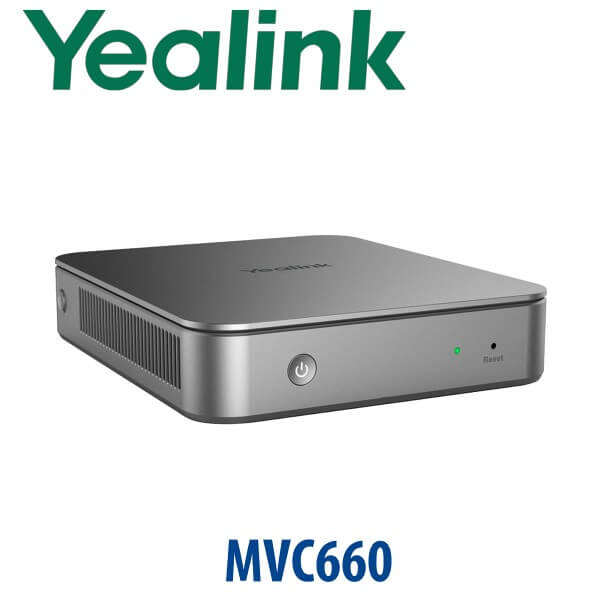
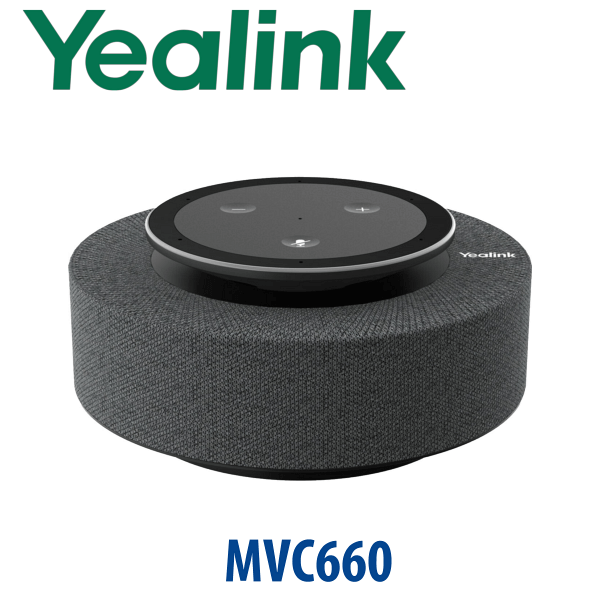
Description
Yealink MVC860-C5U Microsoft Teams Rooms Medium & Large Room Video System Dubai
MVC660 Upgrade Path for Dubai Teams Rooms
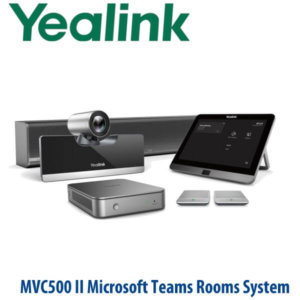
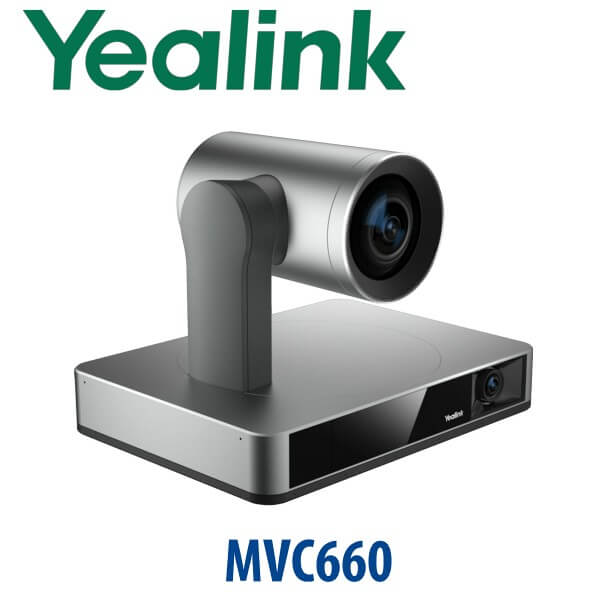
If your office asked for the Yealink MVC660, the right buying conversation in 2026 is the Yealink MVC860-C5U. The MVC660 was the earlier medium-room Microsoft Teams Rooms bundle built around the UVC86 camera, MCore mini-PC, MTouch II panel and MSpeech speakerphone. The current upgrade path is the MVC860-C5U package, built for medium and large Teams Rooms with UVC86 intelligent 4K video, MCore4 room compute, MTouch Plus control, RoomSensor, and flexible microphone and speaker options for Dubai boardrooms, training rooms and management meeting spaces.
Vector Digital Systems supplies, stages and supports Yealink Teams Rooms systems in Dubai. We confirm the room size, display count, table layout, Teams Rooms licence, cable routes and audio pickup requirement before quoting — because a Teams room is not just a camera order. It is a room system that must work first time when the managing director walks in for a client call.
Platform Check — Teams Rooms, SIP Conference or Zoom?
The MVC860-C5U is a Microsoft Teams Rooms system. It is not a SIP desk phone, and it is not a generic USB webcam kit. It is designed for a dedicated meeting room running Microsoft Teams Rooms on Windows. If your room uses SIP dial-in, Zoom Rooms, or BYOD-only laptop meetings, ask David to route the quote to the correct Yealink range before hardware is ordered.
| Your Meeting Platform | Right Yealink Direction | What You Need |
|---|---|---|
| Microsoft Teams Rooms | Yealink MVC860-C5U — this page | Microsoft Teams Rooms licence, room account, display, network and room installation |
| Zoom Rooms | Zoom-certified Yealink room system — verify current model with David | Zoom Rooms licence and compatible room hardware |
| SIP conference calls | Yealink CP-series SIP conference phone | SIP account from 3CX, Yeastar, Grandstream UCM or hosted PBX |
| BYOD laptop meetings | Yealink USB/BYOD room solution | Laptop-driven Teams, Zoom, Google Meet or Webex setup |
Microsoft Teams Certification Verified
Certification status checked on 21 July 2026: Microsoft lists the Yealink MVC860 under certified Microsoft Teams Rooms on Windows systems. Microsoft certification confirms the room hardware meets Teams Rooms device requirements for audio, video, interface and meeting-room performance. We still verify the exact bundle SKU at quote stage because Yealink MVC packages change by generation, compute unit and accessory bundle.
Room Power, Network and Cabling Truth
A Teams Rooms system is not powered like a single desk phone. The MVC860-C5U uses room compute, touch console, camera, audio devices, display connections and network cabling. Before dispatch, we confirm the meeting table route, screen wall position, LAN point, power sockets, HDMI/USB-C content sharing requirement and whether microphones should be table, wireless or ceiling mounted. This avoids the common Dubai installation problem: the kit arrives, but the room has no usable cable path from the table to the display wall.
Where MVC860-C5U Sits in the Yealink Room Range
The MVC860-C5U is the stronger medium-to-large room option for organisations that looked at MVC660 but need a current Teams Rooms bundle. Below it, the MVC640 covers standard medium rooms with UVC84-based video. Above it, MVC940 and MVC S90-style systems move into larger or Pro-AV spaces with more complex microphone, speaker and camera layouts. For many Dubai offices, the MVC860-C5U is the practical sweet spot: intelligent UVC86 video, proper room control, and audio that can be adapted to the table shape.
| Feature | MVC640 | MVC860-C5U ★ | MVC940 / MVC S90 |
|---|---|---|---|
| Best room size | Medium meeting rooms | Medium and large meeting rooms | Large and extra-large rooms |
| Camera | UVC84 4K PTZ | UVC86 dual-eye 4K intelligent PTZ | Advanced large-room camera layouts |
| Tracking | PTZ framing | Auto framing, speaker tracking, presenter tracking | Multi-camera / Pro-AV layouts |
| Room control | MTouch E2 / package dependent | MTouch Plus 11.6″ console | MTouch Plus / Pro-AV control |
| Audio options | Room microphone options | VCM35, VCM36-W, CM20 ceiling, CS10 speaker options | Ceiling audio / AVHub / Pro-AV audio |
| Replaces / upgrades | Older small-medium room kits | MVC660 / older UVC86 Teams Rooms estates | Large-room MVC840/MVC900-style estates |
| Price tier | Medium | Upper-medium | Enterprise / Pro-AV |
| Choose if… | You need a standard medium Teams room at a controlled budget | You asked for MVC660 and want the current UVC86-based Teams Rooms upgrade | Your room is larger, divisible, board-level, or requires Pro-AV audio |
Dubai Use Cases for Yealink MVC860-C5U
DIFC and Business Bay boardrooms. The MVC860-C5U gives senior teams a dedicated Teams Rooms experience instead of a laptop balanced at the end of the table. One-touch join, room camera tracking and proper microphone pickup make client calls feel controlled and professional.
DMCC and JLT management meeting rooms. Companies with regional teams across UAE, Saudi Arabia, Qatar and India often run hybrid meetings all day. The UVC86 camera helps frame active speakers and presenters, while MTouch Plus keeps meeting control away from the presenter’s laptop.
Training rooms and U-shaped conference layouts. The MVC860-C5U is a better fit than a simple video bar when the room has a longer table, presenter area or multiple seating zones. David can specify table microphones, wireless microphones or ceiling audio depending on the layout.
Post-RTO meeting room refreshes. Many Dubai offices returned to the office with laptop-led meeting rooms that were acceptable in an emergency but poor for daily work. MVC860-C5U converts the room into a permanent Teams Rooms space with dedicated compute, touch control, camera, audio and managed updates.
Full Technical Specifications
| Specification | Yealink MVC860-C5U |
|---|---|
| Product Type | Microsoft Teams Rooms on Windows system |
| Room Size | Medium and large meeting rooms |
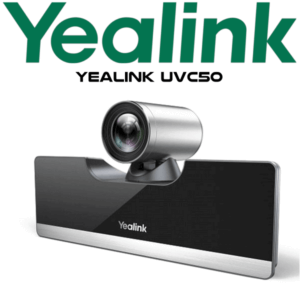
| Camera | Yealink UVC86 dual-eye 4K intelligent PTZ camera |
| Camera Zoom | 20.4× HD zoom, including 12× optical and 1.7× digital zoom |
| Camera Field of View | Telephoto lens: 90° DFOV / 81° HFOV / 50° VFOV; panoramic lens: 120° DFOV / 110° HFOV / 78° VFOV |
| AI Video Features | Auto framing, speaker tracking, presenter tracking, multi-focus, picture-in-picture and up to 9 presets |
| Room Compute | MCore4 / C5U package — confirm exact SKU at quote stage |
| Touch Console | MTouch Plus 11.6-inch IPS touch panel, 1920×1080 resolution |
| Content Sharing | HDMI / USB-C input and wireless sharing with WPP30 where available |
| Room Sensor | Occupancy, temperature, humidity and light detection; Bluetooth BLE 5.2 |
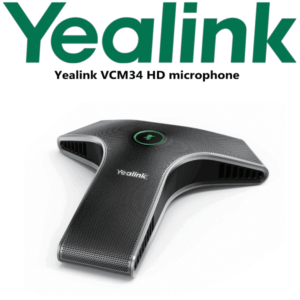
| Audio Options | VCM35 microphones, VCM36-W wireless microphones, CM20 ceiling microphone, CS10 ceiling speaker and MSpeakerII options depending on bundle |
| Displays | Supports room display output; display quantity and HDMI routing confirmed during room design |
| Management | Microsoft Teams Admin Center and Yealink management tools, depending on customer environment |
| Licensing Required | Microsoft Teams Rooms licence and room account supplied by customer / Microsoft tenant admin |
| Upgrade Context | Recommended current upgrade direction for customers asking about MVC660-style UVC86 Teams Rooms systems |
Compatible Accessories and Room Options
| Accessory / Option | Model | Use Case |
|---|---|---|
| Wireless Presentation | WPP30 | Wireless content sharing for guest laptops where supported in the region |
| Table Microphone | VCM35 | Fixed table pickup for boardrooms and rectangular meeting tables |
| Wireless Microphone | VCM36-W / CPW65 family, subject to compatibility | Cleaner tables where cabling is difficult or movable furniture is used |
| Ceiling Audio | CM20 microphone + CS10 speaker options | U-shaped rooms, boardrooms and premium meeting rooms where the table must stay clean |
| Extra Room Control | Additional MTouch Plus, subject to room design | Large tables where more than one control point is useful |
Staging Before Dispatch
Vector Digital Systems stages the Yealink MVC860-C5U before dispatch wherever customer access is available: Microsoft Teams Rooms account sign-in checklist, firmware baseline, device naming, MTouch Plus setup, camera and audio device pairing, content sharing test, display output check, network readiness checklist and a live Teams test call. For project deployments, we label each room kit before delivery so the correct camera, console, compute and microphones reach the correct boardroom.
Export from Dubai
Vector Digital Systems exports Yealink Teams Rooms systems from Dubai to system integrators, telecom operators, hotel groups, enterprise IT teams and government procurement partners. Common export routes include Oman, Saudi Arabia, Qatar, Kuwait and Bahrain in the Gulf; Jordan and Egypt in the wider region; Kenya, Tanzania and Nigeria for African projects; and Pakistan, Sri Lanka and Bangladesh for South Asian deployments. Shipments can move FOB Dubai with commercial invoice, packing list and certificate of origin on request. For meeting room projects, share the room count and room sizes so David can quote the correct mix of MVC860-C5U, MVC640 and larger-room systems.
Get a same-day quote in AED — Dubai supply and staging
Tell David your room size, table shape, display count, Microsoft Teams Rooms licence status, microphone preference and delivery location. We quote with VAT breakdown, delivery charges and staging scope included.
Frequently Asked Questions — Yealink MVC860-C5U
Is the Yealink MVC860-C5U the replacement for the MVC660?
For buyers asking about the older MVC660-style medium room bundle, the MVC860-C5U is the current upgrade direction we recommend. It keeps the intelligent UVC86 camera concept and moves the room to a newer Teams Rooms package with updated compute, MTouch Plus room control, RoomSensor and flexible audio options.
Is the Yealink MVC860-C5U Microsoft Teams certified?
Yes — Microsoft lists Yealink MVC860 under certified Microsoft Teams Rooms on Windows systems, checked on 21 July 2026. Vector Digital Systems still verifies the exact bundle SKU and generation before quoting because Yealink room packages change by compute unit, console and accessory bundle.
What room size is the Yealink MVC860-C5U designed for?
The MVC860-C5U is designed for medium and large Microsoft Teams Rooms. It suits Dubai boardrooms, management meeting rooms, U-shaped training rooms and larger conference spaces where a simple video bar does not give enough camera reach, microphone flexibility or room control.
Can the MVC860-C5U be used for Zoom calls?
The MVC860-C5U is primarily a Microsoft Teams Rooms system. It may support Teams platform features for joining some external meetings depending on Microsoft policy and tenant settings, but it should not be sold as a Zoom Rooms kit. If your room is mainly Zoom, ask David for a Zoom-certified Yealink room system instead.
MVC640 vs MVC860-C5U — which one should I buy?
Choose MVC640 for a standard medium room where a UVC84-based Teams Rooms kit is sufficient. Choose MVC860-C5U when you want the stronger UVC86 dual-eye 4K intelligent camera, better tracking behaviour and more flexible room audio for medium-to-large rooms. For extra-large or Pro-AV spaces, ask David about MVC940 or MVC S90-style designs.
Does the MVC860-C5U include microphones and speakers?
MVC860 packages can be quoted with different audio options depending on room layout. Common options include VCM35 table microphones, VCM36-W wireless microphones, CM20 ceiling microphones and CS10 ceiling speakers. David confirms the exact microphone and speaker package after reviewing your table shape, seating count and ceiling plan.
Does Vector Digital Systems install and stage Yealink Teams Rooms before delivery?
Yes — Vector Digital Systems stages Yealink Teams Rooms systems before dispatch wherever customer access is available. We prepare the device set, update firmware, pair camera and audio devices, check display output, test content sharing and complete a live Teams test call before the room kit leaves Dubai.
What Microsoft licence do I need for MVC860-C5U?
You need a Microsoft Teams Rooms licence and a room account prepared by your Microsoft 365 tenant administrator. The hardware does not replace licensing. Share your tenant status with David during quote stage so the deployment checklist includes account, calendar, network and sign-in readiness.
Who is the Yealink authorised supplier in Dubai?
Vector Digital Systems LLC has supplied and integrated Yealink solutions in Dubai since 2009. David handles Yealink room system specification, Teams Rooms pre-sales checks, project pricing, staging and local warranty support, so customers do not have to manage overseas courier claims.
Does Vector Digital Systems export Yealink MVC860-C5U from Dubai?
Yes — Vector Digital Systems exports Yealink Teams Rooms systems from Dubai to Oman, Saudi Arabia, Qatar, Kuwait, Bahrain, Jordan, Egypt, Kenya, Nigeria, Pakistan, Sri Lanka and other project destinations. Shipments move FOB Dubai with commercial invoice, packing list and certificate of origin on request.