Description
Yealink UVC86 BYOD 4K Dual-Eye PTZ Camera for Medium & Large Meeting Rooms Solution Dubai
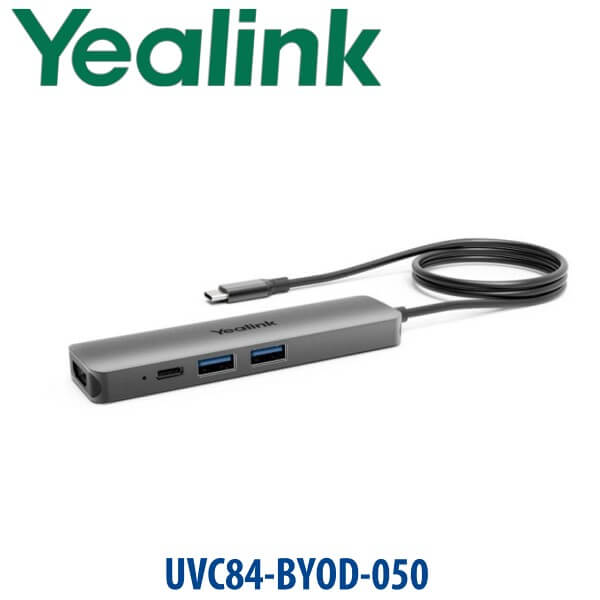
UVC84-BYOD-050 Is End-of-Sale — Quote the Current Yealink BYOD Room Direction
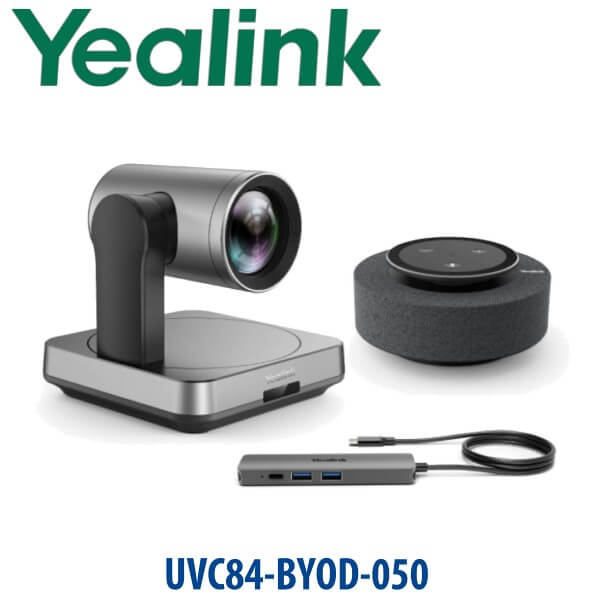
The Yealink UVC84-BYOD-050 was a popular laptop-based meeting kit for medium rooms, but Yealink has moved that product into End-of-Sale. For new Dubai meeting room projects, Vector Digital Systems now specifies the current Yealink UVC86 BYOD camera solution where a room needs a professional 4K camera, laptop plug-in simplicity, and flexibility across Microsoft Teams, Zoom, Google Meet, Webex and other meeting apps. The key buyer mistake is assuming BYOD means the room has its own Teams Rooms or Zoom Rooms appliance. It does not: BYOD means the user brings the laptop, connects the room camera and audio, and runs the meeting from the laptop.
BYOD, Microsoft Teams Rooms or Zoom Rooms? Choose the Right Room Platform
The Yealink UVC86 is a professional USB camera for BYOD rooms. It can be used with meeting apps on a connected laptop, but it is not itself a Microsoft Teams Rooms appliance or Zoom Rooms controller. For dedicated room accounts, calendar join, touch controller workflow and certified room deployment, ask David for the current Yealink MVC or Zoom Rooms package instead.
| Your Meeting Room Type | Right Yealink Direction | What You Need |
|---|---|---|
| BYOD laptop room | Yealink UVC86 BYOD camera solution | User laptop with Teams, Zoom, Google Meet, Webex or other UC app |
| Microsoft Teams Rooms | Yealink MVC-series room system — verify current certified bundle before quoting | Microsoft Teams Rooms licence, room account and certified controller workflow |
| Zoom Rooms | Yealink Zoom Rooms kit — verify current Zoom certification before quoting | Zoom Rooms licence, room account and certified Zoom Rooms deployment |
Tell David whether your Dubai room is BYOD, Teams Rooms or Zoom Rooms before ordering. The camera may look similar on a quotation, but the platform decision changes the controller, licence, wiring and user experience.
Power and Cabling Truth — This Is Not a PoE Desk Phone
Unlike Yealink desk phones, the UVC86 room camera uses its own power adapter and USB/VCH cabling, not PoE from a phone switch. The standard UVC86 camera package includes the VCR20 remote control, power adapter, wall bracket accessories and USB cable. For BYOD rooms, the final cable plan depends on where the laptop sits, where the display is mounted, and whether the room audio uses a Yealink speakerphone, microphone array, soundbar or AV processor. Vector Digital Systems confirms this before delivery so the meeting table does not end up with the wrong connector on installation day.
Why UVC86 Replaces the UVC84-BYOD-050 Conversation
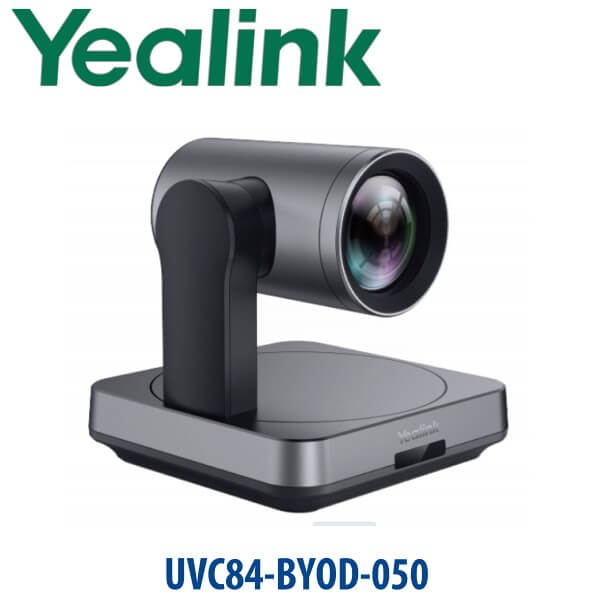
The old UVC84-BYOD-050 was built around a single 4K PTZ camera and laptop BYOD box. The UVC86 moves the room forward with a dual-eye design: a panoramic camera for room awareness and a PTZ camera for close-up framing. That gives Dubai boardrooms, training rooms and management meeting rooms a better experience when people move, present from the front of the room, or sit across a long table. Instead of manually steering the camera during every meeting, the UVC86 adds Auto Framing, Speaker Tracking, Presenter Tracking, Picture-in-picture and Multi Focus features to keep remote participants engaged.
| Feature | UVC84-BYOD-050 | UVC86 BYOD Solution ★ | MVC / Zoom Rooms Kit |
|---|---|---|---|
| Room style | Legacy BYOD room kit | Current BYOD camera direction | Dedicated certified room system |
| Camera | Single 4K PTZ camera | Dual-eye 4K panoramic + PTZ camera | Bundle-specific camera |
| Room coverage | Medium room focus | Medium and large rooms | Small to extra-large depending on bundle |
| AI framing | Auto Framing | Auto Framing, Speaker Tracking, Presenter Tracking, PIP, Multi Focus | Depends on selected certified bundle |
| Zoom | 3x digital + 12x optical | 20.4x HD zoom with 12x optical | Depends on camera in bundle |
| User workflow | Plug laptop into BYOD box | Plug laptop into room USB path | Tap controller to join |
| Best for | Existing UVC84 rooms and spare support | New BYOD boardrooms and training rooms | Standardised Teams Rooms or Zoom Rooms estates |
| Availability status | End-of-Sale | Current quote direction | Verify current certified model |
| Choose if… | You are supporting an existing UVC84-BYOD room | You want a new professional BYOD room with better framing and tracking | You need a dedicated certified Teams Rooms or Zoom Rooms appliance |
Where the UVC86 BYOD Solution Works in Dubai
DIFC and Business Bay boardrooms. Executive meeting rooms often host Teams one hour, Zoom the next, and an external Webex call after that. A BYOD room avoids platform lock-in: the visitor or host brings the laptop, connects to the Yealink room camera and audio, and runs the meeting from the app they already use.
DMCC, JLT and Dubai Internet City hybrid workspaces. Hybrid teams need remote participants to see the speaker, the presenter and the room, not just a static wide shot. The UVC86 dual-eye camera gives a wider awareness view and a PTZ close-up path, making it a stronger replacement direction than the older UVC84-BYOD-050 for new rooms.
Training rooms and management briefings. Presenter Tracking helps when someone stands near a display or moves across the front of the room. For corporate training, vendor demos, management town halls and education spaces, this is the feature that makes the room feel more professional than a standard webcam or legacy USB camera.
Full Technical Specifications
| Specification | Yealink UVC86 BYOD Camera Solution |
|---|---|
| Product type | 4K dual-eye intelligent tracking camera for BYOD meeting rooms |
| Room size | Medium and large meeting rooms |
| Video output | 4K video at 30 frames per second |
| Camera design | Dual-eye system: panoramic camera + PTZ camera |
| PTZ camera sensor | 8MP Sony sensor with autofocus |
| Panoramic camera sensor | 8MP Sony sensor |
| Field of view | PTZ camera: 90° DFOV, 81° HFOV, 50° VFOV. Panoramic camera: 120° DFOV, 110° HFOV, 78° VFOV. |
| Zoom | 20.4x HD zoom, including 12x optical and 1.7x digital |
| Pan / tilt | Pan ±100°; tilt +40° / -90° |
| AI features | Auto Framing, Speaker Tracking, Presenter Tracking, PIP and Multi Focus |
| Camera presets | 9 presets |
| Connections | 1× USB 3.0 Type-B, 1× USB 2.0 Type-A, 1× Yealink VCH port, 1× 3.5mm line-in, 1× power port, 1× HDMI out, security lock slot and reset slot |
| Audio integration | Compatible with Yealink audio devices through the VCH ecosystem; final microphone and speaker choice depends on room size |
| Installation options | Conference table, TV stand, tripod, wall, ceiling or top of display depending on room layout |
| Package content | UVC86 camera, VCR20 remote control, power adapter, wall bracket accessories and USB cable |
| Dimensions | Sleeping: 210 × 156 × 183 mm. Working: 210 × 156 × 156 mm. Working height: 156–192 mm. |
| Net weight | 3.27 kg |
| Replaces / upgrade path | Recommended current direction for new projects that previously asked for UVC84-BYOD-050 |
Compatible Accessories and Room Options
| Accessory / Option | Use | Dubai Ordering Note |
|---|---|---|
| Yealink room audio | Microphone and speaker selection for the room | David sizes audio after room length, ceiling height and seating layout are confirmed |
| BYOD Extender / USB path | Moves the laptop connection point to the table or cable cubby | Recommended when the display is wall-mounted and the meeting table is several metres away |
| Wall / display / ceiling mounting | Positions the camera for best sightline | Vector Digital Systems checks camera height before dispatch so the PTZ view is not blocked by the display bezel |
| MVC / Zoom Rooms bundle | Dedicated certified room system instead of BYOD laptop workflow | Certification status and exact bundle are verified before quoting |
Staging Before Dispatch
Vector Digital Systems stages the Yealink UVC86 BYOD room solution before dispatch from Dubai. We verify camera firmware, USB detection on a test laptop, PTZ remote control, presets, camera framing behaviour, audio device pairing path, cable plan and display-side installation notes. For BYOD rooms, the practical test is simple: when the user connects a laptop and opens Teams or Zoom, the Yealink camera and audio devices must appear cleanly as selectable devices. That is checked before the box leaves our office.
Export from Dubai
Vector Digital Systems exports Yealink meeting room systems and BYOD camera solutions from Dubai to system integrators, telecom operators, corporate IT teams, hotel groups and education projects. Common export routes include Oman, Saudi Arabia, Kuwait, Bahrain and Qatar in the GCC; Jordan and Lebanon where permitted; Egypt and Morocco in North Africa; Kenya and Tanzania in East Africa; and Pakistan, Sri Lanka and Bangladesh in South Asia. Export quotes are issued FOB Dubai with commercial invoice, packing list and certificate of origin on request. Multi-room project pricing is available for offices standardising BYOD rooms across several branches.
Get a same-day quote in AED — Yealink BYOD room solution Dubai
Tell David your room size, seating layout, meeting platform, laptop connection point, display position and whether you need BYOD only or a dedicated Teams Rooms / Zoom Rooms system. We quote with VAT breakdown and delivery included.
Frequently Asked Questions — Yealink UVC86 BYOD Solution
Is the Yealink UVC84-BYOD-050 still available?
The Yealink UVC84-BYOD-050 is End-of-Sale, so Vector Digital Systems does not recommend creating a new project around it unless you are supporting an existing installed room. For new Dubai meeting rooms, ask David for the current UVC86 BYOD camera solution or a certified MVC / Zoom Rooms bundle depending on your platform.
Is the Yealink UVC86 the replacement for the UVC84-BYOD-050?
Yealink has not published a simple one-box “UVC84-BYOD-050 successor” label, but the UVC86 is the current professional Yealink camera direction for medium and large BYOD meeting rooms. It upgrades the experience with a dual-eye 4K design, Speaker Tracking, Presenter Tracking, Auto Framing, PIP and Multi Focus.
Does the Yealink UVC86 work with Microsoft Teams and Zoom?
Yes — in a BYOD room, the UVC86 works as the room camera for a laptop running Microsoft Teams, Zoom, Google Meet, Webex or another UC app. This is different from a dedicated Microsoft Teams Rooms or Zoom Rooms appliance. If you need official room certification, calendar join and a room controller, David will quote the current certified Yealink MVC or Zoom Rooms kit instead.
Is the UVC86 a Microsoft Teams Rooms system?
No — the UVC86 is a professional USB camera, not a complete Microsoft Teams Rooms appliance by itself. It can be used with Teams on a connected laptop in BYOD mode. For a dedicated Teams Rooms deployment, Vector Digital Systems verifies the current Yealink MVC bundle and Microsoft certification status before quoting.
What room size is the Yealink UVC86 designed for?
The Yealink UVC86 is designed for medium and large meeting rooms. Its 90° PTZ camera field of view, 120° panoramic camera field of view, 12x optical zoom and intelligent tracking make it suitable for boardrooms, training rooms and long-table executive rooms in Dubai offices.
What is the difference between UVC84-BYOD and UVC86?
UVC84-BYOD was a legacy BYOD room kit built around a single 4K PTZ camera. UVC86 is a newer dual-eye 4K camera with a panoramic camera plus PTZ camera, stronger AI framing features, Speaker Tracking, Presenter Tracking and Multi Focus. For new projects, the UVC86 direction is the better fit unless you are replacing parts in an existing UVC84 room.
Does the Yealink UVC86 come with a power adapter?
Yes — the UVC86 camera package includes a power adapter, VCR20 remote control, wall bracket accessories and USB cable. This is different from Yealink desk phones, which usually rely on PoE and do not include a phone power adapter. For meeting rooms, Vector Digital Systems checks the full cable path before dispatch.
What is the best Yealink solution for a BYOD meeting room in Dubai?
For a medium or large BYOD room, the UVC86 camera solution is the current recommendation because it gives professional 4K video, dual-eye room coverage and intelligent tracking while letting users run Teams, Zoom or Webex from their own laptop. For a fixed corporate room with room account and touch controller, step up to a certified Yealink MVC or Zoom Rooms system.
Who is the Yealink authorised supplier in Dubai?
Vector Digital Systems LLC has supplied Yealink products and VoIP solutions in Dubai since 2009. David handles Yealink pre-sales, meeting room sizing, project pricing, staging, delivery coordination and local warranty support. Quotes are issued in AED with VAT breakdown and delivery charges included.
Does Vector Digital Systems export Yealink BYOD meeting room solutions from Dubai?
Yes — Vector Digital Systems exports Yealink meeting room systems from Dubai to integrators and enterprise buyers across Oman, Saudi Arabia, Kuwait, Bahrain, Qatar, Jordan, Egypt, Kenya, Tanzania and Pakistan. Export shipments are quoted FOB Dubai with commercial invoice, packing list and certificate of origin on request.