
Description
Yealink MVC640 Microsoft Teams Rooms Successor for Medium Meeting Rooms Dubai
Yealink MVC640 Replacement for Teams Rooms in Dubai
The Yealink MVC640 was one of the best-known Microsoft Teams Rooms kits for medium meeting rooms, but it has now moved into discontinued status. For Dubai offices refreshing an MVC640 room, expanding the same meeting-room standard, or replacing an ageing UVC84 + MCore setup, the recommended current-path solution is the Yealink MVC S50: a 4th-generation Microsoft Teams Rooms on Windows system with MeetingBar A50, MCore 4, MTouch Plus and RoomSensor. Vector Digital Systems supplies and stages Yealink Teams Rooms systems in Dubai, with same-day AED quotes, VAT breakdown, delivery, installation scope and export documentation handled before dispatch.
Platform Check — Teams Rooms, SIP Conference or Zoom Room?
The MVC S50 is a native Microsoft Teams Rooms system. It is not a SIP conference phone and it is not a Zoom Rooms kit. This matters because the room account, licensing, calendar integration and admin portal are different. If your company runs Teams as the meeting platform, MVC S50 is the correct product family. If the room needs standard SIP audio conferencing or Zoom Rooms, David will route you to the right Yealink conference or Zoom-certified range before quoting.
| Your Room Platform | Right Yealink Range | What You Need |
|---|---|---|
| Microsoft Teams Rooms | Yealink MVC S50 — this page | Microsoft 365 tenant, Teams Rooms licence and room resource account |
| SIP audio conference room | Yealink CP-series conference phone — ask David for the current model | SIP extension from 3CX, Yeastar, Grandstream UCM or hosted PBX |
| Zoom Rooms | Zoom-certified Yealink room system — verify certification status before order | Zoom Rooms licence and Zoom admin configuration |
Microsoft Teams Certification Checked
Certification checked on 23 July 2026. Microsoft’s certified Teams Rooms hardware list includes Yealink MVC640 and the newer Yealink MVC S50 family under Teams Rooms on Windows systems. Certification confirms the hardware has passed Microsoft’s device certification requirements for the Teams Rooms experience, but the buyer still needs the correct Teams Rooms licence, tenant configuration and network readiness before installation.
Why MVC S50 Instead of Reordering MVC640?
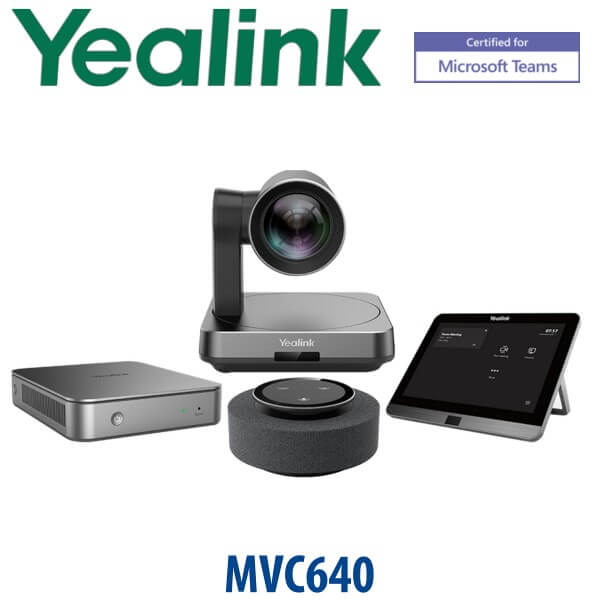
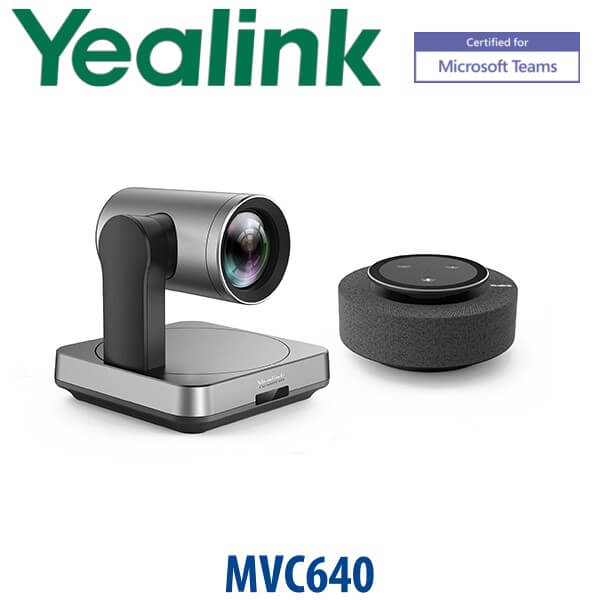
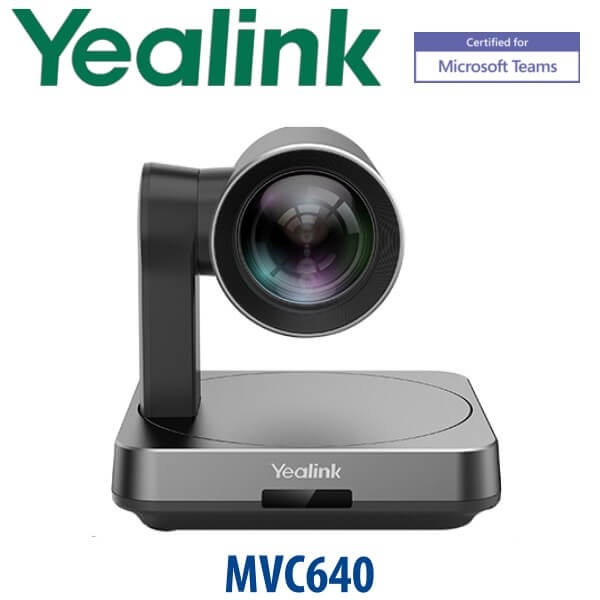
The MVC640 used a modular room kit approach: UVC84 PTZ camera, MCore mini-PC, MTouch control panel and room audio such as MSpeech or wireless microphones depending on bundle. The MVC S50 modernises that room category with an all-in-one MeetingBar A50, a new MCore 4 mini-PC, larger MTouch Plus control panel and RoomSensor. For the buyer, that means cleaner installation, fewer separate front-of-room components, stronger AI framing, better room intelligence and a cleaner path for Microsoft Teams Rooms lifecycle support.
MVC S50 in the Current Yealink Teams Rooms Range
Use the MVC S50 when the room is larger than a huddle space but does not need a full multi-camera, ceiling-audio enterprise design. It sits above the MVC S40 and below the larger MVC S80 / MVC S90 class. For many Dubai offices in DIFC, DMCC, Business Bay and JLT, MVC S50 is the practical replacement for MVC640-style rooms: formal meeting table, wall display, Teams calendar, one-touch join and enough audio/video coverage for the people around the table.
| Feature | MVC S40 | MVC S50 ★ | MVC S80 / S90 |
|---|---|---|---|
| Room fit | Small to medium rooms | Medium to large rooms | Large rooms and boardrooms |
| Front-of-room device | SmartVision 40 class | MeetingBar A50 | SmartVision 80 / UVC86 class |
| Camera system | Compact intelligent camera | Triple-camera A50: wide + dual telephoto | Advanced large-room camera options |
| Audio | Small-room integrated audio | 16 MEMS microphones, 4 speakers, extension mic support | Scalable room audio designs |
| Control panel | MTouch Plus family | 11.6″ MTouch Plus | MTouch Plus / larger-room controls |
| Teams certification | Verify current bundle | Verified 23 July 2026 | Verify current bundle |
| Replaces / upgrade path | Small MVC / huddle room kits | MVC640 medium-room deployments | MVC840 / large boardroom deployments |
| Choose if… | Your room is compact and cost control matters most | You need a modern MVC640 successor for a medium Teams room | You need larger-room camera reach, advanced audio or boardroom design |
Where the MVC S50 Works in Dubai
DIFC and Business Bay boardrooms. Finance teams, law firms and consulting offices need one-touch Teams meetings that start without a laptop balanced under the TV. The MVC S50 gives the room a dedicated Teams Rooms computer, front-of-room camera/audio bar, touch panel and room sensor so the boardroom behaves like a managed IT endpoint, not a loose webcam setup.
DMCC, JLT and multi-branch management rooms. Hybrid meetings between Dubai, Abu Dhabi, Saudi Arabia, Qatar and India need stable camera framing, clear speech pickup and a predictable room calendar. The A50 triple-camera system and MTouch Plus controller help users join the scheduled Teams meeting from the table instead of calling IT every morning.
Post-RTO meeting room refresh projects. Many UAE offices returned to the office with meeting rooms still built around laptop HDMI and basic USB cameras. MVC S50 is the clean upgrade path: dedicated Teams Rooms on Windows, room sensor, integrated audio/video and remote device management through Yealink tools.
MVC640 refresh jobs. If the room was originally designed around MVC640, the practical question is not “can we buy the same model again?” — it is “what is the current Teams-certified room kit with cleaner deployment and a stronger lifecycle?” MVC S50 is the answer for most medium-room replacements, while larger boardrooms should be checked against MVC S80 or MVC S90.
Full Technical Specifications
| Specification | Yealink MVC S50 |
|---|---|
| Product Type | Microsoft Teams Rooms on Windows system |
| Recommended Room Size | Medium to large meeting rooms; room design should be checked before final quote |
| Main Components | MeetingBar A50, MCore 4 mini-PC, MTouch Plus touch panel, RoomSensor |
| Camera | MeetingBar A50 triple-camera system: 1× wide lens, 2× telephoto lenses |
| Camera View | Wide lens HFOV 98° / VFOV 81°; telephoto lenses HFOV 41.6° / VFOV 31.8° |
| Video AI | IntelliFocus, speaker tracking, Video Fence, people counting, picture-in-picture and auto framing |
| Audio Pickup | Built-in 16 MEMS microphone array, up to 10m pickup distance |
| Speakers | 4× 5W speakers; maximum 97 dBSPL at 1m |
| Audio Processing | Full duplex, acoustic echo cancellation, automatic gain control and AI-enhanced noise suppression |
| Expansion Microphones | Supports up to 3 expansion microphones; final microphone choice depends on room shape and table length |
| MCore 4 Processor | Intel Core Ultra 5 125H with built-in NPU |
| MCore 4 Memory / Storage | 16GB DDR5 memory, 256GB SSD |
| Display Output | 3× HDMI video output with CEC and EDID support |
| Content Input | HDMI-in for 4K content sharing; MTouch Plus supports HDMI/USB-C video input |
| Touch Console | MTouch Plus with 11.6-inch narrow-bezel IPS display and 1920×1080 resolution |
| Room Sensor | Occupancy, temperature, humidity and light detection; BLE 5.2 connectivity |
| Wireless Sharing | Supported with optional WPP30 wireless presentation pod |
| Management | Yealink RoomConnect and Yealink device management tools for monitoring, configuration and updates |
| Replaces | Recommended current-path successor for many MVC640 medium-room deployments |
Compatible Accessories and Room Options
| Accessory / Option | Model / Type | Use Case |
|---|---|---|
| Wireless Presentation | WPP30 | One-click wireless content sharing for users who do not want HDMI/USB-C cabling at the table |
| Expansion Microphones | Yealink wired / wireless / ceiling audio options | Long tables, U-shaped rooms, boardrooms and rooms where the A50 pickup needs extension |
| Additional Touch Control | MTouch Plus deployment options | Wall-mounted or table-mounted control depending on meeting room layout |
| Mounting and Cabling | Room-specific wall, display and table cabling | Clean Dubai office installations where the front wall, table box and display route must be confirmed before dispatch |
Staging Before Dispatch — What Vector Digital Systems Configures
Vector Digital Systems stages Yealink MVC S50 systems before dispatch wherever tenant access and project scope allow: device firmware check, Teams Rooms application readiness, MTouch Plus pairing, MeetingBar A50 USB mode, camera and audio test, content-sharing test, network readiness checklist, room account handover notes and basic admin guidance for your IT team. For Dubai projects, David confirms room size, display count, table shape, cable route, Teams Rooms licence status and whether optional WPP30 or expansion microphones should be included.
Export from Dubai
Vector Digital Systems supplies Yealink MVC Teams Rooms systems from Dubai to system integrators, corporate IT teams, AV installers and telecom partners across the region. Common export routes include Oman, Saudi Arabia, Qatar, Bahrain, Kuwait, Jordan, Egypt, Kenya, Nigeria and Pakistan. MVC S50 shipments are quoted FOB Dubai with commercial invoice, packing list and certificate of origin on request. For export buyers replacing MVC640 stock, send the room count, display count, microphone requirement and destination country so David can quote the correct kit, accessories and documentation in one pass.
Get a same-day quote in AED for Yealink MVC S50
Tell David: room size, number of seats, display count, Microsoft Teams Rooms licence status, cable route and whether you are replacing an MVC640. We quote with VAT breakdown, delivery, staging scope and optional installation accessories.
Frequently Asked Questions — Yealink MVC S50
Is the Yealink MVC S50 the replacement for the MVC640?
Yes, for many medium-room Microsoft Teams Rooms projects the MVC S50 is the current-path replacement recommendation for MVC640. Yealink has marked MVC640 as discontinued and points buyers toward newer 4th-generation MVC options including MVC S40 and MVC S50. David can confirm whether MVC S50 or a larger MVC S80 / S90 design is better for your exact Dubai room.
Is the Yealink MVC S50 Microsoft Teams certified?
Yes. Microsoft’s Teams Rooms certified hardware list was checked on 23 July 2026 and includes the Yealink MVC S50 family. The room still needs the correct Microsoft Teams Rooms licence, room account, network access and tenant configuration before installation.
Can I still buy the Yealink MVC640 in Dubai?
MVC640 may appear in old listings or sell-through stock, but Yealink’s current product page marks MVC640 as discontinued. For a new Dubai project, Vector Digital Systems recommends quoting the current MVC S50 successor instead of building a room around discontinued hardware.
What room size is the Yealink MVC S50 designed for?
The MVC S50 is designed for medium to large Microsoft Teams meeting rooms. It is a good fit for many 7–15 seat rooms in Dubai offices, but final sizing should be checked against the table shape, display location, ceiling height, glass walls and whether extra microphones are needed.
What is included in the Yealink MVC S50 bundle?
The MVC S50 bundle includes MeetingBar A50, MCore 4 mini-PC, MTouch Plus touch panel and RoomSensor. Depending on the room, David may also quote WPP30 wireless presentation, expansion microphones, mounting accessories or installation cabling.
MVC S50 vs MVC S40 — which one should I buy?
Choose MVC S40 for smaller rooms where a compact intelligent Teams Rooms setup is enough. Choose MVC S50 when the room is closer to the old MVC640 category: medium table, more participants, stronger audio pickup, wider room coverage and a more powerful A50 front-of-room system.
Does the MVC S50 support wireless content sharing?
Yes. MVC S50 supports wired sharing through HDMI/USB-C via MTouch Plus, and wireless sharing can be added with the optional Yealink WPP30 presentation pod. For visitor-heavy boardrooms in Dubai, we usually quote the sharing method during room design so users know exactly how to present.
Does Vector Digital Systems configure the MVC S50 before delivery?
Yes. Vector Digital Systems stages the system before dispatch where project access allows: firmware check, Teams Rooms app readiness, MTouch Plus pairing, MeetingBar A50 test, camera and audio test, content-sharing test and handover notes for your IT team.
Who is the Yealink Teams Rooms supplier in Dubai?
Vector Digital Systems LLC has supplied and integrated Yealink systems in Dubai since 2009. David handles Yealink room-system specification, project quotes, staging, accessory selection, warranty handling and export support for Teams Rooms projects.
Does Vector Digital Systems export Yealink MVC S50 from Dubai?
Yes. Vector Digital Systems exports Yealink Teams Rooms systems from Dubai to integrators and enterprise buyers in Oman, Saudi Arabia, Qatar, Bahrain, Kuwait, Jordan, Egypt, Kenya, Nigeria and Pakistan. Shipments are quoted FOB Dubai with commercial invoice, packing list and certificate of origin on request.