Description
Yealink MVC300 II Video Conference System Microsoft Teams Rooms for Focus & Small Rooms Dubai
Yealink MVC300 II for Focus Rooms and Small Teams Rooms in Dubai
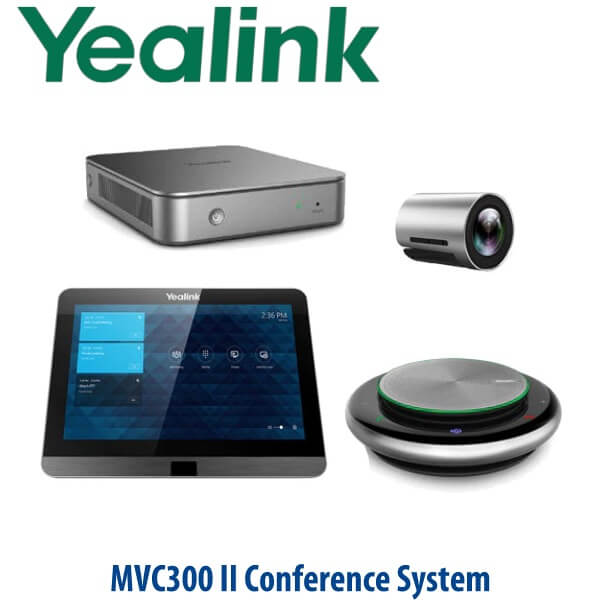
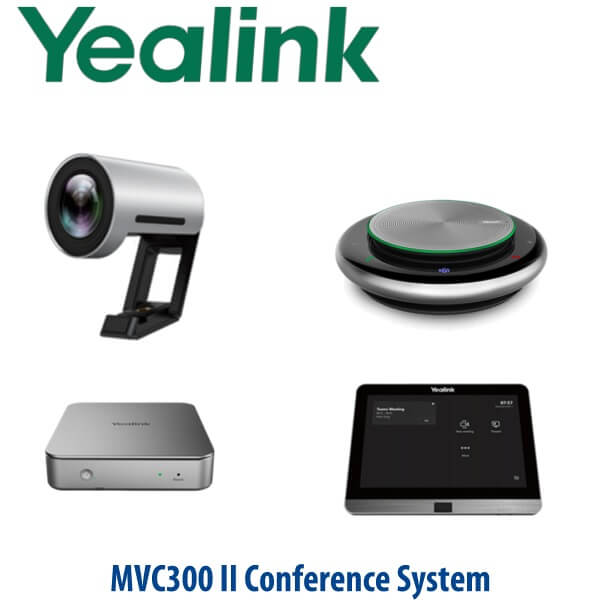
The Yealink MVC300 II is built for the room that has outgrown laptop meetings but does not need a large boardroom system. It gives Dubai offices a dedicated Microsoft Teams Rooms experience with the UVC30-Room 4K camera, CP900 full-duplex speakerphone, MTouch II touch console and MCore mini-PC in one room-ready bundle. Walk in, tap the meeting on the console, and start the call without searching for HDMI cables, USB cameras or somebody’s laptop login.
This page is for the Microsoft Teams Rooms version of the MVC300 II. Certification status has been checked against Microsoft’s official Teams Rooms certified hardware list on 24 July 2026. For a SIP conference room, Zoom Room or BYOD USB setup, ask David before ordering — the right Yealink room system depends on your meeting platform, room size and display layout.
Teams, SIP or Zoom? Choose the Correct Yealink Room System
The MVC300 II is not a SIP conference phone and it is not a generic USB webcam bundle. It is a dedicated Microsoft Teams Rooms system. The most common buyer mistake is ordering a Teams Rooms kit for a standard SIP PBX room, or trying to use a SIP conference phone as a Teams Room. The table below routes the buyer correctly before purchase.
| Your Platform | Right Yealink Device | What You Need |
|---|---|---|
| Microsoft Teams Rooms | Yealink MVC300 II (this page) | Microsoft 365 tenant, Teams Rooms licence, room account and display |
| SIP PBX — 3CX, Yeastar, Grandstream UCM, hosted PBX | Yealink CP-series SIP conference phone — ask David for the correct model | SIP credentials from your PBX or hosted voice provider |
| Zoom Rooms | Zoom-certified Yealink room system — verify current certification before quote | Zoom Rooms licence and room account |
| BYOD laptop meetings | Yealink USB video bar or MeetingBar option — ask David | Laptop-based Teams, Zoom, Google Meet or Webex workflow |
Power, Cabling and Installation Truth
The MVC300 II is a room system, not a single plug-in speakerphone. It includes multiple components: camera, speakerphone, touch console and compute. The MCore cable-management design keeps deployment tidy by using a simplified CAT5e connection between the TV area and the table area, but the room still needs proper power, network, display and Teams account preparation before installation day. Vector Digital Systems checks these details before dispatch so the room is ready when the kit arrives.
For Dubai offices, we confirm the display location, table cable path, network point, Teams Rooms account, room naming and content-sharing requirement before quoting. That prevents the common delivery-day problem: hardware on site, but no Teams Rooms licence, no room account, no display cable plan and nobody assigned to sign in the MCore.
Microsoft Teams Rooms Certification Verified
The Yealink MVC300 II is listed on Microsoft’s Teams Rooms for Windows certified systems list. Certification was checked on 24 July 2026 before writing this page. This matters for enterprise IT teams in DIFC, DMCC, Business Bay and government-adjacent projects where the room system must appear in the Microsoft-certified ecosystem rather than being treated as a generic AV bundle.
Where the MVC300 II Sits in the Yealink MVC Range
The MVC300 II is the compact Microsoft Teams Rooms option for focus rooms and small spaces. It is a better fit than a large MVC840 or MVC900 II package when the room only seats a few people, but it gives a more professional Teams Rooms workflow than a laptop camera placed on the meeting table. For new-generation small rooms, David may also quote the MVC400 depending on availability, room layout and the buyer’s preferred all-in-one video bar design.
| Feature | Yealink VC210 / BYOD Option | Yealink MVC300 II ★ | Yealink MVC400 |
|---|---|---|---|
| Room fit | Huddle / very small room | Focus room and small meeting room | Huddle and small meeting rooms |
| Platform | Depends on model / BYOD workflow | Native Microsoft Teams Rooms | Native Microsoft Teams Rooms |
| Camera | Entry video / USB style workflow | UVC30-Room 4K, 120° field of view | UVC40 all-in-one video bar |
| Audio | Model-dependent | CP900 full-duplex speakerphone, 6-mic beamforming | UVC40 built-in speaker and 8 MEMS microphone arrays |
| Touch console | Usually no dedicated Teams Rooms console | MTouch II | MTouch II |
| Compute | Laptop or compact room compute | MCore mini-PC | MCore mini-PC |
| Content sharing | Laptop-based | Wired and wireless sharing workflow | Wired and wireless sharing workflow |
| Replaces / upgrade path | Laptop-on-table meeting setup | Dedicated Teams Rooms upgrade for small rooms | Newer compact all-in-one video bar style room setup |
| Price tier | Entry / depends on device | Small-room Teams Rooms system | Step-up small-room Teams Rooms system |
| Choose if… | You only need occasional laptop-based video calls | You want a dedicated Microsoft Teams Rooms kit for a focus room or small meeting room | You prefer a newer all-in-one video bar style setup for small Teams rooms |
Where the MVC300 II Works in Dubai
Focus rooms in DIFC and Business Bay. Many Dubai offices now have two-to-four-person rooms used for quick partner calls, finance reviews and hybrid manager check-ins. The MVC300 II gives those rooms a permanent Teams identity, so the room joins the meeting instead of someone’s laptop becoming the meeting host.
DMCC and JLT branch offices. Small branch teams need a system that works without AV support on site. The MTouch II console gives users the familiar Teams meeting calendar and one-touch join, while the UVC30 120° camera keeps a small room framed properly even when people sit close to the screen.
SME meeting rooms after return-to-office. A laptop webcam on the table makes the room look temporary. The MVC300 II creates a proper Teams Rooms experience for HR interviews, vendor reviews, internal stand-ups and regional calls with Oman, Saudi Arabia, Qatar, India and African export partners.
Managed IT rollouts. For IT teams supporting multiple sites across Dubai, Abu Dhabi and Sharjah, the Yealink Device Management Platform / Cloud Service support helps monitor and manage room devices remotely. Vector Digital Systems stages the system before dispatch so the first on-site session is installation, not troubleshooting.
Full Technical Specifications
| Specification | Yealink MVC300 II |
|---|---|
| Product type | Microsoft Teams Rooms video conference system for focus rooms and small rooms |
| Certification | Listed on Microsoft Teams Rooms for Windows certified systems list — checked 24 July 2026 |
| Room size | Focus rooms and small meeting rooms |
| Included camera | Yealink UVC30-Room ultra HD 4K camera |
| Camera field of view | 120° wide-angle lens |
| Camera intelligence | Auto framing for small-room participant framing |
| Included audio | Yealink CP900 HD full-duplex speakerphone |
| Microphone design | 6-microphone beamforming array with 360° voice pickup |
| Audio processing | HD voice, Yealink Noise Proof Technology and full-duplex conversation experience |
| Touch console | MTouch II touch panel for Teams Rooms control and one-touch meeting join |
| Compute | MCore mini-PC for Microsoft Teams Rooms |
| Cable management | MCore cable management with simplified CAT5e connection between TV area and table area |
| Content sharing | Wired sharing via USB-C or HDMI workflow; wireless sharing with Yealink WPP20 workflow where supplied and supported |
| Remote management | Supports Yealink Device Management Platform / Cloud Service for monitoring, updates and diagnostics |
| Displays | External room display required; single or dual display planning confirmed during staging |
| Required licences | Microsoft Teams Rooms licence and room account required; licence not bundled unless quoted separately |
| Best fit | Dedicated Teams Rooms installation for focus rooms, small meeting rooms and executive huddle spaces |
Compatible Accessories and Room Add-ons
| Accessory / Add-on | Model / Item | Purpose |
|---|---|---|
| Wireless presentation | Yealink WPP20 workflow | One-click wireless content sharing where supplied and supported for the project region |
| Room display | Commercial display by project requirement | Single or dual screen Teams Rooms layout, quoted separately if required |
| Network and cable kit | Project cable pack | CAT5e/HDMI/USB routing based on table-to-display distance and room furniture |
| Microsoft licensing | Teams Rooms licence | Required for Teams Rooms operation; buyer’s Microsoft admin usually provisions the room account |
Staging Before Dispatch — What Vector Digital Systems Prepares
Vector Digital Systems stages the Yealink MVC300 II before delivery wherever the customer provides the required Microsoft and network details. Our Dubai team checks the room plan, confirms Microsoft Teams Rooms licensing status, prepares the device bundle, updates available firmware, labels the components, verifies camera and speakerphone detection, checks the touch console workflow and confirms the deployment notes before dispatch. For multi-room rollouts, we keep room naming, account mapping and cable notes consistent across every location.
For UAE buyers, the same-day AED quote includes VAT breakdown and delivery charges. For project buyers, David can quote room-by-room quantities, display options, installation support and spare accessories. Vector Digital Systems LLC has supplied and supported Yealink deployments from Dubai since 2009, with local warranty handling and no international courier claims for standard support issues.
Export from Dubai
Vector Digital Systems exports Yealink video collaboration systems from Dubai to system integrators, telecom operators, enterprise IT teams and project contractors. Common routes include Oman, Saudi Arabia, Kuwait, Bahrain and Qatar across the Gulf; Jordan and Egypt for regional enterprise projects; Kenya, Tanzania and Nigeria for African deployments; and Pakistan, Sri Lanka and Bangladesh for South Asian rollouts. Shipments are quoted FOB Dubai with commercial invoice, packing list and certificate of origin on request.
Get a same-day quote in AED for the Yealink MVC300 II
Tell David your room size, number of displays, Microsoft Teams Rooms licence status, table-to-screen cable path and quantity. We quote with VAT breakdown, delivery and staging notes included.
Frequently Asked Questions — Yealink MVC300 II
Is the Yealink MVC300 II certified for Microsoft Teams Rooms?
Yes — the Yealink MVC300 II is listed on Microsoft’s Teams Rooms for Windows certified systems list. Vector Digital Systems checked the certification status on 24 July 2026 before writing this page. For any large project, David rechecks current certification before final quote and dispatch.
What room size is the Yealink MVC300 II designed for?
The MVC300 II is designed for focus rooms and small meeting rooms. It is ideal for Dubai offices that need a permanent Microsoft Teams Rooms setup for two-to-six-person collaboration spaces, manager rooms, HR interview rooms and compact branch meeting rooms.
Does the MVC300 II work with regular SIP calls or 3CX?
No — the MVC300 II is a Microsoft Teams Rooms system, not a SIP conference phone. If your meeting room needs 3CX, Yeastar, Grandstream UCM or hosted PBX conference calling, ask David for the correct Yealink CP-series SIP conference phone instead.
Can the MVC300 II be used for Zoom meetings?
The MVC300 II is built for Microsoft Teams Rooms. If your company standard is Zoom Rooms, ask David for the current Zoom-certified Yealink room system and verification status before ordering. Do not buy a Teams Rooms system for a Zoom-only room without confirming the workflow first.
What is included in the Yealink MVC300 II bundle?
The MVC300 II bundle includes the UVC30-Room 4K camera, CP900 HD full-duplex speakerphone, MTouch II touch console and MCore mini-PC. Displays, Teams Rooms licensing, installation labour and room cabling are quoted separately unless David includes them in the project scope.
MVC300 II vs MVC400 — which one should I buy?
Choose the MVC300 II for a compact Teams Rooms bundle with a separate UVC30-Room 4K camera and CP900 speakerphone. Choose the MVC400 if you prefer the newer UVC40 all-in-one video bar style for a small Teams room. David will recommend based on room size, table shape, screen location and availability in Dubai.
Does the MVC300 II need a Microsoft Teams Rooms licence?
Yes — the MVC300 II requires a Microsoft Teams Rooms licence and a room account configured by your Microsoft 365 administrator. The licence is not assumed to be included in the hardware quote unless it is written into the Vector Digital Systems proposal.
Does Vector Digital Systems configure the MVC300 II before delivery?
Yes — Vector Digital Systems stages the MVC300 II before dispatch wherever the buyer provides the required Microsoft and network details. We check firmware, device detection, touch console workflow, camera and speakerphone readiness, cable notes and deployment labels before sending the system to site.
Who is the authorised Yealink supplier in Dubai?
Vector Digital Systems LLC has supplied and supported Yealink products in Dubai since 2009. David handles Yealink pre-sales, room-system specification, project pricing, staging and local warranty support, so Dubai buyers do not need to manage international support claims themselves.
What is the best Yealink video conference system for a small Teams room in Dubai?
For a dedicated Microsoft Teams Rooms focus room, the Yealink MVC300 II is a strong compact-room choice because it includes a 4K UVC30-Room camera, CP900 full-duplex speakerphone, MTouch II console and MCore mini-PC. For a newer all-in-one video bar style small room, ask David to compare it with the MVC400 before ordering.
Does Vector Digital Systems export Yealink MVC systems from Dubai?
Yes — Vector Digital Systems exports Yealink MVC systems from Dubai to system integrators and enterprise IT teams in Oman, Saudi Arabia, Kuwait, Bahrain, Qatar, Jordan, Egypt, Kenya, Tanzania, Nigeria, Pakistan, Sri Lanka and Bangladesh. Shipments are quoted FOB Dubai with commercial invoice, packing list and certificate of origin on request.