

Description
Yealink MeetingBar A20 Zoom Room All-in-One Zoom Rooms Video Bar Dubai
Turn a Small Room into a Proper Zoom Room
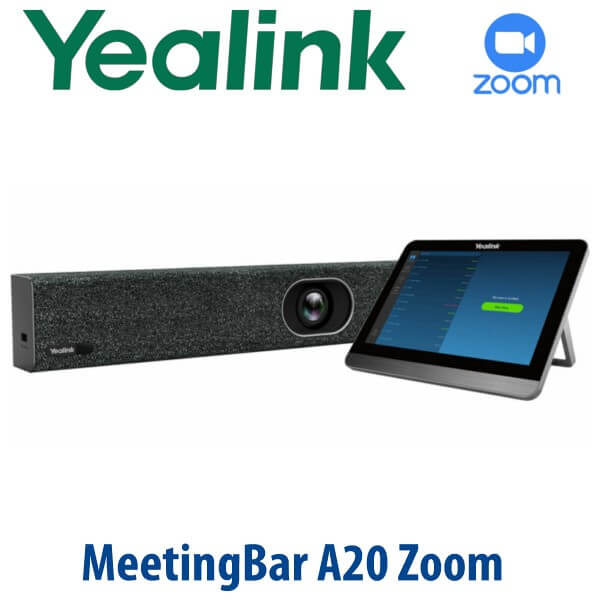
The Yealink MeetingBar A20 Zoom Room is for Dubai offices that have outgrown laptop-on-table meetings. It combines the Zoom Rooms compute unit, 20MP AI camera, microphone array, speaker, Wi-Fi, Bluetooth and mounting bracket into one clean video bar, so a huddle room or small meeting room becomes a dedicated Zoom Room without a separate PC or Mac. Add the CTP18 touch panel for table control and users can walk in, tap once, and start the meeting.
Zoom Room, Teams Room or BYOD? Get the Platform Right Before You Order
The A20 body exists in platform-specific room packages. This page is for the Yealink MeetingBar A20 Zoom Room configuration. A Zoom Room is not the same purchase as a Microsoft Teams Room, and it is not just a USB webcam for ad-hoc laptop calls. Confirm the room platform before you order so your meeting bar, controller, licence and provisioning method match from day one.
| Your Platform | Right Yealink Choice | What You Need |
|---|---|---|
| Zoom Rooms | MeetingBar A20 Zoom Room (this page) | Zoom Rooms licence, room calendar, display and network access |
| Microsoft Teams Rooms | Yealink A20 Teams Rooms package — verify current Microsoft certification before ordering | Microsoft Teams Rooms licence, M365 tenant and Teams room account |
| BYOD laptop meetings | A20 with VCH51 wired sharing / device-mode setup, or a dedicated USB video bar depending on room policy | Laptop connection plan, HDMI/USB-C sharing requirement and meeting app policy |
| SIP conference calls only | Choose a Yealink CP-series conference phone instead of a Zoom Room bar | SIP account from 3CX, Yeastar, Grandstream UCM or hosted PBX |
Tell David whether the room runs Zoom Rooms, Teams Rooms or laptop BYOD before quoting. The hardware may look similar, but the licence, controller behaviour and admin setup are different.
Power Truth for the A20 Zoom Room
The MeetingBar A20 is not powered like a desk phone. The A20 endpoint uses its included power adapter, plus HDMI to the room display and Ethernet or Wi-Fi for network access. The CTP18 touch panel controller uses PoE, so the table location needs a PoE network point or a suitable PoE injector/switch design. Vector Digital Systems checks this before dispatch, because power and cabling are the most common reasons a meeting room install gets delayed.
Why the A20 Fits Dubai’s Small Meeting Rooms
Many Dubai offices in Business Bay, DIFC, DMCC and JLT do not have large boardrooms. They have compact glass rooms, manager cabins and huddle spaces where six to ten people need to meet remote clients without passing a laptop around the table. The A20 is built for that exact use case: one bar under the screen, one controller on the table, one Zoom Rooms interface for every user.
The 20MP camera with 133° super-wide field of view captures people sitting close to the screen, while Auto Framing adjusts the shot as people enter or leave the room. The built-in 8 MEMS microphone array and Yealink Noise Proof Technology help reduce keyboard clicks, air-conditioning noise and open-office spillover, giving remote participants a cleaner Zoom experience.
A20 in the Yealink Zoom Rooms Range — Where It Sits
The A20 sits between Yealink’s smaller A10 Zoom Rooms appliance and the larger A30. Choose the A20 when the room is bigger than a one-to-one focus room but does not need the larger-room camera and audio coverage of the A30.
| Feature | A10 Zoom Room | A20 Zoom Room ★ | A30 Zoom Room |
|---|---|---|---|
| Best room fit | Focus rooms and very small spaces | Huddle and small rooms | Medium rooms |
| People range | 1–7 people | 6–13 people | 10–15 people |
| Room role | Personal meeting room / compact huddle | Standard small Zoom Room | Larger client room / boardroom |
| Camera | Compact AI camera | 20MP AI camera, 133° FoV | Step-up room camera system |
| Audio | Small-room audio | 8 MEMS mics + 5W speaker | Step-up medium-room audio |
| Display support | Single-room display use | Dual HDMI output | Dual-screen room layouts |
| Controller | Touch controller option | CTP18 touch panel option / bundle | CTP18 touch panel option / bundle |
| Price tier | Entry | Mid-range small-room standard | Step-up |
| Choose if… | You need a Zoom Room for a tiny space or one-to-one room | You want the right balance for Dubai’s everyday small meeting room | You need a larger room system for 10–15 people |
Dubai Use Cases for the A20 Zoom Room
Business Bay and JLT SME meeting rooms. A20 is ideal for companies that rely on Zoom for client reviews, vendor meetings and interviews but still use a laptop camera in the room. The dedicated Zoom Rooms interface removes the “whose laptop is joining?” problem and gives every meeting the same starting process.
DIFC, DMCC and corporate branch rooms. Financial services, consulting, legal and trading offices often have small rooms used by different teams throughout the day. With A20 + CTP18, the room becomes a shared asset: tap the scheduled meeting, control mute/camera from the table, and keep the room calendar visible to IT.
Clinics, education centres and training rooms. For healthcare consultations, remote training and hybrid classes, the 133° wide-angle camera helps capture people sitting close to the display while the microphone array keeps speech clear without a separate table microphone in smaller rooms.
Multi-branch Dubai and UAE rollouts. For companies opening rooms in Dubai, Abu Dhabi, Sharjah and Ras Al Khaimah, Vector Digital Systems can standardise the A20 room kit, apply naming conventions, pre-stage the controller, test the Zoom Rooms login flow, and label each box by branch before dispatch.
Full Technical Specifications
| Specification | Yealink MeetingBar A20 Zoom Room |
|---|---|
| Product Type | All-in-one Android video collaboration bar for Zoom Rooms |
| Recommended Room | Huddle and small meeting rooms; Yealink Zoom range positions A20 for 6–13 people |
| Operating System | Android 9.0 |
| Chipset | Qualcomm Snapdragon 845 |
| Camera | 20MP AI camera |
| Field of View | 133° super-wide field of view |
| Camera Movement | 8× e-PTZ camera |
| AI Video Features | Auto Framing, Speaker Tracking, AI face enhancement and image optimisation |
| Privacy | Electric privacy shutter |
| Microphones | Built-in 8 MEMS microphone array |
| Speaker | Built-in 5W high-fidelity speaker |
| Audio Processing | Yealink Noise Proof Technology, full-duplex audio, echo cancellation and dereverberation |
| Display Output | 2× HDMI output with CEC support |
| USB | 1× USB 2.0 |
| Network | 1× 10/100/1000 Mbps Ethernet port; built-in dual-band Wi-Fi 2.4GHz/5GHz |
| Bluetooth | Built in |
| Security | SRTP/TLS, AES 256-bit encryption, VLAN, LLDP, IEEE 802.1X and built-in certificate support |
| Power | A20 endpoint uses included AC power adapter. CTP18 touch panel uses PoE. |
| Dimensions | 600 mm × 68 mm × 82 mm |
| Package Contents | MeetingBar A20 endpoint, 3m Ethernet cable, 2× 1.8m HDMI cables, mounting bracket and accessories, power adapter and quick start guide. CTP18 touch panel depends on bundle/quote. |
Compatible Accessories and Room Add-ons
| Accessory | Model | Purpose |
|---|---|---|
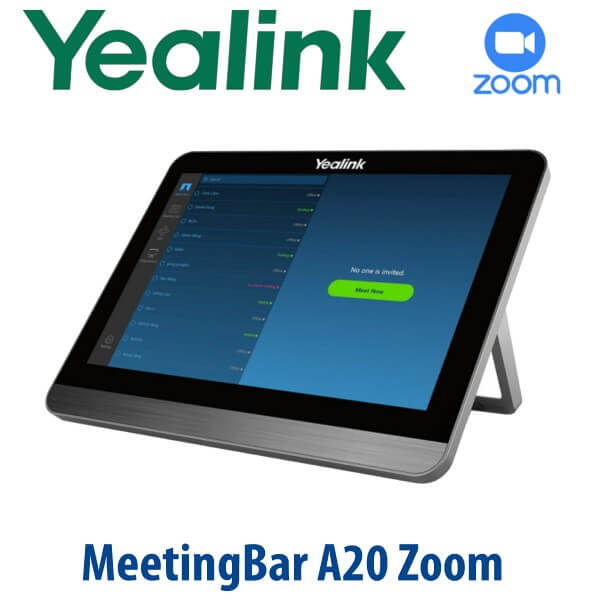
| Touch Controller | CTP18 | 8-inch table touch panel for Zoom Room control, calendar, mute, camera, volume and meeting actions. Uses PoE. |
| Wired Sharing Kit | VCH51 | HDMI/USB-C content sharing and wired device-mode use where the room policy requires laptop connection. |
| Wireless Presentation | WPP30 / WPP20 depending on region and compatibility | Wireless content sharing for meeting rooms where users bring laptops to present. |
| Room Display | Single or dual HDMI display | A20 supports dual HDMI output for Zoom Rooms layouts. Display is quoted separately if required. |
| Mounting | Included mounting bracket and accessories | Wall or display-area mounting depending on room layout and cable route. |
Staging Before Dispatch — What Vector Digital Systems Configures
Vector Digital Systems stages the Yealink MeetingBar A20 Zoom Room before delivery where access details are provided: device firmware check, Zoom Rooms application readiness, controller pairing plan, display output test, Ethernet/Wi-Fi planning, room naming guidance, calendar/account checklist and accessory verification. For multi-room orders, we label every unit by room name and site, so the installer knows exactly which box goes to which meeting room.
For Dubai installations, David will ask for the room size, display count, Zoom Rooms licence status, table controller requirement, PoE availability for CTP18, and whether you need wired or wireless content sharing. The quote includes VAT breakdown and delivery charges, with project pricing available for multi-room rollouts.
Export from Dubai
Vector Digital Systems exports Yealink Zoom Rooms equipment from Dubai to system integrators, corporate IT teams, hotel groups, education providers and telecom partners. Common export routes include Oman, Saudi Arabia, Kuwait, Bahrain and Qatar in the Gulf; Jordan and Lebanon where permitted; Egypt and Morocco in North Africa; Kenya and Tanzania in East Africa; and Pakistan, Sri Lanka and Bangladesh for South Asian projects. Shipments move FOB Dubai with commercial invoice, packing list and certificate of origin on request.
Get a same-day quote in AED for the Yealink MeetingBar A20 Zoom Room
Tell David your room size, number of displays, Zoom Rooms licence status, CTP18 controller requirement, PoE availability and installation location. We quote with VAT breakdown, delivery and staging included.
Frequently Asked Questions — Yealink MeetingBar A20 Zoom Room
Is the Yealink MeetingBar A20 certified for Zoom Rooms?
Yes — the Yealink MeetingBar A20 is listed by Zoom as a Zoom Rooms appliance for conference rooms, with camera, speaker, microphone, controller and compute functions included in the room system. Vector Digital Systems verifies the current Zoom Room configuration at quote stage before dispatch.
Is the A20 for Zoom Rooms the same as the Microsoft Teams Rooms A20?
No. The A20 hardware family supports platform-specific room experiences, but a Zoom Rooms order and a Microsoft Teams Rooms order are not treated as the same purchase. This page is for the Zoom Rooms version. If your company runs Microsoft Teams Rooms, ask David to verify the current Teams-certified A20 package before quoting.
What room size is the Yealink MeetingBar A20 Zoom Room designed for?
The A20 Zoom Room is designed for huddle and small meeting rooms. Yealink positions the A20 in its Zoom Rooms range for roughly 6–13 people, making it a strong fit for Dubai SME meeting rooms, manager cabins, client rooms and compact boardrooms.
Does the Yealink A20 need a separate PC or Mac for Zoom Rooms?
No. The A20 is an all-in-one Android Zoom Rooms appliance with compute, camera, microphones, speaker, Wi-Fi and Bluetooth built in. You still need a room display, Zoom Rooms licence, network access and the correct controller or remote-control setup.
Does the Yealink MeetingBar A20 include a power adapter, or does it run on PoE?
The A20 endpoint uses an included AC power adapter. It is not powered like a PoE desk phone. The CTP18 touch panel controller uses PoE, so the meeting table needs a PoE network point or a suitable PoE network design. Vector Digital Systems checks this before dispatch.
A20 vs A30 — which Yealink Zoom Room should I buy?
Choose the A20 for huddle and small rooms where a 20MP wide-angle camera and built-in 8 MEMS microphone array cover the room comfortably. Choose the A30 when the room is larger, usually around 10–15 people, or where the seating distance and room shape need the step-up camera and audio coverage.
Can we share laptop content into a Zoom meeting with the A20?
Yes. The A20 supports Zoom Room content sharing, and Vector Digital Systems can quote the correct wired or wireless sharing accessory depending on your room policy. For wired HDMI/USB-C workflows, ask about the VCH51 sharing kit; for wireless presentation, David will confirm the current compatible Yealink presentation pod for your region and firmware.
Who is the Yealink authorised supplier in Dubai?
Vector Digital Systems LLC has supplied and integrated Yealink solutions in Dubai since 2009. David handles Yealink pre-sales, room sizing, Zoom Room package selection, staging, project pricing and local warranty support before dispatch.
What is the best Yealink Zoom Rooms device for a small meeting room in Dubai?
For most small Zoom Rooms in Dubai, the Yealink MeetingBar A20 with CTP18 touch panel is the balanced recommendation. It gives a 20MP AI camera, 133° field of view, 8 MEMS microphones, built-in speaker and a dedicated table controller. For a very small space, consider the A10. For a larger boardroom, step up to the A30.
Does Vector Digital Systems configure the Yealink A20 Zoom Room before delivery?
Yes. Vector Digital Systems checks firmware, prepares the Zoom Rooms setup workflow, verifies controller pairing requirements, tests display output, confirms network and PoE requirements, and labels the room kit before dispatch. For multi-room projects, each unit can be staged and packed by room name or branch.
Does Vector Digital Systems export Yealink Zoom Rooms systems from Dubai?
Yes — Vector Digital Systems exports Yealink A-series Zoom Rooms systems from Dubai to integrators and enterprise buyers in Oman, Saudi Arabia, Kuwait, Bahrain, Qatar, Jordan, Egypt, Kenya, Tanzania, Pakistan, Sri Lanka and Bangladesh. Exports ship FOB Dubai with commercial invoice, packing list and certificate of origin on request.