
Description
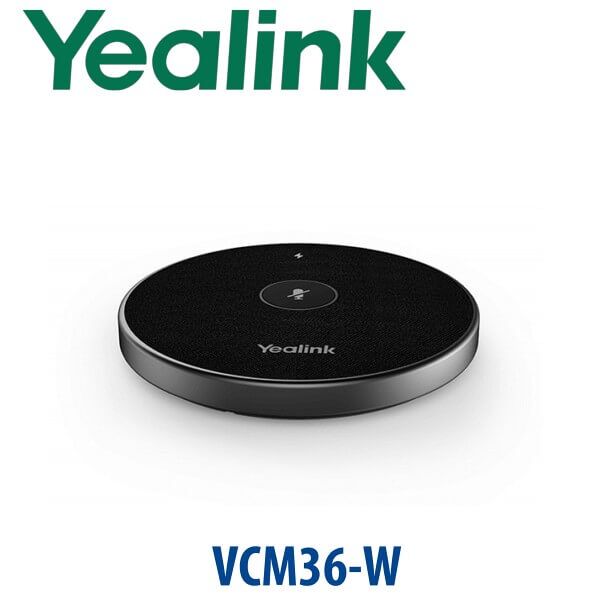
Yealink VCM36-W Wireless Microphone 360° Video Conferencing Mic Dubai
Clearer Meeting Room Audio Without Running Microphone Cables
The Yealink VCM36-W is the wireless table microphone Dubai meeting rooms ask for when the built-in video bar microphone is not close enough to the people speaking. Place it in the middle of the table, pair it once with the compatible Yealink room device, and let the room capture voices from every direction. It is built for Yealink video conferencing systems, including MeetingBar, MVC, MeetingBoard and compatible AV room deployments, where flexible microphone placement matters more than another cable across the table.
For boardrooms in DIFC, training rooms in Business Bay, conference suites in hotels, and hybrid meeting spaces in DMCC, the VCM36-W solves the most common video-room complaint: remote participants can see the room clearly, but cannot hear the people sitting at the far end of the table. Vector Digital Systems supplies, pairs, tests and stages Yealink room audio accessories in Dubai before dispatch.
Platform Fit — Teams Rooms, Zoom Rooms, BYOD or SIP Video?
The VCM36-W is a room audio accessory, not a standalone USB speakerphone and not a desk-phone microphone. The platform decision depends on the Yealink room endpoint it is paired with. Microsoft Teams Rooms, Zoom Rooms, BYOD rooms and SIP video rooms can all use different Yealink endpoints, so confirm the room system before ordering the microphone.
| Your Room Platform | Right Yealink Device Path | What to Check Before Ordering VCM36-W |
|---|---|---|
| Microsoft Teams Rooms | Yealink MVC / MeetingBar Teams Rooms system | Verify the exact room kit and accessory compatibility before quoting |
| Zoom Rooms | Yealink Zoom Rooms kit or compatible video bar | Verify Zoom Rooms accessory compatibility for the selected endpoint |
| BYOD / USB room | Yealink UVC camera, SmartVision or AVHub-based room design | Confirm audio input routing, firmware and RoomConnect pairing workflow |
| SIP video room | Compatible Yealink video conferencing endpoint | Confirm the endpoint supports VCM36-W as an expansion microphone |
Important buyer trap: do not order the microphone based only on the meeting app name. Order it based on the exact Yealink room hardware model. David verifies the compatibility list before quoting so your Teams, Zoom or BYOD room receives the right microphone package.
Power and Charging Truth — It Has a Battery, But the Cradle Still Matters
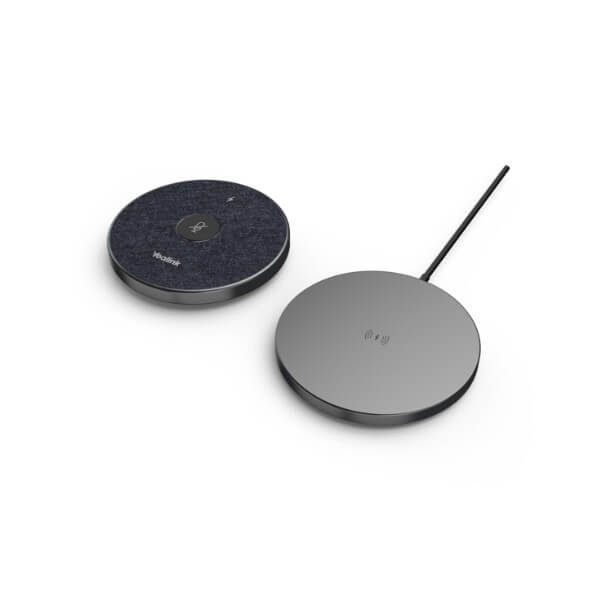
The VCM36-W is not powered by PoE and it is not a passive table microphone. It has a built-in battery for wireless placement during meetings, and the package includes a charging cradle plus USB-C cable. For normal conference use, plan the room routine properly: place the microphone on the cradle after meetings so it is fully charged for the next session. Vector Digital Systems checks the charging cradle, pairing status and mute LED before dispatch.
Why Wireless Matters in Dubai Meeting Rooms
Many Dubai meeting rooms are already finished with glass walls, stone tables, concealed cabling and tight furniture layouts. Running an extra microphone cable across the table looks untidy and creates an installation problem. The VCM36-W uses wireless transmission after pairing, which lets the microphone sit where the voices are — at the centre of the table, near the presenter, or closer to the far end of a long room.
VCM36-W in the Yealink Audio Range — Where It Sits
The VCM36-W is the flexible wireless option in Yealink’s room microphone family. Choose it when table placement needs to change, when a cable-free boardroom matters, or when the room needs expansion pickup without adding visible cable runs. For fixed rooms, wired microphones may still make sense. For premium ceiling or ProAV rooms, David can recommend the correct Yealink audio design after reviewing the room size and table layout.
| Feature | VCM35 | VCM36-W ★ | VCM38 |
|---|---|---|---|
| Best use | Fixed wired table mic | Cable-free table placement | Advanced room audio design |
| Pickup | 360° room pickup | 360° up to 6m / 20ft | 360° room pickup |
| Connection style | Wired | Wireless Wi-Fi after pairing | Depends on endpoint design |
| Battery | Not required | Built-in rechargeable battery | Model-dependent setup |
| Desk appearance | Cable visible unless routed | Clean cable-free meeting table | Project-room design |
| Compatibility | Endpoint-specific | Endpoint-specific — verify before quote | Endpoint-specific |
| Price tier | Lower | Mid-premium wireless | Higher / project-led |
| Choose if… | You have a fixed room and cable routing is easy | You want clean wireless table pickup for a Yealink video room | You are designing a larger or more complex AV audio room |
Where the VCM36-W Works Best in Dubai
Executive boardrooms in DIFC and Downtown Dubai. Long boardroom tables often place the camera and video bar at one end of the room, but the decision-makers sit around the whole table. The VCM36-W brings the pickup point closer to the speakers without pulling another cable across the table.
Hybrid training rooms in Business Bay, JLT and Dubai Internet City. Trainers move around, participants speak from different table positions, and remote staff need to hear questions clearly. The VCM36-W gives the room a flexible microphone position for workshops, product demos and internal training sessions.
Hotel meeting suites and serviced offices. Rooms change layout daily — boardroom in the morning, classroom after lunch, interview setup in the evening. A wireless Yealink microphone lets the AV team adjust placement quickly without re-cabling the room.
Government, banking and enterprise rooms. Wireless security matters. The VCM36-W supports WPA/WPA2 wireless security and AES128 encryption, making it a better fit for managed meeting room environments than ad-hoc consumer microphones.
Full Technical Specifications
| Specification | Yealink VCM36-W |
|---|---|
| Product type | Wireless video conferencing microphone / expansion microphone |
| Microphone array | Built-in 3-microphone array |
| Pickup pattern | 360° omnidirectional pickup |
| Pickup range | Up to 6m / 20ft |
| Audio technology | Optimal HD Audio, Yealink Full-Duplex Technology, Acoustic Echo Cancelling, Noise Proof Technology |
| Noise handling | Environmental noise filtering up to 90dB |
| Frequency response | 100Hz to 8kHz |
| Wireless standard | Wi-Fi 802.11 b/g/n/ac |
| Wireless bands | 2.4GHz and 5GHz |
| Wireless security | WPA-PSK / WPA2-PSK, AES128 encryption |
| Battery | Built-in 2450mAh rechargeable battery |
| Use time | Up to 12 hours conference use |
| Standby time | Up to 7 days standby |
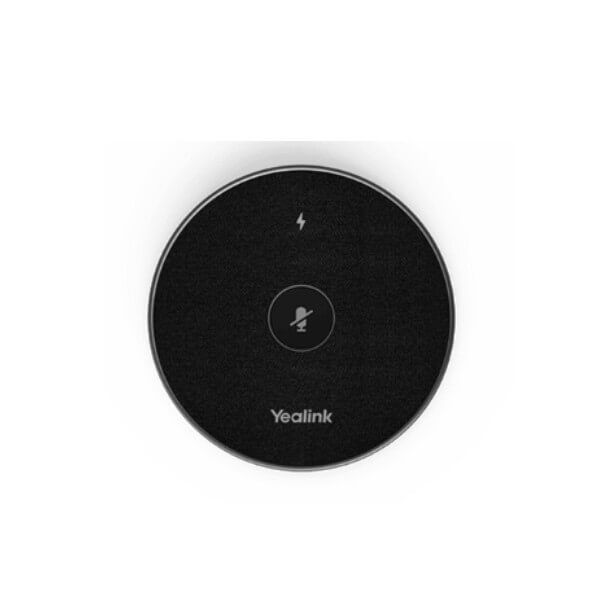
| Controls | Capacitive mute touchpad with LED status indicator |
| Pairing / charging port | USB-C via supplied cable and charging cradle |
| Microphone dimensions | 100 × 16.5mm |
| Charging cradle dimensions | 100 × 10.5mm |
| Operating humidity | 10% to 90% |
| Package contents | VCM36-W microphone, charger cradle, 1.2m USB-C cable, USB adapter, double-sided adhesive, quick start guide |
Compatible Room Systems and Accessories
| Category | Examples | Vector Digital Systems Check |
|---|---|---|
| MeetingBar rooms | A20, A30, A40 and compatible current MeetingBar models | Confirm firmware, microphone mode and pairing workflow before dispatch |
| Microsoft Teams Rooms | Yealink MVC room kits and compatible room bundles | Verify accessory compatibility against the current Teams Rooms accessory list before quoting |
| MeetingBoard rooms | MeetingBoard and MeetingBoard Pro deployments | Confirm audio input/output mode and user mute behaviour |
| AVHub / UVC rooms | UVC camera and AVHub-based room designs | Confirm the endpoint firmware and RoomConnect pairing path |
| Charging and service accessories | Charging cradle, USB-C cable, USB adapter | Included in standard package; spares can be quoted for multi-room projects |
Compatibility note: Yealink room audio rules change by endpoint, firmware and room platform. The VCM36-W should not be mixed blindly with other microphone models in the same room. David verifies the exact endpoint model before quoting and recommends the cleanest audio path for your Teams, Zoom, BYOD or SIP video room.
Staging Before Dispatch — What We Configure
Vector Digital Systems stages the Yealink VCM36-W before delivery wherever the room device is supplied or available for configuration. We check the microphone battery, charging cradle, USB-C pairing process, mute LED behaviour, firmware prompt, room audio input selection and test-call pickup. For multi-room deployments, we label each microphone by room name, pair it to the correct endpoint and document the charging routine for the office administrator.
Export from Dubai
Vector Digital Systems exports Yealink video conferencing accessories from Dubai to system integrators, AV installers, telecom operators and enterprise procurement teams. Common export destinations include Oman, Saudi Arabia, Qatar, Kuwait, Bahrain, Jordan, Egypt, Kenya, Nigeria and Pakistan. Shipments move FOB Dubai with commercial invoice, packing list and certificate of origin on request. For hotel groups, bank branch networks and government IT projects, send David the room count, Yealink endpoint models and required delivery schedule for a same-day AED quote with VAT and delivery clearly shown.
Get a same-day quote in AED for Yealink VCM36-W
Tell David your room system model, platform (Teams, Zoom, BYOD or SIP video), room size, table layout and quantity. We quote with VAT breakdown, delivery charges and staging included.
Frequently Asked Questions — Yealink VCM36-W
What room size is the Yealink VCM36-W designed for?
The VCM36-W is designed for meeting rooms that need wider voice pickup than the built-in microphone can provide. It offers 360° pickup up to 6m / 20ft, making it suitable for small, medium and many larger conference rooms when paired with a compatible Yealink room system.
Does the Yealink VCM36-W work with Microsoft Teams or do I need a different model?
The VCM36-W can be used in Microsoft Teams Rooms only when the Yealink Teams Rooms endpoint supports it. Do not buy it based on the Teams app alone. Vector Digital Systems verifies the exact Yealink MVC or MeetingBar model against the current compatibility list before quoting.
Can we use the VCM36-W for Zoom calls as well as regular video meetings?
Yes, when it is paired with a compatible Yealink Zoom Rooms, BYOD or SIP video endpoint. The microphone itself is an accessory; the room system decides whether the meeting runs on Zoom, Teams, BYOD USB or SIP video.
How does the VCM36-W connect to a Yealink room system?
The VCM36-W is paired to the compatible Yealink endpoint using the supplied USB-C cable or Yealink RoomConnect workflow, then used wirelessly after pairing. Vector Digital Systems can pair and test it before delivery when the room endpoint is part of the project.
Does the VCM36-W need a power adapter or PoE?
No PoE is used. The VCM36-W has a built-in rechargeable battery and charges through its cradle using USB power. Keep the microphone on the charging cradle between meetings so it is ready for the next conference.
VCM35 vs VCM36-W — which Yealink microphone should I buy?
Choose the VCM36-W when you want wireless table placement, a clean boardroom look and flexible microphone positioning. Choose a wired microphone such as VCM35 where the room layout is fixed and cable routing is already planned. David verifies endpoint compatibility before recommending either model.
Can I mix the VCM36-W with other Yealink microphones in the same room?
Do not mix Yealink microphone types without checking the endpoint rules. Some room systems require one microphone type or a specific audio input mode. Vector Digital Systems checks the compatibility list and firmware before proposing a mixed or expanded room audio setup.
Does Vector Digital Systems configure the VCM36-W before delivery?
Yes. When the matching Yealink room endpoint is supplied or available, we pair the VCM36-W, check charging, mute LED behaviour, firmware prompts and audio pickup in a test call before dispatch. Multi-room projects are labelled by room name before delivery.
Who is the Yealink authorised supplier in Dubai?
Vector Digital Systems LLC has supplied and integrated Yealink solutions in Dubai since 2009. David handles Yealink room audio recommendations, project pricing, staging and local warranty support, so you are not left troubleshooting compatibility after delivery.
Does Vector Digital Systems export Yealink VCM36-W microphones from Dubai?
Yes. We export Yealink video room accessories from Dubai to integrators and enterprise buyers in Oman, Saudi Arabia, Qatar, Kuwait, Bahrain, Jordan, Egypt, Kenya, Nigeria and Pakistan. Shipments are quoted FOB Dubai with commercial invoice, packing list and certificate of origin on request.

