Description
Yealink VCH51 Pro Meeting Rooms Dubai
Turn a Yealink Meeting Room into a Bring-Your-Own-Laptop Room
The Yealink VCH51 Pro is the USB-C BYOD and content sharing hub for modern Yealink meeting rooms in Dubai. It lets a user walk into a room equipped with a compatible Yealink MeetingBar, MeetingBoard, MVC or ZVC system, plug one USB-C cable into a laptop, and run the meeting from the app they already use — Microsoft Teams, Zoom, Webex, Google Meet, browser-based calls or a customer’s own conferencing platform. Instead of forcing guests to log into the room system or move cables behind the display, the VCH51 Pro makes the room’s camera, microphones, speakers and display available through a simple wired laptop workflow.
For Dubai offices with mixed meeting habits — Teams internally, Zoom with clients, Webex with suppliers, and browser meetings with government or banking portals — the VCH51 Pro solves the “this room only works with one platform” problem. Vector Digital Systems LLC supplies and stages Yealink room accessories in Dubai, with same-day quote in AED, VAT breakdown, delivery options and local warranty handling.
Platform Fit: Teams Rooms, Zoom Rooms or Laptop BYOD?
The VCH51 Pro is not a standalone video bar and it is not a SIP desk phone accessory. It is a room-system accessory that adds wired USB-C BYOD and presentation capability to compatible Yealink video room deployments. Certification status belongs to the complete Yealink room system package, so Vector Digital Systems verifies the current Microsoft Teams Rooms or Zoom Rooms certification before quoting any full room bundle.
| Your Meeting Setup | Where VCH51 Pro Fits | What You Need |
|---|---|---|
| Yealink Microsoft Teams Room | Adds laptop BYOD and wired content sharing to compatible MVC / MeetingBar / MeetingBoard rooms | Compatible Yealink room system, Teams Rooms licence, and current certification verified before quote |
| Yealink Zoom Room | Adds guest-laptop workflow and wired presentation to compatible ZVC / Zoom room deployments | Compatible Yealink ZVC room system and Zoom Rooms configuration confirmed before dispatch |
| Mixed-platform meeting room | Lets users run meetings from their own laptop while using the room camera, microphone and speakers | Laptop with full-feature USB-C, supported meeting software, and a compatible Yealink room system |
| Standalone laptop with no Yealink room system | Not the right product by itself | Ask David for a Yealink USB camera, MeetingBar or full room package instead |
The Buyer Trap: VCH51 Pro Is a Hub, Not the Whole Room
The common buying mistake is ordering a sharing box and expecting it to behave like a complete camera bar. The VCH51 Pro needs a compatible Yealink room endpoint behind it. Its job is to bridge the laptop into that room system: wired BYOD, stable content sharing and laptop charging through one USB-C workflow. Tell David which Yealink room device you already have — MeetingBar model, MeetingBoard size, MVC package or ZVC package — and we confirm compatibility before quoting.
Power Truth: PoE for the Hub, PD Adapter for Laptop Charging
The VCH51 Pro is powered through its Gigabit RJ45 PoE port. The laptop-charging feature is separate: to provide up to 65W PD2.0 charging to a connected laptop, the VCH51 Pro must be connected to a suitable PD power adapter. In other words, PoE powers the hub; PD powers the laptop. We confirm both at quote stage so the room is not left with a neat USB-C cable that shares video but does not charge the guest laptop.
VCH51 Pro in the Yealink Room Accessory Range
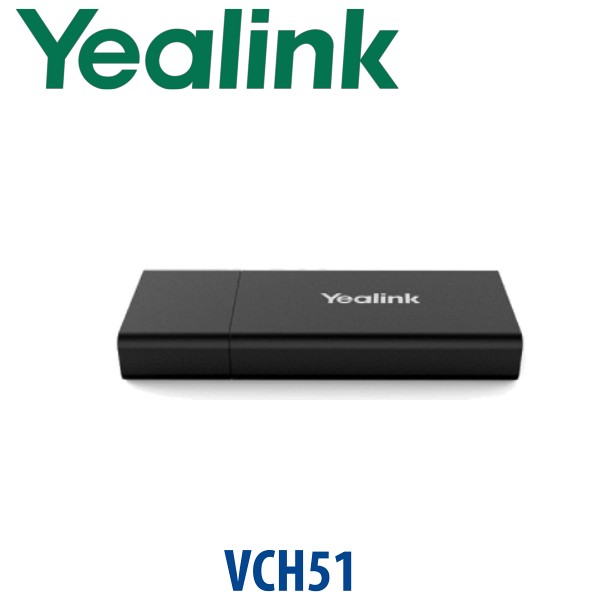
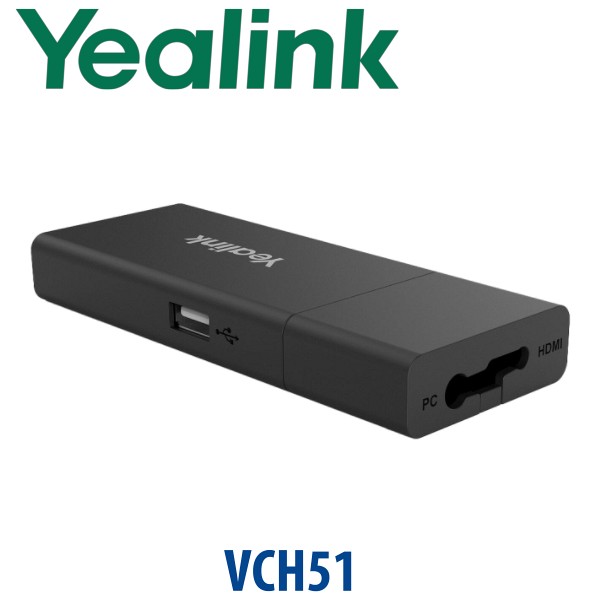
The original VCH51 served older Yealink room systems as a wired sharing box. Yealink now positions VCH51 Pro as the stronger current-generation option for selected MeetingBar, MeetingBoard, MVC and ZVC environments, with Gigabit networking, USB-C wired BYOD, 4K/60fps content sharing in supported scenarios, and PD laptop charging. For wireless presentation-only rooms, Yealink RoomCast may be the better fit; for the cleanest boardroom BYOD workflow, VCH51 Pro is the wired, stable, one-cable choice.
| Feature | VCH51 | VCH51 Pro ★ | RoomCast |
|---|---|---|---|
| Main Use | Legacy wired sharing / BYOD for older rooms | Current wired USB-C BYOD, content sharing and laptop charging hub | Wireless screen sharing and collaboration |
| Connection to Laptop | USB-C / HDMI depending on room setup | USB-C single-cable workflow | Wireless casting from supported devices |
| Content Resolution | Up to 4Kp15 in older supported scenarios | Up to 4K/60fps in supported scenarios | Up to 4K/60fps wireless presentation |
| Network | Fast Ethernet on legacy unit | Gigabit RJ45 with PoE | Networked wireless presentation device |
| Laptop Charging | No PD charging focus | Up to 65W PD2.0 with PD adapter | Not the purpose |
| Room Fit | Existing older Yealink deployments | MeetingBar, MeetingBoard, MVC and ZVC rooms after compatibility check | Rooms that prioritise cable-free screen sharing |
| Price Tier | Legacy / sell-through | Current wired BYOD accessory tier | Wireless presentation accessory tier |
| Choose if… | You are replacing or maintaining an older VCH51-compatible room | You want the most stable wired BYOD workflow for a current Yealink room | Your priority is wireless casting rather than one-cable laptop BYOD |
Where VCH51 Pro Works in Dubai
DIFC and Business Bay boardrooms. Senior teams often run Microsoft Teams internally but join client calls on Zoom, Webex or browser meeting links. The VCH51 Pro lets the host use their own laptop while still using the installed Yealink room camera, microphones and speakers — a cleaner experience than balancing a laptop at the end of a conference table.
DMCC, JLT and Dubai Internet City hybrid offices. Shared meeting rooms need to serve staff, visitors, vendors and regional teams. A fixed room system is ideal for scheduled meetings, but guest meetings still happen from laptops. VCH51 Pro gives the room a controlled, wired BYOD input without giving every visitor admin access to the room account.
Training rooms and customer demo suites. Product teams in Jebel Ali, Dubai Silicon Oasis and Dubai South often need stable screen sharing from multiple laptops through the day. Wired USB-C reduces the “wireless casting failed again” delays that interrupt training sessions, technical demos and vendor presentations.
Hotels, clinics and regional HQ meeting rooms. A guest speaker can plug in, run their own meeting software and use the room AV without calling IT to reconfigure the room system. For hotels and serviced offices in Dubai, that means fewer support calls before every external meeting.
Full Technical Specifications
| Specification | Yealink VCH51 Pro |
|---|---|
| Product Type | USB-C BYOD and content sharing hub for Yealink video conferencing room systems |
| Main Functions | Wired BYOD, wired content sharing, and laptop PD charging through one USB-C workflow |
| Content Sharing Resolution | Up to 4K/60fps in supported room-system scenarios |
| Network Port | 1× 1000Mbps RJ45 port, IEEE 802.3af PoE, full-duplex |
| USB Port | 1× USB 2.0 Type-C with DisplayPort video input |
| Power Delivery Port | 1× PD power port for laptop charging when connected to a suitable PD power adapter |
| Laptop Charging | Up to 65W PD2.0 laptop charging with compatible PD adapter |
| Operating System Compatibility | Windows 7 / 8.1 / 10 / 11 and macOS 10.6 or higher |
| Application Compatibility | Most PC meeting applications when the Yealink room system is selected as the laptop audio and video device |
| Compatible Yealink Families | Selected MeetingBar, MeetingBoard, MVC and ZVC room systems — compatibility confirmed per model before quote |
| Dimensions | 144 × 65 × 18 mm |
| Typical Package Contents | VCH51 Pro unit, USB-C cable, mounting / cable accessories and quick start guide. Package contents can vary by distribution pack — confirm with David before quote. |
Compatible Yealink Room Systems
The VCH51 Pro is built for Yealink video room ecosystems, not generic USB-only rooms. Yealink lists compatibility across selected MeetingBar, MeetingBoard, MVC and ZVC devices, including current MeetingBar A-series and MeetingBoard Pro models, plus selected MVC and ZVC room packages. Because room firmware, platform edition and regional bundle codes matter, Vector Digital Systems checks the exact model and firmware before confirming the accessory.
| Room Family | Use With VCH51 Pro | Quote Check |
|---|---|---|
| MeetingBar | Adds wired laptop BYOD to supported MeetingBar rooms | Confirm exact A-series model, platform edition and firmware |
| MeetingBoard | Useful for guest laptop calls and training-room content sharing | Confirm screen size, Pro / non-Pro generation and platform edition |
| MVC Series | Adds wired BYOD capability to selected Microsoft Teams Rooms bundles | Verify current Microsoft Teams Rooms certification for the full room package before quote |
| ZVC Series | Adds laptop BYOD and presentation workflow to selected Zoom Rooms bundles | Verify current Zoom Rooms compatibility for the full room package before quote |
Staging Before Dispatch — What We Check
Vector Digital Systems stages the VCH51 Pro as part of a complete Yealink room workflow, not as a loose box sale. Before dispatch, we confirm your Yealink room model, platform edition, firmware requirement, PoE availability, USB-C cable route, display handoff, laptop charging requirement and meeting-app workflow. For project rooms, we label the cable path, confirm whether the room should run native Teams / Zoom first or laptop BYOD first, and test a wired laptop meeting before delivery where the room system is supplied by us.
Export from Dubai
Vector Digital Systems exports Yealink meeting room accessories and room systems from Dubai to system integrators, hotel groups, telecom operators and enterprise IT teams. Common export routes include Oman, Saudi Arabia, Kuwait, Bahrain and Qatar across the GCC; Jordan and Egypt for regional corporate rooms; Kenya, Tanzania and Nigeria for African system integrators; and Pakistan, Sri Lanka and Bangladesh for South Asian projects. Shipments move FOB Dubai with commercial invoice, packing list and certificate of origin on request. Project pricing is available for multi-room rollouts.
Get a same-day quote in AED — Yealink VCH51 Pro Dubai
Tell David your Yealink room model, platform edition, room count, PoE availability and whether laptop charging is required. We quote with VAT breakdown, delivery charges and compatibility notes included.
Frequently Asked Questions — Yealink VCH51 Pro
What is the Yealink VCH51 Pro used for?
The Yealink VCH51 Pro is a USB-C BYOD and content sharing hub for compatible Yealink meeting room systems. It lets a laptop use the room camera, microphones, speakers and display for meetings on Teams, Zoom, Webex, browser meetings and other PC applications, while also supporting wired content sharing and laptop charging in supported setups.
Is the Yealink VCH51 Pro a complete video conferencing system?
No — the VCH51 Pro is not a standalone camera bar or complete room system. It is an accessory for compatible Yealink MeetingBar, MeetingBoard, MVC and ZVC room systems. If you do not already have a Yealink room system, ask David for the correct MeetingBar, MeetingBoard or full room bundle before ordering the VCH51 Pro.
Does the VCH51 Pro work with Microsoft Teams or Zoom?
Yes, when used with a compatible Yealink room system, the VCH51 Pro enables a laptop BYOD workflow for Teams, Zoom and most PC meeting applications. The VCH51 Pro itself is a hub; certification status applies to the complete Teams Rooms or Zoom Rooms package, so Vector Digital Systems verifies the current certified room configuration before quoting.
Does the VCH51 Pro support 4K content sharing?
Yes — the VCH51 Pro supports wired content sharing up to 4K/60fps in supported scenarios. Actual resolution depends on the connected laptop, USB-C capability, Yealink room system, display path and meeting platform. Vector Digital Systems checks the complete room chain before project delivery.
Does the VCH51 Pro charge my laptop?
Yes, the VCH51 Pro can provide up to 65W PD2.0 laptop charging when connected to a suitable PD power adapter. PoE powers the VCH51 Pro hub itself; the PD adapter is what enables laptop charging. We confirm this at quote stage so the room is supplied with the correct power accessories.
VCH51 Pro vs VCH51 — which one should I buy?
Choose VCH51 Pro for current Yealink room deployments that need USB-C wired BYOD, up to 4K/60fps content sharing and PD laptop charging. The older VCH51 is mainly for legacy Yealink room systems and older sharing workflows. Tell David your exact room model and we will confirm whether VCH51 Pro is compatible.
Will the VCH51 Pro work with any laptop?
It works with Windows and macOS laptops that support the required USB-C video and device functions. For best results, use a full-feature USB-C port rather than a charge-only USB-C port. We recommend testing the common laptop models used by your Dubai office before standardising a multi-room rollout.
Who is the authorised Yealink supplier in Dubai?
Vector Digital Systems LLC has supplied Yealink products and VoIP solutions in Dubai since 2009. David leads the Yealink product desk for pre-sales specification, compatibility checks, project pricing, staging and local warranty handling. Quotes include AED pricing, VAT breakdown and delivery options.
What is the best Yealink accessory for a mixed-platform meeting room in Dubai?
For a room that already has a compatible Yealink MeetingBar, MeetingBoard, MVC or ZVC system, the VCH51 Pro is the best wired BYOD accessory because it lets users plug in a laptop and run meetings on the platform they need. If your priority is cable-free screen sharing rather than laptop BYOD, ask David about Yealink RoomCast instead.
Does Vector Digital Systems configure the VCH51 Pro before delivery?
Yes — when supplied as part of a Yealink room project, Vector Digital Systems checks the room model, firmware, PoE, cable route, platform workflow and laptop BYOD behaviour before dispatch. For multi-room projects, we label cable paths and test the intended Teams, Zoom or laptop workflow before handover.
Does Vector Digital Systems export Yealink VCH51 Pro from Dubai?
Yes — Vector Digital Systems exports Yealink meeting room accessories from Dubai to integrators and enterprise buyers in Oman, Saudi Arabia, Kuwait, Bahrain, Qatar, Jordan, Egypt, Kenya, Tanzania, Nigeria, Pakistan, Sri Lanka and Bangladesh. Shipments are FOB Dubai with commercial invoice, packing list and certificate of origin on request.