
Description
Yealink MP56 Microsoft Teams 7-Inch Teams Desk Phone Dubai
Yealink MP56 Microsoft Teams IP Phone for Dubai Offices
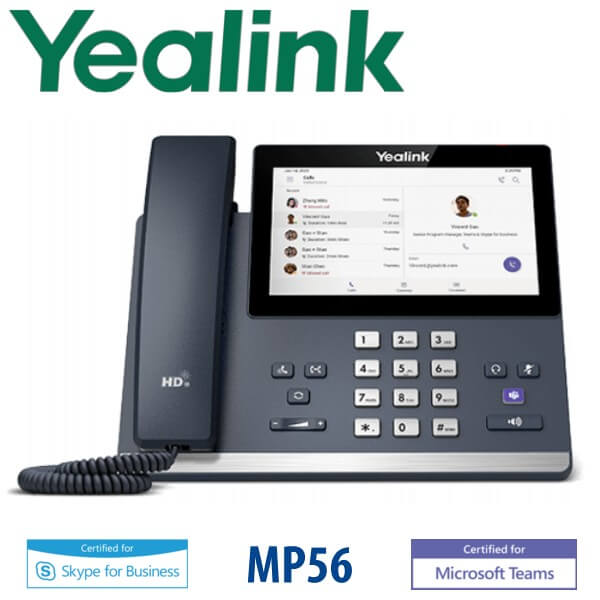
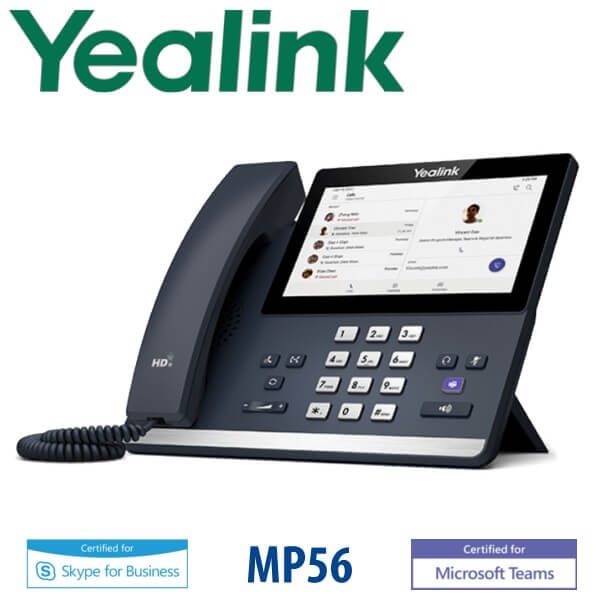
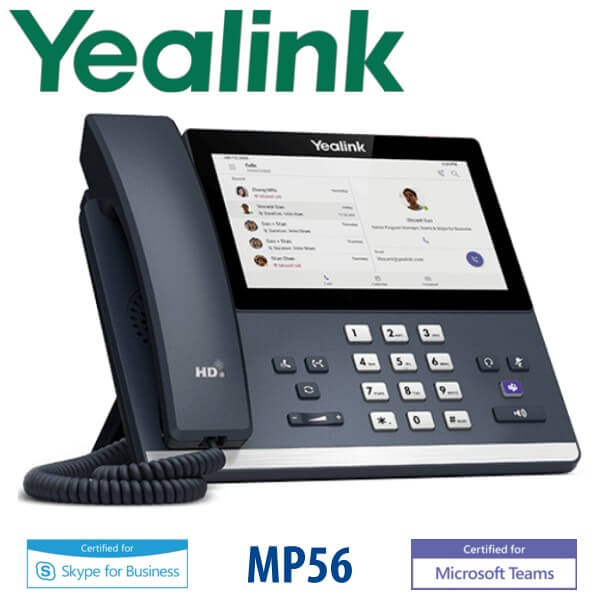
The Yealink MP56 is a native Microsoft Teams IP phone built for offices that have moved calling into Microsoft Teams Phone. Instead of asking users to run every call through a laptop, headset, or mobile app, the MP56 gives them a dedicated desk phone with a 7-inch touch screen, Teams-tailored interface, dedicated Teams button, HD voice, built-in Wi-Fi, Bluetooth, dual Gigabit Ethernet and USB headset support. It is a strong fit for reception counters, manager desks, shared office phones, front-desk users and Microsoft 365 environments in Dubai that want a proper desk handset for Teams calling.
Certification note: Microsoft Teams device status was checked on 23 July 2026. Microsoft lists Yealink MP56 for Microsoft Teams, and the newer MP56 E2 Teams model is also listed in the current Microsoft Teams device catalog. For new deployments, Vector Digital Systems confirms the exact MP56 or MP56 E2 SKU available in Dubai before quoting.
Teams, SIP or Zoom? Order the Right Yealink Phone
This is the biggest Yealink buying trap in UAE projects: the MP56 is a Microsoft Teams phone, not a normal SIP desk phone. It signs in to Microsoft Teams using a Microsoft 365 user or common-area phone account. If your company uses 3CX, Yeastar P-Series, Grandstream UCM, Asterisk or a hosted SIP PBX, you need a Yealink SIP model such as the T7 series instead. A Teams phone cannot be treated as a simple SIP replacement, and a SIP phone cannot be fixed into a Teams phone by field reflash.
| Your Platform | Right Phone | What You Need |
|---|---|---|
| Microsoft Teams Phone | Yealink MP56 / MP56 E2 Teams phone — this page | Microsoft 365 tenant, Teams Phone licence, user or common-area account |
| SIP PBX — 3CX, Yeastar, UCM, Asterisk, hosted PBX | Yealink T7 SIP phone range — ask David for the matching model | SIP credentials from your PBX or hosted provider |
| Zoom Phone | Zoom-certified Yealink range — certification must be checked before quoting | Zoom Phone licence and Zoom-supported device SKU |
PoE Truth — Confirm Power Before Delivery
Do not assume a power adapter is in the box. Yealink desk phones are commonly powered by PoE from the network switch, and the MP56 supports PoE for clean desk installation. If the desk network port is not connected to a PoE-capable switch, ask David to add the correct Yealink PSU to the quote. Vector Digital Systems confirms this before dispatch so the phone does not arrive at a desk with no way to power on.
Why Teams Buyers Choose the MP56
The MP56 sits in the practical middle of the Yealink Teams desk-phone family. It gives users a large 7-inch touch screen and a dedicated Microsoft Teams experience without jumping to the executive MP58-WH tier. For Dubai offices that are rolling out Teams Phone after a Microsoft 365 migration, it is often the best balance: easier to use than an entry shared phone, more desk-friendly than a laptop-only setup, and simple for IT teams to manage through Microsoft and Yealink device-management tools.
Yealink Teams Phone Comparison — MP54 E2 vs MP56 vs MP58-WH E2
| Feature | MP54 E2 | MP56 ★ | MP58-WH E2 |
|---|---|---|---|
| Display | 4-inch touch screen | 7-inch touch screen | 7-inch adjustable touch screen |
| Accounts | Teams user or common-area account | Teams user or front-desk account | Teams executive user account |
| Programmable Keys | Teams UI contacts and calling controls | Teams UI contacts, delegates and calling controls | Premium Teams UI with executive workflow |
| GigE | Yes | Yes — dual Gigabit Ethernet | Yes |
| Wi-Fi / Bluetooth | Confirm by SKU | Built-in Wi-Fi and Bluetooth | Premium wireless and headset workflow |
| Conference | Teams audio calls and meetings | Teams calls, meetings and calendar join | Teams calls and executive meeting workflow |
| Expansion | Not the console-first model | EXP50 support on supported Teams firmware/SKU — verify before quote | Executive phone; expansion need checked per SKU |
| Replaces | Older shared-area Teams phones | Older Teams desk phones and laptop-only Teams calling desks | Executive Teams desk phones |
| Price Tier | Entry | Standard / mid-tier | Premium executive |
| Choose if… | You need common-area or entry Teams phones | You want the practical 7-inch Teams desk phone for daily users and front desks | You are buying for executives who want the premium adjustable-screen model |
Where the Yealink MP56 Fits in Dubai
Teams Phone migrations in DIFC and DMCC. Many Dubai companies have moved email, chat and meetings into Microsoft 365, but still need a proper desk phone for managers, reception, finance, HR and shared-office areas. The MP56 gives those users a familiar handset and speakerphone while keeping calling inside Teams.
Reception and front-desk Teams calling. A front desk in Business Bay, a clinic reception in Jumeirah, a real-estate office in Dubai Marina or a school admin desk in Al Barsha may not want a laptop as the primary phone. The MP56 gives those users a dedicated Teams endpoint with touch-screen contacts, calendar visibility and headset options.
Hybrid offices standardising on Microsoft 365. For users who work between office and home, Teams calling must feel the same across desktop app, mobile app and desk phone. The MP56 helps IT teams standardise calling behaviour while still giving office desks a dedicated device for daily voice work.
Important platform check. If your office uses 3CX, Yeastar P-Series, Grandstream UCM, Asterisk or hosted SIP trunks without Microsoft Teams Phone, do not order the MP56. Ask David for the correct Yealink SIP desk phone instead. If your office uses Microsoft Teams Phone, the MP56 is the correct product family.
Full Technical Specifications
| Specification | Yealink MP56 Microsoft Teams IP Phone |
|---|---|
| Platform | Native Microsoft Teams phone for Teams Phone users and common-area phone accounts |
| Certification | Microsoft Teams device status checked on 23 July 2026; exact MP56 / MP56 E2 SKU verified before quote |
| Display | 7-inch capacitive colour touch screen |
| Teams Controls | Teams-tailored user interface with dedicated Microsoft Teams button |
| Audio | Yealink Optima HD Voice, speakerphone, handset and noise-reduction features |
| Network Ports | Dual Gigabit Ethernet ports for LAN and PC passthrough |
| Wi-Fi | Built-in Wi-Fi; confirm exact wireless standard by MP56 / MP56 E2 SKU before quote |
| Bluetooth | Built-in Bluetooth for supported headsets and Better Together-style desk workflows |
| USB | USB headset support; MP56 E2 also lists USB Type-A and USB Type-C device-mode support by SKU |
| Expansion | EXP50 support on supported firmware/SKU; confirm expansion requirement before quoting a front-desk setup |
| Power | PoE supported; PSU requirement confirmed before dispatch |
| Management | Supports Microsoft and Yealink device-management workflows; tenant settings checked during staging |
| Best For | Teams Phone users, front desks, common-area desks, managers and Microsoft 365 office deployments |
| Not For | Pure SIP PBX users on 3CX, Yeastar, Grandstream UCM, Asterisk or hosted SIP platforms — choose Yealink T7 SIP range instead |
Compatible Accessories
| Accessory | Model / Requirement | Purpose |
|---|---|---|
| USB Headset | Yealink USB headset range — confirm model at quote stage | For reception, call-heavy users and shared office desks |
| Bluetooth Headset | Supported Bluetooth headset models | Wireless desk calling without a USB cable |
| Expansion Module | EXP50 — verify MP56 / MP56 E2 firmware and SKU before quoting | For front-desk or delegate-style Teams phone workflows where supported |
| Power Supply | Yealink PSU — exact model confirmed by SKU | Required where the desk switch does not provide PoE |
Staging Before Dispatch — What Vector Digital Systems Checks
Every Yealink MP56 order is checked before dispatch by Vector Digital Systems LLC in Dubai. We confirm the required Microsoft 365 tenant setup, Teams Phone licensing, user or common-area account requirement, network connection, PoE availability, headset requirement and device-management approach. For project orders, we can pre-label units by user or desk location, prepare deployment notes for the IT team, and test the device workflow before delivery. This avoids the usual Teams-phone surprises: missing licence, wrong platform, no PoE, wrong headset or a phone ordered for a SIP PBX by mistake.
Export from Dubai
Vector Digital Systems supplies Yealink Teams phones from Dubai to Microsoft 365 resellers, telecom operators, system integrators, corporate IT teams and project buyers across the region. Common export routes include Oman, Saudi Arabia, Kuwait, Bahrain and Qatar in the GCC; Jordan and Egypt in the wider Arab market; Kenya and Tanzania in East Africa; and Pakistan and Sri Lanka for South Asian deployments. Shipments move FOB Dubai with commercial invoice, packing list and certificate of origin on request. Ask David for a same-day quote in AED with VAT breakdown, delivery charges and export documentation clearly shown.
Get a same-day quote in AED — Yealink MP56 Teams phone Dubai
Tell David your quantity, whether you need MP56 or current MP56 E2 stock, your Microsoft Teams Phone licence status, PoE availability and headset requirement. Vector Digital Systems quotes with VAT breakdown and delivery included.
Frequently Asked Questions — Yealink MP56 Microsoft Teams IP Phone
Is the Yealink MP56 certified for Microsoft Teams?
Microsoft Teams device status was checked on 23 July 2026. Microsoft lists Yealink MP56 for Microsoft Teams, and Microsoft also lists the newer MP56 E2 Teams model. Vector Digital Systems verifies the exact SKU before quoting so the device matches your Microsoft Teams Phone deployment.
Does the Yealink MP56 work with 3CX, Yeastar or Grandstream UCM?
The MP56 is a Microsoft Teams phone, not the normal SIP desk phone to order for 3CX, Yeastar P-Series, Grandstream UCM, Asterisk or hosted SIP PBX platforms. If you use a SIP PBX, ask David for the correct Yealink T7 SIP model instead.
What licence do I need for the Yealink MP56 Teams phone?
You need a Microsoft 365 tenant with the correct Teams Phone licensing for the user or common-area phone account. Vector Digital Systems checks the intended account type before dispatch so the phone is ordered for the right Teams calling workflow.
Does the Yealink MP56 come with a power adapter, or do I need PoE?
The MP56 supports Power over Ethernet, and many desk-phone deployments use PoE from the network switch. Do not assume a PSU is included. If your switch does not provide PoE, ask David to add the correct Yealink power adapter to the quote before delivery.
Yealink MP56 vs MP56 E2 — which one should I buy?
The MP56 is the established 7-inch Yealink Teams desk phone, while MP56 E2 is the newer standard Teams-phone tier in Yealink’s current range. For new Dubai projects, Vector Digital Systems checks available channel stock and Microsoft certification status, then quotes the correct MP56 or MP56 E2 SKU for your deployment.
Yealink MP56 vs MP58-WH E2 — which one is better?
Choose the MP56 for standard office users, front desks and daily Teams Phone calling with a large 7-inch touch screen. Choose the MP58-WH E2 for executives and senior users who want the premium Yealink Teams phone with an adjustable screen and higher-end desk presence.
Can I use a headset with the Yealink MP56?
Yes. The MP56 supports headset workflows through USB and Bluetooth, depending on the headset model and exact SKU. Tell David whether the user needs wired USB, Bluetooth or call-centre style headset use, and Vector Digital Systems will match the correct Yealink headset before quoting.
Who is the Yealink authorised supplier in Dubai?
Vector Digital Systems LLC has supplied and supported Yealink products in Dubai since 2009. David handles Yealink pre-sales selection, Teams-device checks, staging, project pricing and local warranty handling, so buyers do not need to manage overseas warranty claims themselves.
What is the best Yealink Teams phone for a front desk in Dubai?
For a front desk that uses Microsoft Teams Phone, the MP56 or current MP56 E2 is the standard recommendation because it gives the user a large 7-inch touch screen, dedicated Teams interface, headset options and desk-phone reliability. For executive users, step up to MP58-WH E2; for common areas, MP54 E2 may be enough.
Does Vector Digital Systems export Yealink MP56 Teams phones from Dubai?
Yes. Vector Digital Systems exports Yealink Teams phones from Dubai to integrators, telecom operators and enterprise buyers in Oman, Saudi Arabia, Kuwait, Bahrain, Qatar, Jordan, Egypt, Kenya, Tanzania, Pakistan and Sri Lanka. Shipments are quoted FOB Dubai with commercial invoice, packing list and certificate of origin on request.

