Description
Yealink MVC800 Microsoft Teams Rooms System Medium & Large Meeting Rooms Dubai
Yealink MVC800 for Medium and Large Microsoft Teams Rooms in Dubai
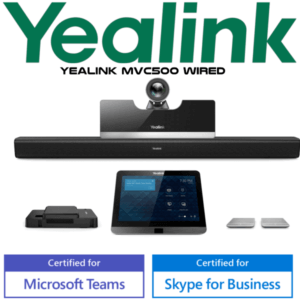
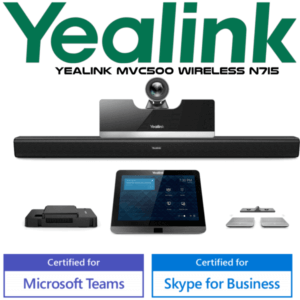
The Yealink MVC800 is a complete Microsoft Teams Rooms system for Dubai meeting rooms where a laptop, webcam and loose speakerphone are no longer enough. It is built for medium and large rooms of around 9–13 people, combining the UVC80 12x optical PTZ camera, VCM34 microphone array, MTouch touch console, MShare content sharing unit and room mini-PC into one Teams Rooms bundle. For boardrooms in DIFC, management meeting rooms in Business Bay, training rooms in Jebel Ali or executive conference spaces in DMCC, the MVC800 gives users the familiar Teams interface with proper room-grade camera, audio and content sharing.
Platform Check — MVC800 Is a Microsoft Teams Rooms System
The MVC800 is not a SIP conference phone and it is not a generic USB camera kit. It is a Microsoft Teams Rooms system for organisations using Microsoft 365 and Teams Rooms licensing. Vector Digital Systems verifies the room platform before quoting so buyers do not order a Teams room kit for a SIP-only boardroom, or a SIP conference phone for a Teams meeting room.
| Your Meeting Platform | Right Yealink Device | What You Need |
|---|---|---|
| Microsoft Teams Rooms | Yealink MVC800 — this page | Microsoft 365 tenant, Teams Rooms licence, display, network and room account |
| SIP / IP PBX audio conference | Yealink CP-series SIP conference phone — ask David for the correct model | SIP account from 3CX, Yeastar, Grandstream UCM, Asterisk or hosted PBX |
| Zoom Rooms | Zoom-certified Yealink room system — verify certification status before quoting | Zoom Rooms licence and compatible room hardware |
Certification check: Microsoft lists Yealink MVC800 with Intel NUC under Teams Rooms on Windows certified systems. Certification status verified on 6 August 2026 before writing this page.
Room Power and Cabling Truth
The MVC800 is a room system, not a single desk device. It needs planned power, network, display HDMI, USB and table cable routing. The mini-PC can be mounted on the wall, placed on the table or fixed to a TV cart, but the room still needs a stable network connection, clean display cabling and power points for the room hardware. Vector Digital Systems checks the room layout before dispatch so the installation team knows where the camera, touch console, microphones, displays and content-sharing unit will sit.
Why the UVC80 Camera Matters in a Larger Room
Medium and large meeting rooms expose the weakness of small USB webcams: the far end of the table becomes soft, faces are too small, and remote participants cannot read body language. The Yealink MVC800 solves that with the UVC80 PTZ camera, which uses 12x optical zoom to capture attendees at the back of the room without relying on poor-quality digital zoom. For Dubai boardrooms where the camera sits above a wall display and the table extends deep into the room, optical zoom is the difference between a usable Teams meeting and a poor one.
MVC800 in the Yealink MVC Range
The MVC800 sits in the middle-large room position of the Yealink MVC family. Choose MVC500 for smaller rooms, MVC800 for medium and large rooms around 9–13 people, and MVC900 when the room is extra-large or training-room sized. This page keeps the MVC800 as the model being quoted — no replacement or successor wording is used.
| Feature | MVC500 | MVC800 ★ | MVC900 |
|---|---|---|---|
| Best Room Fit | Small meeting rooms | Medium and large rooms | Extra-large and training rooms |
| Typical Room Size | Small rooms | 9–13 people | Large boardrooms / training spaces |
| Camera | Room camera for smaller spaces | UVC80 12x optical PTZ | Large-room camera configuration |
| Audio Pickup | Small-room microphone setup | VCM34 microphone array, 20ft / 6m pickup | Expanded large-room audio |
| Touch Console | MTouch console | MTouch 8-inch Teams console | MTouch console |
| Content Sharing | Teams Rooms sharing | MShare wired sharing + WPP20 wireless option | Teams Rooms sharing |
| Model Position | Step-down room size | This model — medium / large room sweet spot | Step-up room size |
| Choose if… | Your room is compact and camera distance is short | You need proper Teams Rooms video and audio for 9–13 people | You are building a very large boardroom, classroom or training room |
Where the MVC800 Works in Dubai
DIFC and Downtown executive boardrooms. Senior management rooms need more than a webcam. The MVC800 gives the table a proper Teams Rooms console, long-room PTZ camera, room microphones and content sharing so regional leadership meetings can start without laptop handover delays.
DMCC, JLT and Business Bay hybrid offices. Hybrid teams need a room that behaves the same every day. Users walk in, the MTouch console wakes through its Human Motion Sensor, the meeting appears on the Teams interface, and the room starts from the touch panel rather than from someone’s laptop.
Training rooms and project rooms in Jebel Ali, DIP and Dubai South. The MVC800 is a strong fit for 9–13 person spaces where remote participants need to see the trainer, the screen and the people at the back of the table. The VCM34 microphone pickup and UVC80 optical zoom make these longer rooms easier to use for Teams collaboration.
Full Technical Specifications
| Specification | Yealink MVC800 |
|---|---|
| Product Type | Microsoft Teams Rooms system for medium and large rooms |
| Recommended Room Size | Medium and large rooms, typically 9–13 people |
| Camera | Yealink UVC80 PTZ camera |
| Camera Zoom | 12x optical zoom for long-room visibility |
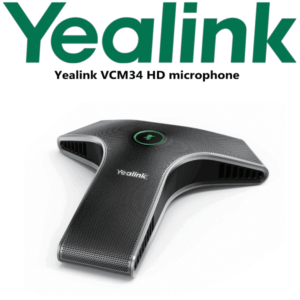
| Microphone | Yealink VCM34 microphone array |
| Voice Pickup | 20ft / 6m pickup range with Yealink Noise Proof Technology |
| Touch Console | MTouch 8-inch touch-control display with Microsoft Teams interface |
| Console Wake Feature | Embedded Human Motion Sensor activates the console when users enter the room |
| Content Sharing | MShare wired sharing via HDMI and Mini-DP; supports 1080P/30FPS content sharing |
| Wireless Presentation | WPP20 wireless presentation option for one-click content sharing |
| Room PC | Mini-PC / Intel NUC based Teams Rooms compute, certified by Microsoft with Core i5, 8GB RAM and 128GB disk listing |
| Mounting | Mini-PC can be placed on the table, wall mounted or installed on a TV cart depending on room design |
| Remote Management | Supports Yealink Device Management Platform / Cloud Service for monitoring, configuration, update and diagnosis |
| Certification | Microsoft Teams Rooms on Windows certified — status verified on 6 August 2026 |
Accessories and Room Add-ons
| Accessory / Component | Use | Buyer Note |
|---|---|---|
| WPP20 Wireless Presentation Pod | One-click wireless presentation sharing | Useful when guests present from laptops without table cable handover |
| Additional VCM34 Microphones | Extends voice pickup across longer tables | Confirm exact microphone quantity after room-size check |
| Display Mounting and Cable Kit | Keeps Teams room cabling clean | Recommended for boardrooms where visible cables are not acceptable |
| Dual Display Setup | Separates remote gallery and shared content | Ask David to quote based on the room’s display layout |
Staging Before Dispatch — What Vector Digital Systems Configures
Vector Digital Systems stages the Yealink MVC800 before dispatch wherever project details are available: Teams Rooms account readiness, device inventory check, MTouch and MShare cabling review, camera and microphone bundle verification, firmware baseline check, room naming, display plan, content-sharing test and handover notes for the installer. For Dubai customers, we coordinate the room layout with the IT or facilities team so the system arrives ready for planned installation instead of becoming a loose-box AV project.
Export from Dubai
Vector Digital Systems exports Yealink MVC800 room systems from Dubai to enterprise IT teams, system integrators, AV installers and Microsoft 365 deployment partners. Common routes include Oman, Saudi Arabia, Qatar, Kuwait and Bahrain across the Gulf; Jordan and Egypt for regional projects; Kenya and Tanzania for East Africa; and Pakistan and Sri Lanka for South Asian deployments. Export shipments move FOB Dubai with commercial invoice, packing list and certificate of origin on request. Ask David for project pricing, documentation and lead-time confirmation based on quantity and destination.
Get a same-day quote in AED for Yealink MVC800
Tell David your room size, number of seats, display count, Teams Rooms licence status, network point location and whether you need installation support. We quote with VAT breakdown and delivery charges included.
Frequently Asked Questions — Yealink MVC800
Is the Yealink MVC800 a Microsoft Teams Rooms system?
Yes — the Yealink MVC800 is a Microsoft Teams Rooms system for medium and large meeting rooms. Microsoft lists Yealink MVC800 with Intel NUC under Teams Rooms on Windows certified systems, and Vector Digital Systems verified that certification status on 6 August 2026 before writing this page.
What room size is the Yealink MVC800 designed for?
The MVC800 is designed for medium and large meeting rooms, typically around 9–13 people. It is a strong fit for Dubai boardrooms, management meeting rooms, project rooms and training spaces where a small USB camera cannot properly cover the far end of the table.
What camera comes with the Yealink MVC800?
The MVC800 bundle uses the Yealink UVC80 PTZ camera with 12x optical zoom. This is useful in longer rooms because the camera can capture attendees at the back of the meeting table without relying on low-quality digital zoom.
What microphone does the MVC800 use?
The MVC800 uses the Yealink VCM34 microphone array with 20ft / 6m voice pickup and Yealink Noise Proof Technology. For longer tables, David can confirm whether additional microphones are needed based on the room drawing and seating layout.
Does the MVC800 support wireless content sharing?
Yes — the MVC800 supports content sharing through MShare, with HDMI and Mini-DP inputs for wired presentation. The WPP20 wireless presentation option can also be used for one-click wireless sharing, useful for guest presenters and laptop-heavy meeting rooms.
MVC500 vs MVC800 — which one should I buy?
Choose MVC500 for smaller rooms where camera distance is short. Choose MVC800 for medium and large rooms of around 9–13 people where you need the UVC80 12x optical PTZ camera and room microphone coverage. For very large boardrooms or training rooms, ask David to size the MVC900 or current Yealink large-room system.
Can the Yealink MVC800 be used for Zoom Rooms?
This page is for the Microsoft Teams Rooms MVC800 configuration. If your organisation uses Zoom Rooms, ask David to verify the current Zoom-certified Yealink room system before quoting. Do not assume a Teams Rooms bundle is the right purchase for a Zoom-only room.
Who is the Yealink authorised supplier in Dubai?
Vector Digital Systems LLC has supplied and integrated Yealink solutions in Dubai since 2009. David handles Yealink pre-sales specification, room-system quoting, staging coordination, project pricing and local warranty support for Dubai and export customers.
Does Vector Digital Systems configure the MVC800 before delivery?
Yes — Vector Digital Systems stages the MVC800 project before dispatch where customer details are available: device inventory check, Teams Rooms account readiness, firmware baseline, room naming, display plan, camera and microphone layout, and content-sharing test notes for the installer.
Does Vector Digital Systems export Yealink MVC800 systems from Dubai?
Yes — Vector Digital Systems exports Yealink MVC800 systems from Dubai to system integrators, Microsoft 365 partners, AV installers and enterprise buyers in Oman, Saudi Arabia, Qatar, Kuwait, Bahrain, Jordan, Egypt, Kenya, Tanzania, Pakistan and Sri Lanka. Shipments move FOB Dubai with commercial invoice, packing list and certificate of origin on request.