
Description
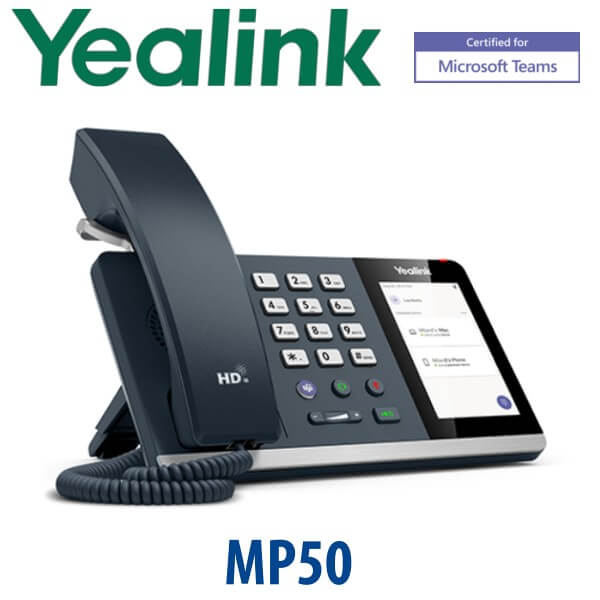
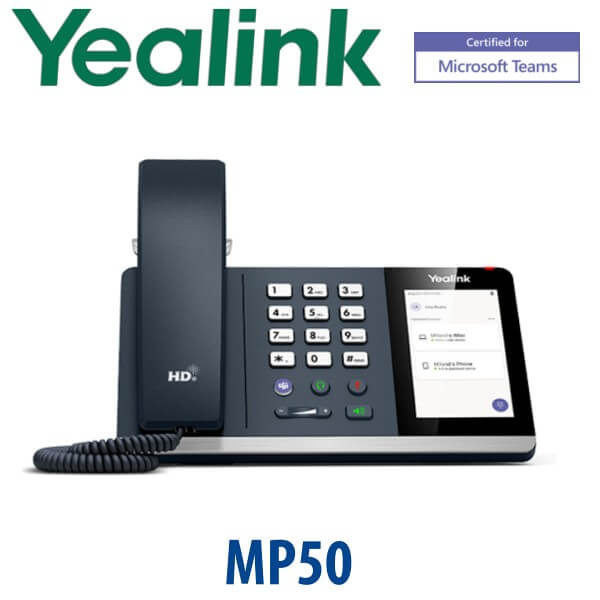
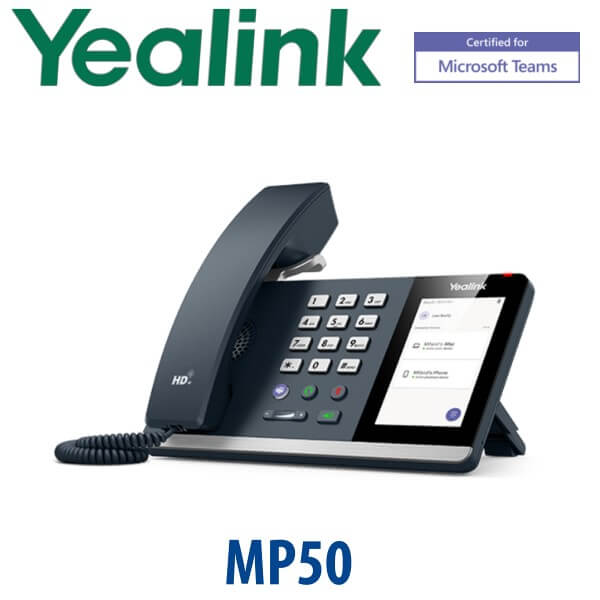
Yealink MP50 Microsoft Teams USB Phone Dubai
Yealink MP50 Is EOL — Order the MP45 Teams USB Phone Instead
The Yealink MP50 Microsoft Teams USB Phone has reached end-of-sale, and Yealink names the MP45 Teams as the replacement path. The MP45 keeps the same buyer idea — a real handset, keypad, speakerphone and Teams button for users who live in Microsoft Teams on a PC — but moves the product into the current Yealink Teams USB range. For Dubai hot desks, reception support users, hybrid staff and call-heavy Teams users who do not want to wear a headset all day, the MP45 is the model to quote instead of the MP50.
Platform Check — Teams USB Phone, Not a SIP Desk Phone
The MP45 is not a SIP desk phone and it does not register directly to 3CX, Yeastar, Grandstream UCM or a hosted SIP PBX. It works as a USB phone peripheral for a PC running Microsoft Teams. This is the key ordering difference: a SIP phone needs SIP credentials, while the MP45 needs a Teams user on a PC with the right Microsoft Teams calling setup.
| Your Platform | Right Phone | What You Need |
|---|---|---|
| Microsoft Teams on PC | Yealink MP45 Teams USB Phone — this page | Windows PC or laptop running Teams, plus Teams Phone licensing where PSTN calling is required |
| Teams desk phone without PC dependency | Yealink MP54 E2 / MP56 E2 / MP58 E2 Teams desk phone range — ask David for the current certified model | Microsoft 365 tenant, Teams Phone licence and device sign-in policy |
| SIP PBX — 3CX, Yeastar, UCM, hosted PBX | Yealink SIP T-series phone, not MP45 | SIP extension credentials from your PBX |
| Zoom Phone | Zoom-certified Yealink range — verify before ordering | Zoom Phone licence per user |
Power Truth — No PoE, No SIP Port, No Network Passthrough
The MP45 is a USB phone, not a PoE IP phone. It connects to the user’s PC over USB and is powered through that USB connection. It does not have dual Ethernet ports, it does not pass network traffic to a laptop, and it does not take SIP credentials. If the buyer wants a standalone desk phone on the network, quote the Yealink MP54 E2 / MP56 E2 Teams desk phone range for Teams, or a Yealink SIP T-series phone for SIP systems.
Why MP45 Replaces the MP50 for Dubai Buyers
The MP50 was popular because it gave Teams users a proper telephone experience: handset, keypad, speakerphone, touch screen and Teams call control. The MP45 keeps that same use case but removes the confusion of buying an end-of-sale model. It is a strong fit for Dubai offices where users already have Teams on laptops but still prefer a physical phone for long calls, reception overflow, support desks, finance teams and shared hot desks.
MP45 in the Yealink Teams Range — Where It Sits
| Feature | MP50 | MP45 ★ | MP54 E2 |
|---|---|---|---|
| Product status | End-of-sale / successor needed | Current replacement path for MP50 buyers | Current Teams desk phone range |
| Device type | Teams USB phone | Teams USB phone | Standalone Teams IP desk phone |
| Display | 4.0″ 480×800 touch | 4.0″ 480×800 touch | Teams desk phone display |
| Accounts / sign-in | Controlled by PC Teams client | Controlled by PC Teams client | Device signs into Teams account |
| Programmable keys | Fixed Teams call keys | Fixed Teams, headset, mute, speaker keys + dial pad | Teams desk phone UI and hard keys |
| GigE / network port | No — USB phone | No — USB phone | Standalone network phone |
| Wi-Fi / Bluetooth | Built-in Bluetooth | No built-in Bluetooth listed; PC handles Teams connectivity | Depends on MP54 E2 configuration |
| Conference | Handled by Teams app | Handled by Teams app | Handled by Teams device/client |
| Expansion | No expansion module | No expansion module | Teams desk phone family options |
| Replaces | Legacy model | MP50 Teams USB phone | Standalone Teams desk phone need |
| Price tier | Do not quote unless sell-through stock is approved | Cost-effective Teams USB phone | Higher tier standalone Teams phone |
| Choose if… | Only if replacing one-for-one from approved remaining stock | You asked for MP50 but want the current Teams USB phone successor | You need a phone that works without keeping a PC connected |
Where the MP45 Works in Dubai
Teams hot desks in DIFC and Business Bay. Users bring a laptop, sign into Teams and connect one USB phone for a real keypad, handset and speakerphone. It gives a familiar desk-phone feel without assigning a full standalone IP phone to every temporary seat.
Reception support and admin users. Not every Teams user wants a headset for the full day. The MP45 gives front-office staff a proper handset for longer calls, plus quick mute, speaker and Teams controls on the desk.
Finance, HR and procurement teams. Departments that spend hours on Teams Phone calls often prefer a stable desk device instead of laptop speakers. The MP45 keeps the Teams workflow on the PC while improving call handling comfort.
Education and training rooms. The MP45 is useful in classroom, lab and shared training setups where the phone should follow the PC session rather than a permanently assigned user account.
Full Technical Specifications
| Specification | Yealink MP45 Teams USB Phone |
|---|---|
| Product type | Microsoft Teams USB desktop phone for PC-based Teams calling |
| Certification | Microsoft Teams device listing verified 23 July 2026 |
| Display | 4.0″ 480×800 capacitive touch screen with backlight |
| User interface | Microsoft Teams-tailored user interface |
| Connection | USB connection to PC with USB-A / USB-C adapter cable |
| Power | Powered through USB connection; optional external Yealink AC adapter 5V/1.2A where required |
| Operating system | Linux |
| Memory / storage | 64MB memory, 128MB storage |
| Audio | HD handset, HD speaker, full-duplex hands-free speakerphone with AEC |
| Noise handling | Noise suppression, Adaptive Jitter Buffer and Automatic Gain Control |
| Hearing support | Hearing aid compatible handset |
| Feature keys | Teams, headset, mute and speakerphone keys, plus volume keys and dial pad |
| Indicator | Message Waiting Indicator |
| Ports | RJ9 handset port, RJ9 headset port, 2.5mm busylight jack |
| Network / PoE | No Ethernet and no PoE — this is a USB phone for a PC, not a standalone SIP or Teams IP phone |
| Stand | Desk stand included; wall-mount support available |
| Dimensions | 223mm × 159mm × 127mm × 36mm |
| Package content | MP45 USB phone, handset with handset cord, stand, quick start guide; optional power adapter and optional busylight |
| Replaces | Recommended replacement path for Yealink MP50 Teams USB phone buyers |
Compatible Accessories
| Accessory | Model / Type | Purpose |
|---|---|---|
| Busylight | Yealink busylight via 2.5mm port | Shows busy status at shared desks and open-plan Teams workstations |
| RJ9 wired headset | Yealink / compatible RJ9 headset | Hands-free calling for support, admin and reception users |
| Power adapter | Yealink 5V/1.2A adapter, optional | Used only where the installation design requires external power support |
| Wall mount | MP-series wall-mount bracket, confirm at quote | For classrooms, counters and shared work areas where desk space is limited |
Staging Before Dispatch — What We Check
The MP45 does not need SIP registration, BLF programming or PBX provisioning because it is a USB Teams phone. Vector Digital Systems still stages the order before dispatch: model and firmware status checked, Teams USB use case confirmed, USB-A / USB-C connection requirement checked, optional busylight or RJ9 headset matched, and a basic PC recognition test completed where project staging is requested. For bulk hot-desk deployments, David can help your IT team separate MP45 USB users from standalone MP-series Teams phone users before the order is released.
Export from Dubai
Vector Digital Systems supplies Yealink Teams USB phones and Teams desk phones from Dubai to system integrators, corporate IT teams and procurement buyers across the region. Common export routes include Oman, Saudi Arabia, Kuwait, Bahrain and Qatar in the Gulf; Jordan and Egypt for regional deployments; Kenya, Tanzania and Uganda in East Africa; and Pakistan, Sri Lanka and Bangladesh for South Asian projects. Shipments move FOB Dubai with commercial invoice, packing list and certificate of origin on request. Share your quantity, destination and required accessories with David for a same-day AED quote with VAT and delivery details.
Get a same-day quote in AED for the Yealink MP45 Teams USB Phone
Tell David whether you need MP45 USB phones for PC-based Teams users, or standalone MP-series Teams desk phones for users without a dedicated PC. Quote includes VAT breakdown, delivery and accessory options.
Frequently Asked Questions — Yealink MP45 Teams USB Phone
Is the Yealink MP45 the replacement for the MP50 Teams USB Phone?
Yes. Yealink has discontinued the MP50 Microsoft Teams Edition and names the MP45 Teams as the recommended replacement solution. If you asked for MP50 in Dubai, Vector Digital Systems will quote the MP45 unless you specifically need approved sell-through stock for a like-for-like replacement.
Is the Yealink MP45 Microsoft Teams certified?
Yes. The Yealink MP45 appears on Microsoft’s Teams enabled devices list, and Vector Digital Systems verified the listing on 23 July 2026 before writing this page. Certification status can change, so David re-checks Teams device status during project quotes.
Does the Yealink MP45 work without a PC?
No. The MP45 is a USB phone peripheral for a PC running Microsoft Teams. It is ideal when the user already works from a Teams laptop or desktop. If you need a standalone Teams phone that signs into Teams without a PC, ask David for the current Yealink MP-series Teams desk phone instead.
Does the Yealink MP45 work with 3CX, Yeastar or Grandstream UCM?
No. The MP45 is not a SIP desk phone and it does not register to 3CX, Yeastar, Grandstream UCM or a hosted SIP PBX. For SIP systems, choose a Yealink SIP T-series phone. For Microsoft Teams on a PC, choose the MP45.
Does the Yealink MP45 need PoE or a power adapter?
The MP45 is not a PoE phone. It connects and powers through USB from the PC in a normal deployment. Yealink lists an optional 5V/1.2A external adapter where required, so David will confirm your desk setup before quoting accessories.
Yealink MP45 vs MP54 E2 — which one should I buy?
Choose the MP45 if the user already has a PC running Microsoft Teams and simply wants a physical handset, keypad and speakerphone. Choose the MP54 E2 or another MP-series Teams desk phone if the user needs a standalone phone that signs into Teams without relying on a connected PC.
Can I use a headset with the Yealink MP45?
Yes. The MP45 includes an RJ9 headset port for wired headset use. For Teams users who switch between handset calls and hands-free calls, David can quote the MP45 with a compatible Yealink or third-party RJ9 headset.
What is the best Yealink Teams phone for hot desks in Dubai?
For PC-based hot desks, the Yealink MP45 is the best fit because users connect it to the workstation and keep the Teams session on the PC. For hot desks where the phone must work without a PC, step up to a standalone Yealink MP-series Teams desk phone.
Who is the authorised Yealink supplier in Dubai?
Vector Digital Systems LLC has supplied Yealink products and VoIP solutions in Dubai since 2009. David is the Yealink specialist for pre-sales selection, Teams/SIP platform checks, staging, project pricing and local warranty handling.
Does Vector Digital Systems export Yealink MP45 Teams USB phones from Dubai?
Yes. Vector Digital Systems exports Yealink Teams USB phones and MP-series Teams devices from Dubai to integrators and corporate buyers in Oman, Saudi Arabia, Kuwait, Bahrain, Qatar, Jordan, Egypt, Kenya, Tanzania, Uganda, Pakistan, Sri Lanka and Bangladesh. Export quotes are FOB Dubai with commercial invoice, packing list and certificate of origin on request.

