
Description
Yealink MeetingDisplay 75-Inch Collaboration Display for Meeting Rooms Dubai
75-Inch Yealink Collaboration Display for Dubai Meeting Rooms
The Yealink MeetingDisplay 75 is built for meeting rooms that need more than a standard TV. It gives your boardroom, training room, classroom, or executive meeting space a large 75-inch interactive canvas for video meetings, room content, presentations, whiteboard workflows, and corporate digital signage. For Dubai offices standardising on Yealink room hardware, it becomes the front-of-room display that ties the camera, audio bar, compute unit, and meeting platform into one cleaner room experience.
Vector Digital Systems supplies the Yealink MeetingDisplay 75 in Dubai with room-design guidance, quote in AED, VAT and delivery breakdown, mounting/accessory guidance, and staging support before dispatch. Tell David your room size, meeting platform, camera/audio hardware, and whether the display will be wall-mounted or used on a mobile stand.
Platform Check: Display, Teams Rooms, Zoom Rooms or BYOD?
The MeetingDisplay 75 is not a SIP desk phone and should not be treated like a Yealink T-series phone. It is a collaboration-room display that normally works as part of a complete room system: display + camera/audio device + compute or room appliance + platform licence. The platform decision must be made before ordering, especially when the buyer expects Microsoft Teams or Zoom functionality.
| Your Room Platform | Right Setup | What You Need |
|---|---|---|
| Microsoft Teams Rooms | MeetingDisplay 75 with a verified Yealink Teams Rooms compute/camera/audio kit | Teams Rooms licence, Microsoft 365 tenant, room account, and certified room hardware verified before quote |
| Zoom Rooms | MeetingDisplay 75 with Zoom Rooms compute and compatible Yealink camera/audio hardware | Zoom Rooms licence, room account, camera/audio kit and certification status checked per project |
| BYOD laptop meetings | MeetingDisplay 75 as the room display with USB/HDMI sharing and separate camera/audio hardware | User laptop, conferencing app, HDMI/USB-C sharing path and room peripherals |
| Digital signage / corporate notices | MeetingDisplay 75 used for branding, announcements, visitor messages and room information | Content source, signage schedule and network/power plan |
Certification note: do not assume the screen alone makes a room Microsoft Teams-certified or Zoom-certified. Certification is normally tied to the complete room system: compute, camera, audio device, controller and firmware. Vector Digital Systems verifies the current Microsoft or Zoom certification status at quote stage before naming a certified room package.
Power, Mounting and Installation Truth
The MeetingDisplay 75 is a mains-powered display, not a PoE desk phone. Plan a dedicated AC power point behind or near the display, a safe cable path to the room table or compute unit, and a wall/mounting structure suitable for a 75-inch collaboration screen. For Dubai fit-outs, this matters more than the display itself: a beautiful meeting room can still fail if power, conduit, cable length, camera position and table connectivity are not planned together.
Buyer check before order: confirm wall type, screen height, cable route, room table position, camera/audio model, meeting platform, and whether you need a mobile trolley instead of wall mounting. David will use this to quote the correct Yealink room package and avoid missing brackets, cables or platform licences.
Where the MeetingDisplay 75 Sits in the Range
The 75-inch size is the middle choice in the MeetingDisplay family. Choose the 65-inch display for smaller rooms and compact huddle spaces, the 75-inch display for standard boardrooms and training rooms, and the 86-inch display where the screen must be readable from the far end of a large room. In Dubai offices, the 75-inch model is usually the safest boardroom size: large enough for shared spreadsheets, remote participants and room signage, without overwhelming a medium meeting space.
| Feature | MeetingDisplay 65 | MeetingDisplay 75 ★ | MeetingDisplay 86 |
|---|---|---|---|
| Display Size | 65-inch | 75-inch | 86-inch |
| Best Room Fit | Huddle room / small meeting room | Boardroom / training room / classroom | Large boardroom / seminar room |
| Meeting Platform Role | Display for room kit | Display for room kit | Display for room kit |
| Digital Signage | Yes | Yes | Yes |
| Touch / Collaboration | Yes — verify exact configuration | Yes — verify exact configuration | Yes — verify exact configuration |
| Teams / Zoom Use | Requires correct room kit | Requires correct room kit | Requires correct room kit |
| Replaces | Small-room TV + ad-hoc laptop | Boardroom TV + loose camera + messy cables | Projector or oversize TV wall |
| Price Tier | Lower | Mid-range room display | Higher |
| Choose if… | You are fitting a small room and need a cleaner front-of-room display | You want the best all-round size for boardrooms, training rooms and hybrid meetings | The farthest seat needs a larger image for spreadsheets, diagrams and remote participants |
Dubai Use Cases for the Yealink MeetingDisplay 75
DIFC and Business Bay boardrooms. A 75-inch display gives directors, clients and hybrid attendees a professional front-of-room experience. Instead of a consumer TV, loose webcam and table full of adapters, the MeetingDisplay 75 becomes part of a planned Yealink room package with the correct camera, audio and meeting platform.
DMCC training rooms and classrooms. The 75-inch size is useful where users need to see shared slides, spreadsheets, diagrams, and remote speakers from multiple rows. For education, professional training and onboarding rooms, it supports a more interactive teaching format than a passive projector.
Hotel and corporate visitor spaces. When the room is not in a live meeting, the screen can show visitor messages, brand content, schedules, internal notices or welcome signage. Dubai hotels, clinics, real estate offices and enterprise reception areas can use the same display investment for both collaboration and communication.
Government and enterprise meeting-room refreshes. Many UAE meeting rooms still run on projectors or ageing TVs. A Yealink room refresh standardises the display, camera, audio and management layer, making support easier for IT and reducing the “which cable do I use?” problem before meetings.
Full Technical Specification
| Specification | Yealink MeetingDisplay 75 |
|---|---|
| Product Type | 75-inch collaboration display for meeting rooms and digital signage |
| Display Size | 75 inches |
| Range Sizes | MeetingDisplay family available in 65-inch, 75-inch and 86-inch sizes |
| Primary Use | Front-of-room display for video meetings, presentations, shared content and signage |
| Touch / Collaboration | Designed as a collaborative touch display; exact touch/stylus configuration confirmed against current Yealink datasheet before quote |
| Digital Signage | Supports corporate messages, branding content, room notices and display-based communication workflows |
| Microsoft Teams Rooms Use | Use with a verified Teams Rooms compute/camera/audio package; certification checked for the complete room system before quoting |
| Zoom Rooms Use | Use with Zoom Rooms compute and compatible Yealink room peripherals; certification status verified per project |
| BYOD Use | Can be planned as the room display for laptop-based meetings with suitable input, camera and audio hardware |
| Room Management | Designed for simplified room-device management and adjustment of room-display settings as part of a Yealink room ecosystem |
| Power | AC mains power required; not PoE-powered |
| Mounting | Wall mount or mobile-stand deployment to be confirmed based on room layout and site condition |
| Best Room Size | Medium to large boardrooms, training rooms, classrooms and executive meeting spaces |
| Quote Includes | AED quote with VAT breakdown, delivery charges, required room accessories and installation guidance |
Compatible Room Accessories and Add-Ons
| Accessory / Component | Purpose | Quote Note |
|---|---|---|
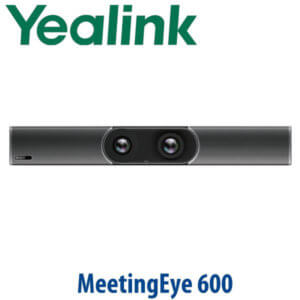
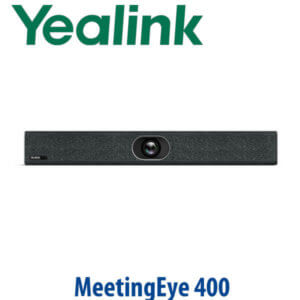
| Yealink Room Camera | Video capture for Teams, Zoom or BYOD meetings | Camera model selected by room size and seating layout |
| Audio Bar / Speakerphone | Microphone pickup and speaker output for hybrid meetings | Pickup range matched to table length and participant count |
| Teams Rooms / Zoom Rooms Compute | Runs the room application and connects platform accounts | Certification status verified for the full room kit before quote |
| Room Controller | Start/join meetings and control room functions from the table | Specified only if required by platform and room kit |
| Wall Mount / Mobile Stand | Mounts the 75-inch display securely | Wall type, height and cable path confirmed before final quote |
| Cables and Table Connectivity | HDMI, USB, USB-C or network paths for content and room hardware | Lengths and routing confirmed from room drawing or site photo |
Staging Before Dispatch
Vector Digital Systems stages Yealink meeting-room packages before dispatch wherever the room design allows it. For the MeetingDisplay 75, that means checking the display requirement against the chosen platform, confirming camera/audio compatibility, verifying Teams Rooms or Zoom Rooms certification status for the complete room kit, preparing the room-device list, labelling cables where applicable, and confirming the content path before delivery. For corporate projects, we also prepare room naming, account notes, display settings and handover information so your IT team is not discovering missing parts during installation.
Export from Dubai
Vector Digital Systems exports Yealink room displays and collaboration hardware from Dubai to system integrators, corporate procurement teams, hotel groups, education projects and government IT departments. We support FOB Dubai shipments with commercial invoice, packing list and certificate of origin on request. Common export destinations include Oman, Saudi Arabia, Qatar, Bahrain and Kuwait in the Gulf; Jordan and Egypt for regional projects; Kenya and Tanzania for East Africa; and Pakistan and Sri Lanka for South Asian deployments. Because a 75-inch display is a large-format item, David will confirm packing, handling and freight details before final quote.
Get a same-day quote in AED for Yealink MeetingDisplay 75
Tell David your room size, meeting platform, wall or trolley preference, camera/audio requirement, and delivery location. We quote with VAT breakdown, delivery charges and required accessories.
Frequently Asked Questions — Yealink MeetingDisplay 75
Is the Yealink MeetingDisplay 75 a Microsoft Teams device?
The MeetingDisplay 75 is a collaboration-room display, not a standalone Teams phone or complete Teams Rooms system by itself. It can be used as part of a Microsoft Teams Rooms setup when paired with the correct compute, camera, audio and controller hardware. Vector Digital Systems verifies the current Microsoft certification status for the complete room kit before quoting.
Can the MeetingDisplay 75 be used for Zoom Rooms?
Yes, the MeetingDisplay 75 can be planned as the front-of-room display for a Zoom Rooms setup when paired with the correct Zoom Rooms compute, camera and audio hardware. Certification and compatibility are checked at quote stage so the room is supplied as a working package, not just a screen.
MeetingDisplay 65 vs 75 vs 86 — which size should I buy?
Choose MeetingDisplay 65 for huddle rooms and smaller spaces, MeetingDisplay 75 for standard boardrooms, training rooms and classrooms, and MeetingDisplay 86 for large boardrooms or seminar rooms where people sit farther from the screen. The 75-inch model is the best all-round choice for many Dubai meeting rooms because it is large enough for shared content without dominating the room.
Does the Yealink MeetingDisplay 75 include a camera and microphone?
Treat the MeetingDisplay 75 as the room display. Camera, microphone, speaker, compute and controller hardware are specified separately based on the room size and platform. David will quote the correct Yealink room package so you do not end up with a display but no meeting audio or camera.
Can the MeetingDisplay 75 show digital signage when the room is not in a meeting?
Yes, the MeetingDisplay family is designed for meeting-room display use and corporate digital-signage workflows. Dubai offices can use it for visitor messages, internal announcements, branding, room schedules and training notices when the room is not in an active meeting.
Does the MeetingDisplay 75 need PoE or a power adapter?
The MeetingDisplay 75 is a large-format collaboration display and requires AC mains power. It is not powered by PoE like a Yealink desk phone. Before ordering, confirm the power point, wall position, cable route and mounting method so the installation is clean and safe.
What is the best Yealink display for a Dubai boardroom?
For a typical Dubai boardroom, the Yealink MeetingDisplay 75 is the best middle choice because it gives enough screen size for remote participants, shared spreadsheets and presentations without requiring the wall space of an 86-inch display. For smaller huddle rooms choose the 65-inch model; for larger seminar rooms step up to the 86-inch model.
Who is the authorised Yealink supplier in Dubai?
Vector Digital Systems LLC has supplied Yealink products and VoIP solutions in Dubai since 2009. David leads the Yealink product team and handles pre-sales specification, room-package selection, project pricing, staging and local warranty support.
Does Vector Digital Systems configure the MeetingDisplay 75 before delivery?
Yes, Vector Digital Systems prepares the room-device plan before dispatch. For complete Yealink room packages, we check display requirements, camera/audio compatibility, platform certification status, cable requirements, room naming, account notes and handover information before delivery.
Does Vector Digital Systems export Yealink MeetingDisplay 75 from Dubai?
Yes, Vector Digital Systems exports Yealink collaboration displays and room systems from Dubai to integrators, corporate buyers and project teams in Oman, Saudi Arabia, Qatar, Bahrain, Kuwait, Jordan, Egypt, Kenya, Tanzania, Pakistan and Sri Lanka. Shipments are quoted FOB Dubai with commercial invoice, packing list and certificate of origin on request.