
Description
Yealink MTouch Plus Touch Panel 11.6″ Teams & Zoom Room Controller Dubai
The Touch Panel That Makes a Yealink Meeting Room Feel Simple
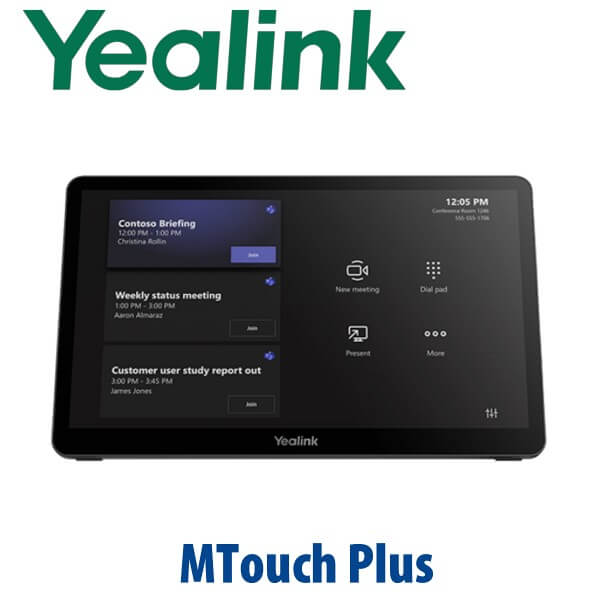
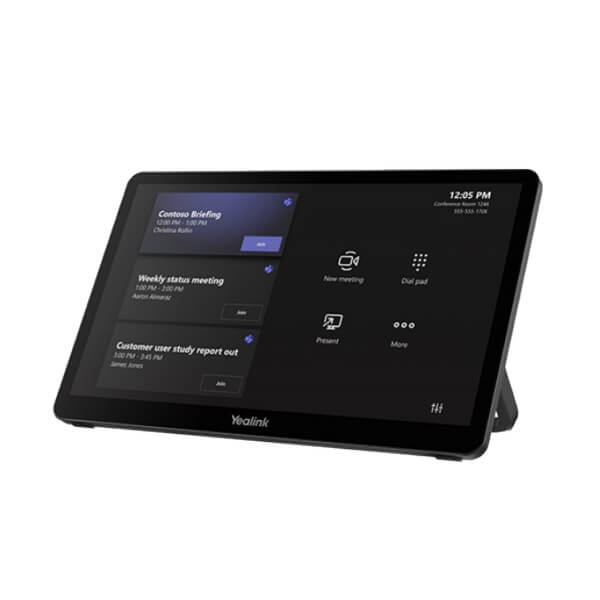
The Yealink MTouch Plus is the 11.6-inch touch controller used to manage modern Yealink meeting rooms from the table, wall, or flat surface. Instead of asking users to hunt through a laptop, remote control, or keyboard before every call, the MTouch Plus gives the room a clear meeting console: start the meeting, control the camera, share content, adjust layouts, and manage the session from one familiar screen. Vector Digital Systems supplies and stages Yealink room systems in Dubai for Microsoft Teams Rooms, Zoom Rooms, boardrooms, training rooms, executive suites, and export projects.
Platform First: Teams Room, Zoom Room, or BYOD?
MTouch Plus is a room-control touch panel, not a SIP desk phone and not a standalone Teams phone. Certification and compatibility depend on the complete Yealink room bundle you deploy — for example, the MVC series for Microsoft Teams Rooms or ZVC series for Zoom Rooms. Before quoting, David confirms the room platform, the compute unit, the camera, the audio devices, the display layout, and the certification status of the full room kit.
| Your Room Platform | Right Yealink Setup | What You Need |
|---|---|---|
| Microsoft Teams Rooms on Windows | Yealink MVC room system with MTouch Plus controller | Teams Rooms licence, Microsoft 365 tenant, certified MVC bundle verified before quote |
| Zoom Rooms | Yealink ZVC / Zoom Rooms kit using MTouch Plus where supported | Zoom Rooms licence and Zoom-certified room bundle verified before quote |
| BYOD / laptop sharing room | MTouch Plus with compatible Yealink room hardware and sharing accessories | USB-C / HDMI sharing path, room display, camera and audio plan |
Certification note: the MTouch Plus is usually quoted as part of a complete Yealink room system. We verify Microsoft Teams or Zoom certification against the official certified-device lists for the full bundle at quote stage, not from the touch panel name alone.
Power and Cabling Truth — Plan the Table Before You Order
A meeting-room controller is only as good as the cable plan under the table. MTouch Plus includes the touch panel, mounting bracket, double-coating tape, USB Type-C cable with HDMI adapter, and 7.5m Ethernet cable. The WPP30 wireless presentation pod and 65W PD power supply are optional, so they must be included in the quote if your room design needs wireless presentation or laptop charging during USB-C content sharing. Vector Digital Systems confirms the table position, display location, MCore / compute placement, and cable route before dispatch so installation day is not delayed by missing accessories.
Where MTouch Plus Sits in the Yealink Room Range
The MTouch Plus is the newer, larger-room controller step above older Yealink room touch panels. It is designed for modern MVC and ZVC room deployments where users expect a large anti-glare screen, flexible placement, multi-panel control options, and smoother content sharing. For small rooms with a simple front-of-room bar, a MeetingBar with basic touch control may be enough. For a boardroom or divisible training room, the MTouch Plus becomes the table interface everyone understands.
MTouch Plus vs Room Controller Alternatives
| Feature | Basic Room Control | MTouch Plus ★ | MTouch Plus + EXT Panels |
|---|---|---|---|
| Best Fit | Small huddle room | Standard meeting room, boardroom, training room | Large or multi-position room |
| Display | Varies by kit | 11.6″ anti-glare IPS | Multiple 11.6″ panels where supported |
| Resolution | Varies | 1920 × 1080 | 1920 × 1080 per panel |
| Touch | Basic touch or remote control | 10-point multi-touch | Multi-position touch control |
| Placement | Usually table only | Wall, desk, or flat placement | Multiple control points |
| Content Sharing | Depends on room kit | USB-C with HDMI adapter; WPP30 optional | Designed for larger shared-room workflows |
| Platform | Kit-dependent | MVC / ZVC room systems where supported | Large MVC / ZVC projects where supported |
| Price Tier | Entry | Professional room standard | Large-room / project tier |
| Choose if… | You only need a simple huddle-room controller | You want a proper touch console for a Dubai boardroom, Teams Room, or Zoom Room | You need more than one control position in a large room |
Where MTouch Plus Works in Dubai
DIFC and DMCC boardrooms. Executive meeting rooms need a controller that looks professional, wakes quickly, and does not require IT support for every call. MTouch Plus gives directors and visitors a clear touch interface for scheduled Teams or Zoom meetings, camera control, and content sharing.
Business Bay and JLT training rooms. Training rooms often run multiple sessions per day with different presenters. The USB-C sharing path, optional WPP30 wireless presentation, and anti-glare 11.6-inch display reduce the friction of switching laptops between sessions.
Hotel, healthcare, and government meeting rooms. Reception meeting rooms, clinic conference rooms, and public-sector rooms need simple controls because users change constantly. MTouch Plus keeps the meeting workflow on the table instead of buried inside a laptop.
Large and divisible rooms. In bigger spaces, users may need control from more than one position. MTouch Plus supports multi-panel control in compatible Yealink deployments, giving presenters and facilitators access to camera and meeting controls from different parts of the room.
Full Technical Specifications
| Specification | Yealink MTouch Plus |
|---|---|
| Product Type | Meeting room touch control panel |
| Screen Size | 11.6-inch IPS screen |
| Screen Coating | Anti-fingerprint and anti-glare |
| Resolution | 1920 × 1080 Full HD |
| Touch | 10-point multi-touch |
| Brightness / Contrast | 290 cd/m² brightness; 1000 contrast ratio |
| Main Room Connection | 1× MCore Pro VCH port |
| USB-C Ports | 1× USB 2.0 Type-C; 1× USB 2.0 Type-C PD port |
| USB-A Ports | 1× USB 2.0 Type-A for WPP30; 1× USB 2.0 Type-A |
| HDMI Ingest | HDMI 2.0 ingest via included USB Type-C cable with HDMI adapter |
| Expansion Port | 1× Ext Touch RJ-45 port |
| Headset Port | 1× 3.5mm headset port |
| Wireless | Wi-Fi IEEE 802.11 a/b/g/n/ac/ax; Bluetooth 5.2 |
| RoomSensor Support | Supports automatic wake-up with Yealink RoomSensor in compatible deployments |
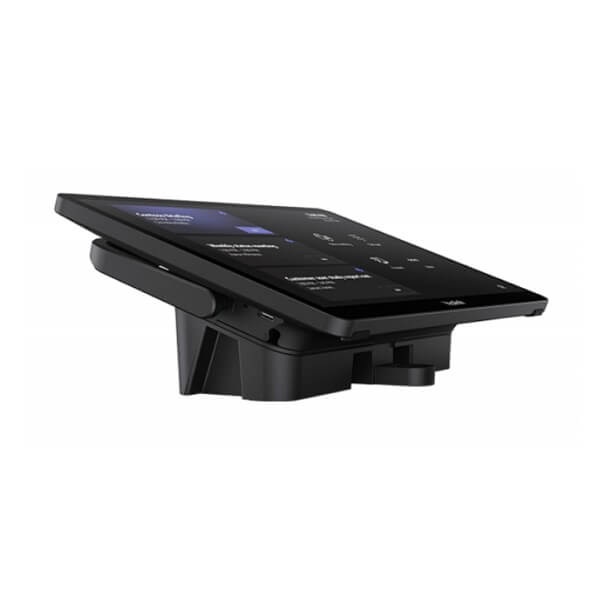
| Deployment Methods | Wall mount, desktop stand, or flat placement |
| Package Content | MTouch Plus touch panel, mounting bracket, double-coating tape, USB Type-C cable with HDMI adapter, 7.5m Ethernet cable |
| Optional Accessories | WPP30 wireless presentation pod; 65W PD power supply; compatible EXT touch panel where required |
| Weight | 0.967 kg |
| Giftbox Size | 327 × 220 × 105 mm |
Compatible Accessories and Room Items
| Item | Use | Quote Note |
|---|---|---|
| WPP30 | Wireless presentation pod for supported Yealink room systems | Optional — add if users need cable-free laptop sharing |
| 65W PD Power Supply | Laptop charging during USB-C content sharing | Optional — include where USB-C charging is required |
| RoomSensor | Room presence detection and automatic system wake-up | Confirm room location and wake-up zone during design |
| MTouch Plus-EXT | Additional touch panel for multi-position room control | For large rooms, divisible rooms, or dual-table layouts |
| MCore / MCore Pro | Windows room compute unit for MVC / room-system deployments | Verify exact room bundle and certification before quoting |
Staging Before Dispatch — What Vector Digital Systems Configures
Vector Digital Systems does not simply ship the touch panel in a box. For Yealink room projects, we stage the MTouch Plus with the correct room kit, confirm firmware alignment, pair it with the room compute unit where applicable, verify display and sharing paths, check RoomSensor wake-up behaviour where included, and test the Teams Rooms or Zoom Rooms workflow before dispatch. For Dubai installations, we also label the table cables and document which port connects to the compute unit, display, WPP30, and power supply so the installer has a clean handover.
Export from Dubai
Vector Digital Systems exports Yealink MTouch Plus controllers and complete Yealink meeting-room kits from Dubai to system integrators, AV installers, telecom operators, and corporate IT teams across the region. Common export destinations include Oman, Saudi Arabia, Kuwait, Bahrain, Qatar, Jordan, Egypt, Kenya, Nigeria, Pakistan, and Sri Lanka. Shipments move FOB Dubai with commercial invoice, packing list, and certificate of origin on request. For project exports, David can quote the full room kit — touch panel, compute, camera, microphones, speaker, RoomSensor, sharing pod, mounting accessories, and documentation — so the receiving integrator gets one controlled bill of materials.
Get a same-day quote in AED for Yealink MTouch Plus
Tell David your platform — Microsoft Teams Rooms, Zoom Rooms, or BYOD — plus the room size, camera model, display count, and whether you need WPP30 wireless sharing or the 65W PD power supply. We quote with VAT breakdown and delivery charges included.
Frequently Asked Questions — Yealink MTouch Plus
What is the Yealink MTouch Plus used for?
The Yealink MTouch Plus is an 11.6-inch touch control panel for Yealink meeting-room systems. It gives users a table, wall, or flat-surface controller for starting meetings, controlling cameras, sharing content, and managing Microsoft Teams Rooms or Zoom Rooms workflows when used with the correct Yealink room bundle.
Does the Yealink MTouch Plus work with Microsoft Teams?
MTouch Plus is used in Yealink Microsoft Teams Rooms deployments, but certification must be verified for the complete Yealink MVC room bundle, not the touch panel alone. Vector Digital Systems checks the current Microsoft certified-device list before quoting any Teams Rooms system in Dubai.
Does the Yealink MTouch Plus work with Zoom Rooms?
Yes, MTouch Plus can be used in supported Yealink Zoom Rooms deployments, usually as part of a ZVC room kit. Vector Digital Systems verifies the current Zoom certification status of the full room bundle before quoting, because the controller, compute, camera, and audio devices must match the room design.
Can I buy MTouch Plus alone, or should I order a full room kit?
You can request MTouch Plus as a replacement or add-on controller, but most Dubai buyers should quote it with the full Yealink room kit. The touch panel depends on the room compute, camera, audio, display, platform licence, and sharing accessories, so David confirms the whole bill of materials before dispatch.
What accessories should I add with MTouch Plus?
The common add-ons are WPP30 for wireless presentation, the 65W PD power supply for laptop charging during USB-C content sharing, RoomSensor for automatic wake-up, and MTouch Plus-EXT for larger rooms needing more than one control point. Vector Digital Systems includes only the accessories your room design actually requires.
Can MTouch Plus be mounted on a wall?
Yes. MTouch Plus supports three deployment methods: wall mount, desktop placement, or flat placement. The package includes a mounting bracket and double-coating tape. For boardrooms and training rooms in Dubai, we usually confirm the table cable route and user position before recommending the mounting style.
What is the screen size and resolution of the MTouch Plus?
MTouch Plus has an 11.6-inch anti-fingerprint and anti-glare IPS screen with 1920 × 1080 Full HD resolution and 10-point multi-touch support. The larger display makes it easier to manage meetings, camera layouts, and sharing controls in executive rooms and training rooms.
Who is the authorised Yealink supplier in Dubai?
Vector Digital Systems LLC has supplied and integrated Yealink solutions in Dubai since 2009. David is the Yealink specialist for pre-sales room design, project pricing, staging, and local warranty handling. For meeting-room systems, we quote the complete Yealink bundle, not just the controller.
What is the best Yealink touch controller for a Teams or Zoom meeting room in Dubai?
For most professional Yealink MVC or ZVC room deployments, MTouch Plus is the recommended controller because it gives a large 11.6-inch anti-glare screen, 10-point touch, flexible mounting, and strong content-sharing options. For larger rooms, add MTouch Plus-EXT or ask David to design a multi-control layout.
Does Vector Digital Systems configure MTouch Plus before delivery?
Yes. For room projects, Vector Digital Systems stages the MTouch Plus with the room compute, checks firmware alignment, verifies content sharing, tests the Teams Rooms or Zoom Rooms workflow where applicable, and labels cables before dispatch. The aim is a clean installation with fewer on-site surprises.
Does Vector Digital Systems export Yealink MTouch Plus from Dubai?
Yes. Vector Digital Systems exports Yealink MTouch Plus controllers and complete Yealink room kits from Dubai to integrators and enterprise buyers in Oman, Saudi Arabia, Kuwait, Bahrain, Qatar, Jordan, Egypt, Kenya, Nigeria, Pakistan, and Sri Lanka. Export shipments are quoted FOB Dubai with commercial invoice, packing list, and certificate of origin on request.
