
Description
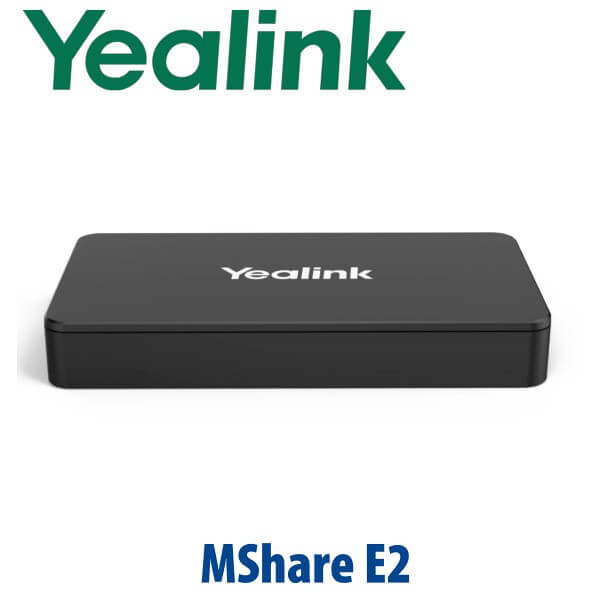
Yealink MShare E2 Dubai MVC Screen Sharing Box for Meeting Rooms
Clean Wired Screen Sharing for Yealink Meeting Rooms
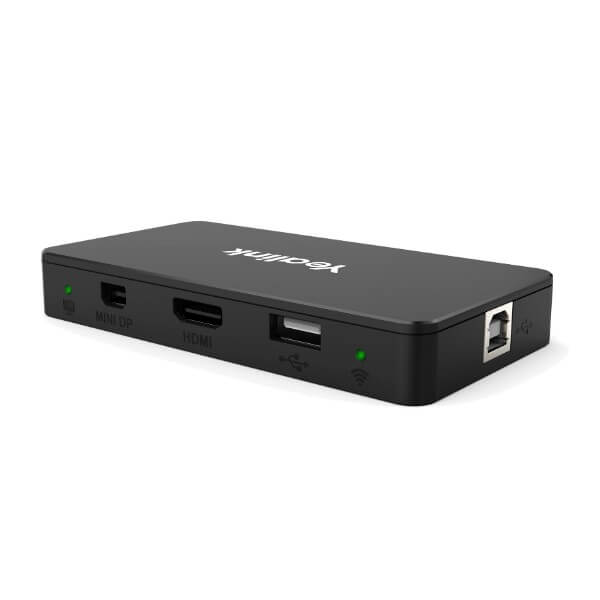
The Yealink MShare E2 is the small accessory that fixes a very common Dubai meeting-room problem: the presenter is ready, the room display is ready, but the sharing cable is in the wrong place. Instead of forcing users to reach across the touch console or depend on improvised adapters, the MShare E2 gives the table a dedicated wired screen-sharing point with HDMI-in, USB-C-in and USB Type-B connectivity. It is designed for Yealink MVC room deployments where the casting cable on the touch console is not convenient enough for the room layout.
Use it in boardrooms, training rooms, client presentation spaces and executive meeting rooms where wired sharing must be simple, stable and tidy. Vector Digital Systems supplies Yealink MShare E2 from Dubai with same-day quote in AED, VAT breakdown, delivery options and export documentation when required.
Platform Fit — What the MShare E2 Is and Is Not
The MShare E2 is an accessory, not a standalone video bar, camera, codec or Teams phone. It adds wired auxiliary content sharing to a compatible Yealink room deployment. For Microsoft Teams Rooms or Zoom Rooms projects, the room system itself must be the correctly certified Yealink solution; the MShare E2 should be treated as the sharing accessory in that room design. Certification status should be verified at project stage before quoting a Teams or Zoom room package.
| Your Room Setup | Right Use of MShare E2 | What to Verify |
|---|---|---|
| Yealink MVC meeting room | Use MShare E2 as the dedicated wired screen-sharing box | Room wiring route, table location and presenter cable requirement |
| Microsoft Teams Rooms | Use only as part of a correctly specified Yealink Teams Rooms design | Verify the main room system on Microsoft’s certified device list before quoting |
| Zoom Rooms | Use as the wired content input accessory where supported by the Yealink room package | Verify Zoom room hardware compatibility before final system design |
| Standalone laptop-to-TV sharing | Not the first choice | Ask David for the correct Yealink room or presentation product instead |
Important Buyer Trap: This Is Wired Full HD Sharing, Not a Wireless 4K Pod
The Yealink MShare E2 supports up to 1080p/30fps Full HD screen sharing. It is a compact wired sharing box with HDMI-in and USB-C-in ports. It should not be described as a 4K/60fps wireless sharing device, Wi-Fi 6 sharing hub or multi-user wireless presentation pod. If your project needs wireless casting, ask David to specify the correct Yealink room accessory or wireless presentation option for your room system.
Power and Cabling Truth
The MShare E2 is a room accessory that must be wired into the Yealink meeting room design. The package includes the MShare E2, USB-C cable, HDMI cable, USB Type-A cable and quick start guide. For clean Dubai boardroom installation, plan the cable route before delivery: presenter side of the table, under-table cable channel, floor box, wall rack or table hatch. Vector Digital Systems confirms the wiring plan before dispatch so the installer is not forced to leave a loose cable on the meeting table.
Where the MShare E2 Sits in the Yealink Room Accessory Range
The MShare E2 is the practical wired sharing point for Yealink MVC room projects. It is not a camera, microphone, touch console or video bar; it solves one specific problem: presenter content input. When the MTouch console cable is too short, awkwardly positioned or not suitable for a polished boardroom table, the MShare E2 moves the sharing point to the right place.
| Feature | MTouch Console Cable | MShare E2 ★ | Wireless Presentation Accessory |
|---|---|---|---|
| Best Use | Small rooms where the console is beside the presenter | Dedicated wired sharing point in the table or near presenter seat | Cable-free sharing where supported by the room system |
| Sharing Type | Wired | Wired | Wireless |
| Inputs | Depends on console cable | HDMI-in + USB-C-in + USB Type-B | Depends on model and room system |
| Resolution | Project dependent | Up to 1080p/30fps | Model dependent |
| Installation Look | Cable may remain visible near console | Can be hidden in or under conference desk | Clean table, but depends on wireless policy |
| Security Comfort | Physical cable sharing | Physical cable sharing — useful for controlled boardrooms | Depends on wireless network and sharing policy |
| Price Tier | Included with selected room designs | Accessory add-on | Accessory add-on |
| Choose if… | The touch console is already in the perfect sharing position | You want a clean, fixed, wired presentation input at the table | Your users need cable-free sharing and the room system supports it |
Dubai Meeting Room Use Cases
DIFC and Business Bay boardrooms. Senior teams often want wired presentation sharing because it is predictable, quick and does not require a guest to join the office Wi-Fi. The MShare E2 gives the presenter a clear HDMI or USB-C input point without leaving loose cables around the touch console.
Training rooms and client demo spaces. In Al Quoz, JLT, Dubai Silicon Oasis and DMCC offices, presenters may rotate every few minutes. A fixed MShare E2 connection point helps the next laptop connect quickly, keeping the room focused on the presentation instead of adapter hunting.
Executive rooms with hidden cabling. The compact body can be installed close to the conference desk or hidden into the room furniture design. This is especially useful when the AV consultant wants a clean table, predictable wired sharing and no visible cable bundle beside the Yealink touch console.
Government, banking and legal meeting spaces. Some rooms prefer wired presentation input because wireless sharing creates extra approval questions. The MShare E2 keeps sharing physical and controlled, while the main Yealink room system handles the meeting platform.
Full Technical Specifications
| Specification | Yealink MShare E2 |
|---|---|
| Product Type | MVC screen sharing box / wired content sharing accessory |
| Maximum Sharing Quality | Up to 1080p/30fps Full HD screen sharing |
| Audio Sharing | Supported |
| Ports | 1× USB Type-B female · 1× HDMI-in female · 1× USB-C-in female |
| Status Indicator | Bi-colour LED light for wired auxiliary stream status |
| Dimensions | 116mm × 61mm × 16.8mm |
| Unit Weight | Approximately 0.082kg |
| Operating Temperature | 0°C to 40°C |
| Operating Humidity | 10% to 95% |
| Package Contents | 1× MShare E2 · 1× USB-C cable · 1× HDMI cable · 1× USB Type-A cable · 1× quick start guide |
| Gift Box Size | 174mm × 180mm × 63mm |
| Best Fit | Yealink meeting room deployments where a separate wired sharing point is needed near the presenter |
Compatible Accessories and Room Planning
| Item | Included / Optional | Use |
|---|---|---|
| USB-C Cable | Included | Presenter-side USB-C input for compatible laptops |
| HDMI Cable | Included | Standard laptop display input for wired sharing |
| USB Type-A Cable | Included | Room system connection as specified in the Yealink deployment design |
| Table Hatch / Cable Channel | Project item | Recommended for clean boardroom installation and cable protection |
Staging and Installation Guidance Before Dispatch
Vector Digital Systems checks the room requirement before dispatch: room platform, Yealink room system model, sharing location, table cable route, HDMI or USB-C presenter preference and whether the MShare E2 will sit on the table, under the table or inside the furniture design. For full meeting-room projects, our team coordinates the accessory with the camera, touch console, compute unit, display and cable path so the room is installed cleanly.
Export from Dubai
Vector Digital Systems exports Yealink meeting room accessories from Dubai to system integrators, AV contractors, telecom operators and enterprise IT teams across the region. Common destinations include Oman, Saudi Arabia, Qatar, Kuwait and Bahrain in the GCC; Jordan and Egypt for regional projects; Kenya and Tanzania for East Africa; and Pakistan, Sri Lanka and Bangladesh for South Asian deployments. Shipments move FOB Dubai with commercial invoice, packing list and certificate of origin on request. Project pricing is available for multi-room Yealink deployments.
Get a same-day quote in AED — Yealink MShare E2 Dubai
Tell David your Yealink room system model, room platform, quantity, cable location and delivery address. We quote with VAT breakdown and delivery charges included.
Frequently Asked Questions — Yealink MShare E2
What is the Yealink MShare E2 used for?
The Yealink MShare E2 is a wired MVC screen sharing box for Yealink meeting room deployments. It gives presenters a dedicated HDMI or USB-C input point for sharing content into the room system, especially when the MTouch console cable is not in a convenient location.
Is the Yealink MShare E2 a wireless presentation device?
No. The MShare E2 is a wired sharing accessory with HDMI-in, USB-C-in and USB Type-B connectivity. It should not be sold as a Wi-Fi 6 wireless sharing pod or 4K wireless presentation device. If you need wireless sharing, ask David to specify the correct Yealink room accessory for your system.
Does the MShare E2 support 4K screen sharing?
No. Yealink lists the MShare E2 for up to 1080p/30fps Full HD screen sharing with audio sharing support. For projects that require 4K presentation sharing, Vector Digital Systems will verify the correct Yealink room solution before quoting.
Does the MShare E2 work with Microsoft Teams Rooms?
The MShare E2 is a sharing accessory used in Yealink room deployments. For Microsoft Teams Rooms, the main Yealink room system must be the correctly certified Teams Rooms device. Vector Digital Systems verifies the current Microsoft certification status of the room system before quoting a Teams room package.
Does the MShare E2 work with Zoom Rooms?
The MShare E2 can be specified as a wired sharing accessory in compatible Yealink room designs. For Zoom Rooms, the complete room package and compatibility should be verified before ordering, because the MShare E2 is not a standalone Zoom endpoint.
What cables are included with the Yealink MShare E2?
The package includes the MShare E2 unit, one USB-C cable, one HDMI cable, one USB Type-A cable and a quick start guide. Vector Digital Systems can also advise on table cable routing and installation accessories for clean boardroom deployment.
Where should the MShare E2 be installed in a Dubai meeting room?
Install it near the presenter position: inside a table hatch, under the conference table, near a floor box or close to the main presenter seat. The goal is to keep HDMI and USB-C sharing easy to reach while hiding the room-system cabling.
Who is the authorised Yealink supplier in Dubai?
Vector Digital Systems LLC has supplied Yealink products in Dubai since 2009. David handles Yealink product selection, project pricing, meeting-room accessory matching, local warranty handling and export support.
What is the best Yealink accessory for clean wired sharing in a boardroom?
For a Yealink MVC meeting room where the presenter needs a fixed table input, the MShare E2 is the practical choice. It gives the room HDMI-in and USB-C-in sharing without relying on the touch console cable location. For wireless sharing requirements, ask David to specify the correct Yealink wireless option.
Does Vector Digital Systems export Yealink MShare E2 from Dubai?
Yes. Vector Digital Systems exports Yealink meeting-room accessories from Dubai to integrators and enterprise buyers in Oman, Saudi Arabia, Qatar, Kuwait, Bahrain, Jordan, Egypt, Kenya, Tanzania, Pakistan, Sri Lanka and Bangladesh. Shipments move FOB Dubai with commercial invoice, packing list and certificate of origin on request.
Does Vector Digital Systems help configure the meeting room before delivery?
Yes. For full Yealink meeting-room projects, Vector Digital Systems checks the room platform, room system model, presenter cable location, HDMI or USB-C preference and installation layout before dispatch. The goal is a clean installation with no missing cables or wrong accessory selection.

