Description
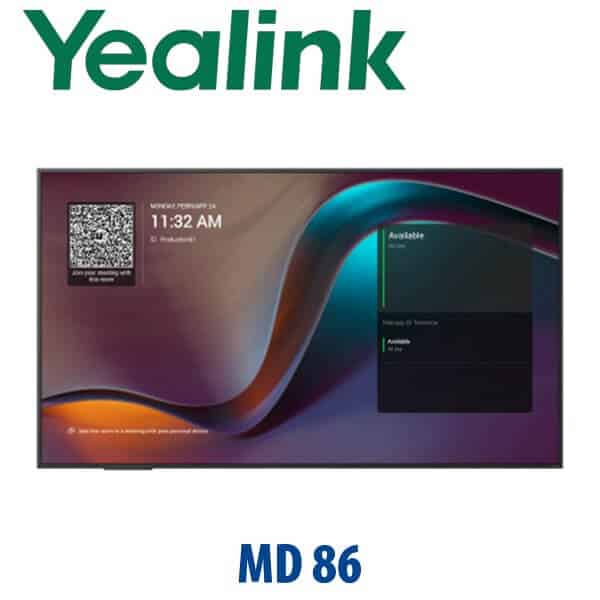
Yealink MeetingDisplay 86 Dubai 86″ 4K MTR Display for Large Meeting Rooms
A Cleaner 86-Inch Yealink Display for Large Teams Rooms in Dubai
The Yealink MeetingDisplay 86 is built for large meeting rooms where a normal office TV creates cable clutter, awkward source switching and inconsistent Teams Room behaviour. It gives Dubai boardrooms a purpose-built 86-inch display layer for Yealink MTR systems, with commercial brightness, integrated speakers, wireless sharing and a mounting structure designed to keep the display, room bar, camera and mini-PC installation neat. Vector Digital Systems supplies the MeetingDisplay 86 in Dubai with room-kit planning, staging, delivery coordination and same-day quote in AED.
Platform First: Display, Teams Room, Zoom Room or BYOD?
The MeetingDisplay 86 is not a standalone video bar, camera, microphone or Teams Room compute unit. It is the large-format display layer for a Yealink room solution. That distinction matters: if you need a complete Microsoft Teams Room, the display must be paired with the correct Yealink MTR bar, UVC camera, MCore mini-PC and touch console. If you need a Zoom Room, BYOD room or interactive whiteboard, David will route you to the correct Yealink room package instead of selling the wrong screen.
| Your Room Platform | Right Yealink Route | What You Need |
|---|---|---|
| Microsoft Teams Rooms | MeetingDisplay 86 with Yealink MTR room kit — verify current Microsoft certification for the complete kit before quoting | Microsoft Teams Rooms licence, MCore/room compute, camera/bar, touch console and network access |
| Zoom Rooms | Ask David for the current Yealink Zoom-certified room bundle | Zoom Rooms licence, compatible Yealink room device, display and controller |
| BYOD / laptop meetings | MeetingDisplay 86 with USB-BYOD kit or wireless sharing setup, depending on room design | HDMI/USB-C routing, wireless sharing policy and clear front-of-room cabling |
| Interactive whiteboard room | Consider Yealink MeetingBoard 86 or MeetingBoard Pro 86 instead | Touch, writing, annotation and all-in-one collaboration requirements |
Certification note: Microsoft Teams certification must be checked at the complete room-system level, not assumed from the display name alone. Vector Digital Systems verifies the latest Microsoft certified-device status before quoting Teams Rooms bundles.
Power and Cabling Truth — This Is Not a PoE Desk Device
The MeetingDisplay 86 is an AC-powered room display, not a PoE-powered desk phone. Plan a dedicated power point near the display position, Ethernet for the room system, and a clean cable path for HDMI, USB and control wiring. The dual-Ethernet design helps reduce front-of-room network clutter for Yealink MTR devices, but it does not remove the need for proper room cabling. We confirm power, wall strength, floorstand choice, screen height and cable route before dispatch so the installation team is not solving room-design problems on the day.
Where the MeetingDisplay 86 Sits in the Yealink Room Range
The MeetingDisplay family covers 55, 65, 75 and 86-inch room sizes. The 86-inch version is the large-room choice for boardrooms, executive conference rooms, classrooms and training spaces where people at the back still need to read shared spreadsheets, Teams captions and presentation detail. It is not the same as the Yealink MeetingBoard 86: MeetingDisplay is the display layer for a room system, while MeetingBoard is the all-in-one interactive collaboration board with touch and whiteboarding.
MeetingDisplay 86 Comparison — 75-inch, 86-inch or MeetingBoard?
| Feature | MeetingDisplay 75 | MeetingDisplay 86 ★ | MeetingBoard 86 / Pro 86 |
|---|---|---|---|
| Display | 75″ large-room display | 86″ extra-large display | 86″ interactive collaboration display |
| Best room size | Medium to large rooms | Large boardrooms and training rooms | Interactive meeting and whiteboard rooms |
| Platform role | Display for Yealink room system | Display for Yealink MTR / room system | All-in-one collaboration endpoint |
| Touch / whiteboard | No — display-focused | No — display-focused | Yes — choose for annotation and collaboration |
| Wireless sharing | Yeacast, Miracast, AirPlay, pod | Yeacast, Miracast, AirPlay, pod | Built for collaboration and sharing workflows |
| Installation | MD-WallMount or floorstand | MD-WallMount or floorstand | Wall or floorstand, larger planning scope |
| Replaces | Standard 75″ TV in medium rooms | Standard 85/86″ TV in premium rooms | Separate display + whiteboard + camera bundle |
| Price tier | Lower | Higher display tier | Highest collaboration tier |
| Choose if… | Your room is large but viewing distance is moderate | You need maximum front-of-room visibility without paying for touch whiteboarding | You want touch, annotation and all-in-one collaboration |
Where the MeetingDisplay 86 Works in Dubai
DIFC and Downtown boardrooms. Finance, legal and consulting teams need Teams Room screens that look boardroom-grade, switch sources properly and do not leave a visible mess of brackets and loose cables. The MeetingDisplay 86 gives a large front-of-room canvas for Teams calls, dashboards, Excel reviews and executive presentations.
DMCC, Business Bay and JLT training rooms. When 12–20 people sit in a long room, a 65-inch display becomes difficult to read. The 86-inch panel is a better fit for product training, hybrid workshops, sales enablement and partner presentations where the back row still needs to see shared content clearly.
Education and government meeting spaces. Universities, institutes and government departments in Dubai often need a reliable Teams Room display that can be managed as part of a wider room estate. The MeetingDisplay 86 fits rooms where the display must support scheduled meetings during the day and occasional signage or presentation use outside meeting hours.
Hospitality and enterprise fit-outs. Hotel meeting suites, serviced offices and enterprise HQs want clean installation more than consumer-TV features. The MeetingDisplay 86 is a better fit when the display is part of a professional Yealink room package, with planning for wall mount, floorstand, camera height, room audio and cable path before delivery.
Full Technical Specifications
| Specification | Yealink MeetingDisplay 86 |
|---|---|
| Product Type | Large-format meeting room display for Yealink room systems |
| Screen Size | 86 inches |
| Resolution | 4K Ultra HD |
| Panel Type | IPS commercial display panel |
| Brightness | 500 nits |
| Haze | 25% |
| Speakers | 12W × 2 integrated speakers |
| Operating Duty | 7 × 18 hours working profile |
| Wireless Sharing | Yeacast, Miracast, AirPlay and wireless presentation pod support |
| Room-System Integration | Designed for Yealink MTR room devices including meeting bars, cameras, MCore room compute and control console |
| Input / Control Experience | One-touch console control for input switching, brightness, contrast and volume in supported Yealink room setups |
| Network Design | Dual-Ethernet design to help provide network connectivity for MTR room devices |
| Mounting | Compatible with MD-WallMount; floorstand option available |
| Power | AC mains powered — plan power point and cable path at room-design stage |
| Warranty | 3-year Yealink warranty; local handling through Vector Digital Systems |
Compatible Accessories and Room Components
| Item | Model / Family | Purpose |
|---|---|---|
| Wall Mount | MD-WallMount | Optional wall-mount kit for MeetingDisplay 65/75/86 installations |
| Floorstand | Yealink floorstand option | Useful for rented offices, glass walls and rooms where wall drilling is not approved |
| MTR Compute | Yealink MCore family | Runs Microsoft Teams Rooms in supported Yealink room bundles — verify current certified kit before quoting |
| Camera / Bar | Yealink MeetingBar, UVC camera and A-series options | Selected by room size, seating depth, camera angle and Teams/Zoom platform |
| Controller | Yealink touch console / room controller | One-touch meeting join, room control and input management in supported deployments |
| Wireless Sharing | Yealink wireless presentation pod | Cable-free local presentation from laptops where supported by region and room policy |
Staging Before Delivery — What Vector Digital Systems Checks
Vector Digital Systems does more than deliver the screen box. For MeetingDisplay 86 projects, we confirm room size, viewing distance, wall or floorstand preference, MTR or Zoom platform, device list, Teams Rooms licence readiness, network port availability, cable path, power location and mounting height. Where the complete Yealink room kit is supplied, we stage supported devices, label cables, prepare the installation notes and verify the room bundle before dispatch. Your quote includes VAT breakdown and Dubai delivery charges, with project pricing available for multi-room rollouts.
Export from Dubai
Vector Digital Systems exports Yealink MeetingDisplay and room-system hardware from Dubai to AV integrators, corporate IT teams, hotel groups, government contractors and education projects across the region. Common export routes include Oman, Saudi Arabia, Kuwait, Qatar and Bahrain in the Gulf; Jordan and Egypt in the wider Middle East; Kenya and Tanzania for East Africa; and Pakistan and Sri Lanka for South Asia. Shipments move FOB Dubai with commercial invoice, packing list and certificate of origin on request. For the 86-inch size, David will confirm packing, delivery method and destination handling before quoting.
Get a same-day quote in AED for Yealink MeetingDisplay 86
Tell David your room size, seating count, platform — Teams Rooms, Zoom Rooms or BYOD — wall/floorstand preference and whether you need the complete Yealink room kit. We quote with VAT breakdown, delivery and staging scope included.
Frequently Asked Questions — Yealink MeetingDisplay 86
Is the Yealink MeetingDisplay 86 a complete Microsoft Teams Room?
No. The MeetingDisplay 86 is the 86-inch display layer for a Yealink room solution. A complete Microsoft Teams Room also needs the correct Yealink MTR compute unit, camera or meeting bar, audio device, touch console, Teams Rooms licence and network setup. Vector Digital Systems verifies the full room-kit certification before quoting.
Does the Yealink MeetingDisplay 86 work with Microsoft Teams or do I need a different model?
The MeetingDisplay 86 is designed for Yealink MTR systems, so it is suitable as the display component in a Microsoft Teams Rooms deployment. If you need a standalone all-in-one Teams device with camera, microphones and collaboration built in, ask David about the current Yealink MeetingBoard or Teams Rooms bundle instead.
Is the MeetingDisplay 86 the same as the Yealink MeetingBoard 86?
No. MeetingDisplay 86 is a large-format room display for a Yealink room system. MeetingBoard 86 is an all-in-one interactive collaboration device with touch, whiteboarding and integrated meeting features. Choose MeetingDisplay when you already want a room-system display; choose MeetingBoard when whiteboarding and all-in-one collaboration are central to the room.
What room size is the Yealink MeetingDisplay 86 designed for?
The 86-inch size is best for large boardrooms, training rooms, executive conference rooms and classrooms where people sit far enough from the screen that 65-inch or 75-inch displays become hard to read. For smaller rooms, David may recommend MeetingDisplay 65 or 75 instead.
Does the MeetingDisplay 86 support wireless sharing?
Yes. The MeetingDisplay family supports Yeacast, Miracast, AirPlay and wireless presentation pod workflows. The exact sharing method depends on your room platform, laptop policy and network rules, so Vector Digital Systems confirms the correct option during room-kit planning.
Can we mount Yealink room devices with the MeetingDisplay 86?
Yes. The MeetingDisplay is designed for cleaner Yealink room-system installation, including mounting and coordinating supported room devices with the display. We confirm the bracket, camera height, wall condition, floorstand requirement and cable route before delivery.
Does the MeetingDisplay 86 need PoE?
No. The MeetingDisplay 86 is an AC-powered large-format display, not a PoE-powered desk phone. You need a suitable power point near the display position plus the correct Ethernet, HDMI, USB and control cabling for the Yealink room system.
Who is the Yealink authorised supplier in Dubai?
Vector Digital Systems LLC has supplied and integrated Yealink solutions in Dubai since 2009. David leads the Yealink product team for pre-sales specification, room-kit selection, staging, project pricing and local warranty handling.
What is the best Yealink display for a large Teams Room in Dubai?
For a large Teams Room where the customer already needs a separate room kit, the MeetingDisplay 86 is the strongest Yealink display choice because the 86-inch size keeps shared content readable across the room. For rooms that need touch and whiteboarding, David may recommend MeetingBoard 86 or MeetingBoard Pro 86 instead.
Does Vector Digital Systems export Yealink MeetingDisplay 86 from Dubai?
Yes. Vector Digital Systems exports Yealink room-system hardware from Dubai to integrators and enterprise buyers in Oman, Saudi Arabia, Kuwait, Qatar, Bahrain, Jordan, Egypt, Kenya, Tanzania, Pakistan and Sri Lanka. Shipments are quoted FOB Dubai with commercial invoice, packing list and certificate of origin on request.
Does Vector Digital Systems configure the Yealink room kit before delivery?
Yes. For complete Yealink room deployments, Vector Digital Systems checks the platform, room layout, device list, network plan, cable path, controller, camera position and supported room-system settings before dispatch. The goal is a clean installation, not just a box delivery.