Description
Fanvil CM60 Portable HD USB Camera for Fanvil High-End IP Phones Dubai
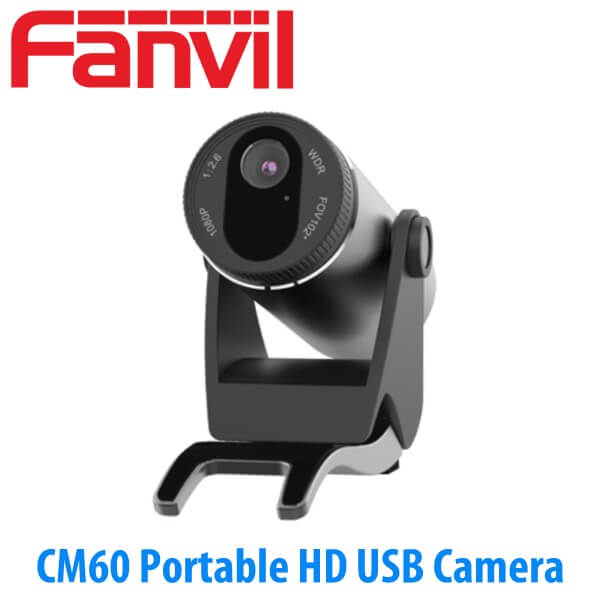
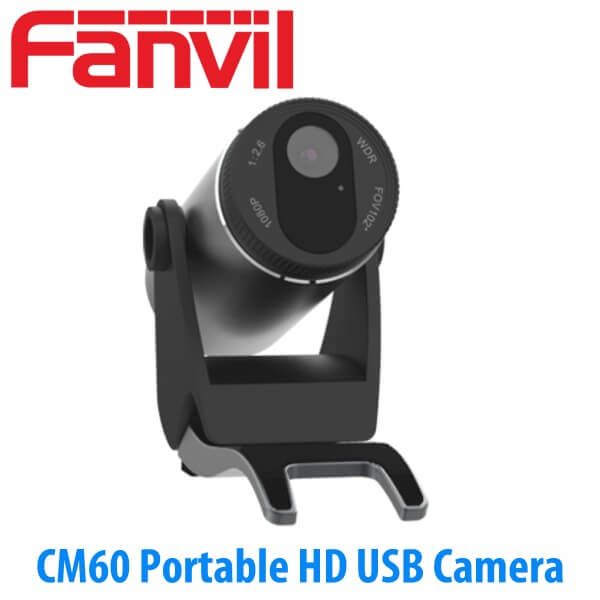
The Fanvil CM60 is the portable HD USB camera specified for compatible Fanvil high-end IP phones, with the Fanvil X7A as the verified phone pairing. It is not a standalone SIP camera, not a CCTV camera, and not a desk phone by itself. It is the camera module you add when the phone already handles the SIP account, the call control, and the network connection — and the desk needs video.
That detail matters on projects. A Dubai office may have 30 ordinary voice extensions, 4 manager desks, 1 reception counter, and 1 meeting cabin where video calling is actually needed. The CM60 lets the integrator add video only where the user needs it, instead of changing every desk to a full video phone. Vector Digital Systems supplies the Fanvil CM60 from Dubai with compatible Fanvil phones, staged and tested before dispatch for UAE projects and MEA export orders.
Where the CM60 belongs in a Fanvil project
Most office desks do not need a camera. Reception may need one for a supplier call. A director may need one for branch calls. A clinic counter may need one for internal video checks. A service desk may need one for visual verification with another branch. That is the correct buying moment for the Fanvil CM60: add video to selected compatible Fanvil high-end phones while keeping the rest of the deployment voice-only.
In a Business Bay or JLT office fit-out, the phone schedule usually starts by role. Staff desks get standard voice phones. Admin desks get BLF keys. Management desks get larger screens. Only the desks that need face-to-face calling get the CM60 camera. This keeps the bill of materials clean, and it avoids fitting cameras where the user will never open the shutter.
The camera connects by USB. The paired Fanvil phone remains the endpoint registered to the PABX or SIP platform. That means the SIP extension, call routing, call recording rules, Etisalat or du trunk access, and provisioning template all stay on the phone. The CM60 simply adds the video input for the desks where video has a purpose.
Compatibility first
We verify the host phone before quoting the CM60. The Fanvil X7A is the confirmed pairing for this camera. If your project has other Fanvil high-end IP phones, send us the exact model and quantity on WhatsApp and we confirm whether the CM60 is the correct camera.
What the Fanvil CM60 is
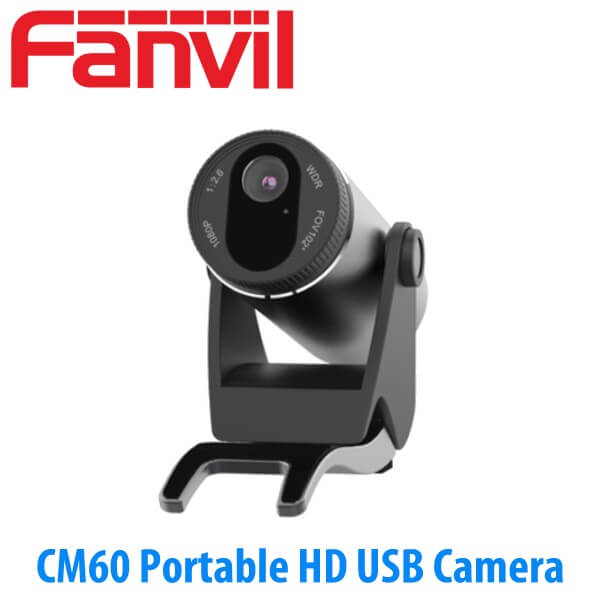
The CM60 is a portable HD USB camera made for Fanvil video-capable IP phone desks. It has a 2MP camera, 1080P video at 30 frames per second, H.264 video coding, and a wide viewing angle: 102 degrees diagonal, 94 degrees horizontal, and 62 degrees vertical. In plain use, that means it comfortably frames one person at a desk and can still catch a second person standing beside the counter.
It is small enough to sit on top of a phone, clip to a monitor, or stand on a desk. The camera angle adjusts vertically by 20 degrees up or down, so the installer can correct the view after the phone is placed. That matters more than buyers expect. A camera fitted too low gives a poor view. A camera fitted too high catches the ceiling lights. On a staged Fanvil desk, we check the picture before the unit leaves our Dubai office.
There is also a physical privacy cover. When the shutter is closed, the user can see that the camera is blocked. That small mechanical detail is useful in manager cabins, meeting rooms, finance desks, HR rooms, and reception counters where the camera may be connected all day but used only for selected calls.
A two-colour LED shows status. The user does not need to guess whether the camera is idle or active. For a project installer, this reduces support calls after handover. For an IT manager, it gives staff a visible camera state instead of another hidden setting inside a phone menu.
The video-call desk, not the meeting-room camera
The CM60 is often misunderstood because it looks like a small webcam. It is better described as a phone-desk camera. It is meant for a user seated at a Fanvil high-end IP phone, making or receiving video calls through that phone. It is not the camera you specify for a 12-seat boardroom, a training room, or a wide conference table.
For a Dubai office with a director cabin, the CM60 makes sense. The person is seated close to the phone, the framing is personal, and the phone handles the call. For a front desk, the camera works when reception needs face-to-face calling with an internal team, a branch office, or a service counter. For a small private office, it avoids the need to open a laptop just for a short video call.
For a meeting room, the question changes. How many people sit at the table? How far are they from the camera? Is audio handled by the phone, a conference unit, or a room system? That is where we check the room before quoting. The CM60 is right for the desk. Bigger rooms need a different Fanvil video setup.
Not a standalone network camera
The CM60 does not register to your PABX, connect to Etisalat or du by itself, or replace an IP camera for CCTV. It needs a compatible Fanvil host phone. We quote it with the correct phone, USB cable, staging, and test call checks so the camera is not treated like a loose retail accessory.
SIP lines explained for a camera accessory
The Fanvil CM60 has no SIP line count because it is not a phone. The SIP lines belong to the paired Fanvil IP phone. That phone registers the extension, handles the account, shows call appearances, and connects to the PABX. The camera only supplies the video image during a supported video call.
This is where many project quotes get confused. A buyer may ask for “one video line” or “one video camera extension.” In a Fanvil desk setup, the extension is still on the phone. If the X7A is registered as extension 201, the CM60 does not become extension 202. It attaches to extension 201’s phone and gives that user video when the call supports it.
For example, a company in Dubai Internet City may fit 20 staff phones, 2 manager video phones with CM60 cameras, and 1 reception phone. The PABX still sees 23 phone extensions. The 2 CM60 cameras are accessories on two of those desks, not extra SIP accounts and not extra trunk channels.
How we size it
Tell us how many desks need video, which Fanvil phone models are being used, and whether the calls are internal, branch-to-branch, or external. We then confirm the correct host phone, camera quantity, and staging requirement. Send us your requirement on WhatsApp and we confirm the right model.
Why the privacy shutter is a real project feature
The privacy cover is not a brochure detail. It is the difference between a camera staff accept and a camera they tape over. In HR offices, finance rooms, medical counters, and management cabins, users want a physical sign that the camera is blocked when it is not in use. The CM60 gives them that without removing the camera or unplugging the USB cable.
For IT teams, that makes the deployment easier. The camera can remain connected, the phone can remain staged, and the user controls privacy at the lens. No repeated plugging and unplugging. No missing camera on the day a branch video call is scheduled. No support ticket because the camera was moved to another desk.
On project quantities, we label the camera-phone bundles by desk before dispatch. Manager office. Reception. Service counter. Branch room. The phone, camera, and cable arrive together, already matched in the deployment schedule.
Flexible mounting for real desks
A spec sheet says the CM60 can be placed on a desktop, mounted on an IP phone, or mounted on an LCD monitor. In the field, those three options solve three different problems.
Phone-mounted is clean when the phone is the video device and the user sits directly in front of it. Monitor-mounted is better when the user naturally looks at the screen while talking. Desk placement works when a reception counter or service desk has a fixed viewing angle and the phone position is not ideal.
The camera’s ±20-degree vertical adjustment helps the installer tune the picture after the desk is assembled. In UAE fit-outs, that matters because desk heights, monitor stands, and counter depths vary from site to site. We check those details during supply and installation across Dubai, Abu Dhabi, Sharjah, Ajman, Ras Al Khaimah, Fujairah, and Umm Al Quwain.
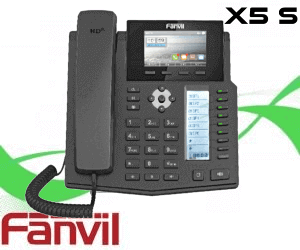
For related Fanvil desk-phone planning, see the Fanvil IP phone range matrix. If you are building a video-capable desk around the verified pairing, also review the Fanvil X7A before finalising the bill of materials.
USB power and host-phone truth
The Fanvil CM60 does not need PoE and it does not need a separate power adapter. It is powered from the host device through USB, with 5V power draw below 500mA. The USB cable is included in the box, so the buying check is not “Do we have a power socket?” It is “Is the Fanvil phone compatible with this camera?”
That is the accessory trap on video-phone projects. A camera can be in stock. The phone can be in stock. But if the host model is wrong, the desk still will not make a video call. Vector Digital Systems checks the phone model first, then quotes the CM60 with the correct Fanvil host phone, staging, and test-call scope.
No separate PSU — but compatibility must be checked
The CM60 is USB-powered and ships with a USB cable. It does not register as a SIP endpoint and it does not work as a loose network camera. We verify the Fanvil host phone before quoting, with the X7A as the confirmed camera-phone pairing.
On a fitted desk, the network truth stays with the phone. The phone connects to the LAN, registers to the PABX, and handles the SIP account. The CM60 is the video input. If the host phone has Gigabit passthrough, PoE, Wi-Fi support, or BLF keys, those remain phone features, not camera features. This distinction keeps the bill of materials clean for Dubai contractors and IT teams.
Current support status for the X7A + CM60 pairing
Fanvil’s support area continues to list active software packages for the X7A + CM60 pairing, including 2025 and 2026 package dates. For buyers, the practical point is simple: this is not an abandoned accessory sitting in an old catalogue. The camera remains tied to a supported Fanvil video-phone desk configuration.
We treat those support records as a staging signal. Before dispatch, the host phone is prepared with the correct template, extension details, video-call settings where supported, and a test call. That is especially useful on project quantities where 4 or 6 camera desks are part of a larger 40-phone deployment.
For UAE buyers, this avoids the usual loose-accessory problem. The installer is not opening a carton on handover day and discovering that the camera is waiting for a phone setting, USB cable routing, or video permission. It arrives matched to the desk role.
Platform compatibility in Dubai deployments
The CM60 does not connect to 3CX, Grandstream UCM, Yeastar, Asterisk, Etisalat, or du by itself. The paired Fanvil IP phone does that. The camera becomes part of the desk only after the phone is registered, provisioned, and tested on the customer’s calling platform.
For internal video calling, both endpoints and the calling platform must support the video path. For voice calling over Etisalat or du SIP trunks, the phone works as the SIP endpoint and the camera remains available for supported video scenarios. This is why we ask what the buyer wants the camera to do: branch-to-branch video, manager-to-manager calling, reception-to-service desk, or internal support calls.
During staging, we register the extension, apply the provisioning template, check audio, check camera view, confirm the privacy shutter, and make test calls before dispatch. For Dubai, Abu Dhabi, and Sharjah projects, installation can include desk placement and camera-angle adjustment. For export orders, we label the camera-phone bundles by extension or room name before packing.
CM60, CM70, or a built-in camera phone?
| Fanvil option | Camera role | Best fit | Project note |
|---|---|---|---|
| CM60 | 1080P USB camera for compatible high-end Fanvil IP phones | Manager desk, reception video desk, service counter | Specify with the host phone, not alone |
| X7A + CM60 | Verified phone-and-camera desk bundle | Video-capable executive desk or branch video extension | Best route when the desk also needs a full IP phone |
| CM70 | Room-camera class accessory for Fanvil meeting-room solutions | Small meeting room, huddle room, shared video space | Check room size, table depth, and audio plan first |
| Verdict | Choose the CM60 if a compatible Fanvil phone desk needs personal video. Choose the X7A + CM60 bundle if the desk is being built new. Choose the CM70 if the requirement is a room-camera setup rather than a single phone desk. | ||
For a full phone schedule, use the Fanvil IP phone range matrix. For PABX planning, cabling, trunks, and extension mapping, add the Vector Digital Systems telephony hub link once the confirmed live URL is locked.
Pricing, supply, and staging from Dubai
Fanvil CM60 pricing is quoted in AED based on quantity, host-phone pairing, and whether the cameras are being supplied alone or bundled with Fanvil phones. For project quantities, we quote camera desks as part of the phone schedule: host phone, camera, cable, extension number, room name, and user role.
For 10+ and 50+ phone projects, this saves time during installation. The camera is not a separate loose item passed to the site team. It is matched to the phone, checked, packed, and labelled. VAT breakdown and UAE delivery can be included in the same quote.
Stock & Projects: Fanvil CM60 supplied from Dubai by Vector Digital Systems. Same-day quote in AED on WhatsApp. Supply and installation across all 7 UAE emirates. Project quantities and MEA export — FOB Dubai pricing on request.
Frequently asked questions
Which Fanvil phones does the CM60 work with?
The verified pairing is Fanvil X7A with CM60. Fanvil also describes the CM60 as a camera for compatible high-end Fanvil IP phones. Before quoting, Vector Digital Systems checks the exact phone model so the camera is supplied only where it will work.
Will the CM60 work with our 3CX, Grandstream UCM, or Yeastar system?
The CM60 does not register to the PABX by itself. The paired Fanvil phone registers to 3CX, Grandstream UCM, Yeastar, Asterisk, or the chosen SIP platform. Video calling depends on the host phone, the platform settings, and the other endpoint. We test the desk before dispatch where the platform is available for staging.
Does the CM60 come with a power adapter, or do I need PoE?
No power adapter and no PoE are needed for the camera. The CM60 is powered by USB from the host device and ships with a USB cable. PoE applies to the paired Fanvil IP phone, not the camera.
What does the CM60 add to a Fanvil phone?
It adds a 2MP, 1080P USB camera with H.264 video, 102-degree diagonal field of view, privacy cover, two-colour status LED, and flexible mounting. The phone still handles the SIP extension, audio, keypad, screen, network connection, and PABX registration.
CM60 vs CM70 — what is the difference?
The CM60 is a personal desk camera for compatible Fanvil high-end IP phones, with the X7A as the verified pairing. The CM70 is aimed at Fanvil room-conference setups. Choose CM60 for a phone desk; check CM70 when the buyer is asking for a meeting-room camera.
Does Vector Digital Systems configure the phone and camera before delivery?
Yes. For camera-phone bundles, we register the Fanvil phone, apply the provisioning template, check audio, check the camera view, confirm the privacy shutter, and make a test call before dispatch where the customer platform is available.
Is video calling legal in the UAE and will this work with Etisalat or du?
Business calling over licensed services is handled under UAE TRA rules. The paired Fanvil phone can register on Etisalat or du business SIP services directly or through a PABX for voice. Video use depends on the approved platform, endpoint support, and customer network policy.
Is the Fanvil CM60 covered under Fanvil warranty in the UAE?
Yes. The CM60 is covered by Fanvil manufacturer warranty when supplied through Vector Digital Systems. Warranty handling is coordinated from Dubai for UAE project customers and export buyers.
Who is the supplier of Fanvil CM60 in Dubai?
Vector Digital Systems LLC is an authorised Fanvil supplier in Dubai, UAE, operating since 2009. We supply the Fanvil CM60 with compatible Fanvil phones, staging, provisioning, warranty handling, and official quotation documents for IT managers, system integrators, PABX installers, ELV contractors, and resellers.
What is the best Fanvil camera accessory for a video-calling desk in Dubai?
For a compatible Fanvil high-end phone desk, the CM60 is the right camera accessory: 1080P video, 2MP sensor, privacy cover, USB power, and phone/monitor/desk mounting. If the desk is being built new, quote it as an X7A + CM60 bundle so the phone and camera are staged together.
Does Vector Digital Systems export Fanvil CM60 from Dubai?
Yes. Vector Digital Systems exports Fanvil accessories from Dubai to telecom resellers, PABX installers, and system integrators in Saudi Arabia, Oman, Qatar, Kuwait, Bahrain, Kenya, Tanzania, Uganda, Nigeria, Ghana, Pakistan, and Sri Lanka. FOB Dubai pricing is available with commercial invoice, packing list, certificate of origin, and Fanvil manufacturer warranty documentation.
UAE coverage and MEA export
Vector Digital Systems supplies and installs Fanvil CM60 camera-phone bundles across Dubai, Abu Dhabi, Sharjah, Ajman, Ras Al Khaimah, Fujairah, and Umm Al Quwain. We support office fit-outs, reception counters, manager cabins, branch rollouts, clinics, service desks, and free zone projects in DMCC, JLT, Business Bay, Dubai Internet City, JAFZA, and DIP.
For MEA export, CM60 orders can ship with Fanvil phones or as accessory-only quantities. Gulf resellers, East Africa PABX installers, West Africa telecom dealers, and South Asia system integrators can request FOB Dubai pricing with commercial invoice, packing list, and certificate of origin. Carton-level quantities are handled cleanly for reseller stock and project staging.
About Vector Digital Systems — authorised Fanvil supplier in Dubai
Vector Digital Systems LLC is an authorised Fanvil supplier supplying the Fanvil CM60 from Dubai, UAE, with staging, configuration, and installation across all 7 UAE emirates — Dubai, Abu Dhabi, Sharjah, Ajman, Ras Al Khaimah, Fujairah, and Umm Al Quwain — and export across the Middle East and Africa with FOB Dubai pricing. Operating since 2009. Contact: sales@vectordigitals.net · Monday–Saturday 8AM–6PM.
Get a quote for Fanvil CM60
Supplied from Dubai · Same-day AED quote · Camera-phone bundles · Project quantities and export