

Description
Yealink EHS60 Wireless Headset Adapter WH62/WH63 EHS Cable for Cisco Avaya Poly & Grandstream Dubai
Use a Yealink Wireless Headset on Your Existing Desk Phone
The Yealink EHS60 is the small adapter that solves a very specific problem: your team wants the comfort and call control of a Yealink WH62 or WH63 wireless DECT headset, but the desk phone on the table is Cisco, Avaya, Poly or Grandstream. Instead of changing the phone estate, the EHS60 creates the electronic hook switch connection between the Yealink headset base and the compatible third-party phone, so users can answer, end, mute and manage calls directly from the wireless headset. Vector Digital Systems supplies the EHS60 in Dubai with compatibility checking before dispatch, so the right cable goes to the right desk the first time.
Compatibility Trap: EHS60 Is Not the Standard Adapter for Yealink Desk Phones
The most common buying error is assuming every Yealink EHS adapter does the same job. The EHS60 is mainly for using Yealink WH62 / WH63 wireless headsets with selected non-Yealink desk phones. If your phone is a Yealink T-series desk phone, the correct EHS solution may be different. Tell David the exact phone model and headset model before ordering — compatibility is checked before we quote.
| Your Setup | Right Adapter Direction | What to Confirm |
|---|---|---|
| Yealink WH62 / WH63 headset + Cisco / Avaya / Poly / Grandstream phone | Yealink EHS60 (this page) | Exact phone model and headset base label |
| Yealink T-series phone + Yealink / third-party wireless headset | Ask David to verify the current Yealink EHS adapter for that phone | Phone model, firmware, headset model and connection type |
| Microsoft Teams headset deployment | Use the correct Teams-certified Yealink headset if certification is required | Teams certification status must be verified before quoting |
Power Truth: No PoE, No Desk-Phone PSU — It Works Through the Headset Setup
The EHS60 is not a PoE device and it is not a desk-phone power supply. It is a headset control adapter that connects between the Yealink WH62 / WH63 base and the compatible desk phone using the supplied cables. The phone still needs its own normal power method, and the Yealink headset base still needs to be installed correctly. Vector Digital Systems checks the complete desk setup — phone, headset, cable route and firmware requirement — before dispatch.
Where the EHS60 Fits in the Yealink Accessory Range
Think of the EHS60 as a bridge from a Yealink wireless headset to a non-Yealink phone estate. It is useful when a Dubai office has already standardised on Cisco, Avaya, Poly or Grandstream desk phones but wants to give agents and reception staff Yealink WH62 / WH63 headsets. For Yealink desk phones, do not assume EHS60 is the right part — adapter selection depends on the phone family and headset model.
| Feature | EHS40 | EHS60 ★ | EHS61 |
|---|---|---|---|
| Display | No display | No display | No display |
| SIP Accounts | Not applicable | Not applicable | Not applicable |
| Programmable Keys | Not applicable | Not applicable | Not applicable |
| GigE | Not applicable | Not applicable | Not applicable |
| Wi-Fi / Bluetooth | No | No | No |
| Conference | Not applicable | Not applicable | Not applicable |
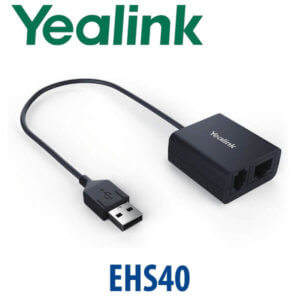
| Expansion | Electronic hook switch control | Electronic hook switch control for WH62 / WH63 with selected third-party phones | Current-generation EHS option — verify per deployment |
| Replaces | Older Yealink phone EHS use cases | Manual headset lifting / desk-bound call answering on compatible third-party phones | Check current EHS60 / EHS61 compatibility before quoting |
| Price Tier | Adapter accessory | Adapter accessory | Adapter accessory |
| Choose if… | You are pairing a compatible headset with a Yealink phone and David confirms EHS40 is the correct part | You have Yealink WH62 / WH63 headsets and compatible Cisco, Avaya, Poly or Grandstream phones | David confirms EHS61 is the current preferred part for your headset and phone combination |
Where the Yealink EHS60 Works in Dubai
Call centres and customer service teams. Agents in Business Bay, Deira and Al Quoz often need to move between screens, supervisor desks and CRM stations while staying on calls. With a Yealink WH62 or WH63 and the correct EHS60 connection, the agent can answer and end calls from the headset instead of reaching back to the phone every time.
Reception desks with non-Yealink phone estates. Hotels, clinics and corporate receptions may already run Cisco, Avaya, Poly or Grandstream phones. The EHS60 lets those desks add Yealink wireless headset convenience without replacing every phone just to support wireless answer and hang-up control.
Finance, legal and government supplier offices. Teams in DIFC, DMCC and Dubai government supplier environments often keep existing enterprise handsets for compliance or contract reasons. The EHS60 helps add headset productivity while preserving the approved phone platform.
Multi-brand branch networks. UAE and export projects often contain mixed phone fleets after years of expansions. Vector Digital Systems checks the exact phone model, cable type and headset base before supply, so bulk accessory orders do not become a compatibility headache during rollout.
Full Technical Specifications
| Specification | Yealink EHS60 |
|---|---|
| Product Type | Wireless headset electronic hook switch adapter |
| Primary Use | Connect Yealink WH62 / WH63 wireless DECT headsets to compatible third-party desk phones |
| Compatible Yealink Headsets | Yealink WH62 and WH63 wireless headsets with EHS60 support |
| Compatible Phone Brands | Selected Cisco, Avaya, Poly and Grandstream desk phones — exact model verification required |
| Remote Call Control | Answer calls, hang up calls, reject calls, hold calls, mute, switch between calls and adjust volume where supported by the phone |
| Incoming Call Alert | Incoming calls are signalled in the headset earpiece |
| Headset Connection | 1× Micro USB port for Yealink WH62 / WH63 headset base, 20cm cable length |
| Phone Connection | 1× RJ45 (8P8C) and 1× RJ9 (4P4C) headset jacks through supplied cables |
| Included Cable A | For Avaya and Grandstream IP phone connection |
| Included Cable B | For Cisco IP phone connection |
| Included Cable C | For Poly IP phone connection |
| Package Content | EHS60 adapter, Cable A, Cable B, Cable C and user guide |
| Giftbox Size | 141mm × 102mm × 46mm |
| Carton Quantity | 40 pieces per carton |
| Carton Weight | Net 3.672 kg / gross 4.204 kg per 40-piece carton |
Compatible Accessories and Pairing Notes
| Item | Model | Purpose |
|---|---|---|
| Wireless Headset | Yealink WH62 | Mono or dual wireless headset option depending on package — confirm EHS60 support on the base label |
| Wireless Headset | Yealink WH63 | Convertible DECT headset for users who prefer lightweight wearing styles |
| Desk Phone | Cisco / Avaya / Poly / Grandstream | Exact model must be verified because EHS support depends on the phone model and settings |
| Current EHS Alternative | EHS61 | Ask David to verify whether EHS60 or EHS61 is the current best match for your headset and phone estate |
Staging Before Dispatch — What We Check
For EHS60 orders, Vector Digital Systems checks the desk phone brand and exact model, the Yealink WH62 / WH63 headset base, the required cable type, firmware requirement and the expected call-control behaviour. For project orders, we label adapter sets by desk or user so installation teams can deploy quickly across reception, call-centre and branch locations. Where remote call control depends on a phone setting, David flags it before dispatch so your IT team knows what to enable.
Export from Dubai
Vector Digital Systems exports Yealink EHS60 headset adapters and WH-series headset bundles from Dubai to system integrators, telecom operators, PABX installers and corporate IT teams. Common export destinations include Oman, Saudi Arabia, Kuwait, Bahrain, Qatar, Jordan, Egypt, Kenya, Nigeria and Pakistan. Shipments move FOB Dubai with commercial invoice, packing list and certificate of origin on request. For bulk headset projects, share the phone model list before quoting so compatibility is confirmed before stock is packed.
Get a same-day quote in AED — compatibility checked before dispatch
Tell David: headset model, phone brand, exact phone model, quantity and delivery location. We quote with VAT breakdown and delivery included.
Frequently Asked Questions — Yealink EHS60
What is the Yealink EHS60 used for?
The Yealink EHS60 is a wireless headset adapter that connects a Yealink WH62 or WH63 DECT headset to compatible third-party desk phones such as selected Cisco, Avaya, Poly and Grandstream models. It enables remote call control from the headset, including answering and ending calls where supported by the phone.
Does the Yealink EHS60 work with Yealink T-series phones?
Do not assume EHS60 is the correct adapter for a Yealink T-series desk phone. The EHS60 is primarily for using Yealink WH62 / WH63 headsets with compatible third-party phones. If your desk phone is Yealink, ask David to verify the correct EHS adapter for the exact phone and headset model before ordering.
Which headsets are compatible with the Yealink EHS60?
The EHS60 is designed for Yealink WH62 and WH63 wireless DECT headsets with EHS60 support. Before dispatch, Vector Digital Systems checks the headset base and phone model so the adapter is supplied only where compatibility is confirmed.
Which desk phone brands can use the Yealink EHS60?
The EHS60 is designed for selected Cisco, Avaya, Poly and Grandstream IP phones. Compatibility depends on the exact model and sometimes on phone settings or firmware, so Vector Digital Systems checks the phone model before quoting or dispatching project quantities.
What call controls does the EHS60 support?
Where supported by the phone, the EHS60 allows users to answer calls, hang up calls, reject calls, mute, hold, switch between calls and adjust volume from the wireless headset. Incoming calls are also signalled in the headset earpiece.
Does the Yealink EHS60 need PoE or a separate power adapter?
No — the EHS60 is not a PoE device and it is not a desk-phone power adapter. It connects between the Yealink WH62 / WH63 headset base and the compatible desk phone using the supplied cables. The phone and headset base still need their own normal power setup.
EHS60 vs EHS40 — which one should I buy?
Choose EHS60 when you want to connect a Yealink WH62 / WH63 headset to a compatible third-party phone such as Cisco, Avaya, Poly or Grandstream. For Yealink desk phones, the correct EHS adapter may be different. Send David the phone model and headset model before ordering so the right adapter is quoted.
Does Vector Digital Systems configure or check the EHS60 before delivery?
Yes — Vector Digital Systems checks the phone brand, exact phone model, headset model, cable requirement and any phone-side EHS setting before dispatch. For bulk deployments, adapter sets can be labelled by desk or user to simplify installation.
Who is the Yealink authorised supplier in Dubai?
Vector Digital Systems LLC has supplied and supported Yealink products in Dubai since 2009. David handles Yealink accessory selection, project pricing, compatibility checks, staging guidance and local warranty support for Dubai, UAE and export buyers.
Does Vector Digital Systems export Yealink EHS60 adapters from Dubai?
Yes — Vector Digital Systems exports Yealink EHS60 adapters and headset bundles from Dubai to integrators and corporate IT teams in Oman, Saudi Arabia, Kuwait, Bahrain, Qatar, Jordan, Egypt, Kenya, Nigeria and Pakistan. Shipments are FOB Dubai with commercial invoice, packing list and certificate of origin on request.