
Description
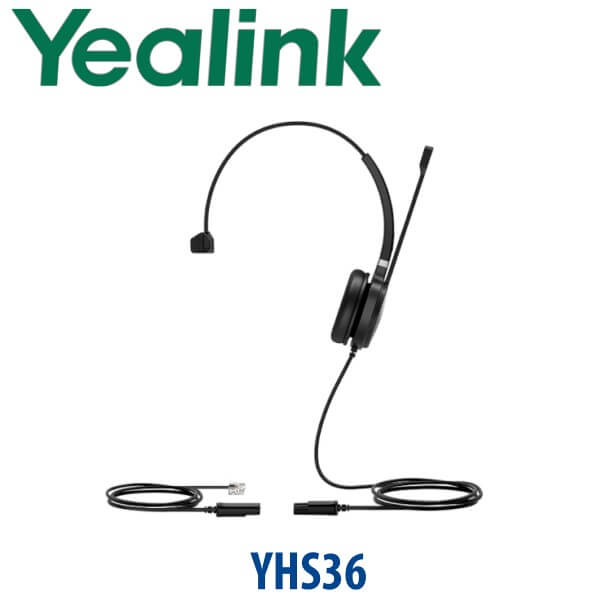
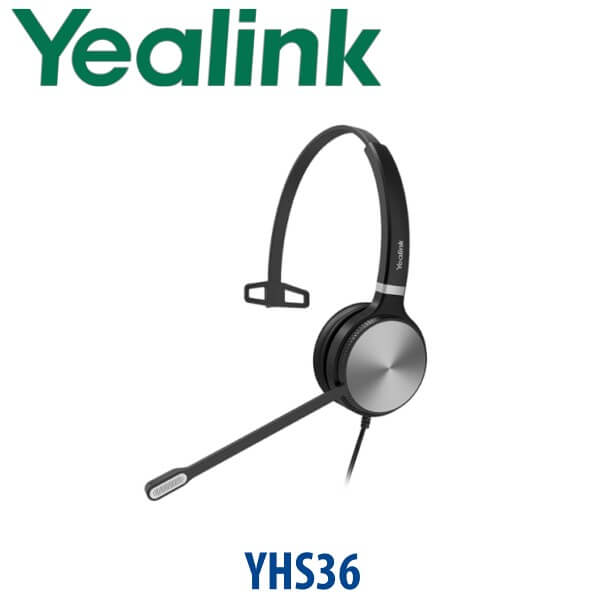
Yealink YHS36 QD to RJ Wired Mono & Dual RJ9 Headset for Yealink IP Phones Dubai
Yealink YHS36 — The Reliable Wired Headset for Yealink Desk Phones
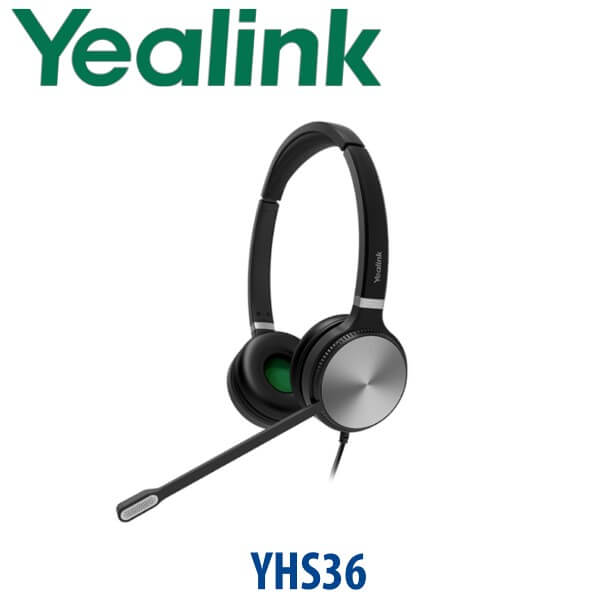
The Yealink YHS36 QD to RJ Wired Headset is the practical choice for Dubai offices that want clear desk-phone calling without charging docks, Bluetooth pairing, USB drivers or battery management. It connects to compatible Yealink IP phones through a QD-to-RJ9 cable, making it ideal for reception counters, call-centre agents, support desks, dispatch teams, sales desks and back-office staff who live on calls all day. Vector Digital Systems supplies the YHS36 in Dubai with same-day quote in AED, VAT and delivery noted, and bulk headset project pricing for teams standardising on Yealink phones.
Desk Phone, Teams or Laptop? Get the Headset Type Right First
The YHS36 is a professional analog RJ9 headset for Yealink desk phones. It is not a USB laptop headset, not a Bluetooth headset and not a Microsoft Teams-certified laptop headset. This matters because many buyers search for “Yealink headset” and accidentally order the wrong connection type. Use this table before ordering:
| Your Calling Setup | Right Yealink Headset Type | What You Need |
|---|---|---|
| Yealink desk phone with RJ9 headset port | YHS36 QD to RJ Wired Headset — this page | Compatible Yealink IP phone headset port |
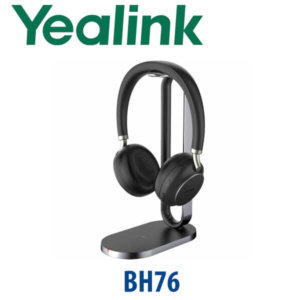
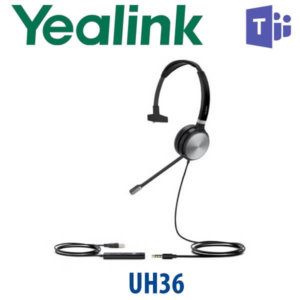
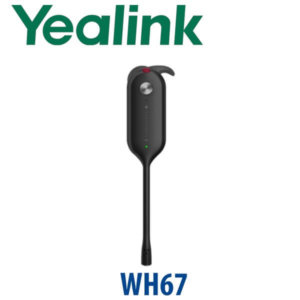
| Microsoft Teams on laptop | Yealink Teams-certified USB, Bluetooth or DECT headset — ask David for the current model | USB-A, USB-C, Bluetooth or DECT connection to PC |
| Zoom, browser calling or laptop softphone | Yealink USB or Bluetooth headset range — not YHS36 | Laptop-compatible headset connection |
Tell David which device the headset will plug into — a Yealink desk phone, a laptop, or both — and he will quote the correct headset family before dispatch.
No Battery, No Charging Dock, No Pairing
The YHS36 is a wired analog headset. It does not need a power adapter, charging base, Bluetooth pairing or software driver. Connect the headset to the included QD-to-RJ9 cable, plug the RJ9 end into the headset port of a compatible Yealink desk phone, select headset mode on the phone, and start taking calls. For fixed reception seats and agent desks, this simplicity is the main reason to choose the YHS36 over wireless options.
Mono or Dual — Which YHS36 Should You Order?
The YHS36 is available in two wearing styles. Choose YHS36 Mono when the user needs to hear colleagues, walk-in customers or activity around the reception desk. Choose YHS36 Dual when the user needs more focus, more passive noise reduction and fewer distractions in a busy call centre, sales office or shared operations room.
| Feature | YHS34 | YHS36 ★ | Yealink USB / Bluetooth Headset |
|---|---|---|---|
| Connection | RJ9 / 3.5mm depending on model | QD to RJ9 for Yealink desk phones | USB, Bluetooth or DECT |
| Best Use | General office phone use | Desk-phone agents, reception and call centres | Laptop softphone, Teams, Zoom and hybrid work |
| Mono / Dual Options | Model dependent | Mono and Dual available | Model dependent |
| Microsoft Teams | Not the main use case | Not sold as a direct Teams-certified laptop headset | Choose certified Teams headset where required |
| Battery / Charging | None | None | Required for wireless models |
| Desk Phone Compatibility | Yealink desk phone range | Broad Yealink IP phone compatibility | Depends on USB/Bluetooth support |
| Price Tier | Entry wired | Professional wired | Higher, depending on model |
| Choose if… | You need a simple wired Yealink phone headset | You need dependable RJ9 headset performance for desk-phone teams | Your users call mainly from laptops, Teams or Zoom |
Where the YHS36 Works in Dubai
Reception and front-desk teams. Clinics in Jumeirah, hotel reception counters in Deira, school offices in Al Barsha and corporate reception desks in Business Bay need a headset that is always ready. The YHS36 Mono lets the user answer calls while still hearing walk-in customers and colleagues nearby.
Call centres and sales floors. For shared sales teams in Dubai Silicon Oasis, support desks in JLT and back-office operations in Al Quoz, the YHS36 Dual gives both-ear focus, wideband voice and passive noise reduction without the cost and charging management of wireless headsets.
Warehouse and dispatch desks. Jebel Ali, DIP and logistics offices often keep a fixed Yealink desk phone at the dispatch counter. A wired RJ9 headset keeps the operator’s hands free for shipment notes, ERP screens and driver coordination.
Bulk headset replacement projects. When an office already runs Yealink T3, T4, T5, T7, VP or MP desk phones, the YHS36 is a clean standardisation choice. Vector Digital Systems can quote Mono and Dual mixes by department, with VAT breakdown and delivery charges included.
Full Technical Specifications
| Specification | Yealink YHS36 QD to RJ Wired Headset |
|---|---|
| Product Type | Professional analog wired headset for Yealink IP phones |
| Connection | QD headset connection with QD-to-RJ9 cable for compatible Yealink desk phones |
| Wearing Style | Over-the-head design |
| Variants | YHS36 Mono and YHS36 Dual; current YHS36 E2 part numbers include 1308251 Mono and 1308250 Dual |
| Speaker Performance | HD Voice / wideband speaker performance |
| Microphone | Noise-cancelling microphone with adjustable bendable boom arm |
| Noise Handling | Noise-cancelling microphone and passive noise reduction from ear cushions |
| Hearing Protection | ActiveProtection technology helps safeguard users from acoustic injury caused by sudden sound spikes |
| Cable Length | Headset cable approx. 0.9 m; QD-to-RJ9 cable approx. 1.2 m on current YHS36 E2 datasheet |
| Weight | Current YHS36 E2: approx. 81 g Mono, 129 g Dual |
| Operating Temperature | -10 °C to +50 °C |
| Package Contents | YHS36 Mono or Dual headset, QD-to-RJ9 cable, quick start guide |
| Compatible Phone Families | Compatible with many Yealink enterprise IP phones including T7, T8, T5, T4, T3, VP and selected MP desk phones with RJ9 headset support; confirm exact desk phone model with David before bulk order |
| Not For | Not a direct USB, USB-C, 3.5 mm laptop or Bluetooth headset; not sold as a direct Microsoft Teams-certified laptop headset |
Compatible Yealink Phones and Accessory Notes
| Device Family | YHS36 Fit | Buyer Note |
|---|---|---|
| Yealink T7 Series | Compatible with RJ9 headset port models including T73U, T73W, T74U, T74W and T77U | Use YHS36 for fixed wired desk-phone calling; choose USB/Bluetooth/DECT headset where mobility is needed |
| Yealink T3 / T4 / T5 Phones | Broad compatibility across many Yealink enterprise desk phones | Good replacement headset for existing Dubai offices running older Yealink desk phone fleets |
| Yealink MP Desk Phones | Works with selected MP phones that support RJ9 headset connection | Do not assume Teams certification from the headset; David will verify the MP phone and headset use case before quoting |
| Laptops and Softphones | Not the correct direct-fit headset | For Teams, Zoom, browser calling or laptop softphones, ask for Yealink USB, Bluetooth or DECT headset options |
Staging and Pre-Delivery Checks
For headset orders, Vector Digital Systems checks the phone model before dispatch, confirms whether Mono or Dual is right for each department, verifies the RJ9 headset connection, and can pair the order with new Yealink desk phones when required. For larger Yealink rollouts, our team stages the phones as well: SIP registration, provisioning template, BLF and speed-dial setup, dial-plan test and desk delivery before dispatch. The goal is simple — the headset and phone arrive together and work at the desk without guessing which cable or port is needed.
Export from Dubai
Vector Digital Systems exports Yealink headsets, desk phones and accessories from Dubai for telecom operators, system integrators, PABX installers, hotel groups, call-centre contractors and corporate procurement teams. We regularly support buyers in Oman, Saudi Arabia, Kuwait, Qatar, Bahrain, Jordan, Kenya, Tanzania, Pakistan and Sri Lanka. Export shipments are quoted FOB Dubai with commercial invoice, packing list and certificate of origin on request. For project quantities, send David the headset model, Mono/Dual mix, compatible phone model and destination country.
Get a same-day quote in AED — Yealink YHS36 in Dubai
Tell David your Yealink phone model, quantity, Mono or Dual preference, and whether the headsets are for reception, call-centre, sales or back-office users. We quote with VAT breakdown and delivery charges included.
Frequently Asked Questions — Yealink YHS36
Does the Yealink YHS36 work with Microsoft Teams?
The YHS36 is an analog QD-to-RJ9 headset for compatible Yealink desk phones. It is not a direct USB Microsoft Teams-certified laptop headset. It may be used with selected Yealink MP desk phones that support RJ9 headset connection, but for laptop-based Teams calling David will recommend a Yealink Teams-certified USB, Bluetooth or DECT headset instead.
Does the YHS36 plug directly into a laptop?
No. The YHS36 uses a QD-to-RJ9 connection for compatible Yealink desk phones. It is not a USB-A, USB-C, Bluetooth or 3.5 mm laptop headset. If your team uses laptop softphones, browser calling, Zoom or Teams, ask David for the correct Yealink USB or Bluetooth headset.
Which Yealink phones are compatible with the YHS36?
The YHS36 is designed for broad compatibility with Yealink enterprise IP phones that have an RJ9 headset port, including many T7, T8, T5, T4, T3, VP and selected MP desk phones. For bulk orders, Vector Digital Systems confirms the exact phone model before quoting so every headset matches the desk hardware.
YHS36 Mono vs YHS36 Dual — which one should I buy?
Choose YHS36 Mono when the user needs one ear open for walk-in customers, colleagues or reception activity. Choose YHS36 Dual when the user needs more focus, passive noise reduction and both-ear listening for call-centre, support, sales or back-office calling. Many Dubai offices order Mono for reception and Dual for agent desks.
Does the YHS36 need charging or a power adapter?
No. The YHS36 is a wired analog headset. It does not need charging, a battery, a charging base or a power adapter. It connects to the Yealink desk phone through the included QD-to-RJ9 cable and works through the phone’s headset port.
Is the YHS36 suitable for call-centre agents?
Yes. The YHS36 is built for office workers, SOHO users and call-centre staff who spend long hours on calls. The Dual version is the better choice for agent focus because both ears are covered, while the noise-cancelling microphone helps reduce background noise picked up by the caller.
Does the YHS36 have a noise-cancelling microphone?
Yes. The YHS36 includes a noise-cancelling microphone with an adjustable boom arm. It is useful in open-plan offices, shared reception counters and support desks where background conversation can distract the caller.
Who is the Yealink authorised supplier in Dubai?
Vector Digital Systems LLC has supplied and integrated Yealink solutions in Dubai since 2009. David leads the Yealink product team and handles pre-sales model selection, project pricing, staging support and local warranty handling for Yealink phones, headsets and accessories.
What is the best Yealink headset for reception desks in Dubai?
For a reception desk using a Yealink IP phone, the YHS36 Mono is usually the best wired choice because the receptionist can keep one ear open for visitors and colleagues. For busier call-centre or support teams, step up to YHS36 Dual for more focus, or ask David about Yealink wireless DECT headsets if agents need to move away from the desk.
Does Vector Digital Systems export Yealink YHS36 headsets from Dubai?
Yes. Vector Digital Systems exports Yealink YHS36 headsets and related Yealink phones to system integrators, call-centre contractors and enterprise buyers in Oman, Saudi Arabia, Kuwait, Qatar, Bahrain, Jordan, Kenya, Tanzania, Pakistan and Sri Lanka. Shipments are quoted FOB Dubai with commercial invoice, packing list and certificate of origin on request.
Does Vector Digital Systems configure Yealink phones before headset delivery?
Yes. When the YHS36 is supplied with Yealink desk phones, Vector Digital Systems can stage the phones before dispatch: SIP registration, provisioning template, BLF and speed-dial setup, dial-plan test and headset-port check. The phone and headset arrive ready for the user’s desk.