Description
Yealink YHS34 / YHS34 Lite Wired Headset RJ9 QD Headset for Yealink IP Phones Dubai
A Simple Wired Headset for Yealink Desk Phone Users
The Yealink YHS34 / YHS34 Lite is the straightforward headset choice for offices that want clear calls without charging, Bluetooth pairing, USB drivers, or wireless range planning. It connects to compatible Yealink desk phones using the supplied QD-to-RJ9 cable, making it ideal for reception desks, call-centre agents, sales desks, support teams, and shared office phones across Dubai. Vector Digital Systems supplies the YHS34 family in Dubai with same-day quote in AED, VAT and delivery noted, and local Yealink support from a team trading since 2009.
Connection Trap: RJ9 Desk Phone Headset, Not a Laptop USB Headset
The most common headset buying mistake is ordering an RJ9 phone headset for a laptop user, or a USB headset for a desk phone that needs RJ9. The YHS34 / YHS34 Lite is built for Yealink desk phones. It is not the right choice for direct Microsoft Teams, Zoom, or laptop-only use unless your setup routes audio through a compatible desk phone. For laptop and Teams users, ask David for the current Yealink USB, Bluetooth, or Teams-certified headset range.
| Your User Setup | Right Headset Route | What You Need |
|---|---|---|
| Yealink SIP desk phone | YHS34 / YHS34 Lite RJ9 wired headset | Compatible Yealink phone headset port + supplied QD-to-RJ9 cable |
| Microsoft Teams on laptop | Yealink USB / Bluetooth / Teams-certified headset range | USB-A, USB-C, Bluetooth, or Teams button requirement confirmed before quote |
| Agent moves around the office | Yealink WH DECT wireless headset range | Base station, EHS support, and desk phone compatibility checked before supply |
Tell David the exact Yealink phone model and whether the user needs desk-phone-only audio or laptop calls as well. That one detail prevents the wrong connector from reaching the desk.
No Charging, No Pairing, No Wireless Planning
For high-volume desks, wired still has a strong advantage: the headset is always ready. There is no battery ageing, no Bluetooth pairing confusion, no interference planning, and no user training beyond plugging in the QD cable. For Dubai call centres, clinics, hotel reservations, real-estate sales teams, and front-desk operators who spend the day on voice calls, that simplicity is often more valuable than wireless movement.
YHS34 vs YHS34 Lite — Cushion Choice Matters
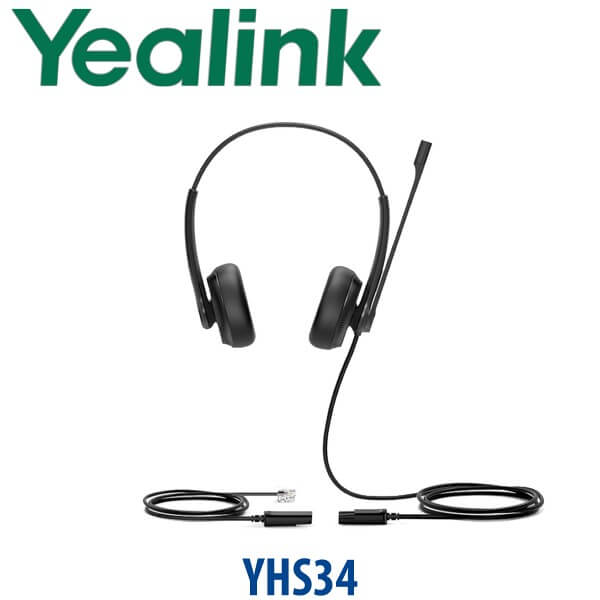
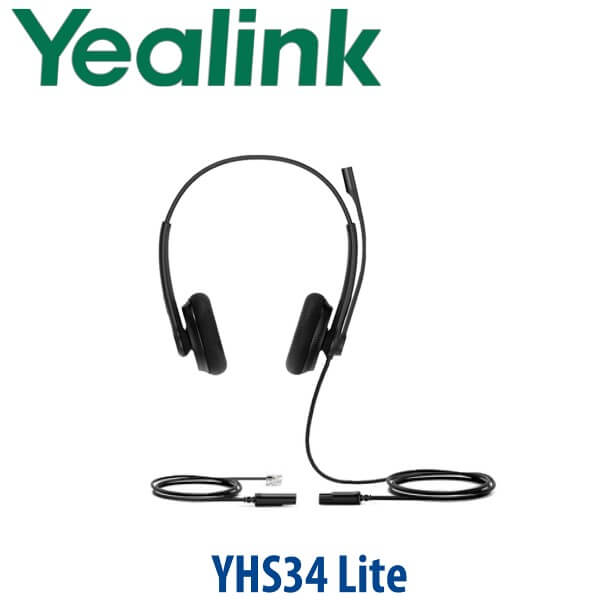
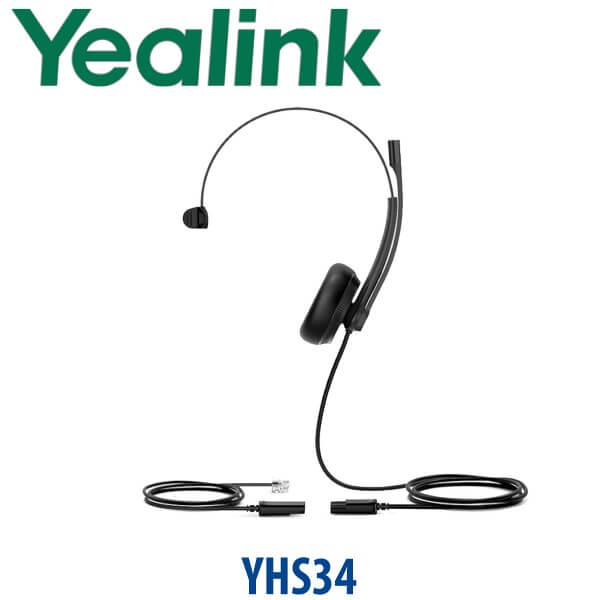
The YHS34 and YHS34 Lite share the same core purpose: professional wired voice calling on Yealink IP phones. The practical difference is the wearing surface. YHS34 uses leather ear cushions for a more premium feel, while YHS34 Lite uses foam ear cushions for a lighter, budget-friendly call-centre deployment. Both are available in Mono and Dual versions, so you can choose one-ear awareness for reception desks or two-ear focus for agents working in noisier rooms.
YHS34 in the Yealink Wired Headset Range
The YHS34 / YHS34 Lite sits in the middle of Yealink’s RJ9 wired headset family: simple enough for bulk deployment, but comfortable enough for full-day use. Buyers comparing YHS33, YHS34, and YHS36 should focus on call volume, comfort expectations, and whether the desk needs a basic headset or a more agent-focused wearing experience.
| Feature | YHS33 | YHS34 / YHS34 Lite ★ | YHS36 |
|---|---|---|---|
| Connection | RJ9 wired | QD to RJ9 wired | QD to RJ9 wired |
| Best Desk Type | Basic phone users | Reception, sales, support, call-centre agents | Long-call agent desks |
| Mono / Dual Options | Verify at quote | Mono and Dual | Mono and Dual |
| Cushion Choice | Basic office cushion | YHS34 leather / YHS34 Lite foam | Soft leather ear cushions |
| Microphone | Office voice calls | Noise-cancelling mic | Noise-cancelling mic |
| Desk Phone Compatibility | Yealink RJ9 phones | Yealink enterprise IP phones | Yealink enterprise IP phones |
| Teams / Laptop Use | Not direct USB | Not direct USB — choose UH/BH for laptop | Not direct USB — choose UH/BH for laptop |
| Price Tier | Entry | Volume call-centre value | Agent comfort tier |
| Choose if… | You need a basic headset for occasional desk-phone calls | You want the safe bulk choice for Yealink desk-phone agents | You want a step-up RJ9 headset for heavy call users |
Where the YHS34 Works in Dubai
Call centres and support floors. The YHS34 Lite Dual is a strong fit for high-volume agent desks in Business Bay, Al Quoz, Deira, and JLT where teams need affordable, repeatable wired audio across many Yealink phones. Dual-ear versions help agents focus, while the QD cable makes shift changes and desk sharing easier.
Reception and front-desk users. The YHS34 Mono gives one-ear calling for clinics, real-estate offices, hotels, and service counters where the user still needs to hear visitors at the desk. Pair it with a Yealink T-series phone and the receptionist can answer, transfer, and speak hands-free without holding the handset all day.
Sales and customer service teams. For outbound sales, appointment booking, collections, and after-sales follow-up, wired RJ9 keeps the setup predictable: no battery rotation, no pairing support tickets, and no user-specific Bluetooth settings. That matters when procurement is buying 10, 25, or 100 headsets at once.
Dubai office refresh projects. If you are already replacing Yealink phones or rolling out a new SIP PABX, add the YHS34 headset at the same time. Vector Digital Systems checks desk phone compatibility, stages the phone profile, and supplies the correct headset type so the user receives one complete desk setup.
Full Technical Specifications
| Specification | Yealink YHS34 / YHS34 Lite |
|---|---|
| Product Type | Professional analog wired headset for Yealink IP phones |
| Connection Type | QD to RJ9 wired connection |
| Available Versions | YHS34 Mono · YHS34 Dual · YHS34 Lite Mono · YHS34 Lite Dual |
| Ear Cushion | YHS34: leather ear cushions · YHS34 Lite: foam ear cushions |
| Wearing Style | Over-the-head, on-ear design |
| Weight | YHS34 Mono: 72g · YHS34 Dual: 106g · YHS34 Lite Mono: 98g · YHS34 Lite Dual: 68g |
| Speaker Size | 28mm |
| Speaker Frequency Response | 20Hz–20kHz |
| Talk Mode Bandwidth | 100Hz–20kHz |
| Microphone | 1 noise-cancelling microphone |
| Microphone Frequency Response | 100Hz–8kHz |
| Boom Arm | 320° bendable boom arm for easy microphone positioning |
| Hearing Protection | ActiveProtection technology helps safeguard users from acoustic injury |
| Cable Length | Headset cable: 0.9m · QD-to-RJ9 cable: 1.2m |
| Package Contents | Headset, QD-to-RJ9 cable, Quick Start Guide |
| Compatibility | Full range of Yealink enterprise IP phones with compatible headset port |
Compatible Phones and Accessories
| Item | Model / Type | Purpose |
|---|---|---|
| Desk Phones | Yealink T-series enterprise IP phones | RJ9 headset connection for reception, sales, support, and call-centre users |
| Connection Cable | QD-to-RJ9 cable | Included in the box for plug-and-play connection to compatible Yealink phones |
| USB Alternative | Yealink UH series | For laptop, softphone, and Microsoft Teams users who need USB connectivity |
| Wireless Alternative | Yealink WH / BH series | For users who need office mobility, Bluetooth, DECT range, or laptop + phone pairing |
Staging Before Dispatch — What We Check
For headset orders, Vector Digital Systems checks the desk phone model before dispatch, confirms RJ9 headset compatibility, and matches the user type to the correct Mono, Dual, YHS34, or YHS34 Lite variant. For larger deployments we can bundle the headset with Yealink desk phones, pre-stage the SIP phone registration, load the provisioning template, test BLF and speed-dial keys, confirm the dial plan, and label the desk package before delivery. The goal is simple: the agent plugs in the headset and starts taking calls.
Export from Dubai
Vector Digital Systems exports Yealink headsets and desk phone bundles from Dubai to telecom operators, PABX installers, system integrators, hotel groups, corporate procurement teams, and banking branch networks. Common export destinations include Oman, Saudi Arabia, Kuwait, Bahrain, Qatar, Jordan, Egypt, Kenya, Nigeria, and Pakistan. Shipments can move FOB Dubai with commercial invoice, packing list, and certificate of origin on request. For 5+ units or call-centre quantities, ask David for project pricing with VAT, delivery, and export documentation clearly separated in the quote.
Get a same-day quote in AED — in stock in Dubai
Tell David the headset quantity, your Yealink phone model, and whether each user needs Mono or Dual. We quote with VAT breakdown and delivery charges included.
Frequently Asked Questions — Yealink YHS34 / YHS34 Lite
Does the Yealink YHS34 work with both my desk phone and laptop?
The YHS34 / YHS34 Lite is an RJ9 wired headset for compatible Yealink enterprise IP phones. It is not a direct USB laptop headset. If your user needs laptop, softphone, Microsoft Teams, or Zoom audio, ask David for the Yealink UH, BH, or Teams-certified headset range instead.
Is the Yealink YHS34 Microsoft Teams certified?
No Teams certification claim is made for the YHS34 / YHS34 Lite. It is an analog RJ9 headset for Yealink desk phones. For Teams users, Vector Digital Systems will verify the current Microsoft-certified Yealink headset or phone model before quoting.
What is the difference between Yealink YHS34 and YHS34 Lite?
The main practical difference is the ear cushion. YHS34 uses leather ear cushions for a more premium feel, while YHS34 Lite uses foam ear cushions for lighter, budget-friendly deployments. Both are available in Mono and Dual versions and connect using QD to RJ9.
Should I choose YHS34 Mono or YHS34 Dual?
Choose YHS34 Mono when the user needs one ear free for visitors or colleagues, such as reception, retail counters, and clinic desks. Choose YHS34 Dual for call-centre agents, support staff, and sales users who need more focus during long calling sessions.
Will the YHS34 work with our Yealink T-series IP phones?
The YHS34 / YHS34 Lite is designed for the full range of Yealink enterprise IP phones with compatible headset ports. Before dispatch, Vector Digital Systems checks your exact phone model so the correct wired headset route is supplied.
Does the YHS34 need a power adapter or battery?
No. The YHS34 / YHS34 Lite is a wired analog headset. It does not need charging, a battery, Bluetooth pairing, or a separate power adapter. It connects to the phone using the supplied QD-to-RJ9 cable.
YHS34 vs YHS36 — which one should I buy?
Choose YHS34 / YHS34 Lite for a reliable volume headset for reception, sales, and call-centre deployment on Yealink desk phones. Choose YHS36 if you want the step-up RJ9 wired headset for heavy call users and long all-day agent shifts. David can recommend the right mix by user role.
What is the best Yealink headset for a Dubai call centre?
For Yealink desk-phone-only agents, the YHS34 Lite Dual is the value choice for call-centre quantity orders. For agents using laptops or Microsoft Teams, choose a Yealink USB or Teams-certified headset instead. For supervisors or users who move around the floor, step up to the Yealink WH wireless range.
Who is the authorised Yealink supplier in Dubai?
Vector Digital Systems LLC has supplied Yealink phones, headsets, and VoIP solutions in Dubai since 2009. David handles Yealink product selection, compatibility checks, project pricing, staging coordination, and local warranty support before dispatch.
Does Vector Digital Systems configure Yealink phones before headset delivery?
Yes. When the headset is supplied with Yealink phones, Vector Digital Systems can stage SIP registration, provisioning templates, BLF and speed-dial keys, dial-plan testing, and desk labelling before dispatch, so the phone and headset arrive ready for the user.
Does Vector Digital Systems export Yealink headsets from Dubai?
Yes. Vector Digital Systems exports Yealink headsets and phone bundles from Dubai to Oman, Saudi Arabia, Kuwait, Bahrain, Qatar, Jordan, Egypt, Kenya, Nigeria, and Pakistan. Shipments can move FOB Dubai with commercial invoice, packing list, and certificate of origin on request.