Description
Yealink DD10K DECT USB Dongle Wireless DECT Adapter for Compatible Yealink Phones Dubai
Yealink DD10K — Small Dongle, Big DECT Compatibility Difference
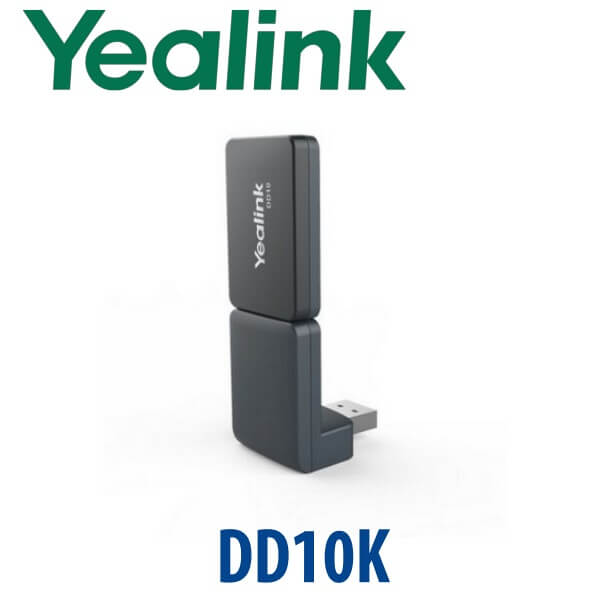
The Yealink DD10K is a compact DECT USB dongle that gives selected Yealink desk phones a new role inside a Yealink DECT system. In the right setup, it lets a compatible desk phone work with a Yealink W-series DECT base, or lets selected Yealink desk phones act as a small DECT base for compatible cordless handsets. That makes it useful for Dubai offices that want DECT mobility without replacing every desk phone, especially in reception areas, clinic counters, warehouse offices, hotel back offices and branch deployments.
Compatibility is the whole purchase decision with DD10K. It is not a universal Yealink USB accessory. It does not fit every phone with a USB port, and it is not compatible with the current T7 desk phone range. Before quoting, Vector Digital Systems checks the exact phone model, firmware family and DECT base station so the accessory works on installation day.
Platform and Compatibility Trap — DD10K Is DECT, Not Teams, Not Wi-Fi, Not Bluetooth
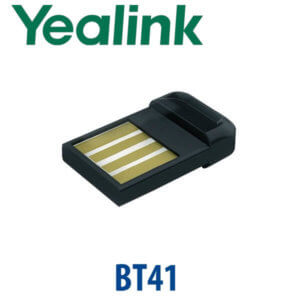
Buyers often confuse Yealink wireless accessories because the model names are small and the use cases overlap. DD10K is specifically a DECT USB dongle. It is not the WF50 Wi-Fi dongle, not the BT41 Bluetooth dongle, and not a Microsoft Teams certification accessory. It belongs in Yealink DECT phone projects where compatible desk phones and W-series base stations need to work together.
| Your Requirement | Right Yealink Accessory | What You Need |
|---|---|---|
| DECT link for compatible Yealink desk phone | DD10K DECT USB Dongle (this page) | Supported Yealink phone model + supported Yealink W-series base or handset plan |
| Wi-Fi connection for a desk phone | WF50 or built-in Wi-Fi model, depending on phone | Phone model check before quoting — DD10K will not add Wi-Fi |
| Bluetooth headset pairing | BT41 or built-in Bluetooth model, depending on phone | Bluetooth-capable Yealink phone or compatible Bluetooth USB accessory — DD10K is not Bluetooth |
| Microsoft Teams desk phone | Yealink MP-series Teams phone — verify certification status | Microsoft 365 tenant + Teams Phone licence per user |
Power Truth — No PSU Required for the DD10K
The DD10K is powered from the USB port of the compatible Yealink phone. There is no separate DD10K power adapter to add. The phone itself still needs power in the usual way: PoE from a switch or the correct Yealink PSU if the phone is on a non-PoE network. For Dubai installations, David checks both points separately — the phone power requirement and the DD10K compatibility requirement — before the quote is issued.
Important T7 Warning — DD10K Is Not for T73U, T74U, T74W or T77U
The current Yealink T7 range uses a different accessory logic. If you are buying the new T73U, T73W, T74U, T74W or T77U, do not add the DD10K expecting DECT functionality. For T7 pages, the right expansion accessory is EXP55 for BLF keys; wireless options depend on the exact T7 model. The DD10K belongs mainly to selected T5, T8, VP59 and legacy supported phone projects.
Where DD10K Fits in the Yealink Wireless Accessory Range
Use the DD10K only when the project requirement is Yealink DECT integration. For Wi-Fi, Bluetooth or expansion keys, choose the matching Yealink accessory instead. This table prevents the most common accessory mistake: ordering a wireless-looking USB dongle for the wrong type of wireless job.
| Feature | WF50 | DD10K ★ | BT41 |
|---|---|---|---|
| Main function | Wi-Fi network access | DECT system integration | Bluetooth headset pairing |
| Wireless type | Wi-Fi | DECT | Bluetooth |
| Typical buyer | Desk without Ethernet | Desk phone inside DECT deployment | User with Bluetooth headset |
| Works with T7 series? | Model-dependent | No — T7 not supported | Model-dependent |
| Power | USB powered | USB powered | USB powered |
| Replaces | Ethernet cable where supported | Dedicated DECT-only handset in some desk scenarios | Wired headset cable in some user scenarios |
| Choose if… | You need Wi-Fi network access on a supported phone | You need a compatible Yealink desk phone to join or host a DECT setup | You need Bluetooth headset pairing on a supported phone |
Dubai Use Cases for the Yealink DD10K
Hotel and serviced-apartment back offices. A front office may already run Yealink cordless handsets for housekeeping, maintenance and duty managers, while the supervisor still prefers a desk phone. In supported Yealink setups, the DD10K helps bridge selected desk phones into the DECT workflow so staff do not need separate systems for mobile and fixed users.
Clinics, pharmacies and reception counters. Healthcare reception desks in Jumeirah, Deira and Business Bay often need both a fixed desk phone and cordless coverage for nurses, store rooms or treatment areas. DD10K is useful where an existing compatible Yealink phone can be included in a DECT design instead of replacing the whole setup.
Warehouse and industrial offices. In Jebel Ali, DIP and Al Quoz, DECT is often more predictable than Wi-Fi calling because it avoids guest Wi-Fi congestion and penetrates building layouts differently. A compatible Yealink desk phone with DD10K can sit at the dispatch desk while cordless handsets move across the floor.
Branch offices standardising on Yealink. Multi-branch UAE businesses often inherit mixed Yealink T5, T8 and older T4/T5 hardware. Vector Digital Systems checks which phones can use DD10K, which should remain wired SIP phones, and which should be replaced by a current W-series DECT solution.
Full Technical Specifications
| Specification | Yealink DD10K |
|---|---|
| Product Type | DECT USB dongle for compatible Yealink IP phones |
| Interface | USB 2.0 |
| DECT Transmission Rate | 1152 kbps |
| Antennas | 2 internal omnidirectional antennas |
| Power Consumption | 815 mW |
| Frequency Bands | 1880–1900 MHz Europe, 1920–1930 MHz US, 1902–1906 MHz TH, 1910–1920 MHz BA |
| Indoor Range | 20–50 m, with 50 m maximum depending on site conditions |
| Outdoor Range | Up to 300 m in clear view and ideal conditions |
| Desk Phone as DECT Handset Mode | Supported on selected models such as T41S, T42S and T54W when paired with supported Yealink W60B/W70B/W80B/W90B DECT base stations |
| Desk Phone as DECT Base Mode | Supported on selected models including T53, T53W, T54W, T57W, T58A, T58W and VP59, with up to 4 compatible Yealink handsets |
| Compatible Handset Families | W52H, W56H, W53H, W73H, W78H, W57R and W59R — confirm exact project compatibility before ordering |
| T7 Compatibility | Not compatible with T73U, T73W, T74U, T74W or T77U |
| Dimensions | 73 mm × 27 mm × 8 mm |
| Weight | 2 g |
| Package Content | DD10K DECT USB Dongle and Quick Start Guide |
Compatible Accessories and Related Yealink Parts
| Item | Model | How It Relates to DD10K |
|---|---|---|
| DECT USB Dongle | DD10K | This accessory — adds DECT functionality to supported Yealink phones |
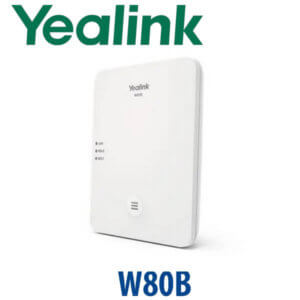
| DECT Base Stations | W60B, W70B, W80B, W90B | Used in supported desk-phone-as-handset scenarios; final design depends on base model and deployment size |
| Compatible Handsets | W52H, W56H, W53H, W73H, W78H, W57R, W59R | Selected handsets can register in supported phone-as-base mode, up to 4 handsets |
| Wi-Fi Dongle | WF50 | Different accessory — use for Wi-Fi networking on supported models, not DECT |
| Bluetooth Dongle | BT41 | Different accessory — use for Bluetooth headset pairing on supported models, not DECT |
Staging Before Dispatch — What Vector Digital Systems Checks
DD10K orders are small in size but sensitive in compatibility. Before dispatch, Vector Digital Systems checks the phone model, firmware family, DECT base model, handset requirement and intended operating mode. Where the customer supplies SIP credentials or an existing Yealink DECT plan, we can stage the compatible phone, confirm registration behaviour, test a call path and label the accessory for the correct desk. This avoids the common Dubai support issue where a USB accessory arrives but the phone model is not supported.
Export from Dubai
Vector Digital Systems supplies Yealink accessories and DECT parts to telecom operators, PABX installers, hotel groups, system integrators and enterprise procurement teams across the region. DD10K accessories can be quoted alone or bundled with compatible Yealink phones, W-series bases and handsets for projects in Oman, Saudi Arabia, Kuwait, Bahrain, Qatar, Jordan, Egypt, Kenya, Pakistan and Sri Lanka. Export shipments move FOB Dubai with commercial invoice, packing list and certificate of origin on request. Ask David for quantity pricing, VAT treatment and delivery options.
Get a same-day quote in AED for Yealink DD10K
Tell David your phone model, firmware version if known, DECT base model, handset count and delivery location. We confirm compatibility, quote VAT and delivery, and stage supported Yealink setups before dispatch.
Frequently Asked Questions — Yealink DD10K
What is the Yealink DD10K used for?
The Yealink DD10K is a DECT USB dongle for selected Yealink IP phones. It can let supported desk phones work with a Yealink DECT base system, or let selected phones act as a small DECT base for compatible Yealink cordless handsets. Vector Digital Systems checks the exact phone and DECT base before quoting because DD10K compatibility is model-specific.
Does the Yealink DD10K work with Microsoft Teams?
DD10K is not a Microsoft Teams accessory and does not make a SIP phone into a Teams phone. It is a DECT USB dongle for compatible Yealink IP phones and DECT systems. If your office runs Microsoft Teams Phone, ask David for the current Yealink MP-series Teams phone and verify certification status before ordering.
Does the DD10K work with Yealink T74U, T74W or T77U?
No. DD10K is not compatible with the current Yealink T7 series, including T73U, T73W, T74U, T74W and T77U. If you are buying a T7 phone, do not add DD10K for DECT. Ask David for the correct T7 accessory path, such as EXP55 for expansion keys or the right wireless option for your exact model.
Which Yealink phones are compatible with DD10K?
DD10K compatibility includes selected Yealink T5, T8, VP59 and legacy models, with different operating modes depending on the phone. Common supported families include T53, T53W, T54W, T57W, T58A, T58W, VP59 and selected T8 models. Some legacy T41S, T42S, T56A, T58A and T58V use cases are also supported. Vector Digital Systems verifies the current Yealink compatibility list before dispatch.
Can DD10K turn a Yealink desk phone into a DECT base station?
On selected compatible Yealink phones, yes. Supported models such as T53, T53W, T54W, T57W, T58A, T58W and VP59 can work as a DECT base station with up to 4 compatible Yealink handsets. The handset list and firmware status must be checked before ordering.
Can DD10K make a Yealink desk phone work as a handset on a W-series base?
On selected compatible phones, yes. Yealink lists use cases where T41S, T42S and T54W can work with Yealink W60B, W70B, W80B or W90B DECT base stations after pairing. This is useful when a desk phone needs to sit inside an existing DECT deployment.
Does the DD10K need a power adapter?
No. The DD10K is powered through the USB 2.0 port of the compatible Yealink phone and does not require a separate power adapter. The phone itself still needs normal power through PoE or a suitable Yealink PSU if the network switch is not PoE-capable.
What range can I expect from the Yealink DD10K?
Yealink specifies an indoor range of 20–50 m, with 50 m as the maximum depending on walls, layout and interference. Outdoor range can reach up to 300 m in clear view and ideal conditions. For warehouses, clinics and hotel floors in Dubai, Vector Digital Systems checks the site layout before recommending a DECT design.
Who is the Yealink authorised supplier in Dubai for DD10K?
Vector Digital Systems LLC has supplied Yealink phones, DECT systems and accessories in Dubai since 2009. David handles Yealink accessory checks, project pricing, staging and local warranty support, so DD10K orders are matched to the correct phone, base station and handset plan before dispatch.
Does Vector Digital Systems export Yealink DD10K from Dubai?
Yes. Vector Digital Systems exports Yealink accessories from Dubai to system integrators, PABX installers and enterprise buyers in Oman, Saudi Arabia, Kuwait, Bahrain, Qatar, Jordan, Egypt, Kenya, Pakistan and Sri Lanka. Shipments can move FOB Dubai with commercial invoice, packing list and certificate of origin on request.