
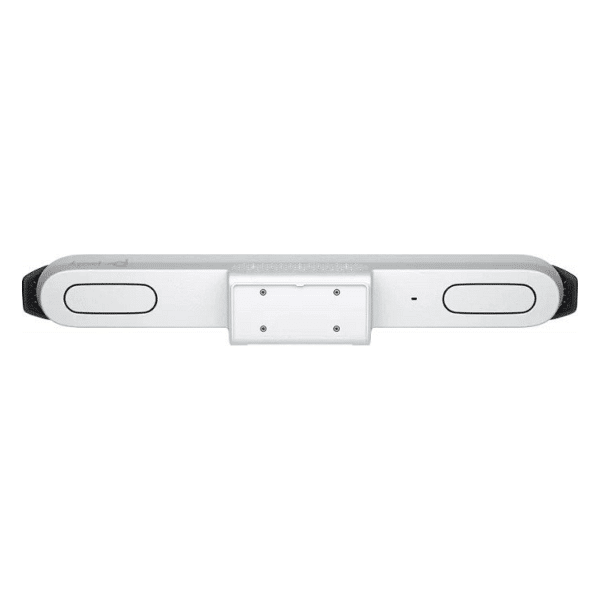
Description
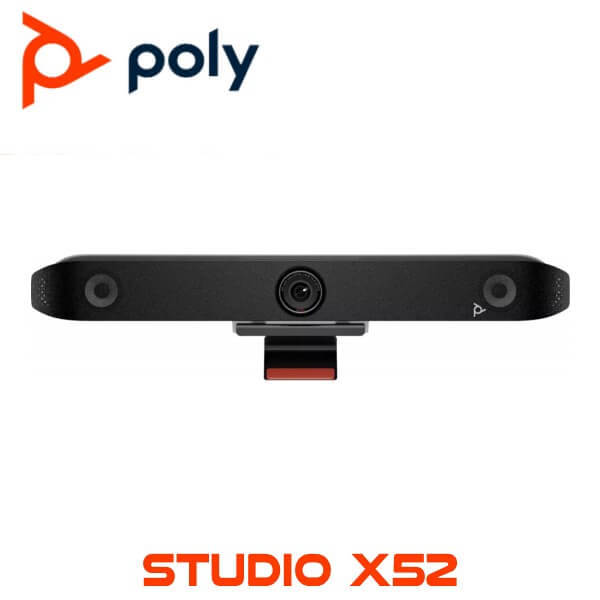
Poly Studio X52 Dubai 4K Video Conferencing Bar for Medium Rooms
Poly Studio X52 Dubai
Stop wasting the first 10 minutes of every meeting fixing the room
Some meeting rooms look expensive until the first call starts. One person sounds far away. The Dubai office cannot hear the Abu Dhabi team. Someone joins from a laptop because the room system is “not working again”. Then IT gets called, the meeting slips, and the same issue repeats next week.
The Poly Studio X52 fixes that class of problem for medium meeting rooms. Camera, microphones, speakers, and built-in video apps sit inside one clean video bar. Fewer boxes. Fewer cables. Fewer excuses.
It’s a strong fit for boardrooms, training rooms, manager meeting spaces, hotel admin offices, clinics, school meeting rooms, and free zone offices in DMCC, DIFC, JAFZA, and DAFZA where the room needs to work for Microsoft Teams, Zoom, Google Meet, and SIP/H.323 video calls.
Built for medium rooms, not laptop-on-table meetings
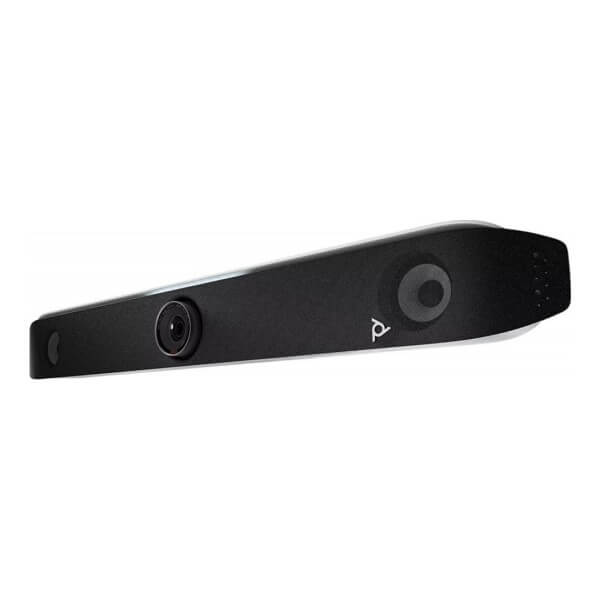
The Poly Studio X52 is an all-in-one video conferencing bar for medium-sized rooms. In plain terms, it’s the unit you mount below or above the display when you want a proper room system without filling the cabinet with separate AV gear.
It uses a 20MP 4K UltraHD camera with a 95-degree horizontal field of view. That gives enough coverage for a typical medium meeting table without pushing the camera into an ultra-wide fisheye look. People at the sides are still seen, but the image doesn’t feel like a CCTV feed.
For Dubai offices, this matters. Many meeting rooms are not purpose-built AV spaces. They’re glass rooms in Business Bay, converted manager cabins in Deira, serviced offices in JLT, training rooms in Al Quoz, or shared boardrooms in free zone buildings. The X52 gives those rooms a fixed video system that staff can use without calling IT every morning.
Room fit
Use Poly Studio X52 for medium meeting rooms, boardrooms, training rooms, client discussion rooms, and video-enabled management cabins. Typical fit: around 6 to 10 people seated around the table, depending on room layout, table depth, screen height, and glass-wall acoustics.
Camera framing that helps remote people follow the room
Bad meeting room video usually has one of two problems. Either the camera is too wide and everyone looks tiny, or it is too tight and half the table disappears. Poly DirectorAI helps by automatically framing the people in the room so remote participants can follow the discussion with less effort.
This is useful in UAE offices where meetings move quickly between local staff, regional management, suppliers, and clients. When someone at the far end of the table speaks, the meeting shouldn’t depend on a person manually adjusting a camera remote.
The X52 supports people video up to 4K at 30 fps and 1080p at 60 fps. For most Teams and Zoom rooms, the real benefit is consistency: clear framing, stable room audio, and a setup that doesn’t change every time someone brings a different laptop.
Audio built for real rooms with glass, AC noise, and side talk
Dubai meeting rooms are often noisy in small ways. Ceiling AC, laptop keyboards, glass walls, open office spillover, corridor chatter, and people speaking across the table. The Poly Studio X52 includes Poly NoiseBlockAI and Acoustic Fence technology to reduce background distractions and keep the meeting focused on the people speaking.
The built-in microphone pickup is rated up to 20 ft. That makes it practical for medium rooms where the far end of the table still needs to sound clear. For longer tables or rooms with difficult acoustics, an optional expansion microphone can be planned during the room design stage.
The speaker system is built into the bar, so users don’t need to connect a separate Bluetooth speaker or depend on weak display audio. Less fiddling. Better calls.
IT note for UAE deployments
For Etisalat Business and du Enterprise WAN sites, the X52 should sit on a stable wired LAN wherever possible. Wi-Fi 6 is available, but fixed meeting rooms normally behave better on Gigabit Ethernet, especially when the room is used for Teams, Zoom, and screen sharing throughout the day.
Works with Teams, Zoom, Google Meet, and legacy video rooms
The Poly Studio X52 is commonly selected for companies standardising on Microsoft Teams Rooms or Zoom Rooms. It is also listed for Google Meet, and it supports Poly Video App mode for connecting to cloud video services and standards-based SIP/H.323 calling.
That last part matters for regional companies. A Dubai head office may use Teams internally, while a factory in another country still uses SIP video, and a client may send Zoom links. A room system should not become a wall just because the meeting platform changes.
The X52 can also be used in USB Device mode. This gives IT teams more flexibility where a room must support direct laptop connection for certain users, visiting consultants, or project teams that run meetings from their own devices.
Check the kit before ordering
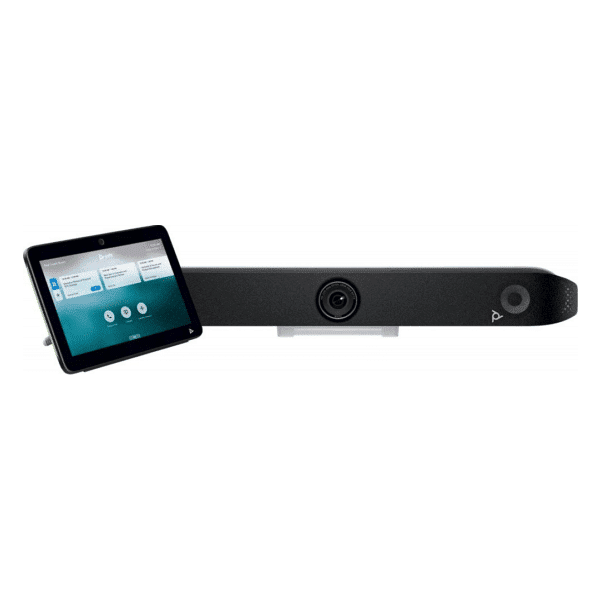
Poly Studio X52 may be supplied as the video bar only or as a room kit with a Poly TC10 touch controller, depending on SKU and project quotation. Wall mount, table stand, VESA mount, expansion microphone, and other accessories should be confirmed against the room layout before purchase.
Display, content, and room connection options
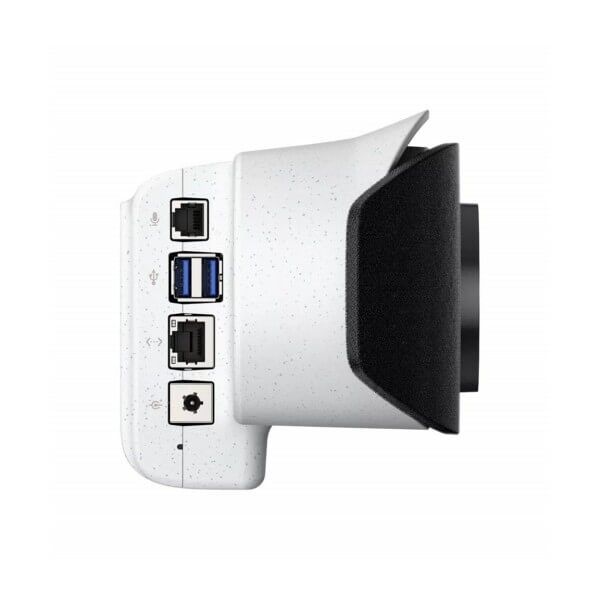
The X52 supports dual display rooms with 2 HDMI outputs. This is useful when one screen is used for far-end video and the second screen is used for shared content. It also includes HDMI input for local content sharing, plus USB Type-C and USB Type-A connectivity for room accessories and device mode requirements.
Wireless content sharing support includes Apple AirPlay and Miracast. For many offices, that means users can share slides without hunting for the right HDMI adapter. Still, for boardrooms and training rooms, we usually recommend keeping one HDMI cable available at the table. Wired sharing saves time when the visitor’s laptop has strict corporate controls.
For a wider meeting room plan across your office, see our video conferencing Dubai solutions page. It helps when you are fitting out several rooms at once instead of buying one unit at a time.
Poly Studio X52 specifications
| Specification | Detail |
|---|---|
| Product Type | All-in-one video conferencing bar |
| Room Size | Medium meeting rooms |
| Camera | 20MP 4K UltraHD camera |
| Field of View | 95° horizontal field of view |
| People Video | Up to 4K 30 fps; 1080p up to 60 fps |
| AI Features | Poly DirectorAI camera framing, NoiseBlockAI, Acoustic Fence |
| Microphone Pickup | Up to 20 ft / 6.09 m |
| Display Output | 2x HDMI out 2.0 |
| Content Input | 1x HDMI in 2.0, AirPlay, Miracast |
| USB Ports | 1x USB-C, 2x USB-A |
| Network | 1x RJ-45 Gigabit Ethernet, Wi-Fi 6 |
| Bluetooth | Bluetooth 5.0 |
| Video Platforms | Microsoft Teams, Zoom, Google Meet, Poly Video App mode, USB Device mode |
| Legacy Standards | SIP and H.323 support through Poly Video App mode |
| Dimensions | 30.3 x 4.5 x 4 in |
| Weight | 5.6 lb |
Where it fits in a UAE office
A good X52 room is usually a fixed meeting space with one or two displays, wired network, a clear front wall, and a table layout where most people face the screen naturally. Put it in a room that handles daily management meetings, client calls, project reviews, remote interviews, and regional coordination.
For DIFC and DMCC offices, the X52 works well where a clean room appearance matters. For JAFZA and DAFZA operations teams, it gives warehouse admin offices and regional teams a reliable room device instead of a laptop and speakerphone combination. For hotels, clinics, schools, and professional service firms, it keeps the room simple enough for non-technical users.
Vector Digital Systems supplies Poly Studio X52 in Dubai for single-room upgrades and multi-room rollout projects across all 7 UAE emirates. For wider meeting room planning, cabling, display sizing, and touch controller selection, visit video conferencing systems in Dubai.
What comes in the Poly Studio X52 box?
The standard Poly Studio X52 package includes the video bar, power supply, HDMI cable, Ethernet cable, monitor clamp, and privacy cover. That gives your IT team the main hardware needed to mount the bar and connect it to the display, LAN, and room power.
For a clean meeting room, most UAE buyers add a Poly TC10 touch controller. It keeps the table experience simple: join meeting, end meeting, adjust volume, share content, and manage the room without someone walking to the front display.
Mounting hardware should be selected based on the actual room. A glass-wall DIFC meeting room, a JAFZA warehouse office, and a hotel boardroom on Sheikh Zayed Road don’t always use the same mount. Screen height, wall type, display size, and cable route matter.
Accessories may be separate
Poly TC10, TC8, table stand, wall mount, VESA mount, expansion microphone, and Poly Trio integration options may not be included with every Studio X52 SKU. Confirm the room kit before ordering so the installation doesn’t stop because of one missing accessory.
Why many Dubai offices choose the X52 with TC10
A video bar on its own can run the room, but the touch controller is what makes the room easy for normal users. The Poly TC10 gives the meeting table a fixed control point. No hunting for remotes. No laptop HDMI guessing. No “who is hosting this call?” delay.
This is especially helpful in shared spaces. Think sales meeting rooms in Business Bay, client rooms in DMCC, HR interview rooms in Abu Dhabi, and training spaces in Sharjah. Users come and go all day. They don’t want to learn the AV system. They want to press join.
For multi-room projects, we usually recommend keeping the user experience the same across rooms. If one room has a TC10 and another room relies on a different workflow, support calls increase. Standard room controls save IT time.
Room design note
For the best experience, place the X52 at eye level where possible, keep the main table inside the 95° camera view, use wired Gigabit Ethernet for fixed rooms, and avoid mounting directly beside loud AC diffusers. Glass rooms may need soft furnishing or acoustic treatment if echo is already a problem.
Deployment context: who should buy Poly Studio X52?
Buy the Poly Studio X52 when the room is too important for a USB webcam but not large enough for a full custom AV system. It sits in the middle: proper meeting room hardware, clean installation, and enough intelligence to handle daily use without constant IT attention.
Typical users are IT managers, office administrators, facilities teams, school IT heads, clinic operations managers, hotel IT teams, and system integrators building video rooms for clients. It fits companies that already use Microsoft Teams or Zoom heavily and want meeting rooms to feel like part of the same workplace system.
For very small rooms, a smaller video bar may be enough. For large boardrooms with 12 to 18 people, multiple speakers, presenter tracking, ceiling microphones, or divisible rooms, a larger room design may be needed. The X52 is strongest when matched to the right room size.
Stock and availability in Dubai
Stock & Availability: Poly Studio X52 available in Dubai. Same-day quotation on WhatsApp. Video bar only and room kit options can be quoted based on project requirement. Delivery available across Dubai, Abu Dhabi, Sharjah, Ajman, Ras Al Khaimah, Fujairah, and Umm Al Quwain. Project quantities available for offices, schools, hotels, clinics, and resellers.
For new office fit-outs, send the room count, display size, platform requirement, and whether you need table touch controllers. That avoids under-quoting the room and missing items like mounts, controllers, or expansion microphones.
Dubai installation notes before you order
A Poly Studio X52 room should not be planned only from the product photo. Check the display position, camera height, table distance, LAN port location, power socket, ceiling light reflection, and where the touch controller cable will run. These small things decide whether the finished room feels clean or patched together.
In many Dubai offices, the meeting room wall is glass or gypsum. Mounting needs care. The bar should be secure, level, and close enough to the display for a neat front-of-room look. For rental offices, serviced offices, and free zone units, confirm what drilling is allowed before selecting the mount.
Network is the other point. Etisalat and du WAN links are usually fine for video meetings when the LAN is stable and QoS is not broken. Fixed rooms should use wired Ethernet where possible. Wi-Fi 6 is useful, but cable still wins for meeting rooms that run calls every day.
Buying tip
For two or more rooms, ask for a room-by-room quote instead of one generic price. A boardroom may need TC10 and dual display output, while a small manager room may only need the video bar and one display. The right bill of materials saves money and avoids installation delay.
Related meeting room and office technology
Poly Studio X52 is usually part of a wider office technology setup. A proper meeting room needs the right display, stable network, correct cabling, and sometimes IP phone or room booking integration. For office-wide planning, start with these Vector Digital Systems pages:
If the same office also needs firewall refresh, secure remote access, SD-WAN, or branch protection, review our FortiGate firewall Dubai page. Meeting rooms depend on stable networks. A poor firewall or overloaded WAN edge can make even a good video system look bad.
UAE and MEA project supply
Vector Digital Systems supplies Poly Studio X52 for UAE office projects and regional rollouts. Common requirements include 3-room office upgrades in Dubai, 10-room corporate refresh projects in Abu Dhabi, school meeting rooms in Sharjah, and hotel back-office video rooms across the Emirates.
For Africa, GCC, and South Asia export orders, we can quote FOB Dubai for project quantities. Typical requests include Poly Studio X52 room kits for Kenya, Tanzania, Nigeria, Saudi Arabia, Qatar, Oman, Bahrain, and India branch-office projects.
Send the quantity, destination, required accessories, and preferred video platform. For reseller projects, mention whether the end customer needs Teams Rooms, Zoom Rooms, Google Meet, or SIP/H.323 compatibility.
About Vector Digital Systems
Vector Digital Systems supplies Poly Studio X52 video conferencing systems in Dubai, UAE, with support for meeting room planning across all 7 UAE emirates — Dubai, Abu Dhabi, Sharjah, Ajman, Ras Al Khaimah, Fujairah, and Umm Al Quwain. Office technology supply includes video conferencing, IP PBX, CCTV, networking, and firewall solutions. Operating since 2009. Contact: +971 4 450 4145 · Monday–Saturday 8AM–6PM.
Poly Studio X52 FAQ
Is Poly Studio X52 suitable for medium meeting rooms?
Yes. Poly Studio X52 is designed for medium rooms. It uses a 20MP 4K UltraHD camera, 95° horizontal field of view, and built-in microphone pickup up to 20 ft / 6.09 m. It works well for typical 6 to 10 person meeting rooms, depending on room shape and table layout.
Does Poly Studio X52 work with Microsoft Teams and Zoom?
Yes. Poly Studio X52 is used for Microsoft Teams and Zoom room deployments. It also supports Google Meet, Poly Video App mode, USB Device mode, and SIP/H.323 calling where legacy video compatibility is required.
Does the Poly Studio X52 include a touch controller?
Not always. Some quotations are for the Studio X52 video bar only, while others include a Poly TC10 touch controller. Confirm the SKU and room kit before ordering, especially for boardrooms and shared meeting rooms where table control is important.
Can Poly Studio X52 support two displays?
Yes. The X52 includes 2 HDMI outputs, which allows dual-display meeting room setups. One display can show the remote participants while the second display shows shared content, depending on platform and room configuration.
Should I connect Poly Studio X52 using Wi-Fi or Ethernet?
For fixed meeting rooms in Dubai offices, wired Gigabit Ethernet is recommended. The X52 supports Wi-Fi 6, but wired LAN is usually more stable for daily Teams, Zoom, and content sharing sessions on Etisalat or du business internet links.
Is Poly Studio X52 available in Dubai?
Yes. Poly Studio X52 is available from Vector Digital Systems in Dubai with UAE delivery and project quantity support. Quotations can include the video bar, TC10 controller, mounting accessories, and room deployment guidance based on your meeting room layout.
Get a quote for Poly Studio X52 in Dubai
Video bar and room kit options · UAE delivery · Project quantities available
