Description
Fanvil X1S Entry Level Enterprise IP Phone 2 SIP Lines Dubai
The mistake usually happens at the quotation stage. A buyer asks for “Fanvil phones for 40 desks” and the quote comes back with the same model everywhere — reception, accounts, warehouse admin, sales desk, meeting room, even the small back-office extension that receives three calls a day. That’s how projects get over-specified.
For many UAE office rollouts, the right staff-desk phone is not the biggest screen in the range. It is the small, predictable handset that registers cleanly, sounds clear, sits on the desk without taking space, and lets the installer stage every extension before dispatch. That is where the Fanvil X1S fits.
What the Fanvil X1S is
The Fanvil X1S is a compact entry-level enterprise IP phone for normal office extensions. Two SIP lines. A 128×48 dot-matrix display with backlight. HD voice on handset and speakerphone. Dual 10/100 Mbps Ethernet ports for network in and PC passthrough. EHS headset support through the correct adapter. Local and remote phonebook support. Call hold, transfer, parking, pickup, forwarding, conference, voicemail indication, and the daily call handling features a staff desk actually uses.
It is not the model for the main receptionist who needs to watch 30 extensions before transferring. It is not the model for a manager who wants a colour screen and more line appearances. It is the model for the desks that make up most of a project: accounts, sales coordinators, admin users, small branch offices, back desks, counter phones, guard-room desks, and PABX replacement jobs where the old analogue handset is being removed and the company wants IP calling without paying for features the user will not touch.
For Dubai fit-outs in Business Bay, Deira trading offices, JLT units, warehouse offices in JAFZA, and small service teams across Sharjah and Ajman, the X1S gives the installer a clean base model. We stage the extension, apply the provisioning template, test the call path, label the unit by user or location, and dispatch the batch ready for desk placement.
2 SIP lines — what that number means on a real desk
“2 SIP lines” does not mean the staff member gets two Etisalat or du trunks. It does not mean the phone is limited to only two people in the company. It means the handset can register and handle two SIP account appearances on the device. In a normal UAE office, that is enough for a single user extension plus a second account or call appearance where the PABX design needs it.
A typical staff desk runs one extension: for example, extension 214 for accounts payable. The user answers, puts a caller on hold, transfers to purchasing, redials a supplier, checks voicemail, and joins a 3-way conference when needed. Two SIP lines are enough for that desk because the PABX carries the call routing and the trunk capacity sits on the system side, not on the handset.
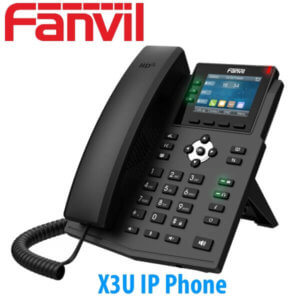
Where buyers oversize is by treating line count like a measure of office size. A 50-user company does not need 50-line phones. It needs the right phone per role. Two-line phones like the X1S for most staff. A colour-screen model such as X303 where the user needs a clearer display or more call activity. A BLF-heavy model where the user transfers calls for others.
Sizing the X1S for project quantities
Use the X1S for ordinary staff extensions that answer, transfer, hold, and make daily calls without needing many BLF keys. Use a step-up model for reception, department coordinators, or heavy callers. Send us the extension list on WhatsApp and we confirm which desks can use X1S and which desks should move up.
The quiet advantage: it keeps the quote honest
The X1S earns its place because it protects the project budget. In a PABX changeover, the phone count is usually high: 20 desks in one office, 60 desks in a floor move, 120 extensions across branches. The temptation is to quote a prettier model everywhere. That looks good in a brochure and bad in procurement.
A better design is role-based. Put X1S on the ordinary desks. Put X1SP only where the same simple handset is needed with PoE. Put X1SG where the desk needs Gigabit passthrough. Put X303 where the user needs a colour screen and 4 SIP lines. Put the reception console on a model built for BLF. The customer gets the right experience and the integrator still wins the project because the phone schedule makes sense.
This is especially useful for UAE projects where the buyer asks for one quote covering supply, installation, PABX programming, VAT, delivery, and sometimes export packing for a sister company outside the UAE. A clean base model gives the commercial team room to add the items that matter: staging, PSU truth, cable checks, extension mapping, and test calls before handover.
Display, keys, and daily call handling
The X1S uses a 128×48 dot-matrix display with backlight. It is not a colour-screen handset, and that is the point. It shows caller ID, call state, menu prompts, line status, and the information needed for a normal desk call. For a back-office extension, a small backlit display is easier to justify than a larger screen that spends most of its life showing the extension name.
The phone supports programmable DSS and soft keys, so common functions can be mapped during staging: speed dial to reception, pickup group, voicemail, call forward, or a frequently called department. It also supports call logs for incoming, outgoing, and missed calls, plus a local phonebook of 1000 entries and remote XML or LDAP phonebook support where the PABX or directory is set up for it.
For audio, the X1S supports HD voice, G.722, and Opus. In plain language, the caller sounds less thin than an old analogue desk phone when the network and platform support wideband audio. It also supports handset, hands-free, and headset mode. For teams that spend time on calls, the EHS option matters: with the correct EHS adapter and compatible wireless headset base, the user can answer and end calls from the headset instead of reaching for the phone.
That makes the X1S a sensible desk phone for small sales teams, service counters, accounts departments, clinics, training centres, trading companies, and branch offices where the user needs a proper handset and clear voice, not a large operator screen.
Where we normally place the X1S in a UAE phone schedule
| Desk or location | Why X1S fits |
|---|---|
| Staff desk | One extension, normal answer-hold-transfer use, 2 SIP lines are enough. |
| Accounts or admin | Clear caller ID, call logs, phonebook, voicemail indication, and simple transfer keys. |
| Small branch office | Easy to stage in batches and send to another emirate with the extension already registered. |
| Warehouse admin desk | Low desk space, predictable use, no need for a large screen. |
| Reception back desk | Good for the second desk behind reception, while the main front desk gets a BLF-heavy model. |
For a full range view, compare the X1S with other Fanvil desk phones on the Fanvil IP phone matrix. For PABX replacement projects, link the phone schedule with the main business telephony and PABX service so supply, staging, installation, and trunk registration are handled under one engagement.
Power and network truth — X1S is not the PoE model
This is the detail to get right before ordering. Fanvil X1S is the non-PoE model. It uses external DC power and provides dual 10/100 Mbps network ports. The PoE version is Fanvil X1SP. The Gigabit PoE version in the same simple family is Fanvil X1SG.
Power check before dispatch
Order Fanvil X1S when the desk will use DC power. Order X1SP when the same desk phone must run from a PoE switch. Order X1SG when the desk needs Gigabit passthrough. We confirm the power method in the quote so the installer does not discover the wrong variant during unboxing.
The two network ports are 10/100 Mbps. That is fine for many voice-only desks and older office networks. If a PC behind the phone needs high-speed LAN access, use X1SG or another Gigabit model instead. This matters in Dubai offices where one Cat6 cable lands at each desk and the PC is patched through the phone. Saving one switch port per desk is useful, but only when the passthrough speed matches the user’s workstation needs.
For a 20-desk accounts office, 10/100 passthrough may be enough. For CAD users, design teams, large file access, or any workstation moving big data to a local server, do not place the PC behind an X1S. Put the user on a Gigabit phone or give the PC its own network point. That is the sort of desk-by-desk check we do while building the phone schedule.
Current capability notes buyers usually miss
Most UAE listings for the X1S stop at “2 lines, HD voice.” That misses the parts that matter to an installer. The X1S supports SIP hotspot, 3-way conference, local phonebook with 1000 entries, remote XML or LDAP phonebook with 1000 entries, call logs for 600 entries, call pickup and parking depending on the server, hot desking, Action URL, Active URI, uaCSTA, VLAN, LLDP, QoS, OpenVPN, L2TP, TR-069, and auto-provisioning by FTP, TFTP, HTTP, HTTPS, DHCP Option 66, SIP PNP, and TR-069.
That list is not there for decoration. It is why the phone can be staged for a project instead of configured one desk at a time. A provisioning template sets the account, server, time zone, language, dial plan, function keys, phonebook path, VLAN, and other site settings. The installer plugs in the phone, it gets its configuration, and the user sees their extension.
Fanvil also lists X1S/X1SP in its connected-product security support declaration until 31 December 2026. For procurement teams, that is useful when the buyer wants a current model record rather than an old stock item with unclear support status. It is also why this page treats the X1S as a current model, not as a discontinued page.
Project detail no one asks early enough
The X1S is best bought from the extension schedule, not from a product photo. Mark each desk as DC power, PoE, or Gigabit need. Then choose X1S, X1SP, or X1SG. Send us the desk list on WhatsApp and we confirm the right model.
Platform compatibility in Dubai
The Fanvil X1S registers as a standard SIP endpoint on common UAE business phone systems: 3CX, Grandstream UCM, Yeastar, Asterisk, and SIP-based hosted systems. It can also be used in Etisalat and du SIP trunk environments through the customer’s PABX, or directly where the operator service and account design allow endpoint registration.
For project quantities, Vector Digital Systems does not ship blank phones unless the installer asks for that. We stage them first: extension registered, provisioning template applied, line key tested, voicemail checked, time zone set, ringtone checked, and a live test call made. For branch rollouts, we label each unit by user, extension, floor, or location before dispatch.
This is useful for multi-site UAE work. One batch may include Dubai head office, Abu Dhabi branch, Sharjah warehouse, Ajman sales counter, Ras Al Khaimah service desk, Fujairah site office, and Umm Al Quwain admin room. The buyer gets one quote and one staging run instead of seven small phone orders that arrive unconfigured.
Fanvil X1S comparison — X301, X1S, X1SP, X1SG, X303
| Model | SIP lines | Display | Network / power | Best fit |
|---|---|---|---|---|
| X301 | 2 | 2.3-inch dot-matrix | 10/100, non-PoE on X301 | Newer entry desk schedule where X300-series standardisation is preferred |
| X1S — this phone | 2 | 128×48 dot-matrix | Dual 10/100, DC power | Staff desks that need a simple SIP handset without PoE |
| X1SP | 2 | 128×48 dot-matrix | Dual 10/100, PoE | Same user profile as X1S, but powered from a PoE switch |
| X1SG | 2 | 128×48 dot-matrix | Dual Gigabit, PoE | Simple desk phone where the PC behind the phone needs Gigabit LAN |
| X303 | 4 | 2.4-inch colour | 10/100, non-PoE on X303 | Step-up staff desk needing colour screen, more line appearances, and 6-way conference |
| Verdict | Choose the X1S if the desk is simple and uses DC power. Choose the X1SP if the same phone must run on PoE. Choose the X1SG if the PC needs Gigabit passthrough. Choose the X303 if the user needs a colour screen and 4 SIP lines. Choose the X301 when the project is standardising on the newer X300 entry family. | |||
For a mixed project, we normally map the phone schedule like this: X1S or X1SP for ordinary staff, X1SG where Gigabit matters, X303 for active users, and a higher Fanvil model for reception. This keeps the quote clean while still giving each desk the right tool.
Pricing, supply, and staging from Dubai
Fanvil X1S is quoted from Dubai in AED with VAT breakdown and delivery. For project quantities, send the required count, PABX platform, branch locations, and whether each desk has power or PoE. We reply with the correct model mix instead of forcing every desk into one handset.
Staging before dispatch: extension registration, provisioning template, line key setup, phonebook path, time zone, ringtone, voicemail test, and live test calls. For 10+, 50+, and multi-branch batches, phones are labelled and packed by user, floor, or site.
Frequently asked questions
Will the Fanvil X1S work with our 3CX / Grandstream UCM / Yeastar?
Yes. The Fanvil X1S registers as a standard SIP phone on 3CX, Grandstream UCM, Yeastar, Asterisk, and other SIP platforms. Vector Digital Systems stages the phone before delivery with the extension, server details, provisioning template, and test calls completed where project information is provided.
Does the Fanvil X1S come with a power adapter, or do I need PoE?
The X1S is the non-PoE model and is used with DC power. If your project needs PoE from the network switch, specify Fanvil X1SP instead. If the desk needs Gigabit passthrough as well, specify Fanvil X1SG. We confirm the power method in the quote.
What does 2 SIP lines actually mean — can I make 2 calls at once?
Two SIP lines means two SIP account or call appearances on the phone. It does not mean two separate Etisalat or du trunks. A normal staff desk usually needs one registered extension; the PABX and SIP trunk decide total simultaneous call capacity for the company.
Fanvil X1S vs X1SP — what is the difference?
The X1S is the DC-powered model. The X1SP is the PoE version of the same simple desk-phone concept. Choose X1S when power is available at the desk. Choose X1SP when the phone must be powered from the PoE switch over the network cable.
Fanvil X1S vs X1SG — which one should we buy?
Choose X1S for a simple 10/100 staff desk using DC power. Choose X1SG when the phone must use PoE and the PC behind it needs Gigabit passthrough. For Dubai offices with one Cat6 point per desk and high-speed workstation traffic, X1SG is usually the safer pick.
Does Vector Digital Systems configure the phones before delivery?
Yes. For project quantities, we stage the X1S before dispatch: extension registration, provisioning template, line test, phonebook settings, time zone, and call testing. Phones can be labelled by user, extension, department, or branch before delivery.
Is this covered under Fanvil warranty in the UAE?
Yes. Vector Digital Systems LLC supplies Fanvil phones with manufacturer warranty handling from Dubai. We support procurement paperwork, warranty coordination, and replacement handling for supported UAE project deployments.
Is VoIP legal in the UAE and will the X1S work with Etisalat or du?
Business VoIP over licensed operator services is standard in the UAE under TRA regulation. The X1S is used with Etisalat and du business SIP environments through the customer’s PABX or approved SIP service design. We configure licensed business setups, not consumer bypass arrangements.
Who is the supplier of Fanvil X1S in Dubai?
Vector Digital Systems LLC is an authorised Fanvil supplier in Dubai, UAE, operating since 2009. We supply the Fanvil X1S with staging, provisioning, installation, warranty coordination, and official quotations for procurement teams, IT managers, PABX installers, ELV contractors, and resellers.
What is the best entry-level IP phone for staff desks in Dubai?
For staff desks that need a simple 2-line SIP phone and DC power, Fanvil X1S is a practical entry-level choice. For PoE desks, choose X1SP. For desks needing Gigabit passthrough, choose X1SG. For users needing a colour screen and more line appearances, step up to Fanvil X303.
Does Vector Digital Systems export Fanvil X1S from Dubai?
Yes. Vector Digital Systems exports Fanvil IP phones from Dubai to telecom resellers, PABX installers, and system integrators in Saudi Arabia, Oman, Bahrain, Kuwait, Kenya, Uganda, Tanzania, Nigeria, Ghana, and Pakistan. FOB Dubai pricing is available with commercial invoice, packing list, and certificate of origin.
UAE coverage and MEA export
Vector Digital Systems supplies and installs Fanvil X1S IP phones across all seven UAE emirates: Dubai, Abu Dhabi, Sharjah, Ajman, Ras Al Khaimah, Fujairah, and Umm Al Quwain. We handle office fit-outs, PABX replacement work, branch rollouts, free zone offices, warehouse admin desks, and staged multi-site deployments under one engagement.
For export buyers, we quote Fanvil X1S project quantities FOB Dubai with documentation for customs and procurement: commercial invoice, packing list, and certificate of origin. Common export buyers include telecom resellers in the Gulf, PABX installers in East Africa, IT distributors in West Africa, and system integrators ordering mixed Fanvil phone schedules for office projects.
Get a quote for Fanvil X1S
Dubai stock · Same-day AED quote · Staging and installation · Project quantities and export