

Description
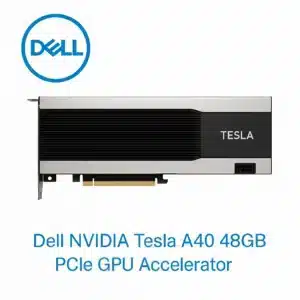
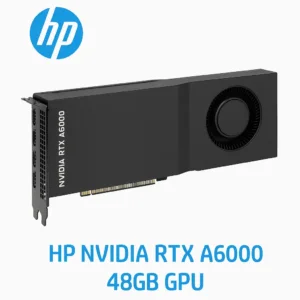
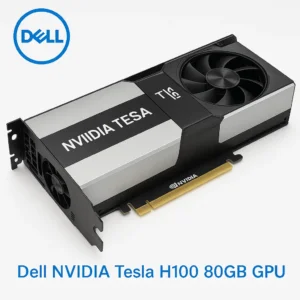
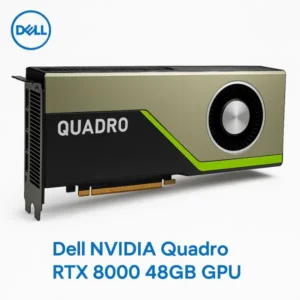
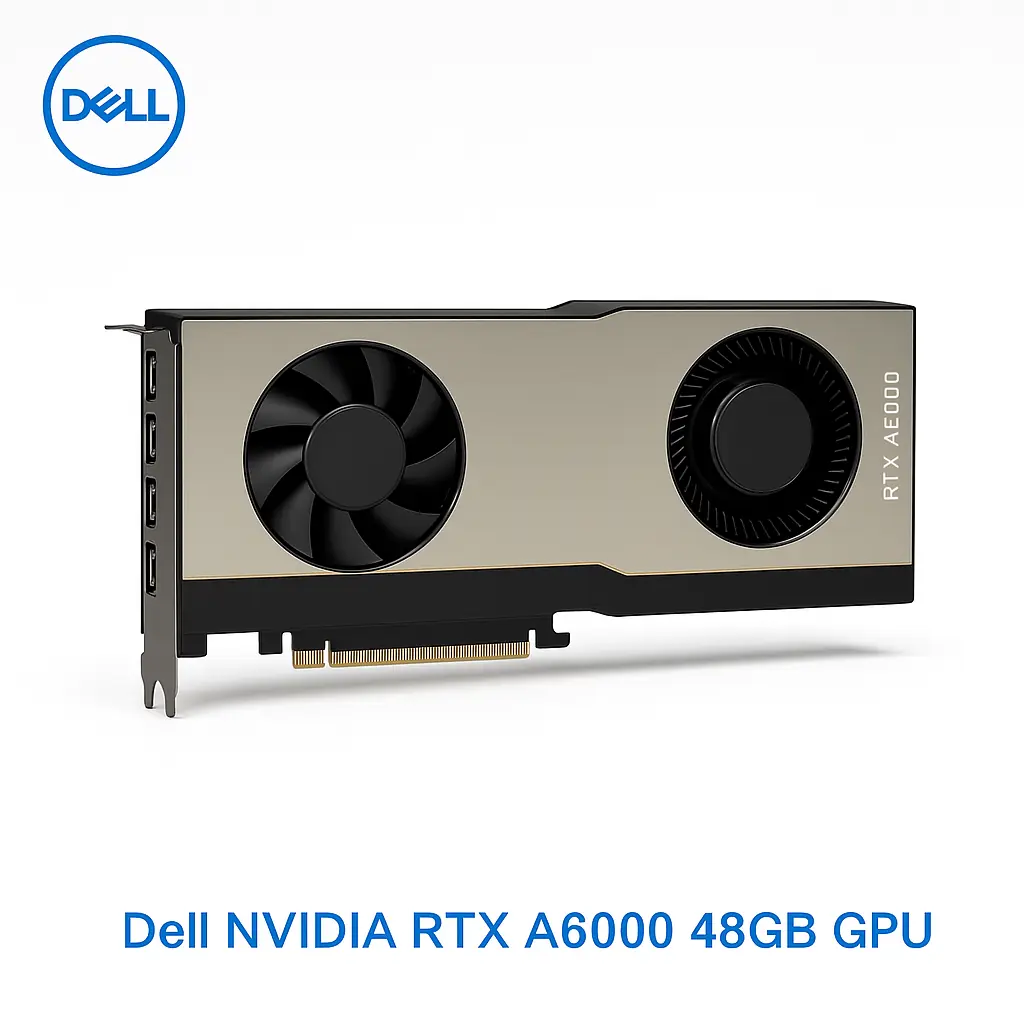
Dell NVIDIA RTX A6000 48GB PCIe GPU Accelerator – Professional Graphics and AI Computing for Dubai UAE Workstations
The Dell NVIDIA RTX A6000 48GB PCIe GPU Accelerator represents the pinnacle of professional graphics and AI computing technology, delivering unprecedented performance for the most demanding workstation applications in Dubai’s rapidly evolving digital economy. This cutting-edge graphics accelerator harnesses the power of NVIDIA’s Ampere architecture to provide exceptional rendering capabilities, AI acceleration, and professional visualization performance that modern enterprises require for competitive advantage. As businesses throughout the UAE continue to embrace advanced technologies including artificial intelligence, machine learning, and high-fidelity visualization, this professional GPU serves as the cornerstone for next-generation workstation deployments that demand maximum computational power and unwavering reliability.
Vector Digitals Dubai proudly presents this state-of-the-art graphics solution as part of our comprehensive professional workstation portfolio, specifically engineered to meet the demanding requirements of Dubai’s thriving creative, engineering, and scientific computing communities. The RTX A6000 represents a significant advancement in professional graphics technology, offering substantially higher performance, increased memory capacity, and enhanced AI acceleration capabilities compared to previous generation professional GPUs. This graphics accelerator is designed to deliver consistent, high-performance operation in the challenging computational environments encountered in professional workstation applications across various industries.
Advanced Ampere Architecture and Performance Specifications
The Dell NVIDIA RTX A6000 48GB PCIe GPU Accelerator is built upon NVIDIA’s revolutionary Ampere architecture (GA102), featuring 10,752 CUDA cores that deliver exceptional parallel processing performance for a wide range of professional applications. The massive 48GB of GDDR6 memory with ECC protection provides unprecedented capacity for handling large datasets, complex 3D models, and memory-intensive AI workloads that are increasingly common in modern professional environments. The 384-bit memory interface delivers an impressive 768 GB/s of memory bandwidth, ensuring that data can be efficiently transferred to and from the GPU’s processing cores without bottlenecks.
The GPU operates with a base clock frequency of 1,410 MHz and can boost up to 1,800 MHz under optimal conditions, providing dynamic performance scaling based on workload requirements and thermal conditions. This intelligent boost technology ensures that applications receive maximum performance when needed while maintaining optimal power efficiency during lighter workloads. The advanced thermal management system incorporates dual-fan cooling with optimized airflow patterns that maintain optimal operating temperatures even during sustained high-performance computing tasks.
The RTX A6000 incorporates 84 second-generation RT cores that provide hardware-accelerated ray tracing capabilities for photorealistic rendering applications. These dedicated ray tracing cores can process complex lighting calculations, reflections, and shadows with unprecedented efficiency, enabling real-time ray tracing in professional visualization applications. Additionally, the 336 third-generation Tensor cores provide specialized AI acceleration capabilities that can dramatically accelerate machine learning training and inference workloads, making this GPU ideal for enterprises implementing AI-driven solutions.
Professional Graphics and Visualization Capabilities
The Dell NVIDIA RTX A6000 excels in professional graphics applications including computer-aided design (CAD), digital content creation (DCC), and scientific visualization. The massive 48GB memory capacity enables professionals to work with extremely large and complex models that would be impossible to handle with consumer-grade graphics cards. This capability is particularly valuable for architectural visualization, product design, and engineering simulation applications where model complexity and detail requirements continue to increase as design tools become more sophisticated.
The GPU supports advanced professional graphics features including hardware-accelerated viewport rendering, real-time global illumination, and high-quality anti-aliasing that enhance the visual quality and interactivity of professional applications. The hardware-accelerated ray tracing capabilities enable real-time photorealistic rendering in applications such as Autodesk Maya, 3ds Max, Blender, and Cinema 4D, allowing designers and artists to visualize their work with unprecedented realism without waiting for lengthy offline rendering processes.
For enterprises in Dubai’s thriving architecture, engineering, and construction (AEC) industry, the RTX A6000 provides the computational power necessary for handling large-scale building information modeling (BIM) projects, complex structural simulations, and photorealistic architectural visualizations. The GPU’s ability to handle multiple high-resolution displays simultaneously makes it ideal for multi-monitor professional workstation configurations that are common in design and engineering environments where screen real estate is critical for productivity.
AI and Machine Learning Acceleration
The RTX A6000’s 336 third-generation Tensor cores provide exceptional AI and machine learning acceleration capabilities that are increasingly important for enterprises implementing artificial intelligence solutions. These specialized cores can accelerate popular AI frameworks including TensorFlow, PyTorch, and CUDA-X AI libraries, enabling data scientists and researchers to train complex neural networks and perform inference tasks with dramatically reduced processing times compared to CPU-only solutions.
The large 48GB memory capacity is particularly valuable for AI and machine learning applications that require substantial memory for storing large datasets, complex model parameters, and intermediate computation results. This memory capacity enables training of larger and more sophisticated neural networks that would be impossible with graphics cards having smaller memory configurations. The ECC memory protection ensures data integrity during long-running training processes, which is critical for maintaining the accuracy and reliability of AI model development.
For enterprises in Abu Dhabi and throughout the UAE that are implementing AI-driven business solutions, the RTX A6000 provides the computational foundation necessary for developing and deploying sophisticated machine learning models. Applications such as computer vision, natural language processing, predictive analytics, and autonomous systems can benefit significantly from the GPU’s AI acceleration capabilities, enabling faster development cycles and more responsive AI-powered applications.
Professional Software Certification and Compatibility
The Dell NVIDIA RTX A6000 is certified for use with a comprehensive range of professional software applications, ensuring optimal performance and reliability in mission-critical professional environments. The GPU is certified for major CAD applications including SolidWorks, AutoCAD, Inventor, CATIA, and NX, providing engineers and designers with confidence that their critical design tools will operate reliably and efficiently. These certifications involve extensive testing and validation processes that ensure compatibility, stability, and optimal performance across different software versions and configurations.
Digital content creation applications including Autodesk Maya, 3ds Max, Adobe Creative Suite, Blender, and Cinema 4D are fully supported and optimized for the RTX A6000’s capabilities. The GPU’s hardware-accelerated features are specifically designed to enhance the performance of these applications, providing faster viewport rendering, real-time ray tracing, and accelerated effects processing that improve artist productivity and creative workflow efficiency.
Scientific and engineering simulation applications such as ANSYS, MATLAB, Simulink, and various computational fluid dynamics (CFD) packages can leverage the RTX A6000’s massive parallel processing capabilities to accelerate complex calculations and simulations. The GPU’s double-precision floating-point performance and large memory capacity make it well-suited for scientific computing applications that require high numerical accuracy and the ability to process large datasets efficiently.
Enterprise Features and Management Capabilities
The RTX A6000 incorporates comprehensive enterprise features designed to meet the demanding requirements of professional IT environments. The ECC memory protection provides hardware-level error detection and correction capabilities that ensure data integrity during critical computational tasks. This feature is particularly important for applications where data accuracy is paramount, such as financial modeling, scientific research, and engineering simulation where computational errors could have significant consequences.
The GPU supports NVIDIA’s professional driver stack, which provides long-term stability, extensive testing, and regular updates optimized for professional applications. Professional drivers undergo rigorous quality assurance testing and are designed to provide consistent performance and compatibility across different software versions and system configurations. The professional driver support includes access to NVIDIA’s technical support resources and regular driver updates that address compatibility issues and performance optimizations.
Advanced management and monitoring capabilities are provided through NVIDIA’s Management Library (NVML) and GPU Management Interface (nvidia-ml), enabling IT administrators to monitor GPU utilization, temperature, power consumption, and error rates across multiple systems. These management tools are essential for maintaining optimal performance and identifying potential issues before they can impact productivity in professional environments where system reliability is critical.
Virtualization and Remote Access Capabilities
The RTX A6000 supports NVIDIA’s virtual GPU (vGPU) technology, enabling multiple users to share GPU resources in virtualized environments while maintaining near-native performance for graphics-intensive applications. This capability is particularly valuable for enterprises that need to provide high-performance graphics capabilities to remote workers or multiple users while optimizing hardware utilization and reducing infrastructure costs. The vGPU technology enables flexible resource allocation and management that can adapt to changing user requirements and workload patterns.
The GPU’s virtualization capabilities are especially relevant for enterprises in Dubai that are implementing hybrid work models or need to provide high-performance computing resources to distributed teams. Remote access to GPU-accelerated applications enables professionals to work effectively from any location while maintaining access to the computational resources they need for demanding professional applications. This flexibility is increasingly important as organizations adapt to evolving work patterns and global collaboration requirements.
The RTX A6000’s support for hardware-accelerated video encoding and decoding capabilities enhances remote access performance by enabling efficient streaming of graphics-intensive applications over network connections. The dedicated video processing units can handle multiple concurrent video streams while minimizing impact on graphics rendering performance, ensuring that remote users receive responsive and high-quality visual experiences even when accessing demanding professional applications over network connections.
Power Management and Thermal Considerations
The Dell NVIDIA RTX A6000 is designed with a Total Graphics Power (TGP) rating of 300W, requiring appropriate power supply and cooling infrastructure to ensure optimal performance and reliability. The GPU requires both 8-pin and 6-pin PCIe power connectors, and the workstation power supply should have sufficient capacity and appropriate connectors to support the GPU’s power requirements along with other system components. Proper power supply sizing is critical for maintaining system stability and ensuring that the GPU can operate at full performance when required.
The advanced thermal management system incorporates a dual-slot cooling solution with optimized fan curves and thermal interfaces that maintain optimal operating temperatures even during sustained high-performance workloads. The cooling system is designed to operate quietly while providing effective heat dissipation, making it suitable for professional office environments where noise levels are a consideration. The thermal design ensures that the GPU can maintain consistent performance without thermal throttling even during extended computational tasks.
For deployment in Dubai’s warm climate, proper workstation ventilation and ambient temperature control are important considerations for maintaining optimal GPU performance and longevity. The workstation chassis should provide adequate airflow and the installation environment should maintain appropriate ambient temperatures to ensure that the GPU’s cooling system can operate effectively. Regular maintenance of cooling systems and monitoring of thermal conditions help ensure long-term reliability and optimal performance in challenging environmental conditions.
Installation and Configuration Best Practices
Proper installation of the RTX A6000 requires careful attention to system compatibility, power requirements, and physical clearances within the workstation chassis. The GPU requires a PCIe 4.0 x16 slot for optimal performance, although it is backward compatible with PCIe 3.0 slots with some performance reduction. The dual-slot form factor requires adequate clearance within the chassis, and consideration should be given to potential interference with other expansion cards or system components.
Driver installation should be performed using NVIDIA’s professional driver package, which provides optimized performance and stability for professional applications. The installation process should include proper configuration of display settings, GPU memory allocation, and application-specific optimizations that maximize performance for the intended use cases. Professional drivers include comprehensive documentation and configuration utilities that help ensure optimal setup for specific applications and workflows.
System monitoring and performance validation should be performed after installation to verify that the GPU is operating correctly and achieving expected performance levels. Benchmarking tools and application-specific performance tests can help identify any configuration issues or optimization opportunities that could improve overall system performance. Regular monitoring of GPU utilization, temperatures, and error rates helps ensure continued optimal operation and can identify potential issues before they impact productivity.
Industry Applications and Use Cases
The Dell NVIDIA RTX A6000 serves a wide range of professional applications across multiple industries in Dubai’s diverse economy. In the architecture, engineering, and construction sector, the GPU enables real-time visualization of complex building models, structural analysis simulations, and photorealistic rendering of architectural designs. The large memory capacity allows architects and engineers to work with detailed building information models (BIM) that include comprehensive material properties, lighting simulations, and environmental analysis data.
In the media and entertainment industry, the RTX A6000 provides the computational power necessary for high-resolution video editing, 3D animation, visual effects creation, and real-time rendering applications. The GPU’s hardware-accelerated ray tracing capabilities enable artists to create photorealistic content with unprecedented efficiency, while the large memory capacity supports working with high-resolution textures, complex particle systems, and detailed 3D models that are common in modern content creation workflows.
Scientific research and engineering simulation applications benefit from the RTX A6000’s massive parallel processing capabilities and large memory capacity. Computational fluid dynamics, finite element analysis, molecular modeling, and climate simulation applications can leverage the GPU’s computational resources to accelerate complex calculations and enable researchers to explore larger and more detailed models than would be possible with CPU-only solutions. The ECC memory protection ensures data integrity during long-running simulations where computational accuracy is critical.
Economic Benefits and Return on Investment
While the RTX A6000 represents a significant investment, the productivity improvements and capability enhancements it provides often justify the cost for professional applications. The GPU’s ability to accelerate rendering, simulation, and AI workloads can dramatically reduce project completion times, enabling professionals to take on more projects or deliver results faster to clients. These productivity improvements translate directly to increased revenue potential and improved competitive positioning for businesses that rely on high-performance computing capabilities.
The large memory capacity and advanced features of the RTX A6000 can extend the useful life of workstation investments by providing headroom for future application requirements and larger datasets. This future-proofing capability helps protect infrastructure investments and reduces the frequency of hardware upgrades, contributing to improved total cost of ownership over the equipment lifecycle. The professional driver support and long-term stability also contribute to reduced maintenance costs and improved system reliability.
For enterprises in Abu Dhabi and throughout the UAE that are implementing AI and machine learning initiatives, the RTX A6000’s AI acceleration capabilities can significantly reduce the time and cost associated with developing and deploying AI solutions. Faster model training and inference capabilities enable more rapid experimentation and iteration, accelerating the development of AI-powered business solutions that can provide competitive advantages and new revenue opportunities.
Vector Digitals Dubai – Your Professional Graphics Partner
Vector Digitals Dubai stands as the premier provider of professional graphics solutions throughout the UAE, offering comprehensive support for organizations seeking to optimize their workstation infrastructure with cutting-edge GPU technology. Our team of certified graphics specialists possesses deep expertise in professional graphics applications, workstation architecture, and performance optimization, enabling us to provide expert guidance on GPU selection, configuration, and deployment strategies that align with specific professional requirements and performance objectives.
Our commitment to customer success extends beyond product delivery to include comprehensive pre-sales consultation, technical support, and post-installation optimization services. We work closely with our clients to understand their specific application requirements, performance objectives, and workflow patterns to recommend optimal graphics configurations that deliver maximum value and productivity improvements. Our technical team is available to provide ongoing support and guidance throughout the entire lifecycle of the graphics infrastructure, ensuring optimal performance and reliability.
As an authorized Dell and NVIDIA partner in Dubai, Vector Digitals maintains extensive inventory of genuine professional graphics products, ensuring rapid availability and competitive pricing for our customers throughout the UAE. Our strategic partnerships with leading technology vendors enable us to offer comprehensive workstation solutions that integrate seamlessly with existing infrastructure while providing clear upgrade paths for future expansion. We are committed to delivering exceptional value and service that helps our customers achieve their professional objectives while maximizing their technology investments.