Description
Yealink YHS34 Dual Wired Headset QD to RJ9 Binaural Call Centre Headset Dubai
A Simple Dual-Ear Headset for Yealink Desk Phones
The Yealink YHS34 Dual is the headset to order when your agents, receptionists, helpdesk team, or office users need both ears covered and a direct wired connection to a Yealink desk phone. It is not a USB laptop headset and it is not a Bluetooth headset — it is a professional QD-to-RJ9 wired headset built for Yealink IP phones. That makes it ideal for Dubai call centres, clinics, reception desks, logistics offices, and support teams that spend the day on SIP phone calls and want predictable audio without charging, pairing, or driver issues.
Connection Trap: RJ9 Desk Phone Headset, Not USB
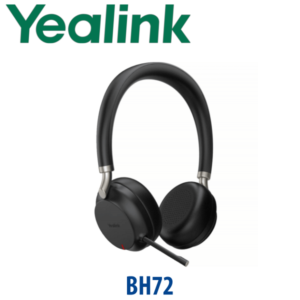
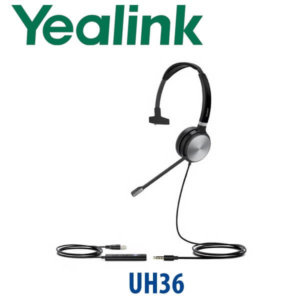
Many UAE product listings describe office headsets loosely, and that causes wrong purchases. The YHS34 Dual connects through a QD cable to the RJ9 headset port on compatible Yealink IP phones. If your user needs a laptop headset for Microsoft Teams, Zoom, or softphone calls, choose a Yealink USB headset such as the UH range or a Bluetooth headset such as the BH range instead.
| Your Use Case | Right Yealink Headset | What You Need |
|---|---|---|
| Yealink desk phone with RJ9 headset port | YHS34 Dual (this page) | QD to RJ9 cable supplied with the headset |
| Microsoft Teams or Zoom on laptop | Yealink UH / BH / WH range — ask David for the correct model | USB-A, USB-C, Bluetooth, or DECT depending on the user setup |
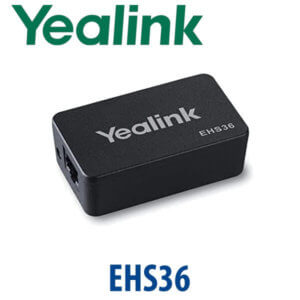
| Wireless desk-phone answering | Yealink WH-series with EHS adapter where required | Desk-phone compatibility check before quoting |
No Charging, No Pairing, No Software
The YHS34 Dual is a wired analog headset. It does not need batteries, firmware pairing, USB permissions, or headset software. Connect the QD cable to the RJ9 headset port, set headset mode on the phone, and the user can start taking calls. For high-volume Dubai teams, that simplicity matters: fewer helpdesk tickets, no agents forgetting to charge headsets, and no Bluetooth interference on a crowded office floor.
Where It Sits in the Yealink Headset Range
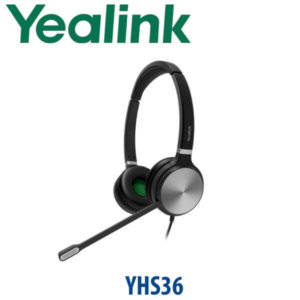
The YHS34 Dual is the practical dual-ear wired model in Yealink’s headset range. Choose the YHS34 Mono when users need one ear open to the room. Choose the YHS34 Dual when agents need both ears covered for concentration. Step up to the YHS36 Dual when you want the heavier-duty wired headset tier, or move to the Yealink UH/BH/WH range when the requirement is USB, Bluetooth, DECT wireless, or Microsoft Teams certification.
| Feature | YHS34 Mono | YHS34 Dual ★ | YHS36 Dual |
|---|---|---|---|
| Wearing Style | Single ear | Dual ear | Dual ear |
| Connection | QD to RJ9 | QD to RJ9 | QD to RJ9 |
| Best For | Reception users who still need room awareness | Call-centre agents and focused desk-phone users | Heavier-duty wired headset deployments |
| Microphone | Noise-cancelling boom | Noise-cancelling boom | Noise-cancelling boom |
| Teams / Zoom Laptop Use | No — desk phone RJ9 headset | No — desk phone RJ9 headset | No — desk phone RJ9 headset |
| Price Tier | Entry wired | Entry dual-ear wired | Step-up wired |
| Choose if… | The user wants one ear free | You want both ears covered for Yealink desk-phone calling | You want the higher-tier wired RJ9 option |
Where the YHS34 Dual Works in Dubai
Call centres and support desks. For agents in Business Bay, Deira, Al Qusais, JLT, and Dubai Silicon Oasis who take phone calls all day, the dual-ear design helps reduce room distraction while the wired RJ9 connection keeps the setup simple. No charging schedule, no Bluetooth pairing, no shared USB permissions — just consistent Yealink desk-phone audio.
Reception and clinic front desks. Clinics, service counters, and building reception teams often run Yealink SIP phones for appointment calls, visitor calls, and internal transfers. The YHS34 Dual gives the user a clearer call path than holding the handset, especially in open reception areas where background speech is constant.
Logistics, warehouse, and dispatch offices. Jebel Ali, DIP, Ras Al Khor, and Sharjah industrial offices often need reliable phone accessories more than luxury features. The YHS34 Dual is a practical wired headset for dispatch desks using Yealink phones with 3CX, Yeastar, Grandstream UCM, Asterisk, or hosted SIP PBX systems.
Full Technical Specifications
| Specification | Yealink YHS34 Dual |
|---|---|
| Product Type | Professional analog wired headset |
| Wearing Style | Over-the-head binaural / dual-ear |
| Connection | QD to RJ9 plug-and-play connection for Yealink IP phones |
| Headset Cable Length | 0.9m headset cable + 1.2m QD to RJ9 cable |
| Speaker Performance | HD Voice / wideband speaker performance |
| Speaker Size | 28mm |
| Speaker Frequency Response | 20Hz–20kHz |
| Speaker Impedance | 32Ω at 1.0kHz |
| Microphone Type | Uni-directional ECM noise-cancelling microphone |
| Microphone Frequency Response | 100Hz–8kHz |
| Microphone Sensitivity | -44.0 dB re. 1 V/Pa |
| Boom Arm | 330° bendable boom arm |
| Hearing Protection | ActiveProtection technology |
| Ear Cushions | Leather ear cushions on YHS34; foam cushions on YHS34 Lite |
| Operating Temperature | -10°C to +50°C |
| Storage Temperature | -30°C to +70°C |
| Package Contents | YHS34 Dual headset, QD to RJ9 cable, Quick Start Guide |
Compatibility and Accessories
| Item | Detail | Buyer Note |
|---|---|---|
| Desk Phone Connection | QD to RJ9 | For compatible Yealink IP phones with headset port |
| Yealink Phone Families | T3, T4, T5 and selected MP/T7 desk phones — compatibility confirmed at quote stage | Tell David your exact phone model before ordering bulk units |
| USB Laptop Use | Not a USB headset | Ask for Yealink UH range if the user works mainly on laptop softphones |
| Wireless Use | Not wireless | Ask for Yealink WH range if remote answer/hang-up and desk mobility are required |
Staging Before Dispatch
For Yealink headset orders, Vector Digital Systems checks the desk-phone model before dispatch and confirms whether the YHS34 Dual is the correct RJ9 headset for the user. For larger call-centre and reception deployments, we can bundle the headset with Yealink SIP phones, configure the phone headset mode, label devices by user or desk, and test sample units before delivery. For full phone deployments, staging includes SIP registration, provisioning template, BLF/speed-dial setup, dial-plan test, and desk delivery preparation before dispatch.
Export from Dubai
Vector Digital Systems exports Yealink YHS34 Dual headsets and Yealink desk-phone bundles from Dubai to system integrators, telecom installers, call-centre operators, hotel groups, and corporate IT teams. Common export routes include Oman, Saudi Arabia, Kuwait, Bahrain, Qatar, Jordan, Egypt, Kenya, Nigeria, and Pakistan. Shipments move FOB Dubai with commercial invoice, packing list, and certificate of origin on request. Multi-unit project pricing is available for 5+ units, especially when supplied with Yealink T-series phones for new desks or call-centre expansions.
Get a same-day quote in AED — in stock in Dubai
Tell David your quantity, Yealink phone model, and whether users need desk-phone RJ9, USB laptop, Bluetooth, or wireless DECT headsets. We quote with VAT breakdown and delivery charges included.
Frequently Asked Questions — Yealink YHS34 Dual
Does the Yealink YHS34 Dual work with Microsoft Teams?
The YHS34 Dual is an RJ9 wired headset for compatible Yealink desk phones. It is not a USB Microsoft Teams headset for laptops. If your user works mainly in Teams, ask David for the correct Yealink USB, Bluetooth, or DECT headset and we will verify the current Teams certification status before quoting.
Is the YHS34 Dual a USB headset or an RJ9 headset?
The YHS34 Dual is an RJ9 desk-phone headset supplied with a QD to RJ9 cable. It is designed for Yealink IP phones, not direct USB connection to a laptop. This is the most important detail to confirm before ordering.
Will the YHS34 Dual work with my Yealink phone?
The YHS34 Dual works with many Yealink enterprise IP phones with RJ9 headset ports, including common T3, T4, T5 and selected MP/T7 desk phones. Send David the exact phone model before ordering and Vector Digital Systems will confirm compatibility before dispatch.
YHS34 Mono vs YHS34 Dual — which one should I buy?
Choose YHS34 Mono when the user needs one ear open to hear colleagues or visitors. Choose YHS34 Dual when the user spends more time on calls and needs both ears covered for concentration, especially in call centres, reception desks, and support teams.
Does the YHS34 Dual need charging or Bluetooth pairing?
No. The YHS34 Dual is a wired analog headset. It does not need charging, Bluetooth pairing, headset software, or drivers. Connect it to the compatible Yealink desk phone headset port and use the phone’s headset mode.
Is the YHS34 Dual good for call-centre agents?
Yes. The dual-ear design, noise-cancelling microphone, HD Voice / wideband speaker performance, and lightweight over-the-head fit make the YHS34 Dual a practical choice for call-centre agents and support teams using Yealink desk phones all day.
Who is the Yealink authorised supplier in Dubai?
Vector Digital Systems LLC has supplied Yealink products in Dubai since 2009. David leads the Yealink product team and handles model selection, project pricing, compatibility checks, staging, and local warranty support before dispatch.
What is the best Yealink headset for a Dubai call centre using desk phones?
For a wired Yealink desk-phone setup, the YHS34 Dual is the standard value choice because it covers both ears and connects directly by RJ9. For users who need laptop USB calls, choose the Yealink UH range. For wireless movement around the desk, step up to the Yealink WH DECT headset range.
Does Vector Digital Systems export Yealink YHS34 Dual headsets from Dubai?
Yes. Vector Digital Systems exports Yealink headsets and desk-phone bundles from Dubai to Oman, Saudi Arabia, Kuwait, Bahrain, Qatar, Jordan, Egypt, Kenya, Nigeria, and Pakistan. Shipments move FOB Dubai with commercial invoice, packing list, and certificate of origin on request.
Does Vector Digital Systems configure Yealink phones before delivering headsets?
Yes. For phone-and-headset deployments, Vector Digital Systems can configure SIP registration, provisioning templates, BLF and speed-dial keys, headset mode, and dial-plan testing before dispatch. The goal is a desk-ready phone and headset setup, not a box of parts.