
Description
Yealink WH66 Wireless DECT Headset Teams & Zoom Certified UC Workstation Dubai
Yealink WH66: One Headset, One Desk Hub, Zero Cable Chaos
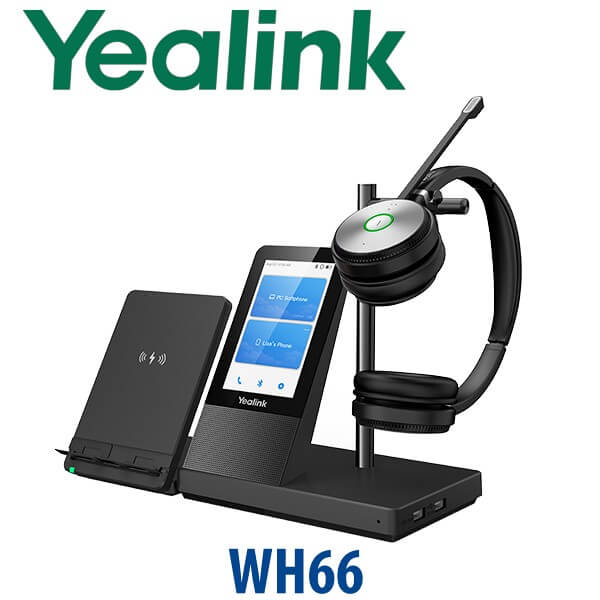
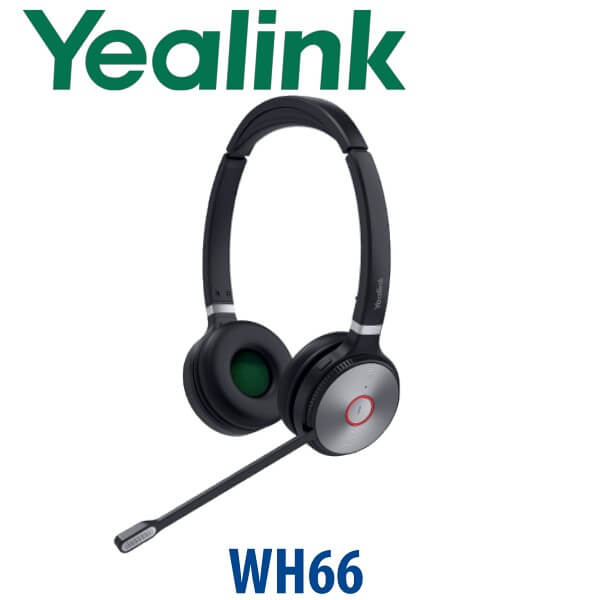
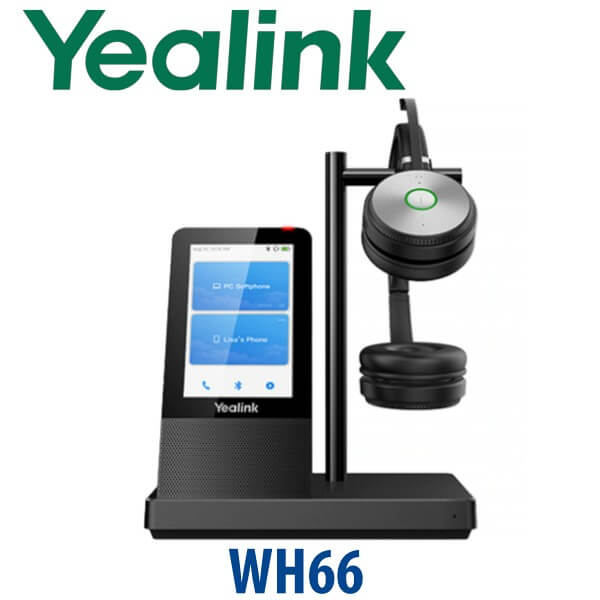
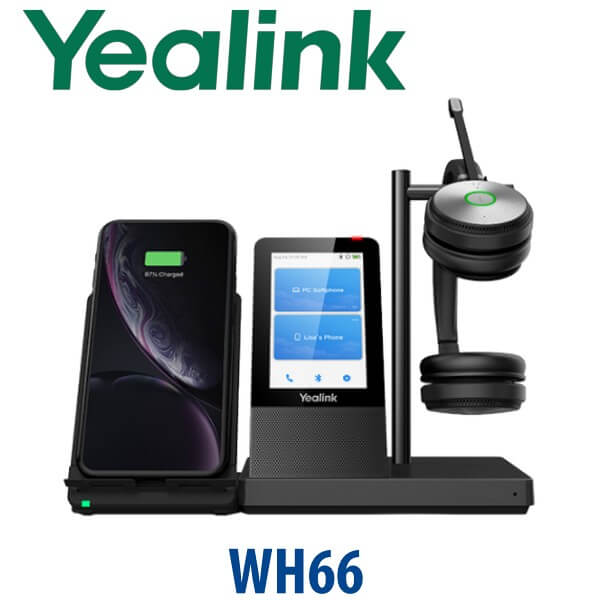
The Yealink WH66 is not just a wireless headset. It is a premium DECT UC workstation for Dubai offices where one user handles calls across a laptop, Yealink desk phone, mobile phone, Microsoft Teams, Zoom and softphone apps throughout the day. Instead of switching between a USB headset, mobile earbuds, laptop speaker and desk phone handset, the WH66 gives the user one wireless headset, a 4-inch touch base, Bluetooth connectivity, USB connectivity, a full-duplex speakerphone and optional wireless mobile charging from the same desk hub.
Vector Digital Systems LLC supplies the Yealink WH66 in Dubai with model selection, compatibility checking, staging and local warranty handling. For call-centre supervisors, hybrid managers, reception teams, sales desks and executives who spend hours on voice and video calls, the WH66 is the clean upgrade from basic USB headsets and older single-device DECT headsets.
Platform Check: UC, Microsoft Teams or Zoom?
Headsets create a different platform trap from desk phones: the headset may physically connect, but the button behaviour, mute status, call answer key and Teams button experience depend on the correct variant and compatibility. The WH66 is available in UC and Microsoft Teams-focused versions. For Teams deployments, Vector Digital Systems verifies the current certification status before quoting, so your users get the right button layout and call control behaviour instead of a generic headset experience.
| Your Calling Platform | Right WH66 Choice | What We Check Before Quoting |
|---|---|---|
| UC softphones — 3CX, Zoom, RingCentral, browser diallers, laptop calling | WH66 UC variant | USB connection, softphone call control and user headset preference |
| Microsoft Teams | WH66 Teams-certified variant | Certification status, Teams button requirement and Microsoft 365 calling workflow |
| Zoom Meetings / Zoom Phone | WH66 with Zoom-compatible setup | Zoom audio device behaviour, firmware level and user PC setup |
| Yealink IP phone desk users | WH66 integrated with compatible Yealink phone | Desk phone model, USB/Bluetooth support and remote call control requirement |
Certification verified 24 July 2026: Microsoft Teams lists the Yealink WH66 Dual as a Teams-enabled device, and Zoom lists Yealink WH66 in its certified hardware table. Ask David to quote the correct WH66 variant for your platform before purchase.
DECT Truth: Why WH66 Beats Ordinary Bluetooth for Office Floors
Bluetooth headsets are excellent for mobile users, but busy office floors need range, density and call stability. The WH66 uses DECT wireless technology, designed for office voice communication, with up to 160m / 525ft open-area range and support for dense headset deployments. In a Dubai sales floor, support desk or open-plan office, that means the user can leave the desk for a quick check with a colleague and stay on the call without taking a mobile phone along.
Actual range depends on walls, glass partitions, metal racks and office layout. For warehouses in Jebel Ali, clinics with dense partitioning, or multi-room offices in Business Bay and DMCC, Vector Digital Systems checks the usage pattern before recommending WH66, WH64, WH68 or a desk-phone-plus-headset bundle.
Power and Cabling: What Comes to the Desk
The WH66 base is a powered workstation, not a passive charging cradle. Plan one power point for the base and one USB connection to the PC or supported desk phone. The benefit is that the desk becomes cleaner: the base acts as the call control point, headset charger, USB hub, speakerphone and optional mobile wireless charging stand when the WHC60 accessory is added.
Where the WH66 Sits in the Yealink Headset Range
The WH66 sits in Yealink’s premium DECT headset family. It is the right choice when the user needs a touch base, multi-device handling and a more complete desk workstation. If the requirement is simply a wireless headset for one desk phone or one PC, a lower WH-series model may be enough. If the user wants the newest premium headset tier or a different wearing style, David can compare WH66 with WH68, WH67, BH72 or BH76 depending on the platform.
| Feature | WH62 | WH66 ★ | WH68 |
|---|---|---|---|
| Best Fit | Essential DECT headset desk | Premium UC workstation desk | Newer premium DECT headset tier |
| Base Display | No large touch console | 4.0″ 480×800 touch console | Premium base interface |
| Wearing Style | Mono / Dual options by model | Mono or Dual WH66 options | Premium stereo-focused option |
| Wireless Type | DECT | DECT + Bluetooth device handling | DECT / hybrid by selected variant |
| Connected Devices | Designed for focused headset use | PC USB + IP phone/mobile + Bluetooth device workflow | Confirm workflow with David |
| Teams Use | Teams variant available by model | Teams-certified WH66 variant verified | Verify current certification before quote |
| Speakerphone | Basic headset workflow | Integrated full-duplex speakerphone in base | Confirm selected model features |
| Accessory Ecosystem | Standard WH accessories | WHC60 Qi charger, BLT60 external busylight, portable kit | Newer WH accessories by variant |
| Choose if… | You need a lower-cost DECT headset for daily calls | You want a premium desk hub for Teams, Zoom, softphone, mobile and desk-phone calling | You want the newer premium tier and David confirms it fits your platform |
Where the Yealink WH66 Works in Dubai
DIFC and DMCC hybrid managers. A manager may spend the morning in Teams, take a Zoom call with an overseas client, answer a mobile call from a supplier, then join a softphone call from the CRM. The WH66 keeps the desk organised around one professional audio device instead of three disconnected devices.
Call-centre supervisors and senior agents. The WH66 gives experienced agents and supervisors the freedom to move, mute, answer calls and stay visible through busylight status. Acoustic Shield helps reduce background noise in open support floors where ten conversations happen at once.
Reception and front-office teams. Hotels in Deira, clinics in Jumeirah, service desks in Business Bay and logistics offices in Al Quoz often need users to answer calls while checking screens, speaking to walk-in visitors and coordinating with back-office staff. WH66 gives the user wireless freedom while keeping the desk phone and PC calling workflow under control.
Executive desks and private offices. The 4-inch touch base looks like a proper desk device, not a loose headset charger. For executives who want a premium headset but still use a desk phone, laptop and mobile phone, WH66 is a clean boardroom-office choice.
Full Technical Specifications
| Specification | Yealink WH66 |
|---|---|
| Product Type | Premium DECT wireless headset and UC workstation |
| Variants | WH66 Mono and WH66 Dual; UC and Microsoft Teams-focused variants available |
| Base Display | 4.0 inch 480×800 capacitive touch screen |
| Wireless Technology | DECT wireless headset connection; Bluetooth device connectivity through the workstation |
| Wireless Range | Up to 160m / 525ft in open office conditions; shorter through walls and dense interiors |
| Talk Time | Up to 13 hours on WH66 Mono; up to 14 hours on WH66 Dual |
| Connected Devices | PC via USB, Yealink IP phone / mobile phone workflow, and Bluetooth connections; up to three devices simultaneously |
| Microphones | Dual microphone design with Yealink Acoustic Shield noise reduction |
| Speakerphone | Integrated full-duplex speakerphone in the workstation base |
| USB Hub | Base can act as a USB hub for compatible desk peripherals |
| Hearing Protection | Peak Block Protection and Australia G616 Protection configurable through Yealink USB Connect |
| Comfort | Lightweight headset design, soft breathable ear cushions, 330° adjustable microphone boom |
| Management Software | Yealink USB Connect for settings and firmware management |
| Teams Certification | Microsoft Teams-certified WH66 variant verified on 24 July 2026 |
| Zoom Certification | Yealink WH66 appears in Zoom certified hardware listing; verified on 24 July 2026 |
| Best Use Cases | Hybrid managers, call-centre supervisors, senior agents, reception users, executive desks and UC-heavy workstations |
Compatible Accessories and Options
| Accessory / Option | Model | Purpose |
|---|---|---|
| Wireless Charging Stand | WHC60 | Optional Qi wireless mobile charging stand for the WH66 workstation desk setup |
| External Busylight | BLT60 | Visual status indicator to reduce interruptions while the user is on calls |
| Portable Accessory Kit | Portable kit for WH62 / WH66 family | Makes the WH6X headset easier to reuse across flexible work locations; confirm exact kit availability before quote |
| Teams Variant | WH66 Teams | For Microsoft Teams users who need Teams-certified call control and Teams button behaviour |
| UC Variant | WH66 UC | For 3CX, Zoom, RingCentral, browser diallers and mixed UC softphone environments |
Staging Before Dispatch — What Vector Digital Systems Checks
Every Yealink WH66 order is checked before dispatch by Vector Digital Systems in Dubai. We confirm whether the user needs Mono or Dual, UC or Teams variant, USB-A / USB-C connection path, Yealink desk phone compatibility, softphone platform, Bluetooth/mobile requirement, firmware level and optional accessories such as WHC60 or BLT60. For project orders, we can label units by user or department, stage firmware consistently and prepare a rollout list for IT before delivery.
For offices buying WH66 with Yealink desk phones such as the T74U, T74W or T77U, David checks the complete workflow: phone model, headset connection method, remote answer behaviour, user wearing preference and desk power layout. That prevents the usual headset buying mistake — ordering the correct headset family but the wrong variant for the user’s platform.
Export from Dubai
Vector Digital Systems exports Yealink WH66 headsets from Dubai to system integrators, telecom resellers, call-centre operators, hotel groups and corporate IT buyers across the region. Common export destinations include Oman, Saudi Arabia, Kuwait, Qatar and Bahrain in the Gulf; Jordan and Egypt in the wider Arab market; Kenya and Tanzania in East Africa; and Pakistan and Sri Lanka for South Asian IT projects. Shipments move FOB Dubai with commercial invoice, packing list and certificate of origin on request.
For bulk WH66 projects, send David the quantity, Mono/Dual preference, Teams or UC requirement, target platform and delivery country. We quote in AED with VAT breakdown for UAE deliveries, delivery charges where applicable, and project pricing for 5+ units.
Get a same-day quote in AED — Yealink WH66 Dubai
Tell David: quantity, Mono or Dual preference, UC or Microsoft Teams platform, whether you need Zoom support, and whether the headset will connect to a Yealink desk phone, laptop or mobile phone. We quote with VAT breakdown and delivery included.
Frequently Asked Questions — Yealink WH66
Is the Yealink WH66 Microsoft Teams certified?
Yes — the Microsoft Teams-certified WH66 variant was verified against Microsoft’s official Teams device listing on 24 July 2026. For Teams offices in Dubai, ask David to quote the WH66 Teams version so the headset, call control and Teams workflow match the user’s Microsoft 365 environment.
Is the Yealink WH66 Zoom certified?
Yes — Yealink WH66 appears in Zoom’s certified hardware listing, verified on 24 July 2026. For Zoom Meetings or Zoom Phone users, Vector Digital Systems checks the firmware level, USB connection path and PC audio settings before delivery.
What is the difference between Yealink WH66 UC and WH66 Teams?
The WH66 UC version is the safer choice for mixed softphone environments such as 3CX, Zoom, RingCentral, browser diallers and standard laptop calling. The WH66 Teams version is built for Microsoft Teams users who need Teams-certified behaviour and Teams-focused call control. Tell David your platform before ordering.
Does the Yealink WH66 work with Yealink desk phones?
Yes, the WH66 is designed to integrate with Yealink IP phone workflows as well as PC and mobile calling. Compatibility depends on the exact phone model and connection method, so Vector Digital Systems checks your Yealink phone model before quoting the headset.
Can the Yealink WH66 connect to a laptop and mobile phone at the same time?
Yes — the WH66 can connect to a PC through USB and support IP phone / mobile phone workflows, with up to three connected devices simultaneously. This is why it works well for managers who take Teams or Zoom calls on a laptop and mobile calls during the same workday.
What is the wireless range of the Yealink WH66?
The WH66 offers up to 160m / 525ft DECT wireless range in open office conditions. Real range in Dubai offices depends on walls, partitions, glass, metal racks and interference, so large warehouses or partitioned clinics should confirm the layout with David before bulk rollout.
How long does the Yealink WH66 battery last?
The WH66 Mono provides up to 13 hours talk time, while the WH66 Dual provides up to 14 hours talk time. That is enough for most full-day office users, call-centre supervisors and hybrid managers who spend long periods on calls.
WH66 vs WH62 — which one should I buy?
Choose WH62 if you need a simpler DECT headset for everyday office calls. Choose WH66 if the user needs the 4-inch touch base, speakerphone, Bluetooth/mobile workflow, USB hub and premium workstation features. For executive desks and multi-platform users, WH66 is usually the better long-term choice.
Who is the Yealink headset supplier in Dubai?
Vector Digital Systems LLC has supplied Yealink phones, headsets and VoIP solutions in Dubai since 2009. David handles Yealink headset selection, Teams/UC variant checks, project pricing, staging and local warranty support for WH66 orders.
Does Vector Digital Systems export Yealink WH66 headsets from Dubai?
Yes — Vector Digital Systems exports Yealink WH66 headsets from Dubai to integrators, telecom resellers and enterprise buyers in Oman, Saudi Arabia, Kuwait, Qatar, Bahrain, Jordan, Egypt, Kenya, Tanzania, Pakistan and Sri Lanka. Shipments are handled FOB Dubai with export documentation on request.
Does Vector Digital Systems configure the Yealink WH66 before delivery?
Yes — we check the correct WH66 variant, update or verify firmware where required, confirm the user’s softphone or Teams workflow, validate Yealink phone compatibility and prepare the unit for dispatch. For bulk projects, units can be labelled by user or department before delivery.
