Description
Yealink YHS33 Wired Headset RJ9 Wideband Headset for Yealink IP Phones Dubai
Yealink YHS33 — Simple RJ9 Headset for Yealink Desk Phones
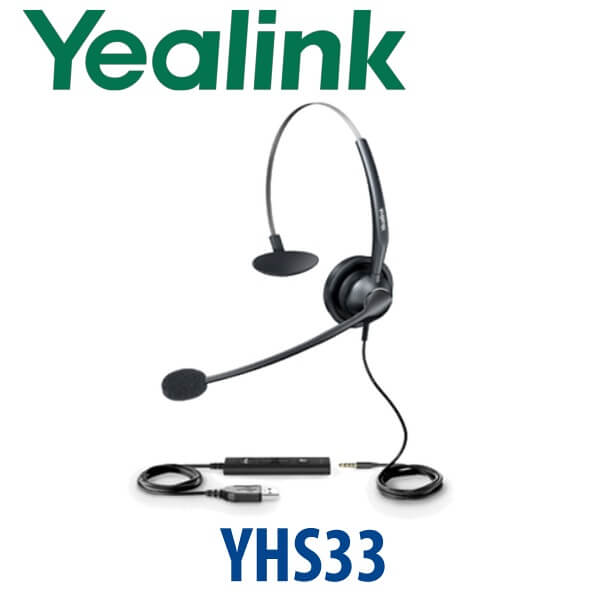
The Yealink YHS33 is the straightforward wired headset for Yealink IP phone users who spend serious time on calls. It connects directly to the RJ9 headset port on compatible Yealink desk phones, giving agents, receptionists, sales staff and support teams a cleaner working setup than holding the handset all day. The YHS33 combines wideband audio, an ultra noise-cancelling microphone, a 330° pivoting boom and a lightweight over-the-head design for daily office use in Dubai call centres, clinics, trading desks, hotel reservations teams and SME sales floors.
Vector Digital Systems LLC supplies Yealink headsets in Dubai with local warranty support, project pricing for multi-seat deployments and same-day AED quotations. Ask David, our Yealink specialist, to confirm the right headset for your desk phone model before dispatch.
Important Buyer Trap: YHS33 Is RJ9, Not USB
The most common headset mistake is ordering a desk-phone headset for a laptop user. The Yealink YHS33 is an RJ9 wired headset for Yealink IP phones. It is not the same as a USB headset for laptop softphones, Microsoft Teams or Zoom calls. If your user works mainly from a PC or laptop, ask for a Yealink USB, Bluetooth or Teams-certified headset instead.
| Your Calling Setup | Right Headset Type | What to Order |
|---|---|---|
| Yealink desk phone with RJ9 headset port | RJ9 wired headset | Yealink YHS33 — this page |
| Laptop softphone, browser calling, USB PC use | USB headset | Ask David for the current Yealink USB headset range |
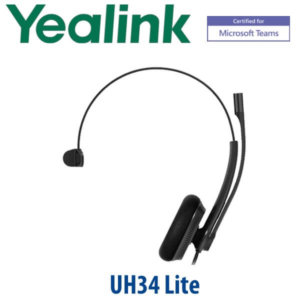
| Microsoft Teams headset users | Teams-certified USB, Bluetooth or DECT headset | Ask David to verify the current Microsoft-certified Yealink model before quoting |
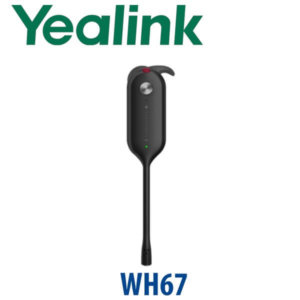
| Wireless desk-phone user | DECT wireless headset + compatible EHS/USB setup | Ask for Yealink WH-series compatibility with your phone model |
Why Dubai Offices Choose the YHS33
For a call-centre or reception deployment, the YHS33 solves a simple problem: users need both hands free, clearer speech and less fatigue during repeated calls. The wideband audio makes conversations sound more natural than a basic handset. The ultra noise-cancelling microphone helps suppress surrounding desk noise, which matters in open-plan Dubai offices, shared support desks and sales teams sitting close together.
The 330° microphone boom lets users wear the headset on either side, so the same model can be issued across a team without left/right ordering confusion. The soft ear cushion and lightweight build make it practical for long shifts, especially where the headset is used for inbound customer calls, booking calls, CRM updates and front-desk coordination.
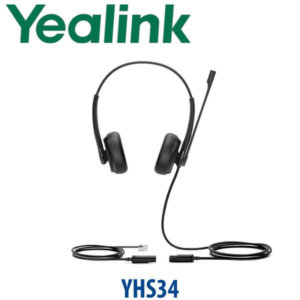
YHS33 vs YHS34 vs YHS36 — Which Wired Yealink Headset?
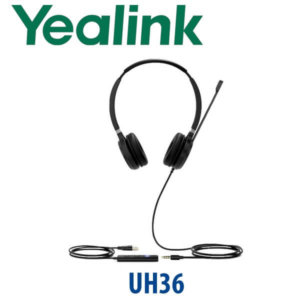
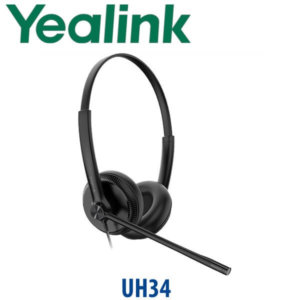
The YHS33 sits in Yealink’s wired headset family as the simple RJ9 direct-connect model for desk phones. If you need laptop use, dual connectivity or a higher headset tier, compare it with the neighbouring Yealink wired models before ordering.
| Feature | YHS33 ★ | YHS34 | YHS36 |
|---|---|---|---|
| Best fit | Simple desk-phone calls | Office users needing wired headset options | Higher-volume wired headset users |
| Connection | RJ9 direct connect | RJ wired headset family | RJ wired headset family |
| Laptop / USB use | No — desk phone only | Confirm variant with David | Confirm variant with David |
| Microphone | Ultra noise-cancelling mic | Noise-cancelling headset range | Noise-cancelling headset range |
| Audio | Wideband audio | Wideband headset range | Wideband headset range |
| Teams certification | No — use Teams-certified headset for Teams | Verify current certification status | Verify current certification status |
| Price tier | Value RJ9 wired headset | Step-up wired headset | Higher wired headset tier |
| Choose if… | You want a simple RJ9 wired headset for Yealink desk phones | You want to compare newer wired headset options before buying | You are building a heavier-duty wired headset deployment |
Where the YHS33 Works in Dubai
Call centres and support desks. The YHS33 is a practical headset for Dubai teams handling repeated inbound and outbound calls on Yealink desk phones. Agents keep both hands free for CRM notes, order lookup and ticket updates while the noise-cancelling microphone helps keep speech clear.
Hotel reservations and front office teams. Hotel teams in Deira, Business Bay, Jumeirah and Dubai Marina often need a simple wired headset for booking calls, guest requests and inter-department transfers. The RJ9 direct connection keeps the setup simple: plug it into the Yealink desk phone and start calling.
Clinics, reception desks and appointment counters. A receptionist handling appointment calls while checking patient records should not be trapped under a handset. The YHS33 gives a low-cost headset upgrade for Yealink phones used in clinics, dental centres, training institutes and service counters.
SME sales desks and SOHO users. For small offices that already use Yealink T-series phones, the YHS33 is a simple way to improve daily call comfort without moving to wireless headsets or laptop softphone hardware.
Full Technical Specifications
| Specification | Yealink YHS33 |
|---|---|
| Product Type | Wired headset for Yealink IP phones |
| Connection | RJ9 direct connection to compatible Yealink desk phones |
| Wearing Style | Over-the-head mono headset |
| Audio | Wideband audio for clearer voice conversations |
| Microphone | Ultra noise-cancelling microphone |
| Boom Arm | 330° pivoting microphone boom |
| Comfort | Lightweight build with soft ear cushion for all-day office use |
| Call Control | Basic wired headset audio through the phone headset key; no wireless remote answer |
| USB / Laptop Use | Not a USB headset — order a Yealink USB headset for PC softphones |
| Microsoft Teams | Not Teams-certified — ask David for a current Teams-certified Yealink headset if required |
| Compatibility | Compatible with Yealink enterprise IP phones that support RJ9 wired headset connection; confirm your exact model at quotation stage |
| Typical Users | Call centre agents, receptionists, support staff, sales teams, hotel reservations, SOHO users |
| Power Requirement | No separate power adapter required |
Compatible Accessories and Alternatives
| Need | Recommended Direction | Why It Matters |
|---|---|---|
| Desk-phone wired headset | Yealink YHS33 | RJ9 direct connection for Yealink IP phone users |
| Laptop softphone headset | Yealink USB headset range | USB connection is required for PC calling and browser softphones |
| Desk phone + laptop dual use | Yealink Bluetooth or DECT headset range | Better fit for hybrid workers who switch between phone and laptop |
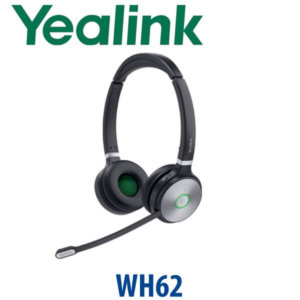
| Wireless answer/hang-up | Yealink WH-series + compatible EHS/USB setup | Needed when the user must answer calls away from the desk |
Staging and Compatibility Check Before Dispatch
For headset orders, Vector Digital Systems checks the phone model before dispatch so the buyer does not receive the wrong connector type. Tell David the Yealink phone model on the desk — for example T31, T33G, T43U, T46U, T73U, T74U or another Yealink IP phone — and whether the user needs desk-phone calling only or laptop/Teams calling as well. For bulk headset orders, we can label units by department, match headsets to phone models and supply the headset batch together with phones, provisioning and delivery.
Export from Dubai
Vector Digital Systems exports Yealink wired headsets and IP phone accessories from Dubai to telecom operators, system integrators, PABX installers, hotel groups and corporate IT buyers. Common export routes include Oman, Saudi Arabia, Qatar, Bahrain and Kuwait in the Gulf; Jordan and Lebanon where permitted; Kenya, Tanzania and Uganda in East Africa; and Pakistan, Sri Lanka and Bangladesh in South Asia. Shipments move FOB Dubai with commercial invoice, packing list and certificate of origin on request. Multi-unit project pricing is available for headset rollouts.
Get a same-day quote in AED — Yealink YHS33 in Dubai
Tell David your quantity, Yealink phone model and whether users need desk-phone only or laptop/Teams calling. We quote with VAT breakdown and delivery charges included.
Frequently Asked Questions — Yealink YHS33
Does the Yealink YHS33 work with Microsoft Teams?
The YHS33 is an RJ9 wired headset for Yealink desk phones. It is not a USB laptop headset and is not sold as a Microsoft Teams-certified headset. If your users need Teams calling, ask David for a current Yealink Teams-certified USB, Bluetooth or DECT headset.
Does the Yealink YHS33 connect to a laptop?
No — the standard YHS33 is for RJ9 headset ports on Yealink IP phones. For laptop softphones, browser calling or PC-based calling, order a Yealink USB headset instead. Tell David how the user makes calls before ordering.
Which Yealink phones are compatible with the YHS33?
The YHS33 is designed for Yealink enterprise IP phones with RJ9 wired headset support. Vector Digital Systems checks the exact desk phone model before dispatch so the headset matches the phone interface.
Is the Yealink YHS33 good for call centres?
Yes — the YHS33 is a practical value headset for call-centre agents using Yealink desk phones. It gives wideband audio, a noise-cancelling microphone, hands-free calling and a lightweight over-the-head fit for repeated daily calls.
Does the YHS33 need an EHS adapter?
No EHS adapter is needed for basic wired audio because the YHS33 connects directly to the phone headset port. EHS adapters are normally discussed for wireless headset setups where remote answer and hang-up are required.
YHS33 vs YHS34 — which one should I buy?
Choose the YHS33 when you need a simple RJ9 wired headset for Yealink desk phones. Choose a step-up wired, USB, Bluetooth or DECT model if the user needs laptop calling, dual connectivity, wireless movement or Microsoft Teams certification.
Who is the Yealink authorised supplier in Dubai?
Vector Digital Systems LLC has supplied Yealink phones, headsets and VoIP solutions in Dubai since 2009. David handles Yealink product selection, project pricing, compatibility checks, staging and local warranty support.
What is the best Yealink headset for a reception desk in Dubai?
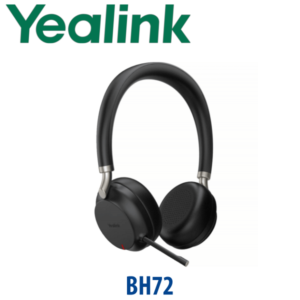
For a receptionist using a Yealink desk phone, the YHS33 is a simple wired choice. If the receptionist must move away from the desk, answer calls wirelessly or use both phone and laptop, ask David for a Yealink WH, BH or USB headset recommendation.
Does Vector Digital Systems export Yealink YHS33 headsets from Dubai?
Yes — Vector Digital Systems exports Yealink headsets and phone accessories from Dubai to buyers in Oman, Saudi Arabia, Qatar, Bahrain, Kuwait, Kenya, Tanzania, Pakistan, Sri Lanka and Bangladesh. Shipments are FOB Dubai with export documentation.
Can Vector Digital Systems supply YHS33 headsets in bulk?
Yes — bulk pricing is available for call centres, hotels, clinics, sales teams and support desks. Share the quantity, phone models and delivery location with David for a same-day AED quote with VAT and delivery breakdown.