Description
Yealink WH62 Dual DECT Wireless Microsoft Teams Headset Dubai
Yealink WH62 Dual Teams Headset for Dubai Offices
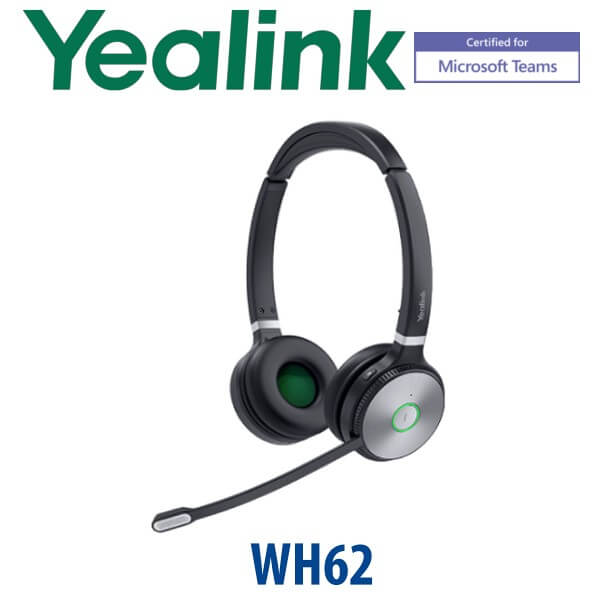
The Yealink WH62 Dual Teams is the right headset for Dubai users who spend the day moving between Microsoft Teams calls, softphone meetings, and desk-phone conversations. It gives agents and hybrid staff a proper DECT wireless headset instead of a Bluetooth earbud: longer office range, a stable base station, stereo wearing comfort, a dedicated Teams button, and Yealink Acoustic Shield noise filtering for open-plan offices, reception counters, telesales teams, and support desks.
Vector Digital Systems supplies the WH62 Dual Teams in Dubai with same-day quote in AED, VAT breakdown, delivery charges, and project pricing for 5+ units. For rollouts, David can help match the Teams, UC, desk-phone and EHS accessory requirement before dispatch so the headset arrives ready for the user’s workstation.
Platform Check — Teams, UC or Desk Phone?
The WH62 family has Teams and UC editions. This page is for the WH62 Dual Teams variant, verified on Microsoft’s Teams device listing on 18 July 2026. That matters because the Teams version carries the Teams button and certification path; the UC version is better for buyers who do not standardise on Microsoft Teams.
| Your Workstation | Right Headset Choice | What You Need |
|---|---|---|
| Microsoft Teams calling and meetings | Yealink WH62 Dual Teams — this page | USB connection to PC or laptop, Teams desktop app, Teams-certified headset variant |
| General UC softphones — Zoom, 3CX, RingCentral, browser calling | WH62 UC or WH62 Teams, depending on standardisation | USB connection to PC and softphone call-control compatibility check |
| Desk phone + computer together | WH62 Dual Teams with compatible Yealink or supported third-party IP phone | Phone compatibility check; EHS60 or EHS61 may be required for selected third-party phones |
Teams Certification Verified — Do Not Assume from the Model Name Alone
For Teams deployments, certification is not a marketing extra. It affects call control, Teams button behaviour, IT approval, and procurement acceptance in Microsoft 365 environments. The Yealink WH62 Dual appears on Microsoft’s official Teams devices list as a Teams enabled headset. Verification date: 18 July 2026. If your procurement team needs a certificate note on the quote, ask David to include the verified Teams device reference.
DECT vs Bluetooth vs USB — The Buyer Trap
The WH62 Dual Teams is a DECT wireless headset, not a Bluetooth headset. That is the point. DECT is the better choice for call-centre floors, reception users, support teams and office staff who walk away from the desk while staying on calls. Bluetooth is convenient for mobile pairing, but DECT gives a stronger office-base experience with up to 160 m range in open conditions. USB wired headsets are lower cost and battery-free, but they keep the user tied to the laptop. Choose WH62 Dual Teams when the user needs wireless freedom and daily Teams calling.
Power and Charging Truth
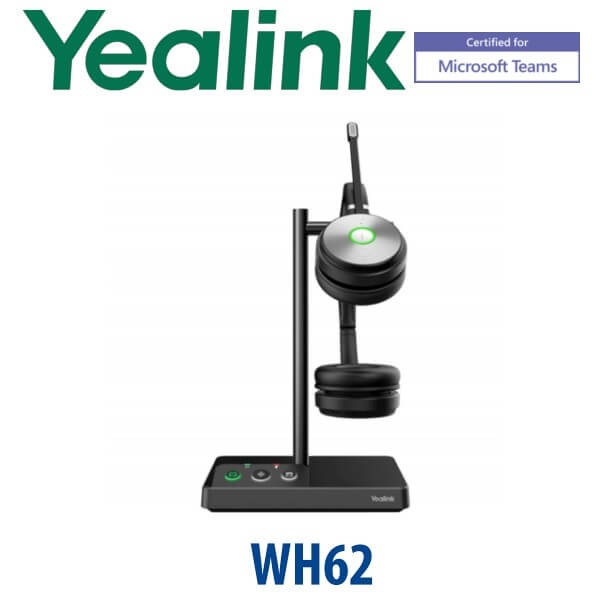
The WH62 headset charges from its base station. Plan one power point or powered USB position at each desk, plus enough space for the base. The headset gives up to 14 hours talk time for the dual version, but it still needs to return to the base for charging. For hot-desk areas, shared counters or shift-based call centres, we recommend assigning each WH62 base to a named desk or labelled user position so headsets do not get mixed during handover.
Where WH62 Dual Teams Sits in the Yealink Headset Range
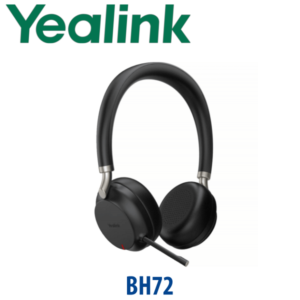
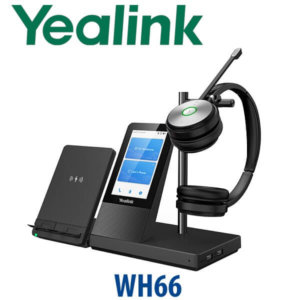
The WH62 Dual Teams is the practical Teams-certified DECT choice for daily office calling. It is more focused than the premium WH66 desk-centre headset and more comfortable for stereo listening than a mono headset. For mobile-first users who need Bluetooth pairing to phones and laptops, David may recommend the BH72 or BH76 instead. For contact-centre desks that need DECT range, Microsoft Teams call control and two-ear concentration, WH62 Dual Teams is the clean fit.
| Feature | WH62 Mono Teams | WH62 Dual Teams ★ | WH66 Teams |
|---|---|---|---|
| Wearing style | Mono, one ear | Dual, two ear stereo | Dual, premium DECT desk station |
| Teams certification | Teams variant available | Teams-certified variant — verified 18 July 2026 | Teams-certified variant |
| Best for | Users who must hear the room | Teams agents, focus work, support desks | Premium executive or supervisor desk |
| Connection | PC + compatible desk phone | PC + compatible desk phone | PC + compatible desk phone with premium base features |
| Wireless type | DECT | DECT | DECT |
| Talk time | Up to 13 hours | Up to 14 hours | Ask David for current WH66 spec confirmation |
| Range | Up to 160 m / 525 ft | Up to 160 m / 525 ft | DECT office range |
| Price tier | Entry DECT Teams | Entry DECT Teams stereo | Premium DECT Teams |
| Choose if… | The user needs one ear open to customers or colleagues | The user spends long hours on Teams and needs two-ear focus | The desk needs premium headset-base features and a higher-tier setup |
Where WH62 Dual Teams Works in Dubai
DIFC and Business Bay Teams users. Lawyers, consultants, accountants and project managers spend the day jumping between Teams meetings and client calls. The WH62 Dual Teams keeps the user focused with two-ear audio, a dedicated Teams button and a professional microphone boom instead of laptop audio.
Call centres and support desks in Dubai Silicon Oasis, Al Quoz and Jebel Ali. Agents need to stand, turn, check a document, or speak to a supervisor without dropping the call. DECT wireless range makes WH62 Dual Teams a better office-floor headset than a short-range consumer Bluetooth device.
Reception and front-desk users. Clinics, hotels, logistics counters and service offices often run both a desk phone and PC softphone. WH62 Dual Teams can support dual connection to a computer and compatible IP phone, with EHS accessory options where the phone model requires it.
Hybrid workers in Dubai apartments and branch offices. The WH62 Dual Teams gives a home user the same headset discipline as the office: real microphone placement, full-day talk time, base-station charging, and Teams-certified call control.
Full Technical Specifications
| Specification | Yealink WH62 Dual Teams |
|---|---|
| Product Type | DECT wireless office headset with base station |
| Variant | WH62 Dual Teams — stereo Microsoft Teams-certified edition |
| Teams Certification | Listed by Microsoft as Yealink WH62 Dual Teams enabled device — verified 18 July 2026 |
| Wearing Style | Dual-ear stereo headset with adjustable headband and replaceable ear cushions |
| Wireless Technology | DECT wireless connection from headset to base |
| Wireless Range | Up to 160 m / 525 ft in open conditions; actual range depends on walls and office layout |
| Talk Time | Up to 14 hours for WH62 Dual |
| Microphones | Dual microphone design with Yealink Acoustic Shield noise filtering |
| Audio | HD voice and stereo listening for calls, meetings and media |
| Microsoft Teams Button | Dedicated Teams button on Teams edition for Teams activation and call workflow |
| Connectivity | Supports dual connection with PC and compatible IP desk phone |
| Desk Phone Compatibility | Integrates natively with Yealink IP phones; third-party phone support depends on EHS60 / EHS61 compatibility |
| Busylight | Built-in status indication on headset/base; optional BLT60 external busylight available for stronger desk visibility |
| Mute Control | Intelligent mute zone: raising the mic boom within 30 degrees activates mute |
| Device Management | Yealink USB Connect for headset settings and USB device management |
| Best Use Cases | Teams users, call-centre agents, support desks, reception users, hybrid workers, PC + desk-phone workstations |
Compatible Accessories
| Accessory | Model | Purpose |
|---|---|---|
| External Busylight | BLT60 | Makes call status visible to nearby colleagues; useful for call centres and open-plan offices |
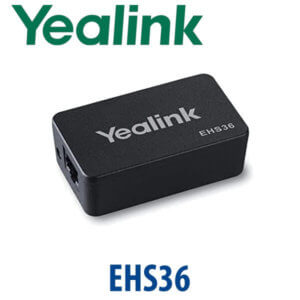
| EHS Adapter | EHS60 | Remote call control for selected Cisco, Poly and Avaya IP phones; confirm model compatibility before quote |
| EHS Adapter | EHS61 | Remote call control for selected Mitel and Unify IP phones; confirm model compatibility before quote |
| Portable Accessory Kit | WH62 / WH66 portable accessory kit | For users who need a more flexible DECT headset setup between work areas |
| Replacement Wearing Parts | Ear cushions / hygiene spares | Recommended for high-use call-centre and shift environments |
Staging Before Dispatch
For WH62 Dual Teams orders, Vector Digital Systems checks the user’s platform before dispatch: Microsoft Teams or UC softphone, PC connection, compatible Yealink phone or third-party IP phone, and whether an EHS60 / EHS61 adapter is needed. For project orders, we can label headsets by user or desk, prepare a deployment list, confirm Teams-certified model selection, and test the base/headset pairing before delivery. This avoids the common mistake of buying a Teams headset for a desk phone that also needs an EHS accessory.
Export from Dubai
Vector Digital Systems exports Yealink WH62 Dual Teams headsets from Dubai to system integrators, telecom resellers, call-centre projects and enterprise IT buyers across Oman, Saudi Arabia, Kuwait, Bahrain, Qatar, Jordan, Egypt, Kenya, Nigeria and Pakistan. Shipments are handled FOB Dubai with commercial invoice, packing list and certificate of origin on request. For headset rollouts, send David the quantity, user platform, phone model list and destination country so the quote includes the correct Teams or UC variant, accessories, VAT treatment and export documentation.
Get a same-day quote in AED — Yealink WH62 Dual Teams Dubai
Tell David your quantity, whether users are on Microsoft Teams, UC softphone or desk phone, and whether you need EHS adapters or BLT60 busylights. We quote with VAT breakdown and delivery included.
Frequently Asked Questions — Yealink WH62 Dual Teams
Is the Yealink WH62 Dual Teams Microsoft Teams certified?
Yes. The Yealink WH62 Dual appears on Microsoft’s Teams device listing as a Teams enabled headset, verified on 18 July 2026. This Teams variant includes the Teams workflow and dedicated Teams button required for Microsoft 365 user environments.
What is the difference between WH62 Dual Teams and WH62 Dual UC?
WH62 Dual Teams is the Microsoft Teams-certified version with Teams-focused call control and a Teams button. WH62 Dual UC is the general unified communications version for softphones and non-Teams deployments. Choose Teams if your users live in Microsoft Teams; choose UC if your company standardises on other calling apps.
Does the WH62 Dual Teams work with both my desk phone and laptop?
Yes, the WH62 supports dual connection with a PC and compatible IP desk phone. For Yealink IP phones, integration is usually straightforward. For selected Cisco, Avaya, Poly, Mitel, Unify and other third-party phones, you may need an EHS60 or EHS61 adapter for remote answer and hang-up control.
Is WH62 Dual Teams better than a Bluetooth headset for office calls?
For fixed office desks and call-centre users, yes. WH62 Dual Teams uses DECT wireless technology with up to 160 m range in open conditions, making it better for walking around an office floor during calls. Bluetooth is better for mobile pairing, but DECT is the stronger choice for stable desk-based business calling.
How long is the WH62 Dual Teams talk time?
The Yealink WH62 Dual provides up to 14 hours of talk time. Actual battery life depends on call volume, audio settings and charging habits. For shift-based teams, we recommend returning the headset to its base between sessions so the next user starts with a charged unit.
What is the wireless range of the Yealink WH62 Dual Teams?
The WH62 range can reach up to 160 m / 525 ft in open conditions. In real Dubai offices, walls, glass partitions, server rooms and lift cores can reduce range, so David can advise placement for call-centre floors, reception areas and branch offices.
Does the WH62 Dual Teams reduce background noise?
Yes. The WH62 uses Yealink Acoustic Shield technology with a dual-microphone design to reduce background noise and keep the speaker’s voice clearer for customers and colleagues. It is a strong fit for open offices, support teams, telesales desks and front counters.
Who is the Yealink authorised supplier in Dubai?
Vector Digital Systems LLC has supplied Yealink products and VoIP solutions in Dubai since 2009. David handles Yealink headset selection, project pricing, staging, compatibility checks and local warranty support, so buyers do not need to manage international warranty claims.
What is the best Yealink headset for Teams call-centre users in Dubai?
For Teams users who need wireless freedom and two-ear focus, WH62 Dual Teams is the practical DECT recommendation. For users who need one ear open to the room, choose WH62 Mono Teams. For premium supervisor desks, David may recommend stepping up to WH66 Teams after confirming current requirements.
Does Vector Digital Systems export Yealink WH62 Dual Teams headsets from Dubai?
Yes. Vector Digital Systems exports Yealink WH62 Dual Teams headsets to telecom resellers, system integrators and enterprise buyers in Oman, Saudi Arabia, Kuwait, Bahrain, Qatar, Jordan, Egypt, Kenya, Nigeria and Pakistan. Shipments are available FOB Dubai with commercial invoice, packing list and certificate of origin on request.
Does Vector Digital Systems configure or check WH62 Dual Teams before delivery?
Yes. For headset orders, Vector Digital Systems checks whether the user is on Microsoft Teams, UC softphone or desk phone, confirms whether EHS accessories are required, and can label project units before dispatch. This reduces installation issues during Teams and call-centre rollouts.