


Description
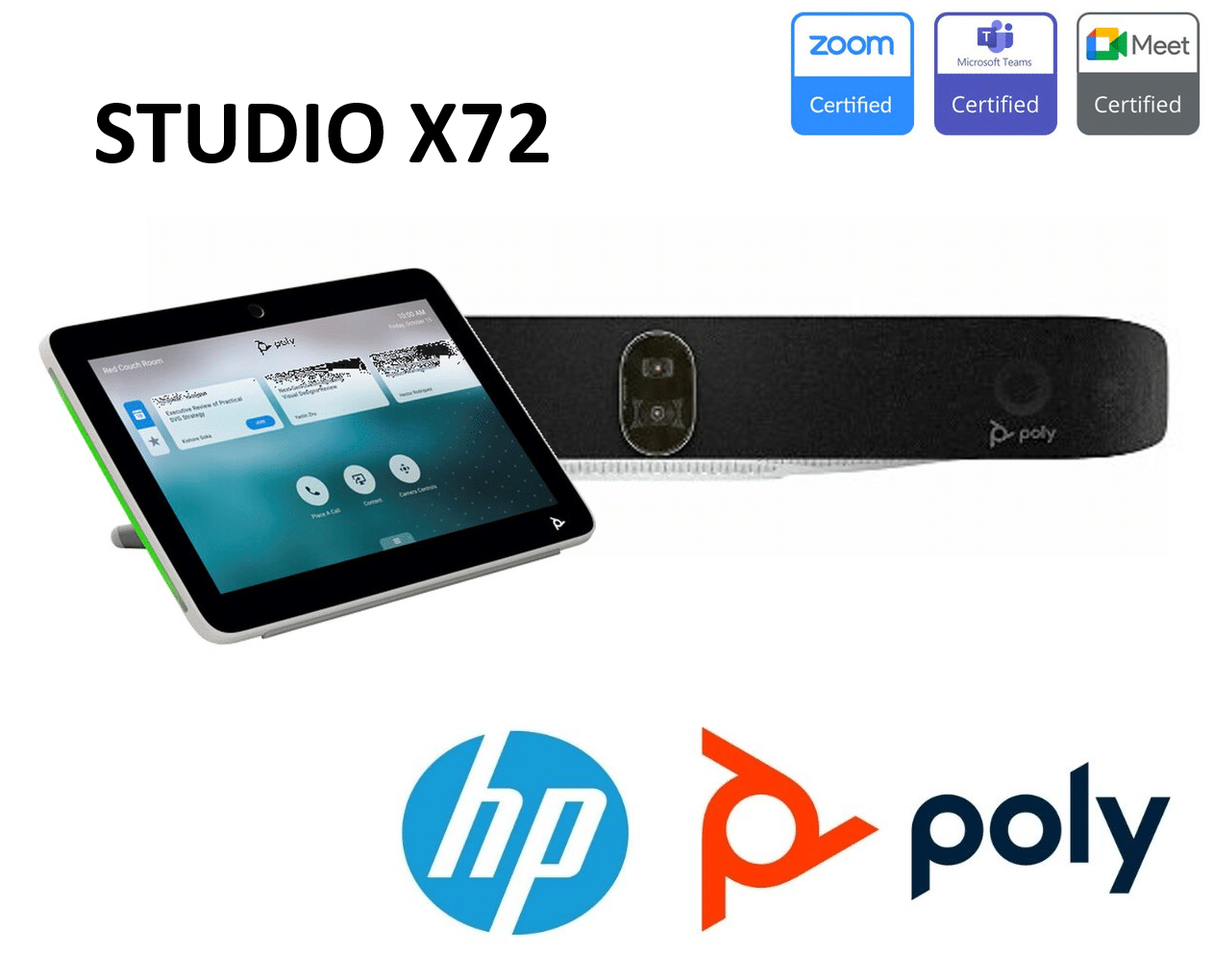
Poly X72 Video Conferencing Bar
Making Every Dubai Meeting Work for Everyone
Here’s something most AV suppliers in Dubai won’t tell you upfront: we actually thought about everyone who walks into your DIFC boardroom or Business Bay office.
If you’re deaf or hard of hearing, you’ll notice the LED status indicators before anyone mentions them. That light ring? It’s not just sleek design—it tells you when you’re muted, when Dubai or London is calling, and what’s happening with your connection. No more awkward “wait, am I on mute?” moments during those crucial client presentations.
Low vision or blind? The remote has embossed buttons you can actually feel—helpful in those dimmed Dubai conference rooms. The system gives you audible cues: ringtones when calls come in, tones when your team in Abu Dhabi joins or when the Singapore office drops off.
Mobility challenges? Sometimes reaching across a conference table at 2 PM in Dubai (when you’re already drained from back-to-back meetings) is the last thing you need. Control everything from the Poly TC10 touch controller, use the Bluetooth remote from wherever you’re seated, or just tap your touch-capable display.
We didn’t add these features for compliance checkboxes. We added them because Dubai’s diverse workforce deserves meeting technology that works for everyone—whether you’re an Emirati executive, an expat manager, or a visiting client from anywhere in the world.
Device Mode: Perfect for Dubai’s BYOD Culture
You know that moment when you walk into a premium JBR office or Downtown Dubai boardroom with state-of-the-art equipment, but you still have to use your laptop’s mediocre webcam because that’s where your Teams meeting is?
We’ve seen it in every Dubai free zone from DIFC to DAFZA.
Device Mode solves this for Dubai’s ultra-mobile workforce:
Your sales director flies into Dubai from Riyadh with their laptop. They walk into your Dubai Marina conference room, plug in one USB-C cable to the X72, and instantly they’re broadcasting in 4K with studio-grade audio. No IT calls. No setup time. No making London wait while you figure out the room system.
Here’s why Dubai businesses love this:
- Works with any laptop (Mac, PC, whatever your international team uses)
- The X72 stays secure on your Dubai network—your IT team at Barsha Heights stays happy
- Visiting clients can use their own devices without accessing your systems
- Perfect for hot-desking setups across Dubai’s business districts
It’s particularly brilliant for companies with offices across the Emirates—your equipment stays professional and consistent whether someone’s calling from Dubai, Abu Dhabi, or your Sharjah facility.
The AI That Works in Dubai’s Multilingual Meetings
Most “AI cameras” just zoom randomly. Poly DirectorAI actually understands how Dubai does business—where your meeting might include participants from 8 different countries, three time zones, and people switching between English, Arabic, and Hindi.
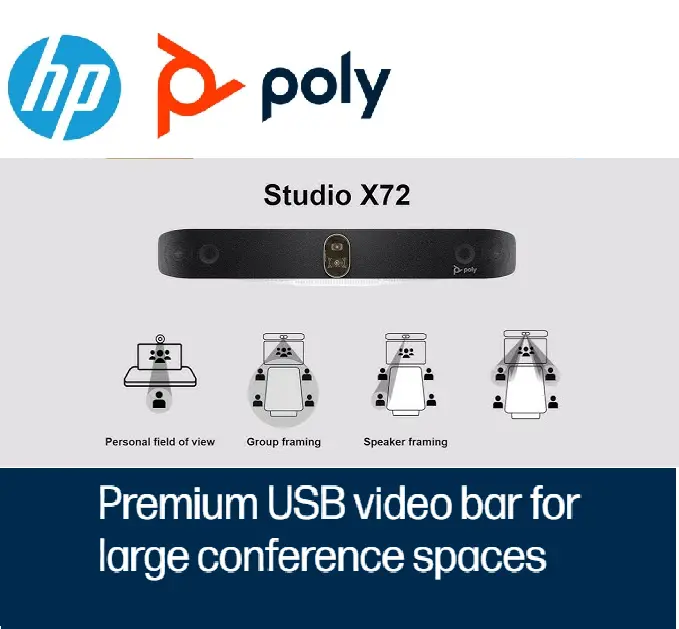
Group Framing – Intelligently frames everyone in your Dubai conference room. Whether it’s 6 people at a round table in JLT or 15 people in your DWTC event space, remote participants see everyone clearly. No more people in the back looking tiny on screen.
Speaker Framing – When your CFO in Dubai starts presenting, the camera finds them smoothly. When your operations manager in Al Quoz responds, seamless transition. No jarring movements that make your Fortune 500 clients question your professionalism.
People Framing – This is crucial for Dubai’s hybrid work culture. Your colleague working from Arabian Ranches sees the same facial expressions and engagement cues as the team members in your Sheikh Zayed Road office.
Real Dubai scenario: Your 9 AM call has three people in Dubai, two in London (it’s 6 AM for them), and four working remotely across the UAE. DirectorAI ensures everyone feels equally present, regardless of location.
Meeting equity isn’t just a buzzword here—it’s essential when your Dubai team collaborates with offices in Saudi Arabia, Egypt, India, and Europe daily.
For Dubai IT Teams (Who Are Always Juggling Multiple Sites)
Let’s talk about Poly Lens for Dubai’s unique IT challenges—managing conference rooms across multiple Emirates, free zones, and even regional offices.
Here’s what your IT team in Dubai Internet City actually gets:
You’re managing rooms across:
- Your Dubai HQ in Business Bay
- Branch office in Abu Dhabi’s Masdar City
- Warehouse facility in Jebel Ali
- Sales office in DMCC
From one dashboard, you can:
- See which Dubai meeting rooms are actually being used (data that helps justify your next budget to the CFO)
- Push updates to all devices during Dubai’s quiet hours (10 PM – 6 AM)
- Get alerts before the CEO’s 8 AM call breaks (not during it)
- Deploy configurations remotely—no driving through Dubai traffic to fix a camera setting
- Pull analytics for your ISO compliance reports or client audits
The web interface works perfectly on UAE networks: Every X72 has its own configuration page (works on Etisalat, du, or your private network). Default login is username: admin, password: last six characters of the serial number. From there, you’re adjusting for Dubai’s specific needs—network security that meets UAE regulations, camera settings for your office lighting, audio zones that account for Arabic and English announcements.
Translation: Less time stuck on Sheikh Zayed Road driving to fix issues, more time on strategic projects.
Scale It for Dubai’s Demanding Spaces
Dubai doesn’t do small. Your conference rooms don’t either. The X72 scales for your reality.
Large boardroom in Emirates Towers? Add Poly Expansion Microphones. Now the chairman at one end of that massive table sounds as clear as the presenter at the other end.
Executive suite in ICD Brookfield Place? Connect a USB audio DSP for premium audio processing. Essential when you’re on calls with Singapore at 7 AM and New York at 5 PM—you need perfect audio both times.
Multiple displays for Dubai’s presentation culture? Standard setup drives two displays via HDMI. But here’s what Dubai executives love: in Zoom, you can run three displays with the right adapter.
- Display 1: Your presentation deck
- Display 2: Participant gallery (Dubai, London, Mumbai teams)
- Display 3: Shared content or chat
This is what scalability means in Dubai: start with one meeting room in DIFC, scale to 50 rooms across your UAE operations.
Works With Everything Dubai Businesses Use
Yes, it’s certified for Microsoft Teams and Zoom—the two platforms dominating Dubai’s corporate landscape.
But here’s what matters for UAE businesses: it works with everything else your international clients and partners use.
Full H.323 and SIP support means it connects with:
- Your client’s legacy system in Saudi Arabia
- Your partner’s video platform in India
- Your parent company’s setup in Europe
- Government entities across the UAE
Real-world Dubai compatibility:
- Webex? Yes (popular with Dubai government entities)
- Google Meet? Absolutely (common in Dubai’s startup scene)
- Microsoft Teams? Certified (dominant in UAE enterprises)
- Zoom? Certified (standard in Dubai free zones)
- Custom solutions? If it follows standards, it works
Why this matters in Dubai: You don’t control which platform your client in Qatar uses, or which system the Abu Dhabi government entity prefers, or what your European headquarters just decided to switch to. The X72 simply connects.
Built for Dubai’s Climate & Infrastructure
Let’s address the elephant in the room: Dubai is hot. Our equipment handles it.
The X72 is designed for the temperature-controlled environments Dubai offices maintain, but it’s enterprise-grade hardware built for 24/7 reliability—whether your office AC is set to Arctic blast or you’re dealing with those brief moments during Dubai’s power management initiatives.
Dubai-specific benefits:
- Works flawlessly on UAE internet infrastructure (Etisalat, du, or private networks)
- Handles the consistent all-day usage Dubai’s international time zone coverage demands
- Mounting hardware included—works with Dubai’s standard office construction (most offices use the included wall mount kit)
- Power requirements compatible with UAE electrical standards
Poly Lens cloud management works perfectly from Dubai, with no latency issues managing your regional device fleet.
Local Support for Dubai Businesses
When you invest in Poly X72 for your Dubai operations, you’re not just getting hardware .
Dubai businesses get:
- Regional support that understands UAE business hours
- Technical assistance that knows Dubai’s network infrastructure
- Support
Installation and setup assistance available across:
- Dubai (all business districts: DIFC, Business Bay, DMCC, JLT, Dubai Marina, Downtown, Deira, etc.)
- Abu Dhabi
- Sharjah
- Northern Emirates
- Other GCC locations as needed
Why Dubai Companies Choose Poly Studio X72
For Dubai’s multinational workforce: Equipment that works for everyone, regardless of ability or location
For UAE’s distributed teams: Consistent experience from Dubai to Abu Dhabi to Ras Al Khaimah
For regional headquarters: Technology that connects seamlessly with offices in Riyadh, Cairo, Mumbai, and beyond
For Dubai’s IT teams: Management tools that actually save time across multiple locations
For budget-conscious CFOs: One investment that scales as your Dubai operation grows
Ready to Upgrade Your Dubai Meeting Rooms?
Whether you’re outfitting one boardroom in DIFC or 100+ meeting spaces across your UAE operations, the Poly Studio X72 delivers the professional video conferencing experience Dubai businesses demand.
Serving businesses across Dubai and the UAE: Business Bay • DIFC • DMCC • Dubai Marina • JLT • Downtown Dubai • Deira • Dubai Internet City • Dubai Knowledge Park • Dubai Silicon Oasis • Jebel Ali • Abu Dhabi • Sharjah
Contact us for a demo at your Dubai office or virtual consultation scheduled for UAE business hours.
Frequently Asked Questions: Poly X72 in Dubai
General Product Questions
Q: What is the Poly Studio X72 used for?
A: The Poly Studio X72 is used for professional video conferencing in large meeting rooms. It’s ideal for:
- Corporate boardrooms (15-40 participants)
- Executive meeting spaces
- Training rooms
- Multi-purpose conference facilities
- Hybrid work environments
- Client presentation rooms
Common use cases in Dubai: International team meetings across time zones, client presentations, board meetings, training sessions, and hybrid office setups.
Q: What makes the Poly X72 different from other video bars?
A: Key differentiators:
- Dual 4K cameras (most competitors have single camera)
- Poly DirectorAI with group, speaker, and people framing modes
- 70° and 120° field of view options for flexibility
- Poly NoiseBlockAI specifically trained for office environments
- Acoustic Fence technology isolates voices from background noise
- Device Mode (BYOD) lets users connect laptops directly
- Certified for both Microsoft Teams and Zoom
- Poly Lens cloud management included
Q: How many people can use the Poly Studio X72 in one room?
A: The Poly Studio X72 is designed for large conference rooms with 20-40 people.
- Optimal capacity: 20-30 people
- Maximum capacity: Up to 40 people with expansion microphones
- Camera coverage: Dual cameras cover wide rooms effectively
- Audio pickup: 20+ feet with NoiseBlockAI (expandable with Poly Expansion Microphones)
Q: Is the Poly X72 better than Poly Studio X70?
A: Yes, the X72 is the newer, upgraded model:
| Feature | Poly X70 | Poly X72 |
|---|---|---|
| Cameras | Dual 4K 20MP cameras | Dual 4K 20MP cameras |
| Field of View | 70° and 120° options | 70° and 120° options |
| AI Technology | Standard DirectorAI | Advanced DirectorAI with multiple modes |
| Audio | Standard | NoiseBlockAI + Acoustic Fence |
| Display Support | 2 displays | 2 displays (3 in Zoom with adapter) |
| Ideal Room Size | Medium (10-20) | Large (20-40) |
For Dubai businesses: The X72 is recommended for executive boardrooms and large conference spaces, while X70 suits medium meeting rooms.
Poly studio X72 Dubai Purchasing Questions
Q: How do I buy Poly Studio X72 from Vector Digital Systems in Dubai?
A: Easy purchasing process:
Step 1: Contact us
- Phone: +971 4 4504145
- ✉️ Email: info@vectordigitals.net
- Tell us about your meeting room needs
Step 2: Free consultation
- We assess your requirements (room size, participants, platform preference)
- Discuss your budget and timeline
- Recommend optimal configuration (base unit, accessories, installation)
Step 3: Site visit (optional)
- Free site survey for Dubai/UAE offices
- Evaluate room layout, acoustics, network
- Provide detailed proposal
Step 4: Quotation
- Transparent pricing with all costs included
- VAT-compliant invoice (5%)
- Warranty and support options
- Installation services quoted
Step 5: Delivery & Installation
- Fast delivery across Dubai (1-3 business days)
- Professional installation scheduled at your convenience
- Full setup, testing, and training included
Step 6: After-sales support
- Ongoing technical support
- Poly Lens management assistance
- Future expansion consultation
For immediate quote: Call +971 4 4504145 or email info@vectordigitals.net