
Description
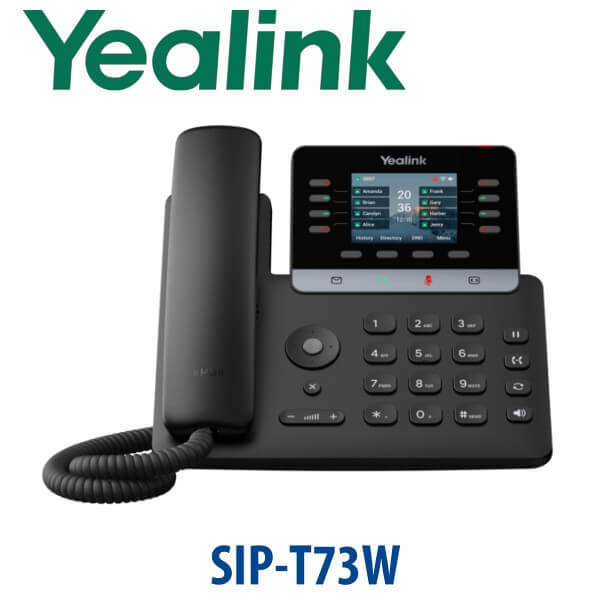
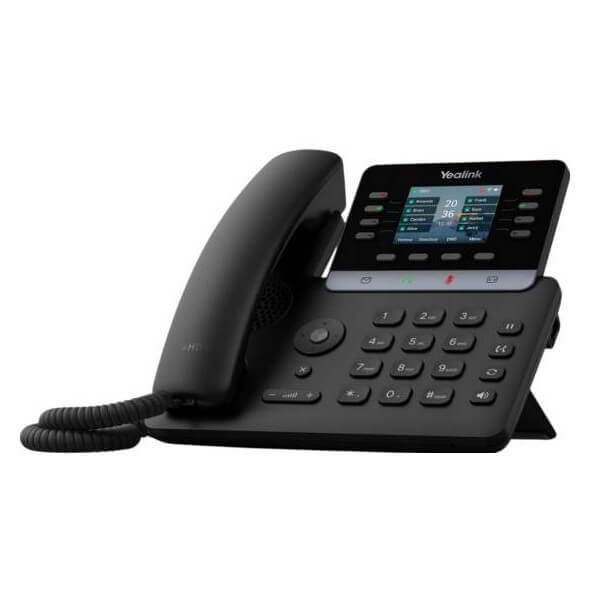
Yealink SIP-T73W IP Phone 12-Line Wi-Fi 6 GigE Desk Phone Dubai
Wireless Freedom for the Standard Dubai Desk
The Yealink SIP-T73W is the wireless version of the T73U: a current-generation T7 desk phone for offices that want proper SIP calling without pulling a new Ethernet cable to every desk. It gives standard users 12 SIP accounts, 40 programmable keys, a 2.8-inch colour display, dual Gigabit ports, built-in Wi-Fi 6, built-in Bluetooth 5.0, Smart Noise Filtering, Acoustic Shield and T7 security. For Dubai offices replacing older T53 or T44W-style wireless desks, the T73W is the practical new-generation choice: modern wireless, GigE passthrough and current Yealink provisioning in one phone.
SIP or Microsoft Teams? Get the Platform Right Before You Order
The SIP-T73W is a SIP phone. It registers to a SIP PBX such as 3CX, Yeastar P-Series, Grandstream UCM, Asterisk, FreePBX or a hosted SIP provider. It is not a Microsoft Teams phone, and there is no Teams edition of the T73W body. Yealink Teams phones are a separate MP-series range. This is the buyer error that causes returns: a SIP phone cannot be converted into a Teams desk phone by field reflash.
| Your Platform | Right Phone | What You Need |
|---|---|---|
| SIP PBX — 3CX, Yeastar, UCM, Asterisk, hosted PBX | SIP-T73W (this page) | SIP credentials from your phone system |
| Microsoft Teams | Yealink MP-series Teams phone — ask David for the current certified model | Microsoft 365 tenant + Teams Phone licence per user |
| Zoom Phone | Zoom-certified Yealink range — ask David | Zoom Phone licence per user |
Tell David which platform you use when requesting a quote. We confirm the phone system before dispatch so the unit arrives ready to register, not ready to be returned.
PoE Truth — No Power Adapter in the Box
The SIP-T73W ships without a power adapter. It can run from a PoE-capable network switch over Ethernet. If the desk will run fully wireless or your switch port does not provide PoE, ask David to add the correct Yealink power supply to the quote. This is the most common delivery surprise in UAE offices, so Vector Digital Systems confirms your power plan before dispatch. If you add two or three EXP55 expansion modules, the external PSU is required regardless of PoE.
Built-In Wi-Fi 6 and Bluetooth 5.0
The “W” in T73W matters. Wi-Fi 6 and Bluetooth 5.0 are built in, so the phone does not need a separate Wi-Fi or Bluetooth dongle for normal wireless desk use. It is ideal for Dubai offices where glass partitions, serviced-office layouts, temporary desks or renovated reception counters make Ethernet cabling awkward. Bluetooth also gives users a cleaner path to compatible wireless headset pairing.
Gigabit Passthrough for 1Gbps Office Networks
Even though the T73W has wireless built in, it also carries dual Gigabit Ethernet ports. If you connect the phone by cable, the LAN port connects to your switch and the PC port passes network through to the laptop at Gigabit speed. That matters in Dubai offices where many legacy desk phones still throttle the laptop behind them to 100Mbps. A T7 refresh can be a phone upgrade and a desk-network upgrade at the same time.
T73W in the Yealink T7 Range — Where It Sits
The SIP-T73W sits above the wired T73U and below the T74W. Choose the T73U when the desk has reliable Ethernet and cost is the main driver. Choose the T73W when you need Wi-Fi 6 and Bluetooth on a standard 12-line desk. Step up to the T74W when the user needs a larger 4.3-inch screen, 16 SIP accounts, 50 programmable keys and 10-way local conferencing.
| Feature | T73U | SIP-T73W ★ | T74W |
|---|---|---|---|
| Display | 2.8″ 320×240 colour | 2.8″ 320×240 colour | 4.3″ 480×272 colour |
| SIP Accounts | 12 | 12 | 16 |
| Programmable Keys | 40 | 40 | 50 |
| Dual GigE | ✓ | ✓ | ✓ |
| Wi-Fi / Bluetooth | — | Wi-Fi 6 + BT 5.0 built in | Wi-Fi 6 + BT 5.0 built in |
| Local Conference | 5-way | 5-way | 10-way |
| Expansion | Up to 3× EXP55 | Up to 3× EXP55 | Up to 3× EXP55 |
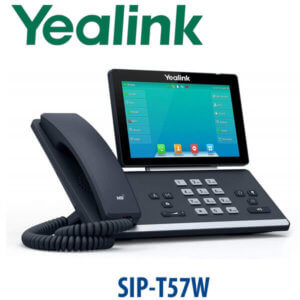
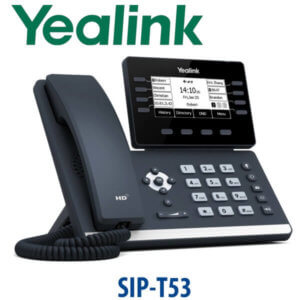
| Replaces | T43U / T44U desk tier | T44W / T53 wireless desk tier | T53W wireless manager tier |
| Price Tier | Entry-mid wired | Entry-mid wireless | Mid-executive wireless |
| Choose if… | You have Ethernet at every desk and want the best wired value | You need a 12-line SIP phone with built-in Wi-Fi 6 and Bluetooth | You need wireless plus a larger screen, 16 lines and 10-way conference |
Where the T73W Works in Dubai
Serviced offices and free-zone desks. In Business Bay, DIFC, DMCC and JLT, tenants often inherit desk layouts where network cabling is limited or hidden behind glass partitions. The T73W gives users a proper SIP desk phone over Wi-Fi 6 while still offering Gigabit Ethernet if the cable is available later.
Branch offices and temporary project teams. For construction site offices, sales branches and project rooms, the T73W avoids the delay of pulling a fresh cable for every desk. Vector Digital Systems can stage the phone with SIP registration, provisioning template and dial plan before dispatch, so the branch team only needs power and the Wi-Fi details.
Reception back desks and shared workstations. The 12-account, 40-key profile fits users who need more than an entry phone but do not need the larger T74W. BLF, speed-dial and transfer keys can be mapped before delivery, making the phone useful for small clinic receptions, hotel back offices, logistics coordinators and SME admin desks.
Legacy wireless desk replacement. If your team has been searching for a T53 or T44W replacement, the T73W is the T7-era answer for standard wireless SIP desks. You get current provisioning, T7 security, built-in Wi-Fi 6, Bluetooth 5.0 and Gigabit passthrough instead of buying old stock from the previous generation.
Full Technical Specifications
| Specification | Yealink SIP-T73W |
|---|---|
| Product Type | Wireless SIP IP desk phone — T7 series |
| Display | 2.8 inch 320×240 colour LCD with backlight |
| SIP Accounts | 12 |
| Programmable Keys | 40 configurable call positions / programmable keys |
| Local Conferencing | 5-way local conference |
| Network Ports | 2× Gigabit Ethernet ports — LAN + PC passthrough |
| Wi-Fi | Built-in Wi-Fi 6 |
| Bluetooth | Built-in Bluetooth 5.0 |
| USB | USB headset and accessory support |
| Audio | HD voice, Smart Noise Filtering, Acoustic Shield, 3W speaker |
| Security | Trusted Execution Environment, secure boot integrity verification, firmware encryption, TLS/SRTP security features |
| User Interface | Icon-based UI, soft keys, LED call/message indication, dark and light themes |
| Stand | Two-angle adjustable desk stand |
| Power | PoE supported; PSU not included. Add PSU for non-PoE or fully wireless desks. |
| Expansion Modules | Supports up to 3× EXP55 colour expansion modules. 2–3 modules require external PSU. |
| Headset Support | USB headset support and EHS wireless headset support; confirm exact headset model with David |
| Compatible Platforms | 3CX, Yeastar P-Series, Grandstream UCM, Asterisk, FreePBX, hosted PBX and RFC-compliant SIP servers |
| Best Fit | Standard wireless business desk, branch office user, shared workstation, Wi-Fi office deployment |
Compatible Accessories
| Accessory | Model | Purpose |
|---|---|---|
| Expansion Module | EXP55 | 5.5″ colour screen, 78 keys per module. Up to 3 modules. External PSU required for 2–3 modules. |
| Power Supply | Yealink PSU — confirm UAE stock with David | Required for non-PoE switches, fully wireless desks and multi-EXP55 setups |
| USB Headset | Yealink UH / WH range | For call-centre, reception and shared-desk users who need headset calling |
| EHS Wireless Headset Adapter | EHS adapter — confirm compatibility at order | Remote answer and hang-up from compatible Yealink DECT headsets |
Staging Before Dispatch — What We Configure
Every Yealink SIP-T73W supplied by Vector Digital Systems can be staged before dispatch from Dubai. We load the SIP registration, provisioning template, BLF and speed-dial keys, dial plan, codec priority and basic network settings, then complete a test call before delivery. For multi-branch UAE rollouts, we can label units by branch, extension and user so installation teams simply place each phone on the correct desk.
Export from Dubai
Vector Digital Systems exports Yealink SIP-T73W phones from Dubai to system integrators, telecom operators, PABX installers and enterprise procurement teams. Common routes include Oman, Saudi Arabia, Kuwait, Bahrain and Qatar in the Gulf; Jordan and Egypt in the wider Arab market; Kenya and Tanzania in East Africa; and Pakistan and Sri Lanka for South Asian deployments. Shipments move FOB Dubai with commercial invoice, packing list and certificate of origin on request. Ask David for project pricing on 5+ units with VAT and delivery shown clearly in the quote.
Get a same-day quote in AED — Yealink SIP-T73W Dubai
Tell David: quantity, phone system, whether each desk will use PoE or power adapter, Wi-Fi details, headset needs and delivery location. We quote with VAT breakdown and delivery charges included.
Frequently Asked Questions — Yealink SIP-T73W
Does the Yealink T73W work with Microsoft Teams?
The T73W is a SIP phone for 3CX, Yeastar, Grandstream UCM, Asterisk, FreePBX and hosted SIP PBX platforms. Yealink Microsoft Teams phones are a separate MP-series range, and there is no Teams edition of the T73W body. If your office runs Teams Phone, ask David for the current Teams-certified Yealink model and we will verify certification before quoting.
Is the Yealink T73W the replacement for the T53 or T44W?
For standard wireless SIP desks, the T73W is the current T7-series replacement path for older T53 and T44W-style wireless desk deployments. It keeps the standard business desk profile and adds Wi-Fi 6, Bluetooth 5.0, dual Gigabit Ethernet, T7 security and current Yealink provisioning support.
Does the Yealink T73W come with a power adapter, or do I need PoE?
The T73W does not include a power adapter. It can be powered by a PoE-capable switch port, or you can add the correct Yealink PSU if the desk is non-PoE or fully wireless. If you connect two or three EXP55 expansion modules, the external PSU is required regardless of PoE.
Will the T73W work with our 3CX, Grandstream UCM, Yeastar P-Series or existing SIP PABX?
Yes — the SIP-T73W works with RFC-compliant SIP systems including 3CX, Yeastar P-Series, Grandstream UCM, Asterisk, FreePBX and hosted PBX services. Vector Digital Systems can stage the phone with your SIP account, provisioning template, BLF keys and dial plan before delivery.
T73U vs T73W — which one should I buy?
Choose the T73U when the desk has Ethernet and you want the best wired value. Choose the T73W when the desk needs Wi-Fi 6, Bluetooth 5.0 or more flexible placement. Both are 12-line T7 SIP phones with a 2.8-inch colour display, 40 programmable keys, dual Gigabit ports and EXP55 support.
T73W vs T74W — which one should I buy?
Choose the T73W for standard wireless desks that need 12 SIP accounts, Wi-Fi 6 and Bluetooth at a lower price tier. Choose the T74W for managers, reception users or power users who need a larger 4.3-inch display, 16 SIP accounts, 50 programmable keys and 10-way local conferencing.
Can I add a headset to the Yealink T73W?
Yes. The T73W supports USB headsets and EHS wireless headset use with compatible Yealink headset models. Tell David whether the user needs a wired USB headset, Bluetooth pairing, or a DECT wireless headset with remote answer and hang-up, and we will match the correct accessory before quoting.
How many BLF keys can I get with EXP55 expansion modules on the T73W?
The T73W supports up to three EXP55 colour expansion modules. Each EXP55 adds 78 programmable keys, so three modules add 234 keys to the phone. For very large reception or supervisor consoles, ask David whether the T74U, T74W or T77U is a better fit because those models give a larger screen and higher on-device key count.
Who is the authorised Yealink supplier in Dubai?
Vector Digital Systems LLC has supplied and integrated Yealink VoIP solutions in Dubai since 2009. David handles Yealink product selection, same-day AED quotes, staging, project pricing and local warranty support, so buyers do not need to manage overseas returns or unsupported grey-market stock.
What is the best Yealink IP phone for a wireless office desk in Dubai?
For a standard wireless SIP desk, the Yealink SIP-T73W is the best fit because it includes Wi-Fi 6, Bluetooth 5.0, 12 SIP accounts, dual Gigabit ports and current T7 security. For managers or reception desks that need a larger display and 16 accounts, step up to the T74W.
Does Vector Digital Systems export Yealink T73W phones from Dubai?
Yes — Vector Digital Systems exports Yealink T73W phones from Dubai to integrators and enterprise buyers in Oman, Saudi Arabia, Kuwait, Bahrain, Qatar, Jordan, Egypt, Kenya, Tanzania, Pakistan and Sri Lanka. Shipments move FOB Dubai with commercial invoice, packing list and certificate of origin on request.
Does Vector Digital Systems configure the T73W before delivery?
Yes — every T73W can be staged before dispatch with SIP registration, provisioning template, BLF and speed-dial keys, dial plan, codec priority and a live test call. For branch rollouts, we can label each phone by user, extension and location before delivery.