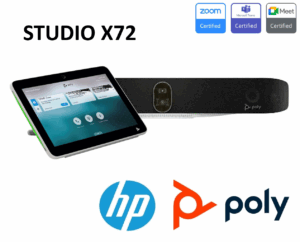

Description
Poly Studio X52 & TC10 Bundle Dubai: The Ultimate Medium Room Solution (8D8L1AA)
Transform your medium-sized meeting rooms into dynamic, collaborative hubs with the Poly Studio X52 & TC10 Bundle in Dubai. This all-in-one video conferencing kit, featuring the powerful Poly Studio X52 video bar and the intuitive Poly TC10 touch controller, is engineered to deliver meeting equality and effortless control. As an authorized Poly partner in the UAE, Vector Digital provides this complete solution (Part Number: 8D8L1AA / 7200-88085-102) to businesses across Dubai, Abu Dhabi, and the entire region, ensuring your teams can connect and collaborate with unparalleled clarity and simplicity.
The Studio X52 video bar is a marvel of engineering, packing a 20MP 4K UltraHD camera, advanced AI-driven audio technologies, and robust processing power into a sleek, elegant design. Paired with the TC10, which serves as both a room controller and a scheduling panel, this bundle simplifies deployment and elevates the user experience for leading platforms like Microsoft Teams Rooms and Zoom Rooms.
Unpacking the Poly Studio X52 & TC10 Bundle: What’s Included?
When you invest in the Poly Studio X52 & TC10 Bundle for your Dubai office, you receive a comprehensive kit designed for immediate deployment and a premium meeting experience. This solution ensures that from the moment you open the box, you have everything needed to upgrade your medium-sized conference rooms into professional-grade video collaboration spaces.
| Component | Description | Key Function |
|---|---|---|
| Poly Studio X52 Video Bar | The core all-in-one video conferencing unit with an integrated 4K camera, microphone array, and stereo speakers. | Captures video, picks up audio, and delivers sound for the meeting. |
| Poly TC10 Touch Controller | A 10.1-inch high-resolution touch display for in-room control and out-of-room scheduling. | Initiate calls, adjust camera angles, share content, and book the room. |
| Power Supply & Cables | Includes the necessary power adapter for the Studio X52 and all required HDMI and Ethernet cables for setup. | Provides power and connectivity for all components. |
| Wall Mount Kit | A secure bracket for mounting the Poly Studio X52 video bar either above or below the room display. | Ensures a clean, professional, and stable installation. |
| Magnetic Lens Cap | A simple, effective privacy cover for the Studio X52 camera lens. | Offers peace of mind and security when the camera is not in use. |
Poly Studio X52: A Deep Dive into the 4K Camera and AI-Powered Audio
The heart of the bundle is the Poly Studio X52, a video bar meticulously designed for the modern hybrid workplace. Its capabilities are built to ensure every participant, whether in the room or connecting remotely from across Dubai or the globe, feels seen and heard.
Crystal-Clear 4K Video with a 20MP Sensor
The Studio X52 features a 20-megapixel 4K UltraHD camera that captures every detail with stunning clarity. Its 95-degree horizontal field of view is perfectly optimized for medium-sized rooms (up to 20 x 15 ft), ensuring everyone at the table is framed perfectly without distortion. The camera’s advanced sensor and optics deliver true-to-life color and exceptional low-light performance, making your team look professional in any lighting condition.
Poly DirectorAI: Your Personal In-Room Videographer
Gone are the days of clumsy manual camera adjustments. The Studio X52 is powered by Poly DirectorAI, a suite of smart camera technologies that acts as an automated director for your meetings. It intelligently performs:
- Group Framing: Automatically frames all participants in the room for a comprehensive view.
- Speaker Framing (Speaker Tracking): Smoothly zooms in on the active speaker, creating a more engaging and natural conversational flow.
- People Framing (Participant Framing): Creates individual frames for each participant, displaying them in a gallery view for remote attendees to better read body language and non-verbal cues.
This AI-driven framing ensures that the visual focus is always in the right place, allowing your team to focus on the discussion, not the technology.
Intelligent Audio with NoiseBlockAI and Acoustic Fence
Audio quality is paramount for meeting equity. The Studio X52 excels with a sophisticated microphone array that picks up voices clearly from up to 20 feet away. This is enhanced by two of Poly’s signature audio innovations:
- Poly NoiseBlockAI: This technology intelligently listens for distracting sounds when no one is speaking—such as keyboard typing, paper shuffling, or HVAC noise—and automatically mutes the microphones to prevent them from disrupting the call.
- Poly Acoustic Fence: This feature creates a virtual “audio fence” or bubble around the meeting space. It captures the voices of participants inside the fence while actively blocking out sounds and conversations originating from outside it, such as people talking in an adjacent hallway or open-plan office.
Together, these technologies ensure that your meetings are free from distracting background noise, delivering a professional and focused audio experience for everyone.
The Poly TC10 Controller: Dual-Purpose Brilliance for Room Control and Scheduling
The Poly TC10 is far more than just a remote control; it’s a versatile and elegant interface that streamlines the entire meeting lifecycle. Included in this bundle, it can be used in two distinct modes to maximize its value for your Dubai workspace.
As an In-Room Controller
Placed on the conference table, the TC10 provides a clear, high-resolution 10.1-inch touch interface for managing your meetings. Users can:
- One-Touch Join: Start scheduled Microsoft Teams or Zoom meetings with a single tap.
- Call Controls: Easily manage volume, mute microphones, and add participants.
- Camera Management: Take manual control of the Studio X52 camera, select presets, or toggle DirectorAI modes.
- Content Sharing: Effortlessly share content from a connected laptop or mobile device.
Its intuitive layout reduces the learning curve and empowers any user to run meetings with confidence.
As an Outside-the-Room Scheduling Panel
Mounted outside the meeting room, the TC10 transforms into a dynamic scheduling display. Its vibrant LED indicators (green for available, red for in-use) are visible from a distance, eliminating room-booking conflicts. Teams can see the room’s schedule at a glance, book the room for an ad-hoc meeting directly from the panel, or check into a scheduled meeting. This dual functionality makes the TC10 an incredibly cost-effective addition to any office environment in the UAE.
Poly Studio X52 vs. X32 vs. X72: Choosing the Right Video Bar
Understanding which Poly Studio X series video bar is right for your space is crucial. While the X52 is the star of this bundle and perfect for medium rooms, Vector Digital offers the full range to suit every need. Here’s how they compare:
| Feature | Poly Studio X32 | Poly Studio X52 | Poly Studio X72 |
|---|---|---|---|
| Ideal Room Size | Huddle / Small (up to 15×10 ft) | Medium (up to 20×15 ft) | Large (up to 28×15 ft) |
| Camera | 4K, 120° HFOV | 4K, 95° HFOV, 20MP | Dual 4K (120° + 70° HFOV) |
| Microphone Pickup Range | Up to 15 ft / 4.5 m | Up to 20 ft / 6.1 m | Up to 25 ft / 7.6 m |
| Expansion Mic Support | No | Yes (1x) | Yes (up to 3x) |
| Speakers | Stereo Speakers | Stereo Speakers | Two-way Stereo + Bass Ports |
| Primary Use Case | Small, enclosed offices and huddle spaces. | The versatile workhorse for most standard conference rooms. | Boardrooms, training rooms, and large meeting spaces. |
Seamless Integration with Microsoft Teams Rooms and Zoom Rooms
The Poly Studio X52 & TC10 Bundle is certified for and runs native applications for both Microsoft Teams Rooms on Android and Zoom Rooms. This means you get the full, familiar interface of your chosen platform directly on the TC10 controller, with no need for a dedicated PC or Mac in the room. This app-based approach simplifies setup, reduces points of failure, and ensures a consistent user experience across all your meeting rooms in Dubai.
Why Choose the Poly Studio X52 & TC10 Bundle for Your Dubai Office?
- All-in-One Simplicity: Reduces clutter and simplifies installation with a single video bar and touch controller.
- Meeting Equality: AI-powered camera and audio ensure remote participants feel like they are in the room.
- Platform Flexibility: Certified for leading cloud video services, protecting your investment.
- Effortless Control: The TC10 makes joining and managing meetings incredibly simple for any user.
- Scalable Management: Easily manage all your Poly devices across Dubai and the UAE with the Poly Lens cloud admin portal.
Vector Digital: Your Authorized Poly Partner in Dubai & UAE
As a leading supplier of video conferencing solutions in the UAE, Vector Digital is your trusted partner for deploying the Poly Studio X52 & TC10 Bundle. We offer:
- Expert Consultation: Our team will help you assess your meeting rooms and design the perfect solution.
- Professional Installation: We provide expert installation services across Dubai, Abu Dhabi, and the UAE.
- Local Support: Get reliable, in-country support from our team of certified professionals.
- Competitive Pricing: As a direct Poly partner, we offer the best value for your investment.
Contact Vector Digital today to schedule a demo and learn how the Poly Studio X52 & TC10 Bundle can revolutionize collaboration in your organization. Call us at +971-4-450-4145 or fill out our online contact form.
Poly Studio X52 Technical Specifications
Below is a comprehensive technical specification sheet for the Poly Studio X52 video bar. These specifications are essential for IT managers and AV integrators in Dubai planning their meeting room deployments, ensuring compatibility with existing infrastructure and displays.
| Specification | Detail |
|---|---|
| Camera Resolution | 20MP 4K UltraHD |
| Horizontal Field of View | 95 degrees |
| Camera Range | Up to 20 ft / 6.09 m |
| AI Camera Features | DirectorAI (Group, Speaker, People Framing) |
| Microphone Pickup Range | Up to 20 ft / 6.09 m |
| Audio Technologies | NoiseBlockAI, Acoustic Fence |
| Speakers | Stereo, 2 x 20W RMS |
| Expansion Microphone | 1x supported (Poly Table Microphone 875M6AA) |
| HDMI Outputs | 2 displays (3 in Zoom with adapter) |
| USB-C Device Mode | Built-in (connect laptop for BYOD) |
| Ethernet | 10/100/1000 Mbps |
| Wi-Fi | Yes |
| Bluetooth | Yes |
| Encryption | AES 128/256 bits, H.235.6 |
| Physical Security | Kensington lock slot, magnetic lens cap |
| Dimensions (W x H x D) | 30.3 x 4.5 x 4.0 inches |
| Weight | 5.6 lbs / 2.54 kg |
| Power | 100-240V AC, 50/60Hz (60W adapter) |
| Platform Certifications | Microsoft Teams Rooms, Zoom Rooms, Google Meet |
| Standards | H.323, SIP |
| Cloud Management | HP Poly Lens Admin Cloud |
| Part Number (Bundle) | 8D8L1AA / 7200-88085-102 |
Room Setup Guide: Deploying the Poly Studio X52 in Dubai Offices
Proper room design is critical to maximizing the performance of the Poly Studio X52 & TC10 Bundle. Whether you are outfitting a new office in Business Bay, DIFC, or Dubai Internet City, these guidelines will help you achieve the best possible video conferencing experience.
Optimal Room Dimensions and Layout
The Poly Studio X52 is engineered for medium-sized conference rooms measuring up to 20 x 15 feet (approximately 6 x 4.5 metres). For the best results, the video bar should be mounted centrally above or below the primary display, at a height that aligns with the seated eye level of participants. The TC10 controller should be placed at the centre of the table for easy access by all attendees, or mounted outside the door if being used as a scheduling panel.
Display Recommendations
The Studio X52 supports up to two displays via its dual HDMI outputs, which is ideal for dual-screen setups where one screen shows the remote participants and the other shows shared content. For medium rooms, a single 55-inch or 65-inch 4K display works well. For dual-display configurations, two 55-inch screens side by side deliver an immersive experience.
Extending Audio Coverage with the Poly Table Microphone
For rooms that are slightly larger or have unusual shapes (such as L-shaped conference rooms common in Dubai’s commercial towers), the Poly Table Microphone (875M6AA) can be added to extend the audio pickup range beyond the standard 20 feet. This accessory connects via USB and integrates seamlessly with the Studio X52’s audio processing pipeline, including NoiseBlockAI and Acoustic Fence.
HP Poly Lens: Cloud Management for Your Entire Fleet
Managing video conferencing endpoints across multiple offices in Dubai, Abu Dhabi, and the wider UAE can be challenging. The HP Poly Lens Admin Cloud platform provides IT administrators with a single, centralized dashboard to deploy, configure, monitor, and update every Poly Studio X52 and TC10 in your organization. Key capabilities include remote firmware updates, real-time device health monitoring, usage analytics to understand room utilization, and proactive alerts for potential issues. This cloud-first approach reduces the need for on-site IT visits and ensures your entire video conferencing fleet is always running at peak performance.
Frequently Asked Questions (FAQ)
What is the main difference between the Poly Studio X52 and X72?
The main difference is room size. The Poly Studio X52 is designed for medium-sized rooms (up to 20 ft), while the X72 is for large rooms (up to 28 ft). The X72 features dual cameras for better coverage in larger spaces and supports up to three expansion microphones, whereas the X52 supports one.
Can the Poly TC10 be used with other Poly video bars?
Yes, the Poly TC10 is compatible with the entire Poly Studio X series (X30, X50, X52, X70, X72) as well as the Poly G7500 modular video conferencing system, providing a consistent control experience across your organization.
Is the Poly Studio X52 certified for Microsoft Teams?
Yes, the Poly Studio X52 is fully certified for Microsoft Teams Rooms on Android, delivering the native Teams experience for seamless collaboration.
Do I need a computer in the room to use the Studio X52 & TC10 bundle?
No. The Poly Studio X52 has a built-in computing engine that runs the video applications (like Teams or Zoom) directly on the device. The TC10 controls the system, so no external PC is required, which simplifies setup and reduces costs.
What is the part number for the Poly Studio X52 and TC10 bundle in Dubai?
The primary part number for the bundle is 8D8L1AA. You may also see it listed under the legacy part number 7200-88085-102. Both refer to the same kit containing the Studio X52 video bar and the TC10 touch controller.